v0
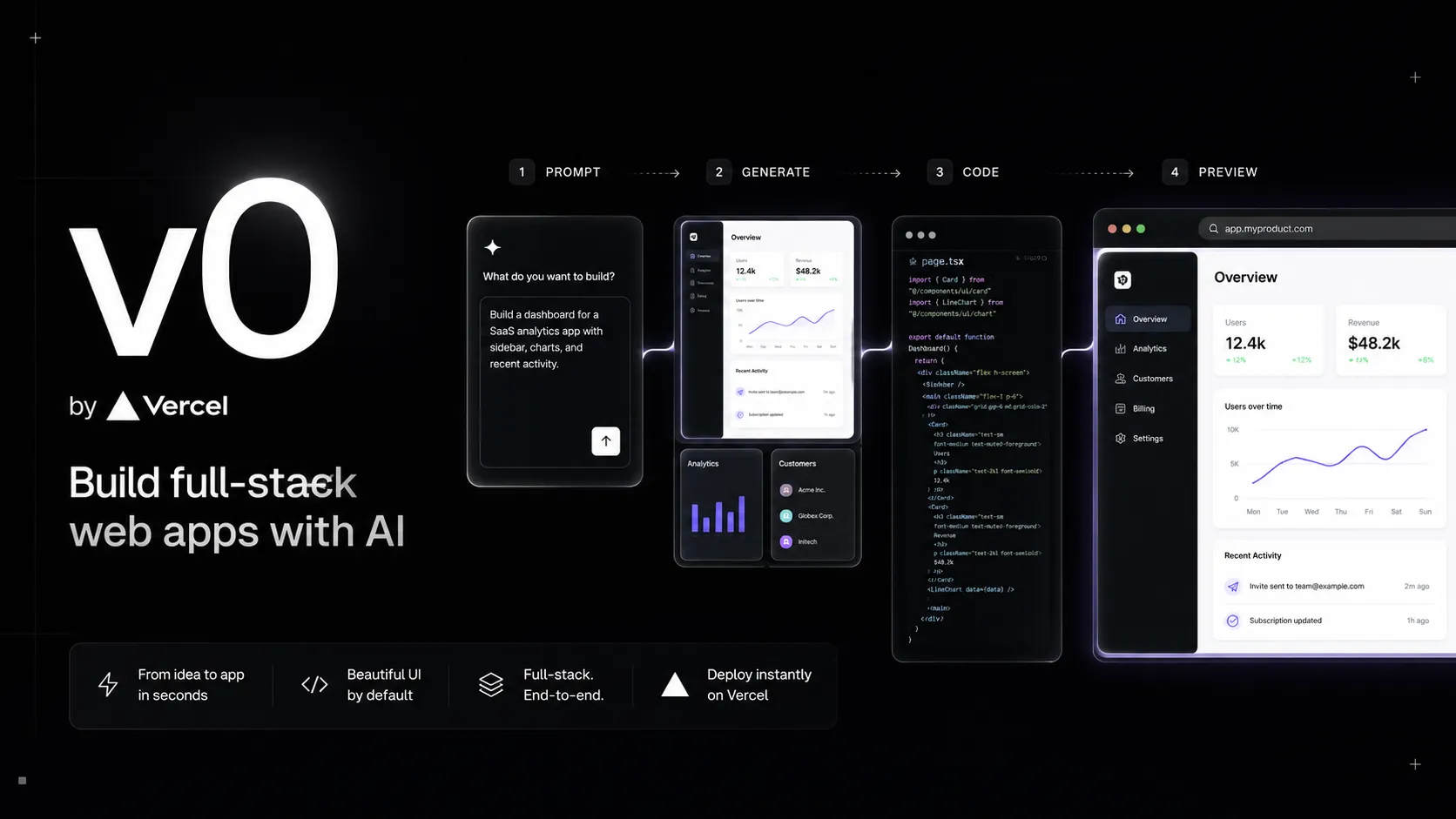
v0 is Vercel’s AI app builder for turning prompts, screenshots, designs, and existing repositories into full-stack web applications. It is strongest for React, Next.js, Tailwind CSS, shadcn/ui, GitHub, and Vercel deployment workflows.
Choose v0 when you want to turn ideas, screenshots, and repository context into Vercel-ready web apps, especially with React, Next.js, Tailwind CSS, and shadcn/ui. Choose a broader cloud IDE or open-source coding agent if you need non-web stacks, local model control, or provider-neutral terminal automation.

Pricing Plans
Free
$5 included monthly credits, Vercel deployments, Design Mode, GitHub sync, and daily message limits.
Premium
Legacy higher-limit plan with $20 included monthly credits. v0 docs say Premium is being sunsetted and is no longer available to new users.
Team
$30 included monthly credits per user, daily login credits, shared projects, shared credit pool, centralized billing, and team collaboration.
Business
$30 included monthly credits per user, daily login credits, Team features, centralized billing, collaboration, and training opt-out by default.
Enterprise
Custom credits, advanced controls, SAML SSO, data opt-out, access controls, enterprise security features, and larger-company support.
Platform API
Programmatic access to v0 chat, generation, project, MCP, and deployment workflows through the v0 Platform API and SDK.
Core Features
1Prompt-to-app generation
- Create web apps, full-stack prototypes, UI flows, websites, and agents from natural-language prompts.
- Generate React, Next.js, Tailwind CSS, and shadcn/ui-oriented code.
- Use screenshots, Figma-style references, images, ZIP files, and repository context as inputs.
2Visual iteration
- Design Mode lets users select UI elements in the preview and edit them visually.
- Live preview helps refine layout, copy, spacing, and component behavior.
- Design systems can keep colors, typography, and components consistent across projects.
3GitHub and deployment
- Import existing GitHub repositories and work on real app code.
- Create branches, commit changes, and open pull requests from v0 workflows.
- Deploy apps directly to Vercel and connect projects to Vercel deployments.
4Full-stack integrations
- Connect services such as Neon, Supabase, Upstash, Vercel Blob, Stripe, and Snowflake.
- Use Vercel project environment variables and Vercel Marketplace integrations.
- Build AI apps with Vercel AI SDK and provider access through Vercel AI Gateway where configured.
5Developer platform
- v0 Platform API exposes chat, generation, file, project, and deployment workflows.
- v0 SDK provides TypeScript access to v0 capabilities.
- v0 MCP server integrates v0 generation into MCP-compatible IDEs and assistants.
6Team and enterprise controls
- Team plans include shared projects, pooled credits, centralized billing, and team-wide analytics.
- Business adds data training opt-out by default.
- Enterprise adds SAML SSO, advanced access controls, custom credits, and security-focused administration.
Pros
- Excellent fit for React, Next.js, Tailwind CSS, and shadcn/ui workflows.
- Fast path from prompt or screenshot to deployable Vercel app.
- Design Mode makes UI refinement more practical than prompt-only editing.
- GitHub import and pull request workflows support developer handoff.
- Strong Vercel ecosystem integration for deployment, databases, AI Gateway, and marketplace services.
- Platform API, SDK, and MCP server make v0 useful beyond the web UI.
Cons
- Credit-based pricing can become unpredictable during broad iteration or debugging.
- Premium plan is being sunsetted and is no longer available to new users.
- Best results are centered on the Vercel, React, and Next.js ecosystem.
- Production apps still need human review, testing, security hardening, and observability.
- Less provider-neutral than open-source agents such as Aider, OpenCode, or Cline.
- Not ideal for non-web stacks or heavily custom backend architectures.
Why Choose v0?
v0 is strongest when the output should be a modern web app rather than a static mockup or a generic code snippet. Its advantage is not only prompt-based generation; it sits inside the Vercel ecosystem, so the path from idea to preview, code, integration, GitHub change, and deployment is shorter than with many standalone AI generators.
The tool is especially useful when the desired stack is already close to Vercel’s strengths: React, Next.js, Tailwind CSS, shadcn/ui, serverless integrations, and Vercel deployment. If the project is moving in that direction anyway, v0 can reduce the distance between product idea, visual iteration, and production handoff. If the project is not web-first or not Vercel-aligned, the fit is weaker.
Core Workflow
A practical v0 workflow starts with a clear product prompt or design reference. The best prompts describe the user, the page or app goal, the data model, integrations, brand direction, and what should be real versus mocked. After the first version, the workflow should become iterative: refine the interface in Design Mode, connect services, inspect generated code, and use GitHub import or pull requests when the work needs engineering review.
The key habit is to separate visual, data, and logic changes. Ask for one meaningful change at a time: update the pricing page layout, connect a database, add a checkout flow, or open a pull request for a specific bug fix. This makes credit usage easier to understand and keeps the resulting code easier to review.
Use Cases
v0 fits landing pages, dashboards, SaaS prototypes, marketing pages, admin tools, data apps, AI app interfaces, and design-to-code experiments. It is also a strong option for teams that use shadcn/ui or maintain an internal design system, because v0 can work with Tailwind and registry-style component context.
For developers, v0 is useful as a fast implementation partner. For product managers and designers, it turns a spec or screenshot into something closer to working software. For teams, the value increases when v0 output moves into GitHub and normal review workflows instead of remaining a standalone chat artifact.
Comparison to Alternatives
Compared with Bolt.new, v0 is more Vercel-native and design-system-aware, while Bolt.new is often framed around a browser development environment and full-stack app generation loop. Compared with Lovable, v0 is more tightly coupled to React, Next.js, Vercel deployment, and shadcn-style UI patterns, while Lovable may feel more product-builder-oriented for non-developers.
Compared with Replit AI, v0 is more focused on web app generation and Vercel deployment, while Replit is a broader cloud IDE and app platform. Compared with Cursor or Windsurf, v0 is not primarily an editor for an existing local codebase. It is better viewed as a browser-based app generation and deployment workflow that can hand code back to engineers through GitHub.
Best Configuration
The best v0 setup starts with stack alignment. Use it where Next.js, Tailwind CSS, Vercel, and shadcn/ui are acceptable defaults. Connect GitHub early for real projects, define environment variables through Vercel projects, and use database integrations intentionally instead of asking v0 to invent persistence details.
Teams should invest in reusable instructions, templates, and design-system context. If v0 is asked to generate branded interfaces without component rules, the output can drift. If it is given a registry, Tailwind tokens, CSS variables, and clear design constraints, it is more likely to produce UI that can be merged into a real codebase without extensive cleanup.
Migration Notes
Moving a v0 prototype into production should be treated like inheriting any generated codebase. Review dependencies, validate environment variables, audit authentication and authorization, inspect database permissions, run tests, and check accessibility. v0 can produce useful working software quickly, but it does not remove the need for engineering ownership.
Teams migrating from v0 into a traditional repo should use GitHub workflows rather than copying code manually. Document which services are connected, which Vercel project owns the deployment, which database or AI providers are attached, and which environment variables are required. If the app will leave Vercel, review platform-specific assumptions carefully before moving it to another host.
Best For
- React and Next.js apps
- Landing pages
- SaaS prototypes
- Dashboards
- Internal tools
- Design-to-code workflows
- shadcn/ui component generation
- Tailwind CSS UI iteration
- Vercel deployment workflows
- GitHub-based app iteration
- Full-stack prototypes with Neon, Supabase, Upstash, Stripe, Snowflake, or Vercel services
- Teams building internal AI app-generation workflows through the v0 Platform API
Not Ideal For
- Native mobile apps
- Python, Go, Java, PHP, Ruby, or backend-first systems
- Teams that require fully local model execution
- Users who need provider-agnostic open-source agent workflows
- Large regulated production systems without engineering review
- Developers who mainly want inline autocomplete inside a local IDE
- Projects where Vercel deployment or Next.js-oriented architecture is not desired
Privacy Notes
v0 can process prompts, uploaded assets, screenshots, repository content, generated code, chat history, deployment metadata, connected integrations, and environment context to generate and deploy apps. v0 documentation says Business and Enterprise plans include data opt-out controls. Users should avoid exposing secrets, private credentials, regulated data, customer records, or production tokens in prompts, files, screenshots, public chats, integrations, or shared links, and should review chat privacy and GitHub permissions before collaboration.

Alternatives
Sources
- v0 official website
- v0 pricing
- v0 pricing documentation
- v0 documentation
- v0 FAQs
- v0 Design Mode
- v0 full-stack apps
- v0 databases
- v0 Git import
- v0 projects
- v0 design systems
- v0 Platform API overview
- v0 Platform API create chat
- v0 MCP server
- v0 security
- v0 enterprise
- v0.dev to v0.app announcement
- Introducing the new v0
- Updated v0 pricing
- v0 SDK GitHub repository
Update History
- Jun 14, 2026: Created entry with current v0.app positioning, pricing, Premium sunset note, Design Mode, Git import, full-stack integrations, Platform API, MCP server, enterprise privacy controls, and Vercel ecosystem positioning.
Related Tools
More listings in a similar part of the directory.
v0 Articles
Guides, comparisons, and launch notes connected to this listing.