On This Page8 sections
Key Takeaways
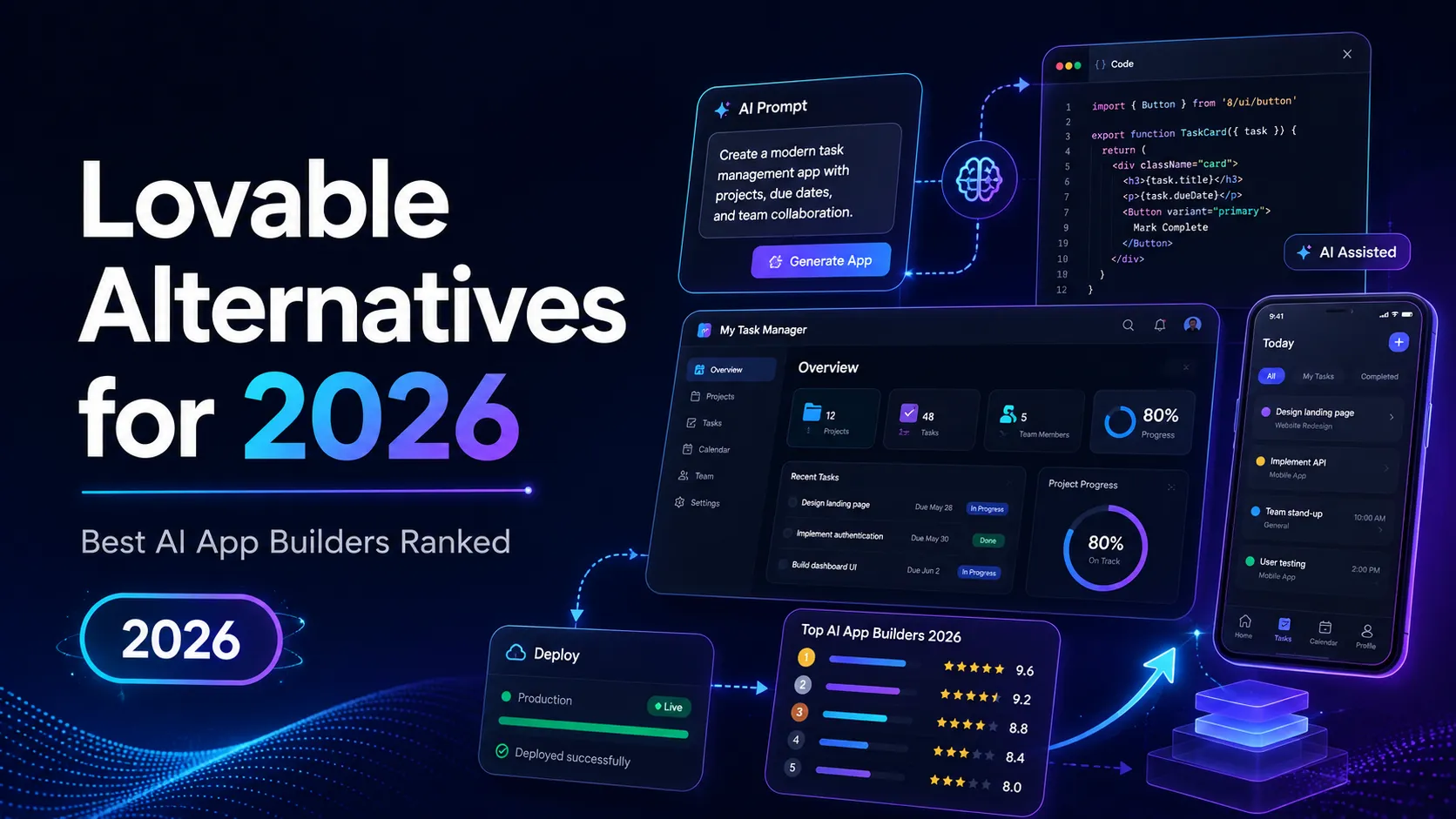
- Best overall Lovable alternative: Bolt.new
- Best for React and Next.js teams: v0
- Best for beginners who want to learn while building: Replit AI
- Best for business apps and internal tools: Base44, Softr, and Bubble
- Best for existing codebases: Cursor, Claude Code, Codex CLI, and Windsurf
- Best for mobile apps: FlutterFlow
- Important 2026 warning: Firebase Studio should be treated as a migration topic, not a new-project recommendation.
The Quick Ranking
| Rank | Tool | Best For | Main Advantage | Main Risk |
|---|---|---|---|---|
| 1 | Bolt.new | Fast full-stack MVPs | Closest Lovable-style workflow | Token burn during long repair loops |
| 2 | v0 | React and Next.js products | Strong UI-to-production path | Less ideal outside Vercel-style stacks |
| 3 | Replit AI | Beginner-friendly app building | AI builder plus real IDE | Requires log and runtime awareness |
| 4 | Base44 | No-code business apps | Built-in app infrastructure | Credit planning matters |
| 5 | GitHub Spark | GitHub-native prototypes | Natural path into repositories | Availability and plan fit should be checked |
| 6 | Cursor | Existing codebases | Strong AI IDE workflow | Not a no-code builder |
| 7 | Claude Code | Terminal-first engineering | Strong repo and command-line workflow | Requires developer review |
| 8 | Codex CLI | OpenAI-native coding work | Terminal agent with local repo access | Needs specs, tests, and discipline |
| 9 | Windsurf | Agentic IDE workflows | Side-by-side AI coding | More developer-focused than Lovable |
| 10 | Devin | Managing multiple agents | Agent command center workflow | Better for engineering teams than solo no-code users |
| 11 | Bubble | Visual no-code SaaS | Mature no-code ecosystem | Platform lock-in |
| 12 | FlutterFlow | Mobile and cross-platform apps | Strong Flutter-based app workflow | Not ideal for SEO-first web apps |
| 13 | Softr | Portals and dashboards | Fast apps from structured data | Limited for custom full-stack SaaS |
| 14 | Google Antigravity + Firebase | Firebase-based AI apps | Better future path than Firebase Studio | Requires manual architecture choices |
| 15 | Firebase Studio | Existing migration only | Useful for legacy workspace context | Not recommended for new projects |
Why People Look for Lovable Alternatives in 2026
Lovable is powerful because it combines natural-language prompting, app generation, code editing, deployment, and full-stack workflows. The problem is that not every project needs the same type of AI builder.
The best alternative depends on the real goal:
- Build a fast MVP: choose Bolt.new, Replit AI, or Base44.
- Create polished production UI: choose v0.
- Work inside an existing repository: choose Cursor, Claude Code, Codex CLI, or Windsurf.
- Build internal tools: choose Softr, Bubble, or Base44.
- Build mobile apps: choose FlutterFlow.
- Stay close to GitHub: choose GitHub Spark.
- Use Firebase infrastructure: choose Firebase with Google Antigravity or another modern coding agent instead of starting new work in Firebase Studio.
1. Bolt.new
Best for: fast full-stack MVPs and hosted web apps.
Why it is a strong Lovable alternative:
- Converts prompts into working full-stack web apps.
- Supports quick prototyping, hosting, databases, integrations, and deployment-style workflows.
- Feels closer to Lovable than most developer IDEs because the product is designed around app generation, not only code completion.
- Works well for landing-page-backed tools, dashboards, calculators, directories, lightweight SaaS products, and internal utilities.
Choose Bolt.new when:
- The goal is to launch a usable MVP quickly.
- The project can be built in phases.
- The builder wants a browser-based AI app creation workflow.
- The app does not require heavy custom backend architecture on day one.
Avoid Bolt.new when:
- The product requires complex authorization, background jobs, multi-tenant billing, or advanced backend control.
- Nobody will review the generated code.
- The team expects enterprise-grade architecture from a single prompt.
Best prompt style:
Build this app in phases.

Phase 1: Create the data model, routes, and core screens.
Phase 2: Add authentication and role-based access.
Phase 3: Add persistence, validation, loading states, and error states.
Phase 4: Add SEO metadata, analytics hooks, and deployment checks.

Do not add extra features unless requested.
Explain every major file change after each phase.
2. v0
Best for: React, Next.js, product UI, and Vercel-based teams.
Why it is a strong Lovable alternative:
- Excellent for turning product ideas into polished interfaces.
- Strong fit for React and Next.js projects.
- Useful for teams that care about production-quality UI, live previews, pull requests, and deployment.
- Better than many AI builders for dashboard layouts, SaaS interfaces, marketing pages, admin panels, and design-system-based screens.
Choose v0 when:
- The team already uses React, Next.js, Tailwind-style UI, or Vercel.
- The output needs to become production code.
- Designers, founders, and engineers need to collaborate around visual prototypes.
- UI quality matters more than no-code simplicity.
Avoid v0 when:
- The target stack is not React-friendly.
- The user wants a beginner no-code builder.
- The backend is much harder than the frontend.
Better prompt pattern:
Create a SaaS dashboard for keyword tracking.

Include these states:
- Empty project
- Loading data
- Table with 50+ rows
- API error
- Upgrade required
- Mobile layout
- Admin user view
- Viewer user view

Use realistic components and avoid placeholder-only design.
3. Replit AI
Best for: beginners, students, solo builders, and small apps that need visible code and deployment.
Why it is a strong Lovable alternative:
- Combines AI app generation with a real browser IDE.
- Makes files, packages, logs, runtime errors, and deployment visible.
- Helps users understand how the app works instead of only receiving a black-box result.
- Useful for small tools, educational projects, games, bots, automations, and lightweight web apps.
Choose Replit AI when:
- The builder wants to learn while shipping.
- Seeing logs and code is useful.
- The app may need manual debugging.
- The project benefits from a simple all-in-one coding environment.
Avoid Replit AI when:
- The user wants the smoothest no-code experience.
- The project requires complex production infrastructure.
- The builder does not want to inspect errors, packages, or runtime behavior.
4. Base44
Best for: non-technical business users building practical apps.
Why it is a strong Lovable alternative:
- Focuses on complete business app creation.
- Useful for authentication, databases, analytics, backend functions, and business workflows.
- More no-code friendly than developer-first tools.
- Strong fit for internal CRMs, client portals, lightweight admin panels, inventory tools, approval workflows, and member dashboards.
Choose Base44 when:
- The builder is not a developer.
- The app is business-process driven.
- Built-in infrastructure matters more than code portability.
- The first working version is more important than long-term engineering flexibility.
Avoid Base44 when:
- The team needs full control over architecture and hosting.
- The app will become a complex engineering product.
- A senior developer needs to own the codebase later.
5. GitHub Spark
Best for: GitHub-native AI app creation.
Why it is a strong Lovable alternative:
- Connects natural-language app building with GitHub-style collaboration.
- Useful when the prototype should become a real repository.
- Fits teams already using GitHub for issues, pull requests, review, and deployment workflows.
- Stronger than pure no-code tools when long-term code ownership matters.
Choose GitHub Spark when:
- The team already works inside GitHub.
- The app should graduate into a repository.
- Code review and collaboration matter.
- The project benefits from GitHub authentication and ecosystem integrations.
Avoid GitHub Spark when:
- The user does not use GitHub.
- The desired workflow is pure visual no-code.
- The team needs maximum control over a custom deployment stack from day one.
6. Cursor
Best for: developers working on existing repositories.
Why it is a strong Lovable alternative:
- Works inside a real coding environment.
- Strong for refactoring, debugging, multi-file edits, codebase navigation, and AI-assisted implementation.
- Better than Lovable when the project already has structure, tests, conventions, and deployment rules.
- Suitable for serious engineering teams that need maintainable code, not just a quick prototype.
Choose Cursor when:
- The app already exists.
- The team wants AI help inside the codebase.
- There are tests, lint rules, type checks, and review processes.
- Repository context matters more than prompt-to-app generation.
Avoid Cursor when:
- The builder wants a no-code product builder.
- The project starts from a vague idea with no technical direction.
- Nobody can review AI-generated changes.
Recommended workflow:
Read the repository first.
Identify the routing, database, authentication, and API layers.
Propose a minimal implementation plan.
Do not edit files until the plan is clear.
After editing, run typecheck and tests.
Summarize changed files and risk areas.
7. Claude Code
Best for: terminal-first developers and engineering-heavy workflows.
Why it is a strong Lovable alternative:
- Works naturally with repositories, terminal commands, Git, scripts, and local development.
- Strong for debugging, refactoring, command execution, test loops, and codebase-level reasoning.
- Useful when the AI should act like an engineering assistant rather than a no-code app generator.
Choose Claude Code when:
- The team prefers terminal-first development.
- The repository already has scripts and tests.
- Security and local workflow matter.
- Developers want AI assistance without abandoning their existing tools.
Avoid Claude Code when:
- The user wants a visual builder.
- The app idea is still vague.
- Nobody can review terminal commands or code changes.
8. Codex CLI
Best for: OpenAI-native terminal coding, local repository work, and structured coding tasks.
Why it is a strong Lovable alternative:
- Better suited to real engineering tasks than one-shot app generation.
- Useful for decomposing work into issues, implementation plans, tests, and reviewable changes.
- Strong fit for teams that want coding-agent workflows across terminal, IDE, SDK, and automation surfaces.
Choose Codex CLI when:
- Work can be split into small tasks.
- The team has clear specs and acceptance criteria.
- Developers want local project access with approval and sandbox controls.
- Developers can review and merge changes.
Avoid Codex CLI when:
- The user wants a hosted no-code app builder.
- The project has no test suite.
- The goal is a polished first screen rather than a maintainable codebase.
Good task format:
Task: Add billing to the existing SaaS app.

Scope:
1. Inspect auth and user schema.
2. Propose database changes before editing.
3. Add billing routes behind feature flags.
4. Add tests for active, canceled, trialing, and past_due states.
5. Do not modify unrelated UI.
9. Windsurf
Best for: agentic IDE workflows.
Why it is a strong Lovable alternative:
- Designed for developers who want to work side by side with AI agents.
- Strong for understanding codebases, editing files, navigating context, and managing implementation tasks.
- More useful than Lovable when the project already has code and the developer wants an AI-native editor experience.
Choose Windsurf when:
- Developers want an AI IDE rather than an app builder.
- The work involves repositories, debugging, and refactoring.
- Agent collaboration matters.
- The user wants to remain close to the code.
Avoid Windsurf when:
- The user wants no-code simplicity.
- The app is a basic landing page or simple CRUD prototype.
- The team prefers a browser-only builder.
10. Devin
Best for: teams managing multiple AI coding agents.
Why it is a strong Lovable alternative:
- More focused on agent orchestration than simple prompt-to-app building.
- Useful when engineering work needs to be split across multiple agents.
- Better suited to teams with structured tasks, issue queues, and review discipline.
Choose Devin when:
- The team manages several parallel engineering tasks.
- AI agents need a command-center style workflow.
- The product already has code, tickets, and review systems.
Avoid Devin when:
- The user wants a beginner-friendly no-code builder.
- The project is a quick MVP with limited complexity.
- The team has no engineering process.
11. Bubble
Best for: visual no-code SaaS, marketplaces, and workflow-heavy apps.
Why it is a strong Lovable alternative:
- Mature no-code platform with a large ecosystem.
- Good for business users who want visual control.
- Works well for SaaS prototypes, marketplaces, directories, workflows, and internal tools.
- More operator-friendly than developer IDEs.
Choose Bubble when:
- Non-engineers need to keep editing the app.
- Visual workflow building matters.
- Plugins, templates, and no-code operations are important.
- The project can accept platform lock-in.
Avoid Bubble when:
- Portable code ownership is essential.
- The long-term goal is a standard React or Next.js codebase.
- The app requires highly custom infrastructure.
12. FlutterFlow
Best for: mobile-first and cross-platform apps.
Why it is a strong Lovable alternative:
- Strong visual builder for Flutter-based apps.
- Useful for mobile products, cross-platform interfaces, and Figma-to-app workflows.
- Better than Lovable when the primary target is iOS or Android instead of a web dashboard.
Choose FlutterFlow when:
- The product is mobile-first.
- Flutter output is acceptable or preferred.
- The team wants visual app building with mobile patterns.
- Figma-to-app workflow matters.
Avoid FlutterFlow when:
- The project is SEO-driven.
- The main product is a web SaaS dashboard.
- The team wants a React or Next.js stack.
13. Softr
Best for: portals, dashboards, internal tools, and database-backed business apps.
Why it is a strong Lovable alternative:
- Very fast for business apps built on structured data.
- Works well for client portals, partner portals, directories, intranets, dashboards, and trackers.
- Better than Lovable when the main job is turning existing business data into a usable interface.
Choose Softr when:
- The app is powered by Airtable, spreadsheets, Notion-style databases, CRM data, or structured business records.
- Non-technical operators will maintain the app.
- Speed and simplicity matter more than custom engineering.
Avoid Softr when:
- The product requires custom full-stack logic.
- Public SEO pages are central to the business model.
- The backend needs advanced flexibility.
14. Google Antigravity + Firebase
Best for: teams that want Firebase infrastructure with a modern AI development workflow.
Why it matters in 2026:
- Firebase remains useful for authentication, Firestore, hosting, app infrastructure, and rapid backend setup.
- Google Antigravity gives Google ecosystem users a more current agent-first development path.
- This combination can work well for AI apps, prototypes, internal tools, and Firebase-backed products.
Choose Google Antigravity + Firebase when:
- The app needs Firebase authentication, Firestore, or Firebase hosting.
- The team wants Google ecosystem integration.
- Developers can review generated security rules and backend code.
Avoid this path when:
- The user wants a single no-code interface.
- Nobody can review Firebase rules.
- The product needs a non-Firebase backend from the start.
15. Firebase Studio
Best for: migration only.
Why it is not a top new-project alternative:
- Firebase Studio is no longer a safe default for new 2026 projects.
- New workspace creation and signup have already been disabled.
- Existing users should focus on migration planning rather than starting new production work there.
Use Firebase Studio only when:
- An existing workspace must be exported or migrated.
- The team is auditing older Firebase Studio projects.
- The goal is to move work into a supported Firebase or Google AI development path.
Avoid Firebase Studio when:
- Starting a new product.
- Building a long-term production app.
- Comparing active Lovable alternatives for future use.
Best Lovable Alternatives by Use Case
Best for Solo Founders
- Bolt.new — best all-around MVP builder.
- Replit AI — best if the founder wants to learn and debug.
- Base44 — best for business apps without deep coding.
- Lovable — still strong if the user already likes its workflow.
Best for Product Teams
- v0 — best for React and production UI.
- Cursor — best for existing repositories.
- Claude Code — best for terminal-first teams.
- Codex CLI — best for structured agent tasks.
Best for No-Code Operators
- Softr — best for portals and dashboards.
- Bubble — best for visual no-code SaaS.
- Base44 — best for AI-generated business apps.
- FlutterFlow — best for mobile no-code apps.
Best for Developers
- Cursor — best AI IDE alternative.
- Claude Code — best terminal-first assistant.
- Codex CLI — best OpenAI-native terminal workflow.
- Windsurf — best agentic editor experience.
- Devin — best for autonomous agent delegation.
Best for GitHub Teams
- GitHub Spark — best GitHub-native AI app builder.
- v0 — best for UI-to-PR workflows.
- Cursor — best for repository editing.
- Codex CLI — best for local repo and automation workflows.
Best for Mobile Apps
- FlutterFlow — best dedicated mobile app builder.
- Bubble — useful for some responsive web apps.
- Replit AI — useful for lightweight experiments.
- Lovable — better for web-first products than mobile-first products.
Pricing Traps to Watch
- Credit burn: AI builders can consume many credits during debugging and regeneration.
- Token-based billing: Long prompts, large codebases, and repeated fixes can raise usage.
- Seat expansion: Team pricing grows when founders, PMs, designers, and engineers all need access.
- Hosting limits: Instant deployment does not always mean cheap scaling.
- Database limits: Free database tiers are usually fine for demos, not production.
- AI runtime costs: If the generated app uses AI models for end users, inference becomes a second cost center.
- Lock-in: Visual no-code tools can be fast now but harder to migrate later.
- Security review: Generated auth, permissions, payments, and database rules require human review.
Technical Checklist Before Choosing
1. Code ownership
- Can the code be exported?
- Can it sync to GitHub?
- Can another developer run it locally?

2. Backend
- Where is the database hosted?
- How are migrations handled?
- Are user roles explicit?
- Are scheduled jobs supported?

3. Security
- Are API keys stored server-side?
- Are database rules reviewed?
- Is access control enforced on the server?
- Are admin actions logged?

4. Deployment
- Can staging and production be separated?
- Can custom domains be used?
- Are environment variables managed safely?
- Can builds be rolled back?

5. Maintenance
- Are tests included?
- Is type checking configured?
- Are errors observable?
- Can an engineer take over without rebuilding everything?
Common Mistakes When Comparing Lovable Alternatives
- Choosing the fastest demo instead of the best production path. A good first screen does not guarantee good database design, security, or maintainability.
- Asking for the entire app in one prompt. Large prompts often create messy architecture and unrelated features.
- Ignoring the generated schema. User tables, roles, permissions, indexes, and deletion behavior should be inspected early.
- Trusting generated security rules. AI-generated database rules should be treated as drafts.
- Confusing editable code with maintainable code. Maintainable code needs structure, naming consistency, tests, typed APIs, and deployment clarity.
- Skipping staging. AI-generated apps should not go straight from prompt to production without a test environment.
- Underestimating repair loops. Fixing generated bugs can cost more time and credits than building the first version.
Recommended Decision Framework
Choose Bolt.new if:
- The goal is a quick hosted web MVP.
- The project is small to medium complexity.
- The builder wants a Lovable-like experience.
- Fast iteration matters more than deep infrastructure control.
Choose v0 if:
- The product is React or Next.js based.
- UI quality matters.
- The team uses Vercel.
- The generated output needs to become production code.
Choose Replit AI if:
- The builder wants code visibility.
- The project is educational or experimental.
- Runtime logs and debugging are useful.
- Deployment should be simple.
Choose Base44 if:
- The app is a business tool.
- The builder is non-technical.
- Built-in auth, database, and workflows matter.
- Long-term code portability is not the top priority.
Choose Cursor, Claude Code, Codex CLI, or Windsurf if:
- The project already has a repository.
- Engineers will maintain the code.
- Tests, reviews, and architecture matter.
- AI should assist development, not replace the entire development process.
Choose Softr, Bubble, or FlutterFlow if:
- The app is more no-code than code-first.
- Non-technical operators need to maintain it.
- The product fits a known no-code pattern.
- Speed matters more than total stack freedom.
Conclusion
Lovable remains one of the strongest AI app builders in 2026, but it is not the default winner for every project.
The best Lovable alternative depends on what happens after the first demo:
- For fast web MVPs: choose Bolt.new.
- For polished React products: choose v0.
- For learning and visible code: choose Replit AI.
- For no-code business apps: choose Base44, Softr, or Bubble.
- For mobile apps: choose FlutterFlow.
- For serious codebases: choose Cursor, Claude Code, Codex CLI, Windsurf, or Devin.
- For Firebase projects: use Firebase infrastructure with newer Google AI workflows such as Google Antigravity, not Firebase Studio for new builds.
The practical call to action is simple: build the same small feature in two tools before committing. Use one protected dashboard, one database table, one authentication flow, one deployment, and one bug fix. The best Lovable alternative is not the tool that creates the prettiest first screen. It is the tool that still feels reliable after the second week of real product work.
Continue Reading
More articles connected to the same themes, protocols, and tools.

Referenced Tools
Browse entries that are adjacent to the topics covered in this article.