

Superblocks
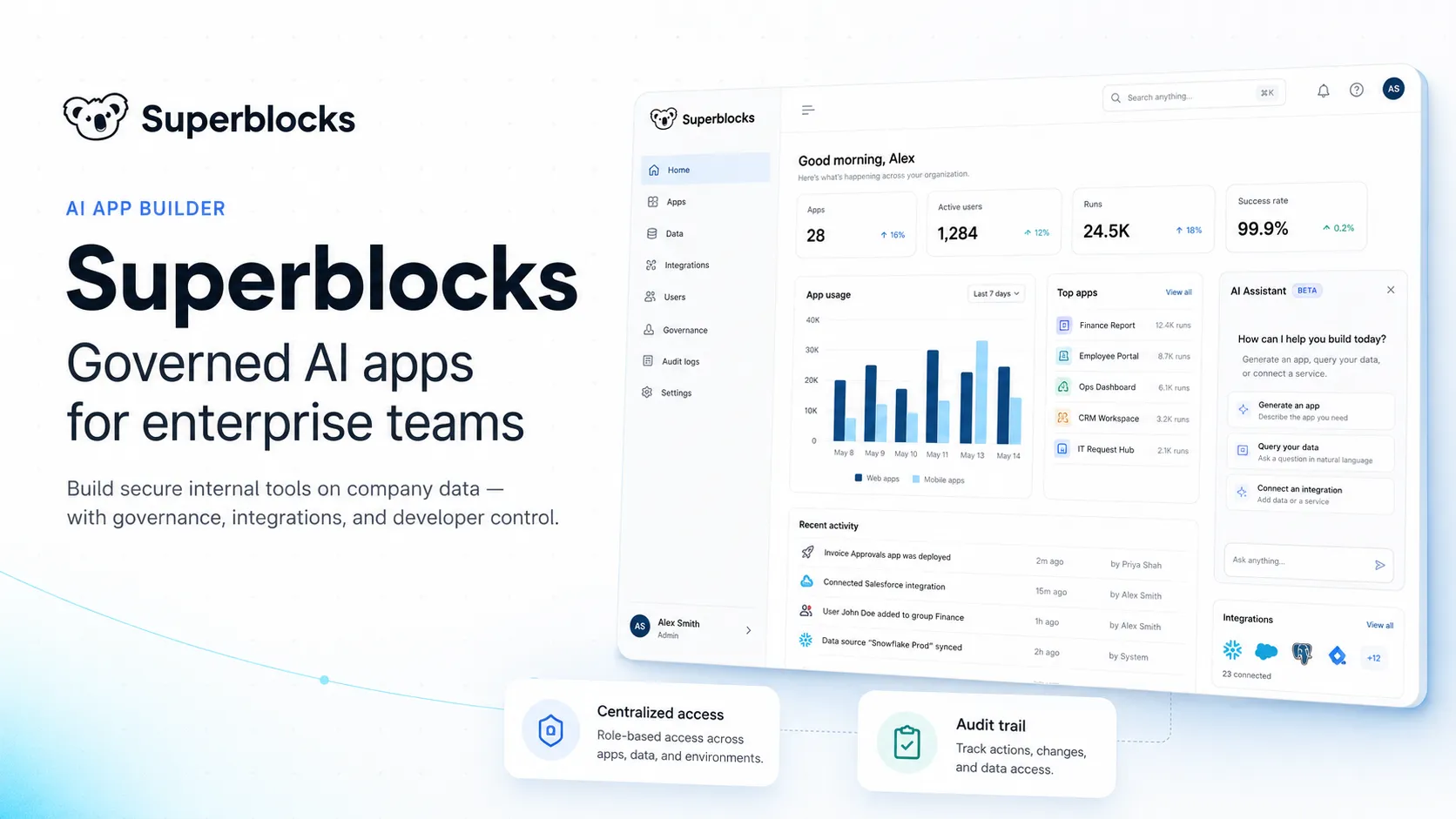
Superblocks is an enterprise AI app builder for teams that want business users to generate internal apps while IT and platform teams centrally govern data access, identity, deployment, and auditing.
Information checked: Jun 26, 2026 ·View sources
Tool details
- Type
- App builders
- Platforms
- Web, Superblocks Cloud, Hybrid deployment, Cloud-Prem in AWS, Cloud-Prem in GCP, Cloud-Prem in Azure, VS Code, Cursor, CLI
- Free plan
- No
- Open source
- No
- Bring your own key
- Yes
- Local models
- No
Overview
Best for
- Enterprise internal apps built on production data
- Governed AI-generated business applications
- Operations, IT, data, and platform teams reducing internal app backlog
- Apps that need centralized auth, permissions, integration control, and audit logs
- Teams that want AI app generation but still need React and TypeScript reviewability
- Regulated organizations evaluating VPC, Hybrid, or Cloud-Prem deployment
- IT teams that need visibility into app usage, dependencies, permissions, and vulnerabilities
Strengths
- Strong focus on governed AI-generated internal apps rather than unmanaged prototypes.
- Clark builds on top of existing integrations and permissions, which is useful for enterprise data access.
- React and TypeScript editing makes it more developer-friendly than many pure no-code builders.
- Hybrid and Cloud-Prem options are valuable for regulated or VPC-sensitive organizations.
- MCP-based visibility gives IT a programmatic way to inspect usage, permissions, and audit data.
Limitations & trade-offs
- Solo developers looking for a low-cost app prototyping tool
- Open-source teams that need self-hosted source-code access to the platform itself
- Developers looking for a local AI code editor like Cursor or Windsurf
- Consumer SaaS products requiring full custom product engineering from day one
- Small teams that only need a spreadsheet database or simple form workflow
- Teams that do not want AI credit-based usage planning
- Pricing starts higher than many self-serve low-code tools and is aimed at teams or enterprises.
- Not a traditional AI IDE for editing arbitrary local repositories.
- Some advanced capabilities require Enterprise, including VPC deployment, source control, secrets management, and embedded apps.
- Teams still need governance discipline around integrations, permissions, app ownership, and production deployment.
- Clark AI usage depends on credits, deployment model, and organization configuration.
Get started
Pricing & usage limits
Official pricingFrom $100
Cloud plan for building and deploying internal tools with Clark AI, 100 AI credits per AI Builder/month, staging and production environments, 50+ integrations, and one hosted app.
Annual billing option for the Teams plan, with the same core Teams capabilities.
Add-on pricing for additional hosted apps on the Teams plan.
Optional shared credit packs for organizations that need additional Clark AI usage.
Custom pricing for larger organizations needing advanced security, VPC deployment, source control, secrets management, embedded apps, audit logs, observability, SLAs, and dedicated support.
Pricing checked: Jun 26, 2026 · Subscription, usage limits, and model costs may be billed separately.
Features & details
AI App Generation
- Clark AI agent for generating internal apps from natural language
- App building on top of private enterprise data and integrations
- User, integration, and organization memory for better app generation
- Plan and build workflows for creating governed production apps
Code and Developer Control
- Generated app code with React and TypeScript editing workflows
- Two-way local editing with VS Code, Cursor, or the Superblocks CLI
- Source control through GitHub, GitLab, Bitbucket, and Azure DevOps on Enterprise
- Checkpoints, rollbacks, commits, and reviewable deployment flow
Data and Integrations
- 50+ integrations across databases, APIs, SaaS tools, and cloud services
- Centrally managed integration credentials and access control
- Support for staging and production data configurations
- Cloud provider integrations across Snowflake, Databricks, AWS, GCP, and Azure ecosystems
Governance and Deployment
- Cloud, Hybrid, and Cloud-Prem deployment models
- RBAC, SSO, SAML, OIDC, audit logs, and observability pipelines
- Secrets management integrations with major cloud vaults
- Superblocks MCP for querying app usage, permissions, audit logs, and platform state
Why Choose Superblocks?
Superblocks is best understood as a response to a new enterprise problem: AI makes it much easier for business teams to generate apps, but unmanaged apps connected to production data create security, access, audit, and maintenance risk. Superblocks positions itself around that gap. It gives teams a way to generate internal apps with Clark AI while letting IT and platform teams control the integrations, permissions, deployment model, and audit trail.
This makes Superblocks different from general prompt-to-app tools. It is not primarily aimed at indie SaaS builders or public website generation. Its stronger use case is enterprise internal software: dashboards, approval tools, support consoles, data apps, admin workflows, and operational systems that need to touch real company data without bypassing governance.
The code angle also matters. Superblocks is not a pure black-box no-code platform. Apps can be inspected and extended in React and TypeScript, with local editing workflows for tools such as VS Code and Cursor. That gives engineering teams a review path when an AI-generated app becomes operationally important.
Core Workflow
A typical Superblocks workflow starts with enterprise integrations. Admins configure databases, APIs, SaaS systems, authentication, secrets, and access policies. Builders then prompt Clark with a desired internal app, often tagging the relevant integrations or schemas so the app is generated against real business context.
Clark can generate the application structure, backend APIs, UI, and logic, but the safest workflow still includes human review. Teams should inspect what data is being accessed, which actions are allowed, how permissions are enforced, and whether generated code follows internal standards. Superblocks is most valuable when AI speeds up creation while the organization keeps a production-grade review and deployment process.
After generation, teams can iterate visually, edit code locally, use checkpoints and rollbacks, and deploy into the configured environment. For Enterprise deployments, Git workflows, secrets management, VPC execution, audit logging, and observability become part of the operating model rather than afterthoughts.
Practical Use Cases
Superblocks fits workflows where business teams know what they need, but engineering teams cannot afford to hand-build every internal application. Examples include customer support consoles, finance review queues, operational dashboards, compliance tools, sales operations apps, procurement workflows, data quality review tools, incident response panels, and AI-assisted analytics interfaces.
It is particularly relevant when the app needs to sit on top of systems such as Snowflake, Databricks, Postgres, Salesforce, internal APIs, or cloud data platforms. In those scenarios, the value is not merely generating a screen. The value is letting the generated app inherit controlled access to approved systems while keeping a searchable audit trail.
Superblocks MCP also makes it useful for platform teams that need visibility into the internal app estate. Instead of treating every generated tool as a hidden shadow app, IT can query usage, permissions, vulnerabilities, audit events, and ownership signals programmatically.
Comparison to Alternatives
Compared with Retool, Superblocks is more explicitly centered on AI-generated enterprise apps and Clark-driven creation. Retool has a mature low-code internal tools platform with broad app, workflow, database, and governance capabilities. Superblocks leans harder into the problem of business teams generating apps while IT enforces a centralized control layer.
Compared with Appsmith or ToolJet, Superblocks is less open-source oriented and more enterprise packaged. Appsmith and ToolJet may appeal more to teams that prioritize self-hosted open-source control and lower entry cost. Superblocks is a stronger fit when the purchasing driver is governed AI app generation, VPC deployment, auditability, and enterprise platform administration.
Compared with Microsoft Power Apps, Superblocks is more stack-neutral and developer-code-friendly. Power Apps is often the natural default inside Microsoft 365, Dataverse, Dynamics, and Teams-heavy organizations. Superblocks is more relevant when the enterprise data estate spans Snowflake, Databricks, custom APIs, cloud platforms, and non-Microsoft systems.
Compared with Airtable, Superblocks is aimed at a different layer. Airtable is strong when the team database is itself the center of the workflow. Superblocks is better when the data already lives in enterprise systems and the goal is to generate governed applications on top of that data.
Best Configuration
The best Superblocks setup starts with governance before app generation. Define which integrations Clark can access, who can build, who can deploy, which environments exist, and which approval steps are required before an app touches production data. Without that foundation, AI can accelerate the same internal-tool sprawl that Superblocks is meant to control.
For a small team trial, the Teams plan can validate whether Clark is useful for app generation and whether the app-building experience fits the organization’s workflow. The first project should be specific and measurable: a support dashboard, a manual approval queue, a data reconciliation tool, or an operational workflow that currently relies on spreadsheets and tickets.
For larger enterprises, Hybrid or Cloud-Prem evaluation should happen early. The key questions are data residency, network boundaries, AI inference location, secrets management, SSO, audit retention, observability, and how Superblocks fits existing CI/CD and change management. The right deployment model depends less on app count and more on security posture.
Migration Notes
Superblocks is a strong migration target for unmanaged internal apps, manual scripts, spreadsheet workflows, legacy admin panels, and one-off dashboards that have become business-critical. It can give those tools a more consistent interface, identity model, deployment process, and audit trail.
Migration is harder when the existing application is a deeply customized product with complex frontend architecture, performance-sensitive interactions, offline behavior, or public-facing UX requirements. Superblocks can expose and extend generated code, but it should not be treated as a universal replacement for full product engineering.
A practical migration path is to start with visibility and read-heavy tools, then add controlled write actions, then automate multi-step workflows, and only later expand into more autonomous AI behavior. This sequence lets teams prove that permissions, audit logs, rollback, and ownership are working before generated apps become deeply embedded in business operations.
Model support & data privacy
Supported models
- Amazon Bedrock
- Snowflake Cortex AI
Privacy & data handling
Superblocks supports Cloud, Hybrid, and Cloud-Prem deployment models. In Hybrid, production execution and data access can remain inside the customer VPC while Superblocks manages the control plane; in Cloud-Prem, the platform can run in the customer cloud environment, and AWS Cloud-Prem can route AI inference through Amazon Bedrock using customer-controlled models and regions. Organizations should review deployment architecture, AI credit usage, integration permissions, SSO, RBAC, audit logs, secrets management, and model-provider configuration before connecting sensitive production data.
Guides, reviews & fixes
View allNo published guides yet. Start with the official documentation above.
Product updates
No verified product updates listed yet. Follow this tool to see new relevant content in Saved.
See the content timelineAlternatives
Sources & verification
Verification dates record when this directory checked the information. Product release dates appear separately above.
Directory revision history
Checked official Superblocks website, pricing page, Clark AI credit documentation, integrations docs, deployment docs, code editing docs, audit logs, RBAC, and security documentation.