


Replit AI
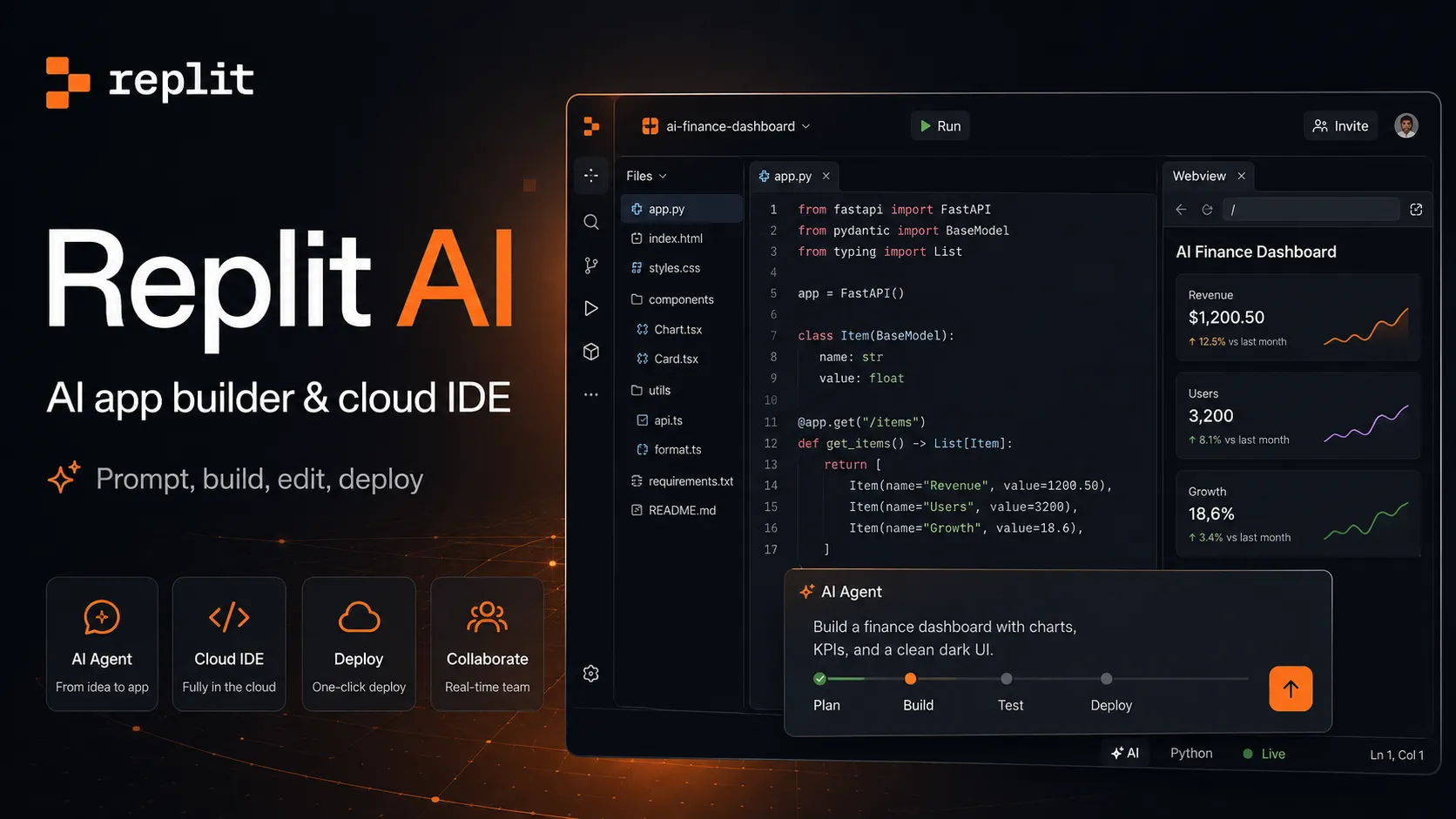
Replit AI is an all-in-one browser-based AI software creation platform that combines prompt-to-app generation, a cloud IDE, built-in infrastructure, publishing, and collaboration.
Information checked: Jun 14, 2026 ·View sources
Tool details
- Type
- App builders
- Platforms
- Web browser, Replit cloud workspace, iOS app, Android app, GitHub workflows, Hosted Replit deployments
- Free plan
- Yes
- Open source
- No
- Bring your own key
- No
- Local models
- No
Overview
Best for
- Founder MVPs
- Prompt-to-app prototypes
- Internal tools
- Business dashboards
- Web apps
- Mobile app experiments
- Student projects
- No-code and low-code software creation
- Developers who want a cloud IDE plus AI Agent
- Teams that want browser-based collaboration and deployment
- Automations and lightweight business workflows
Strengths
- Very strong end-to-end path from prompt to published app.
- Combines AI builder, browser IDE, database, auth, hosting, and deployment in one platform.
- Useful for both non-developers building prototypes and developers shipping quick tools.
- Agent modes provide practical control over speed, cost, and capability.
- Good for collaborative app building without local environment setup.
- Enterprise direction is stronger than many lightweight prompt-to-app builders.
Limitations & trade-offs
- Teams requiring fully local development
- Users who need local model execution
- Highly regulated production apps without engineering review
- Projects where AI agents must never access data, files, terminal commands, or infrastructure
- Organizations with strict custom CI/CD and cloud architecture requirements
- Users who want fixed-cost AI usage with no credit-based variability
- Large mature repositories that require deep local IDE customization
- Usage-based Agent credits can be hard to predict on long or ambiguous tasks.
- AI-generated apps still require human testing, security review, and production ownership.
- Cloud/browser workflow may not fit teams committed to local IDEs and custom infrastructure.
- Complex backend, compliance, or data workflows need careful supervision.
- Starter plan is limited for serious ongoing product development.
- Autonomous Agent actions should be isolated from production data unless safeguards are in place.
Get started
Pricing & usage limits
Official pricingFree tier available
Starter$0 / month
Free plan for exploring Replit with daily Agent credits, built-in database, app creation tools, and one published project.
Replit Core$25 / month
$20/month when billed annually. Includes monthly credits, more Agent capacity, up to 5 collaborators, and personal app-building features.
Replit Pro$100 / month
$90/month when billed annually. Includes higher monthly credits, more collaborators/viewers, stronger Agent capacity, premium support, and advanced creation workflows.
EnterpriseCustom
Enterprise-grade security, SSO, SCIM, governance, private deployment options, security controls, support, and organization-level administration.
Usage creditsUsage-based
Agent usage depends on credits, task effort, selected modes, app testing, and cloud resources.
Pricing checked: Jun 14, 2026 · Subscription, usage limits, and model costs may be billed separately.
Features & details
AI app generation
- Turn natural-language prompts into apps, websites, dashboards, mobile experiences, slides, videos, and prototypes.
- Replit Agent writes code, configures infrastructure, tests the result, and helps refine the project.
- Supports app creation from a blank prompt or existing project context.
Agent modes
- Lite, Economy, and Power modes balance speed, cost, and capability.
- Optional App Testing, High Effort, and Turbo controls provide more task-specific behavior.
- Power mode is designed for harder tasks and higher-capability model routing.
Cloud development workspace
- Browser-based editor with files, terminal, packages, workflows, previews, and project settings.
- Supports coding, testing, debugging, and publishing inside the same environment.
- Project instructions can guide Agent behavior and app conventions.
Built-in infrastructure
- Built-in database support for full-stack apps.
- Publishing, hosting, deployments, secrets, environment variables, and app configuration are integrated.
- Replit apps can include auth, integrations, and backend logic without setting up separate infrastructure first.
Integrations
- Replit-managed integrations work automatically when Agent detects the need.
- Connectors let Agent read and write to supported external services from chat.
- External integrations allow users to provide API keys for trusted third-party services.
Team and enterprise controls
- Collaboration, shared workspaces, viewers, and team billing support group workflows.
- Enterprise options include SSO, SCIM, isolated environments, governance, and security administration.
- Security Agent and enterprise workflows help teams review and harden generated applications.
Why Choose Replit AI?
Replit AI is strongest when the project needs more than code generation. Its advantage is the combined environment: Agent can write code, the browser workspace can run it, Replit can manage app infrastructure, and the publishing layer can make the result usable without leaving the platform. That makes it more complete than a chat-only coding assistant and more technical than a purely visual no-code builder.
The best reason to choose it is speed with continuity. A user can start with a rough idea, let Agent turn it into a first version, refine it in the editor, connect data or integrations, and then publish the result from the same workspace. The tradeoff is that prompts, code, infrastructure, data, privacy settings, and usage credits all live in the same workflow, so careless use can create real operational risk.
Core Workflow
A practical Replit AI workflow starts with a product brief, not just a slogan. Describe the user, app type, main screens, data that must be stored, integrations needed, and which parts should be mocked. For anything beyond a simple demo, use the right Agent mode for the task so the balance between cost, speed, and capability matches the work.
After the first version is built, the workflow should become more disciplined. Use small requests for UI fixes, scoped features, database changes, and bug repairs. Review checkpoints before moving forward. Keep secrets in the Secrets tool rather than in prompts or source files. For production-facing apps, separate test data from real data and avoid giving the agent broad instructions around live systems.
Use Cases
Replit AI fits builders who want a working artifact rather than a static mockup. A founder can create a SaaS demo, a teacher can guide students through app creation, an operations team can build a workflow tool, and a developer can quickly scaffold a service before replacing parts with hand-written code. It is also useful for dashboards, data apps, lightweight portals, prototypes, and internal automations where speed matters more than architectural perfection.
It is less suitable when the organization already has strict infrastructure rules, mature CI/CD, local-only development requirements, or high-risk production data. In those cases, Replit AI can still be useful for prototypes and experiments, but the final production system should go through the normal engineering, security, and deployment process.
Comparison to Alternatives
Compared with Bolt.new and Lovable, Replit AI feels closer to a complete cloud software workspace. Bolt.new is strong for browser-native web development and fast full-stack JavaScript builds. Lovable is product-builder-oriented, with strong prompt-to-app and visual iteration workflows. Replit’s distinction is that the AI builder sits inside a broader hosted IDE and deployment platform that can support many kinds of projects and artifacts.
Compared with v0, Replit AI is broader and less tied to the Vercel/Next.js ecosystem. v0 is a strong choice for React, Next.js, Tailwind, shadcn/ui, and Vercel deployment workflows, while Replit is stronger when users want a general cloud workspace, built-in database, app publishing, collaboration, and non-developer app creation in one place.
Compared with Cursor or Windsurf, Replit AI is less focused on deep local codebase editing and more focused on turning ideas into cloud-hosted outputs. Cursor and Windsurf are better fits for developers who already have repositories, tests, local tools, and a mature engineering environment. Replit is better when the user wants to start from zero, collaborate in the browser, and ship quickly.
Best Configuration
The best configuration depends on project maturity. For quick prototypes, keep the scope narrow and avoid connecting sensitive real-world systems too early. For harder architectural work, use higher-capability Agent modes and ask Agent to explain the plan before making major changes. For cost control, keep prompts specific, monitor credit usage, and break large tasks into smaller verifiable steps.
For teams, define rules before scaling usage. Standardize project templates, design conventions, naming patterns, environment variable handling, access controls, and publishing rules. Enterprise teams should use SSO, SCIM, private deployment controls, security review, backups, and budget dashboards before encouraging broad non-developer app creation.
Migration Notes
Replit can be used as a fast starting point, but production handoff still matters. During migration, verify the run command, package setup, environment variables, database schema, deployment assumptions, and secrets. Existing external data and secrets may not migrate automatically, so they should be documented separately.
For production handoff, treat the generated app like any other inherited codebase. Add tests, review dependencies, inspect authentication and authorization, confirm database permissions, set up backups, and document rollback procedures. Replit AI can make the first working version appear quickly, but long-term ownership requires humans to understand what was built and how it will be operated.
Model support & data privacy
Supported models
- Claude Opus 4.7
- OpenAI
- Anthropic
- OpenRouter
Privacy & data handling
Replit AI may process prompts, project files, code, terminal output, app configuration, deployment metadata, database context, connector data, and usage information to provide Agent and app-building features. Users should keep secrets in Replit Secrets or other secret stores, avoid exposing production credentials in prompts or source files, separate development and production data, review app privacy settings, and validate AI-generated behavior before publishing.
Guides, reviews & fixes



Product updates
No verified product updates listed yet. Follow this tool to see new relevant content in Saved.
See the content timelineAlternatives
 Bolt.newBolt.new is a browser-native AI web app builder for quickly turning product ideas into editable, runnable, and deployable JavaScript applications.
 LovableLovable is a full-stack AI web app builder positioned between no-code prototyping tools and developer-first AI coding environments.Replit AI vs Lovable
 v0v0 is Vercel’s AI app builder for creating, refining, integrating, and deploying modern web applications from prompts, design inputs, and repository context.
 Google AntigravityGoogle Antigravity is an agent-first AI development platform that combines a desktop agent manager, IDE, CLI, SDK, and Google ecosystem integrations for task-oriented software development.
 CursorCursor is an AI coding and cloud development platform that combines a VS Code-based editor, local and cloud agents, CLI workflows, Origin code hosting, repository collaboration, and prompt-to-app creation.
 WindsurfWindsurf, now transitioning under the Devin Desktop brand, is an AI-native IDE for developers who want coding agents, codebase context, and editor workflows in one desktop environment.
 Claude CodeClaude Code is Anthropic's terminal coding agent for repository work, subagents, hooks, MCP, and automation, with growing operational tooling for API cost analysis and feedback.
 Codex CLIOpenAI Codex CLI is a terminal coding agent that combines repository editing and command execution with task-to-task coordination, parallel workflows, hooks, and the broader Codex platform.
 StackBlitzStackBlitz is a browser-native web development environment and WebContainers platform for instant JavaScript and Node.js project work.
 CodeSandboxCodeSandbox is a cloud development environment and sandbox infrastructure platform for browser coding, collaborative development, and programmatic code execution at scale.
 GitHub CodespacesGitHub Codespaces is a GitHub-native cloud development environment for running reproducible, containerized developer workspaces from repositories, branches, pull requests, and templates.
 DevinDevin is an autonomous AI software engineer for delegating real engineering tasks to cloud and desktop agents that work across repositories, tickets, pull requests, shells, browsers, and team tools.
Sources & verification
Verification dates record when this directory checked the information. Product release dates appear separately above.
Official websiteReplit pricingReplit documentationBuild and publish your first appReplit Agent overviewReplit Agent modesReplit AI integrationsAgent integrations overviewReplit EnterpriseReplit security documentationReplit information securityReplit Security Agent announcementReplit Agent 4
Directory revision history
Updated entry with current Replit AI positioning, Starter/Core/Pro pricing, Agent modes, Agent 4 direction, integrations, enterprise security controls, credit-based usage notes, and production-safety guidance.