

Hostinger Website Builder
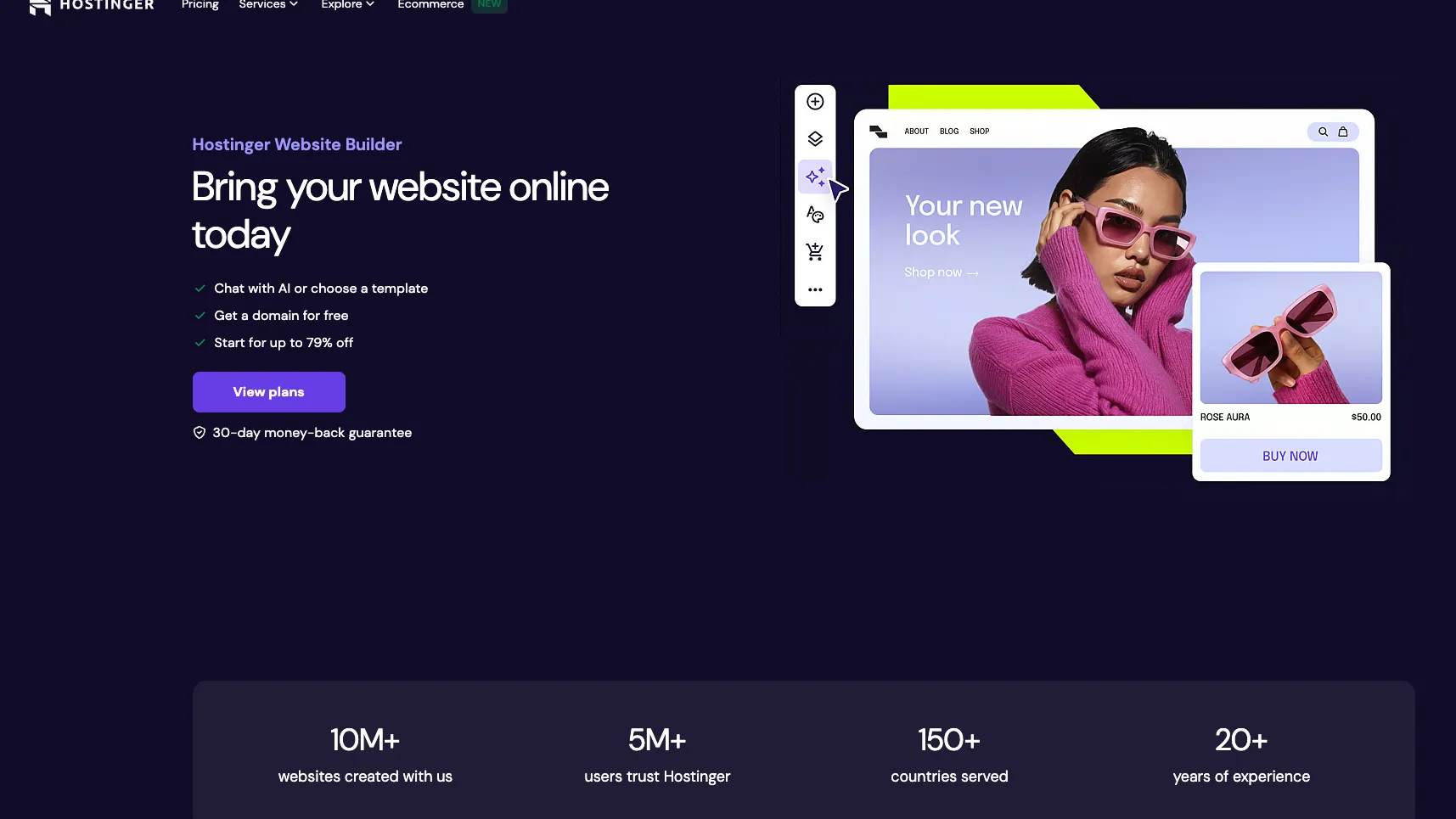
Hostinger Website Builder is an AI-assisted no-code website builder bundled with Hostinger hosting for fast business websites, portfolios, landing pages, and simple online stores.
Information checked: Jul 2, 2026 ·View sources
Tool details
- Type
- App builders
- Platforms
- Web, Hostinger hPanel, Hosted websites, Mobile-responsive sites
- Free plan
- No
- Open source
- No
- Bring your own key
- No
- Local models
- No
Overview
Best for
- Beginners launching a simple website quickly
- Small businesses that want AI-assisted copy, layout, and SEO setup
- Portfolio and personal brand websites
- Landing pages and link-in-bio style pages
- Small ecommerce stores that do not need custom backend logic
- Users who want website building and hosting in one account
Strengths
- Very approachable for beginners who want a website without coding.
- Combines AI generation, visual editing, hosting, SSL, domain, and support in one package.
- Affordable entry pricing compared with many hosted website builders.
- Good fit for local businesses, portfolios, landing pages, and small ecommerce stores.
- Built-in SEO and marketing integrations reduce setup friction for non-technical users.
Limitations & trade-offs
- Developers building custom full-stack applications
- Teams that need source-code-level control over the frontend and backend
- Complex SaaS products, internal tools, dashboards, or workflow apps
- Large ecommerce stores with advanced platform and integration requirements
- Teams that prefer open-source CMS ownership or self-hosted model workflows
- Not a developer IDE or general prompt-to-app coding environment.
- Lower flexibility than custom-coded sites or full WordPress/plugin ecosystems.
- Long promotional terms can renew at materially higher monthly prices.
- Complex ecommerce, custom backend logic, and SaaS-style apps are not a natural fit.
- No public BYOK or local model workflow for the AI builder.
Get started
Pricing & usage limits
Official pricingFrom $2.99
Trial access to Hostinger Website Builder, AI Website Builder, templates, ecommerce features, SEO and marketing tools, and support.
Create up to 3 websites, 20GB SSD storage, 2 mailboxes per website for 1 year, free domain for 1 year, SSL, weekly backups, and drag-and-drop website builder.
Create up to 50 websites, 50GB NVMe storage, 5 mailboxes per website for 1 year, daily and on-demand backups, ecommerce AI features, and more growth tools.
Create up to 100 websites, 100GB NVMe storage, 10 mailboxes per website for 1 year, priority support, dedicated IP, power boost, and stronger hosting resources.
Pricing checked: Jul 2, 2026 · Subscription, usage limits, and model costs may be billed separately.
Features & details
AI Site Creation
- Generate a website from a short business description
- AI-assisted writing, design, logo, and SEO content tools
- AI ecommerce site generation for online stores
- Prompt-based website creation through Hostinger AI Website Builder
Visual Website Editing
- Drag-and-drop editor for pages, sections, images, fonts, and colors
- 300+ responsive templates
- Mobile-friendly layouts by default
- Smart Grid and mobile editing controls
Hosting & Publishing
- Bundled hosting with custom domain support
- Free SSL on hosting plans
- Automatic sitemap generation
- Google Analytics, Hotjar, and Facebook Pixel integrations
Business & Ecommerce
- Sell products and services through built-in store tools
- Manage products, customers, sales, shipping, and taxes
- Appointment booking options for service sites
- SEO settings for meta titles, descriptions, URLs, keywords, and alt text
Why Choose Hostinger Website Builder?
Hostinger Website Builder is strongest when the goal is to publish a practical website quickly, not to build a custom software product. Its advantage is packaging: AI generation, visual editing, hosting, SSL, domain setup, templates, and basic business tools live inside one Hostinger account. That makes it appealing for users who would otherwise need to compare separate hosting, CMS, template, SEO, and domain services.
The main tradeoff is control. Hostinger removes many technical decisions, which is useful for beginners, but developers give up the flexibility of a custom codebase, advanced deployment pipeline, or open-ended plugin ecosystem. For a brochure site or small store, that simplification can be a benefit. For a complex application, it becomes a constraint.
Core Workflow
A typical workflow starts by describing the business, project, or website goal. The AI builder turns that input into an initial site structure with design direction and content, then the user refines the result visually. This is different from code-first tools because the output is not a repository or app scaffold; the working surface is a hosted website editor.
After the first draft, most of the real work is editorial. The generated copy should be checked for accuracy, local details, brand voice, legal claims, pricing, service areas, and calls to action. The AI can reduce blank-page friction, but the finished site still needs human review before it represents a real business.
Use Cases
Hostinger Website Builder fits local businesses, consultants, creators, restaurants, portfolios, event pages, link pages, simple landing pages, and small online stores. These projects usually need speed, clarity, mobile responsiveness, basic SEO, and easy updates more than custom architecture.
It is less suitable for products that need user accounts, dashboards, API-heavy workflows, advanced databases, complex checkout logic, or a custom frontend framework. In those cases, a prompt-to-app builder, AI IDE, WordPress stack, or traditional development workflow will usually be more appropriate.
Comparison to Alternatives
Compared with 10Web, Hostinger is simpler and more hosting-bundle oriented, while 10Web is more tied to WordPress website production. Compared with Wix or Squarespace, Hostinger competes on affordability and straightforward setup, while those platforms may offer broader mature ecosystems, design polish, and third-party app options.
Compared with Webflow or Framer, Hostinger is less focused on advanced visual design control. Designers who need fine-grained animation, layout systems, and agency-grade marketing pages may prefer those tools. Beginners who mainly want a working website with less decision-making may find Hostinger easier to complete.
Compared with Lovable, Bolt.new, v0, or Replit Agent, Hostinger is not trying to generate a custom app. Those products are better for code-oriented prototypes and software workflows. Hostinger is better viewed as a website publishing system with AI assistance.
Best Configuration
The best setup is to start with the smallest plan that covers the number of websites, storage, email, backups, and ecommerce needs. Promotional pricing can be attractive, but buyers should check renewal prices and contract length before choosing a multi-year term.
For business sites, configure the basics before publishing: custom domain, SSL, mobile layout review, analytics, SEO titles and descriptions, image alt text, contact forms, legal pages, and conversion tracking. For ecommerce, test product pages, taxes, shipping, payment flow, order notifications, refund policy, and mobile checkout before driving traffic.
Migration Notes
Hostinger Website Builder is easiest to adopt when starting a new small site or replacing an outdated basic site. Migration from another builder usually means rebuilding the page structure and transferring content rather than moving a portable codebase. Teams should export or copy important text, images, metadata, analytics scripts, and redirects before shutting down the old site.
Moving away from Hostinger Website Builder later can also require manual rebuilding, especially if the next platform is WordPress, Webflow, or a custom stack. For projects likely to become complex software products, it is safer to decide that early instead of using a simple website builder as a temporary app platform.
Model support & data privacy
Privacy & data handling
Hostinger Website Builder is a hosted cloud product. Website prompts, generated content, uploaded media, store data, analytics integrations, and account details may be processed through Hostinger’s infrastructure and third-party services; review Hostinger’s privacy, data-processing, and ecommerce settings before using it for sensitive business or customer data.
Guides, reviews & fixes
View allNo published guides yet. Start with the official documentation above.
Product updates
No verified product updates listed yet. Follow this tool to see new relevant content in Saved.
See the content timelineAlternatives
Sources & verification
Verification dates record when this directory checked the information. Product release dates appear separately above.
Directory revision history
Created directory profile and checked current official Website Builder positioning, AI builder workflow, ecommerce builder page, help center, and public pricing.