

Airtable
Airtable is a collaborative low-code app and workflow platform for teams that want to build business applications from structured operational data with AI assistance.
Information checked: Jun 26, 2026 ·View sources
Tool details
- Type
- App builders
- Platforms
- Web, macOS, Windows, iOS, Android
- Free plan
- Yes
- Open source
- No
- Bring your own key
- No
- Local models
- No
Overview
Best for
- Team databases and operational trackers
- Internal workflow apps built around structured records
- Marketing calendars, content operations, and campaign planning
- Product roadmaps, project management, and resource planning
- Lightweight CRM, pipeline, inventory, and approval tools
- AI-assisted research, classification, enrichment, and document analysis
- Teams that need business users to build and iterate without a full engineering queue
Strengths
- Very approachable for teams already comfortable with spreadsheets.
- Strong balance of database structure, interface building, collaboration, and automation.
- Omni makes app scaffolding and AI-assisted workflow creation more accessible to non-developers.
- Good fit for operational teams that need flexible tools without a full engineering project.
- Large template, integration, and community ecosystem.
Limitations & trade-offs
- Teams that need full source-code ownership of the app frontend and backend
- Highly customized public SaaS products
- Complex transactional systems that require strict database engineering patterns
- Organizations that do not want per-seat SaaS pricing
- AI workflows that require self-hosted local models or custom BYOK model routing
- Large deployments without a clear governance model for bases, permissions, and automations
- Can become expensive as editor, collaborator, automation, AI credit, and portal usage grows.
- Not a traditional developer-owned codebase or full-stack app framework.
- Large-scale governance requires disciplined workspace, base, permission, and admin design.
- Complex relational data models can become hard to maintain without clear ownership.
- BYOK and local-model workflows are not the core model; Airtable AI uses Airtable-supported providers.
Get started
Pricing & usage limits
Official pricingFree tier · From $20
Free workspace for individuals or very small teams, with limited records, API calls, storage, collaborators, and included AI credits.
For teams building shared workflows, with higher record limits, Interface Designer, automations, extensions, views, and 15,000 AI credits per billable collaborator/month.
Monthly billing option for the Team plan.
For departments needing more scale, admin features, unlimited API calls, higher storage, and 20,000 AI credits per paid user/month.
Monthly billing option for the self-serve Business plan.
Sales-led plan for organizations needing scalable apps, advanced governance, administration, and 25,000 AI credits per paid user/month.
Optional self-serve AI credit packs start at 20,000 monthly credits.
Pricing checked: Jun 26, 2026 · Subscription, usage limits, and model costs may be billed separately.
Features & details
App Building
- Omni AI app builder for creating apps from natural language
- Relational bases with tables, fields, linked records, and views
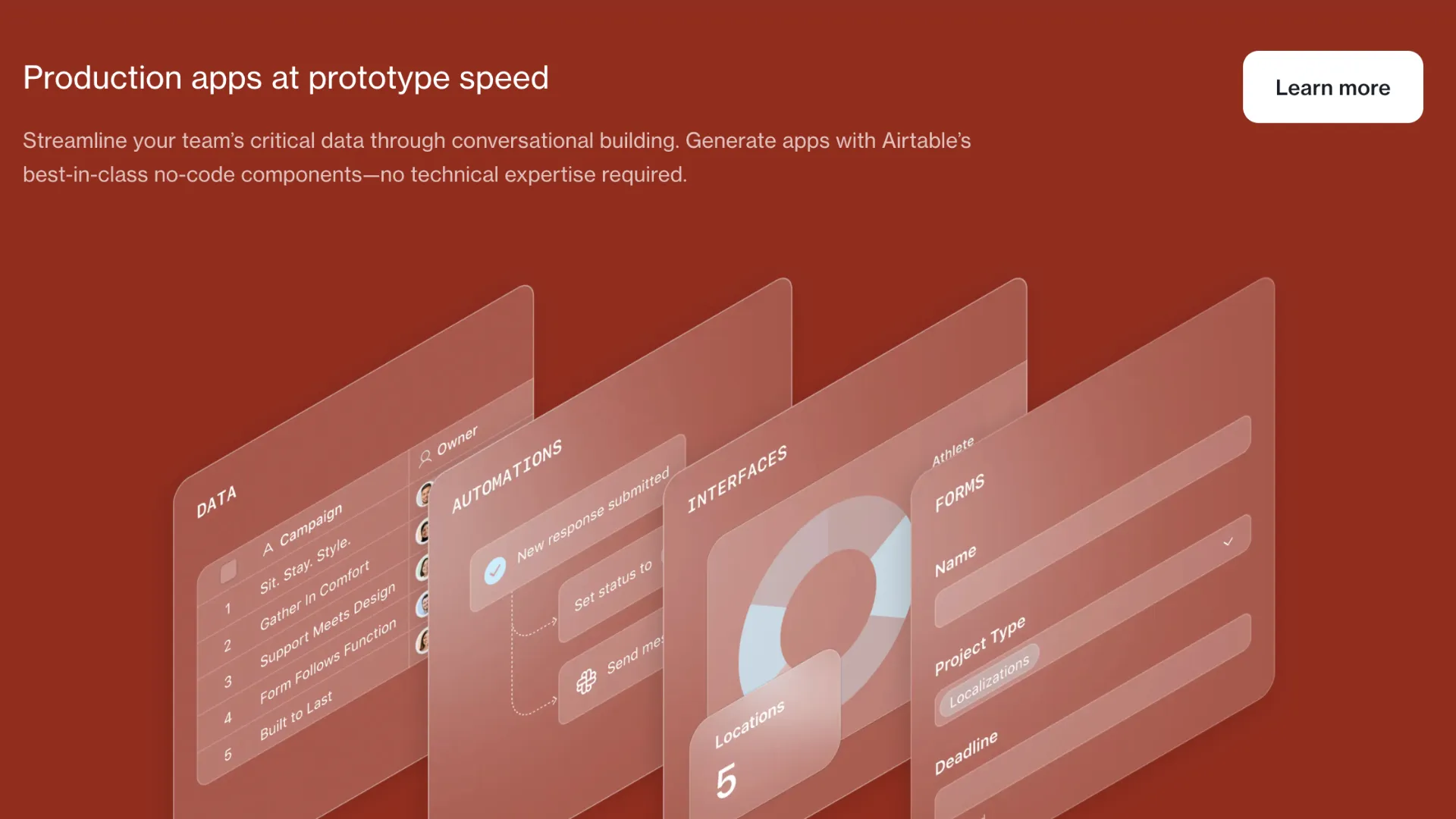
- Interface Designer for building role-specific business interfaces
- Forms, dashboards, calendars, timelines, Gantt views, and portals
AI Workflows
- Omni assistant for app building, research, analysis, and record updates
- Field Agents for AI-powered cell-level research, generation, and analysis
- AI-generated interface elements for custom layouts and dashboards
- AI automation actions for repeatable operational workflows
Data and Integrations
- Native Airtable database layer with linked records and structured fields
- Automations for trigger-action workflows
- API, scripting, custom extensions, and marketplace extensions
- Integrations with tools such as Slack, Google Drive, Salesforce, Jira, and Zendesk
Governance and Administration
- Admin panel for Business and Enterprise Scale organizations
- AI enablement, workspace allowlists, internet-access controls, and model-provider restrictions
- SAML SSO and identity-provider integrations on supported plans
- Enterprise controls such as organization units, audit logs, service accounts, and enterprise APIs
Why Choose Airtable?
Airtable is compelling because it sits between a spreadsheet, a relational database, and an internal app builder. Many teams already manage operations in spreadsheets because they are flexible, visible, and easy to change. Airtable keeps that familiar surface but adds linked records, interfaces, automations, permissions, APIs, and AI-assisted workflows.
That makes it especially useful for teams where the workflow changes faster than a traditional software roadmap. Marketing teams can adjust campaign workflows, product teams can reshape roadmaps, operations teams can redesign approval steps, and support teams can add triage fields without waiting for a full application rewrite.
The newer Airtable AI direction pushes the product beyond “spreadsheet database” positioning. Omni can help turn a plain-language description into tables, interfaces, and automations, while Field Agents can perform repeatable AI work directly inside records. This matters because Airtable’s strongest use cases are not just data storage—they are recurring operational decisions around that data.
Core Workflow
Airtable usually starts with a base: a set of related tables representing a team workflow. A base might contain projects, assets, campaigns, customers, tasks, vendors, approvals, or content items. The important architectural decision is whether Airtable is simply tracking work or becoming the system where operational decisions happen.
Once the base is stable, teams typically create views for different working modes, interfaces for different roles, forms for intake, and automations for handoffs. AI can then be added where human work is repetitive: summarizing feedback, classifying records, enriching leads, extracting information from documents, drafting content, or researching external context.
The best Airtable implementations do not try to model everything at once. They start with a high-friction workflow, define the core records, add the minimum interface needed for users, and only then introduce automations and AI. This keeps the base understandable and prevents early complexity from turning into long-term maintenance debt.
Practical Use Cases
Airtable works well when the application is operational rather than purely transactional. Strong examples include content calendars, product launch trackers, creative production systems, lightweight CRMs, partnership pipelines, event planning, inventory trackers, vendor management, research databases, issue triage, procurement requests, and cross-functional project dashboards.
The platform is also useful when different stakeholders need different views of the same underlying data. A leadership team may want a dashboard, an operations manager may need a queue, a contributor may need a simplified interface, and an external collaborator may only need a form or portal. Airtable’s value comes from keeping those experiences connected to one shared structure.
AI use cases should be chosen based on repeatability. Airtable AI is more useful for recurring enrichment, summarization, classification, extraction, and research than for one-off chatbot novelty. The closer the AI output is to a record, field, approval, or automation, the easier it is to review and operationalize.
Comparison to Alternatives
Compared with Retool, Airtable is usually more approachable for non-technical teams and more natural when Airtable itself is the primary data layer. Retool is often stronger when engineering teams need to connect directly to existing production databases, APIs, and internal systems while building more custom internal tools.
Compared with Microsoft Power Apps, Airtable is generally less tied to a specific enterprise suite and easier for many teams to adopt organically. Power Apps may be stronger inside Microsoft-heavy organizations that already depend on Microsoft 365, Dataverse, Teams, Dynamics, and tenant-level administration.
Compared with Notion or Coda, Airtable is more database- and workflow-centric. Notion and Coda are often stronger for documents, team knowledge, and mixed narrative workspaces, while Airtable is better when records, fields, views, and operational reporting are the center of the workflow.
Compared with Appsmith, ToolJet, Budibase, or Baserow, Airtable trades source-code and self-hosting flexibility for a polished SaaS collaboration experience. Teams that want open-source control may prefer those alternatives, while teams that want business users to build and maintain workflows directly may prefer Airtable.
Best Configuration
A good Airtable setup starts with base architecture. Define clear table names, linked-record relationships, primary fields, ownership rules, and naming conventions before adding too many automations. Airtable can feel deceptively simple at first, but messy bases become difficult to scale once many teams, views, formulas, syncs, and automations depend on them.
For small teams, the Team plan is often the practical starting point because it unlocks the workflow-building features that make Airtable more than a spreadsheet. For departments and larger organizations, Business or Enterprise Scale should be evaluated not only for capacity, but for admin controls, AI governance, SSO, usage visibility, and workspace management.
For AI adoption, start with low-risk assistive use cases. Use AI to categorize records, summarize long text, generate drafts, or enrich existing fields before letting it trigger downstream automation. Admins should decide whether internet access, model-provider selection, workspace allowlists, and AI Labs access are appropriate for the organization’s data policies.
Migration Notes
Airtable is a natural migration target for workflows currently spread across spreadsheets, shared drives, email threads, project boards, and manual status decks. The easiest migrations preserve the existing mental model while improving structure: turn spreadsheet tabs into tables, repeated columns into linked records, manual updates into forms, and status meetings into dashboards.
Migration is harder when the existing system already enforces strict transactional logic, complex validation, heavy reporting pipelines, or custom user experiences. Airtable can support sophisticated workflows, but it should not be treated as a replacement for every database-backed product or ERP-style system.
A practical migration path is to import the current data, clean the schema, build role-specific interfaces, then add automations gradually. AI should come after the data model is stable. Otherwise, teams risk using AI to accelerate work on top of a base structure that still needs redesign.
Model support & data privacy
Supported models
- OpenAI
- Google Gemini
- Anthropic via Amazon Bedrock
- Meta Llama via Amazon Bedrock
- IBM Granite via IBM watsonx
Privacy & data handling
Airtable AI features are controlled through workspace and admin settings, with Business and Enterprise admins able to manage AI access, workspace allowlists, internet access, and allowed model providers. Airtable states that model providers do not retain customer data or use it for model training, but organizations should still review Airtable AI settings, third-party AI provider terms, data residency needs, and connector permissions before processing sensitive records.
Guides, reviews & fixes
View allNo published guides yet. Start with the official documentation above.
Product updates
No verified product updates listed yet. Follow this tool to see new relevant content in Saved.
See the content timelineAlternatives
Sources & verification
Verification dates record when this directory checked the information. Product release dates appear separately above.
Directory revision history
Checked Airtable official pricing, plan limits, AI credits, Omni AI documentation, AI-generated interfaces, admin AI controls, SSO documentation, and platform pages.