
Adalo
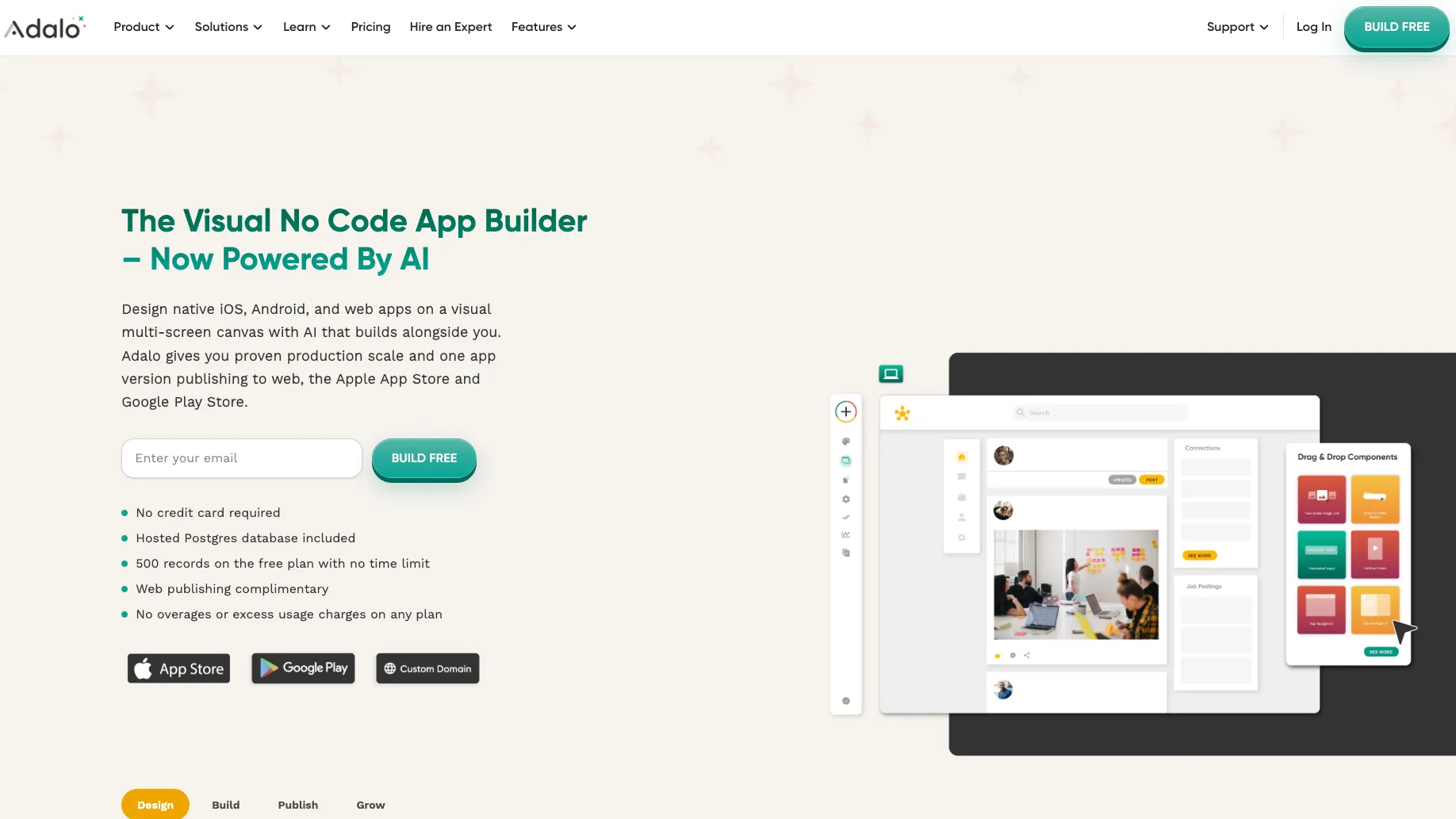
Adalo is a visual AI no-code app builder for publishing database-driven mobile and web apps without traditional software development.
Information checked: Jun 30, 2026 ·View sources
Tool details
- Type
- App builders
- Platforms
- Web, iOS, Android, PWA, Browser, Apple App Store, Google Play
- Free plan
- Yes
- Open source
- No
- Bring your own key
- Yes
- Local models
- No
Overview
Best for
- Founders building mobile-first MVPs
- Small businesses creating booking, marketplace, CRM, or internal workflow apps
- Freelancers and agencies delivering simple client apps
- Teams that want native app store publishing without writing code
- Builders who prefer visual editing over code generation
- Apps with straightforward relational data, user accounts, forms, and notifications
Strengths
- Very approachable for non-technical founders and business teams.
- One project can target web, iOS, and Android instead of separate builds.
- Ada AI speeds up early app structure, screens, and database setup.
- Built-in database reduces the need to configure Firebase, Supabase, or another backend for simple apps.
- Flat paid pricing avoids per-action metering for typical no-code app usage.
Limitations & trade-offs
- Developers looking for a code-first AI IDE like Cursor or Windsurf
- Teams that need full source-code ownership and repository-based development
- Apps requiring deep native modules, Bluetooth, NFC, custom OAuth, or complex real-time collaboration
- High-complexity products that require custom backend architecture from day one
- Security-sensitive apps where all data, auth, and infrastructure must be self-hosted
- Teams that want to build primarily with React, Flutter, Swift, Kotlin, or a normal engineering stack
- Not an AI IDE, source-code editor, or full-stack coding agent.
- Not designed around source-code export or fully self-hosted ownership.
- Complex apps still require careful schema, permission, and performance planning.
- Advanced API access and team-level capabilities are locked behind higher plans.
- Highly custom native features, deep hardware integrations, and complex auth flows may require traditional development.
Get started
Pricing & usage limits
Official pricingFree tier available
Build and test unlimited apps with 500 records per app, one editor, hosted Postgres, unlimited screens, preview sharing, and Ada AI.
One published app, custom domain, web publishing, automated app store publishing, no Adalo branding, and unlimited app actions.
Two published apps, five editors, custom integrations, design versions, geolocation, custom app actions, analytics, formulas, and push notifications.
Five published apps, ten editors, priority support, Xano integration, App and Collections API, version history, and white labeling.
Enterprise and full-service no-code app development with custom infrastructure, monitoring, integration, and deployment requirements.
Pricing checked: Jun 30, 2026 · Subscription, usage limits, and model costs may be billed separately.
Features & details
AI App Building
- Ada AI assistant in the builder
- Natural-language prompt building and editing
- Magic Start app generation
- Magic Add feature expansion
- AI-assisted database structure suggestions
Visual App Builder
- Multi-screen drag-and-drop canvas
- Responsive and mobile-only app layouts
- Preview on mobile devices
- Design versions on paid tiers
- Custom fonts, branding, and component styling
Data & Logic
- Hosted Postgres database
- Relational collections and properties
- Forms, lists, filters, and visibility logic
- Custom formulas
- Basic create, update, delete, link, and navigation actions
Integrations
- Custom Actions for REST API calls
- External Collections for API-backed data
- Stripe payments
- Google Sheets integration
- Zapier and Make workflows
- Xano integration on Team
Publishing & Operations
- Publish to web and custom domains
- Automated Apple App Store publishing
- Google Play publishing
- Push notifications
- App analytics
- Adalo X-Ray performance auditing
Developer Access
- App and Collections API on Team
- Notifications API
- Custom component development
- API keys for external automation
- Community forum and help documentation
Why Choose Adalo?
Adalo is a strong fit when the product goal is a working app, not a codebase. The platform is built around a visual canvas where screens, data, navigation, and actions are connected directly, which makes it accessible to founders and operators who think in user flows rather than files, components, and deployment scripts.
The AI layer makes Adalo more useful at the earliest stage of product creation. Ada can help turn an app description into a first structure, then the builder can refine screens, data relationships, and actions visually. That combination is different from code-generating AI tools, where the first output may be fast but the next step usually requires repository maintenance and engineering judgment.
Core Workflow
A typical Adalo project starts by choosing the app layout and generating or building the first screens. From there, the work shifts into database modeling, screen design, user flows, and actions. The visual model is helpful because the maker can see how screens connect and where app state, navigation, and data are being used.
The more serious the app becomes, the more the workflow depends on data discipline. User roles, collection relationships, filters, API calls, and notification logic should be designed before a large number of screens are built. Adalo can make the early phase feel simple, but production quality still depends on clean data structure and careful permission planning.
Use Cases
Adalo is practical for mobile-first MVPs, booking apps, directories, lightweight marketplaces, internal tools, school or community apps, event apps, customer portals, fitness apps, delivery workflows, and simple social features. It is especially useful when the app needs accounts, lists, forms, profile screens, push notifications, and database-backed interactions without hiring a mobile team.
Agencies and freelancers can also use Adalo to deliver client apps where the client values speed and usability more than deep custom engineering. For internal teams, Adalo can replace spreadsheet-and-form workflows with a more polished mobile and web experience.
Comparison to Alternatives
Compared with Bubble, Adalo is easier to understand for mobile-first app flows and app store publishing. Bubble is usually stronger for complex web apps, plugin-heavy workflows, and web-specific customization. The choice often depends on whether the product is mainly a mobile app or a browser app.
Compared with FlutterFlow, Adalo is more beginner-friendly and more no-code in spirit. FlutterFlow can appeal to teams that want more control over Flutter-style development patterns, but that also means a steeper learning curve and more technical decisions.
Compared with Glide and Softr, Adalo offers more control for app-like flows and native app publishing. Glide and Softr can be faster for simple portals, dashboards, and spreadsheet-backed tools, but Adalo is more relevant when a custom mobile app experience is central.
Compared with Lovable, Bolt.new, or Replit Agent, Adalo avoids generated-code maintenance. That is a benefit for non-technical makers, but a limitation for engineering teams that want Git workflows, source ownership, and framework-level control.
Best Configuration
For simple MVPs, the built-in database is the fastest path. Keep the schema small, avoid deeply nested lists, and test flows on real devices early. This is especially important for apps with feeds, media uploads, filtering, or multi-step forms.
For apps that rely on external systems, use Custom Actions for task-like API calls and External Collections when the app needs to display API-backed lists or records. For larger projects, consider whether Xano or another backend should own business logic, especially when permissions, data volume, or API complexity grows.
For app store launches, plan Apple and Google developer accounts early. Publishing is not only a technical step; store review, privacy disclosures, screenshots, payment rules, and push notification behavior can affect launch timing.
Migration Notes
Migrating from a spreadsheet, Airtable base, or form workflow into Adalo usually starts with cleaning the data model. The biggest win is not just making screens; it is turning messy operational data into collections, relationships, and user flows that match how the app should work.
Migrating away from Adalo should be planned differently because Adalo is not primarily a source-code export platform. Teams expecting long-term custom engineering should document the database schema, API behavior, user flows, and integration logic from the beginning. That makes a future rebuild in Flutter, React Native, Next.js, or another stack more realistic if the product outgrows no-code boundaries.
For legacy Adalo apps, migration should include layout review, performance review, and cleanup of unused screens and expensive data patterns. Visual speed is helpful, but large no-code projects can accumulate complexity just like traditional codebases.
Model support & data privacy
Supported models
- OpenAI
Privacy & data handling
Adalo is a hosted SaaS builder. Its privacy policy says it processes Customer Content on behalf of customers and collects account, usage, device, payment, communication, and app-related information. Builders remain responsible for app permissions, user consent, API keys, third-party integrations, and any data passed to services such as OpenAI through Custom Actions.
Guides, reviews & fixes
View allNo published guides yet. Start with the official documentation above.
Product updates
No verified product updates listed yet. Follow this tool to see new relevant content in Saved.
See the content timelineAlternatives
Sources & verification
Verification dates record when this directory checked the information. Product release dates appear separately above.
Directory revision history
Created directory entry and checked official Adalo website, pricing, AI builder, help docs, integrations, API, X-Ray, Adalo Blue, and privacy pages.