

CodeSandbox
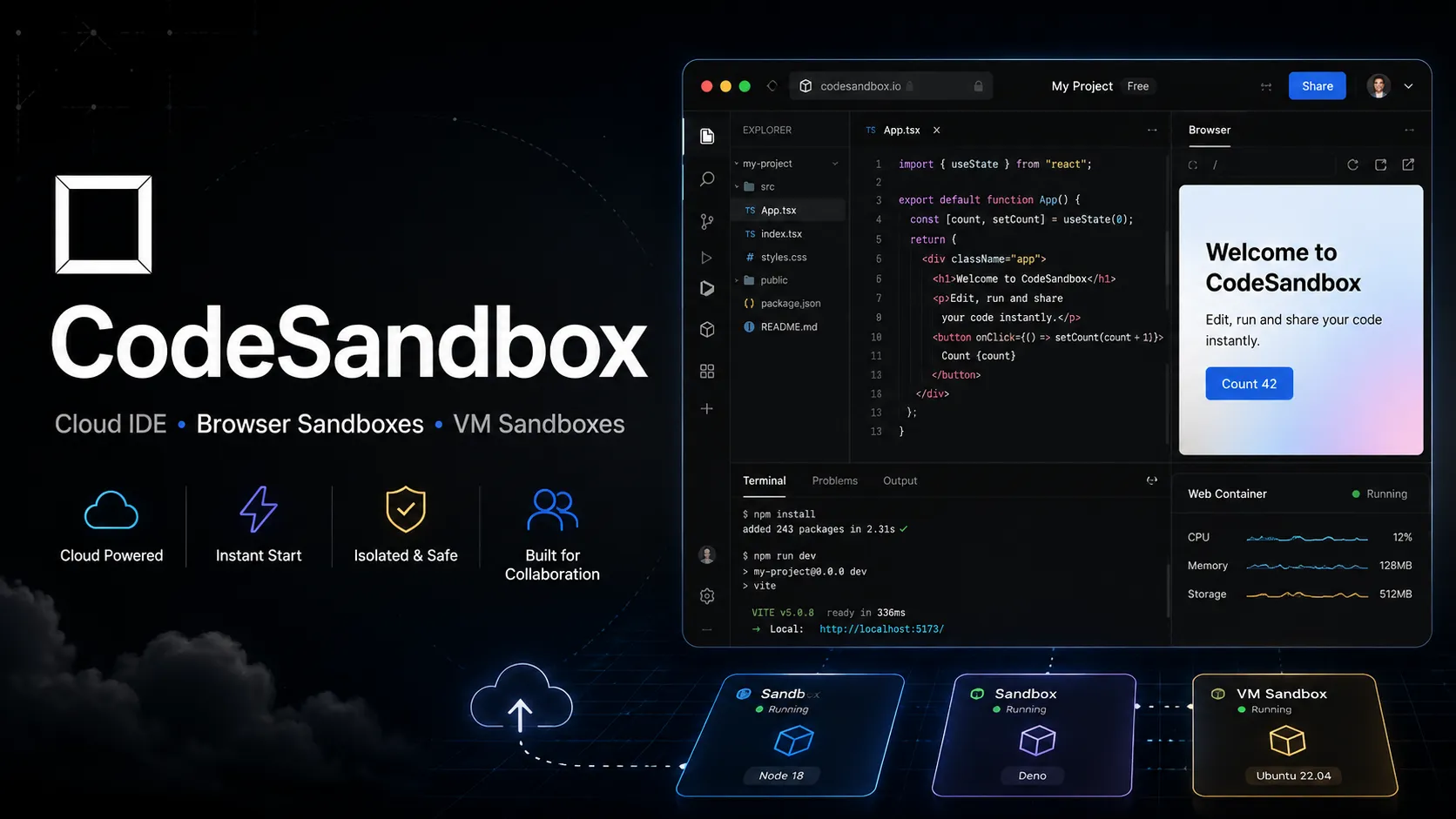
CodeSandbox is a cloud development environment and sandbox platform for building, prototyping, collaborating, and running code from the browser, VS Code, or programmatic SDKs. Now part of Together AI, it is increasingly positioned as both a developer workspace and scalable code-execution infrastructure for AI agents.
Choose CodeSandbox when you need shareable cloud development environments, collaborative browser coding, or scalable sandbox infrastructure for AI agents and code execution. Choose StackBlitz for browser-native WebContainers, GitHub Codespaces or Gitpod for container-native repo workflows, and Replit or Bolt.new when prompt-to-app AI building is the priority.
Pricing Plans
Build
Free plan for learning and experimenting, with 5 members, monthly VM credits, private sandboxes, VS Code extension, and limited SDK usage.
Scale
Usage-based subscription with up to 20 members, higher monthly VM credits, on-demand VM credits, CodeSandbox SDK, more VM tiers, and higher concurrency limits.
Enterprise
Custom deployment with unlimited members, bespoke concurrency, higher VM specs, dedicated support, SOC 2 Type II compliance, optional SSO, and dedicated cluster options.
VM Credits
VM credits are used for VM Sandbox runtime; credit usage depends on VM size and runtime.
Education / Open Source / Non-profit
Special conditions and free or low-cost access for eligible education, open-source, community, and non-profit projects.
Core Features
1Cloud development environments
- Create browser-accessible development environments for web apps, repositories, and prototypes.
- Run Browser Sandboxes for lightweight front-end experiments.
- Run VM Sandboxes for more complete development environments with terminals and server processes.
2CodeSandbox SDK
- Programmatically create and manage isolated sandboxes at scale.
- Designed for AI agents, code interpreters, code playgrounds, and automated execution workflows.
- Supports high-concurrency VM sandboxing on Scale and Enterprise plans.
3MicroVM infrastructure
- Uses fast microVM-based environments for isolated code execution.
- Supports quick startup, snapshots, auto-resume, and hibernation workflows.
- Lets multiple sandboxes or agents run in parallel without interfering with each other.
4Editor and collaboration
- Use CodeSandbox from the browser, VS Code extension, or iOS app.
- Live sessions let teammates collaborate on the same branch or VM Sandbox.
- Live terminals can be shared for debugging, demos, and pair programming.
5Project workflow
- Branches, tasks, previews, and repository workflows support real development projects.
- Private projects and private npm support are available across paid-ready workflows.
- GitHub and repository flows help move between cloud development and normal source control.
6Ecosystem
- Sandpack powers embedded browser code playgrounds.
- Storybook integration gives component stories live code playgrounds.
- Together AI integration expands the platform toward generative AI and agent infrastructure.
Pros
- Fast, shareable cloud development environments without local setup.
- Supports both lightweight browser sandboxes and VM-backed development environments.
- SDK makes it useful for AI agent code execution, not only human developers.
- VS Code extension lets developers use CodeSandbox without leaving their local editor UI.
- Live collaboration and terminals are useful for teaching, debugging, and pair work.
- Enterprise options support SOC 2, dedicated support, SSO, and dedicated clusters.
Cons
- Usage-based VM credits can be harder to predict than fixed-price IDE plans.
- Best known for web and JavaScript workflows, though VM sandboxes broaden stack coverage.
- Heavy production-scale agent workloads may need careful cost and concurrency planning.
- Enterprise and dedicated-cluster features require custom procurement.
- Not primarily an AI coding assistant or prompt-to-app builder by itself.
- Some teams may prefer GitHub Codespaces, Gitpod, or local dev containers for tighter repository-native workflows.
Why Choose CodeSandbox?
CodeSandbox is most useful when the development environment itself needs to be instant, shareable, and isolated. It started as a browser-friendly way to prototype web apps, but its current direction is broader: cloud development environments for humans and programmatic sandbox infrastructure for AI agents and code-execution products.
That combination makes it different from a normal browser IDE. A developer can still use it to build and share projects, but a platform team can also use CodeSandbox SDK to spin up isolated environments for many users, students, or agents. The core value is reducing environment setup while keeping each execution context separated.
Core Workflow
A practical human workflow starts with a sandbox, repository, or branch. The developer opens it in the browser or VS Code, runs tasks, previews the app, shares the environment, and collaborates with teammates through live sessions and shared terminals. This is particularly useful when the main friction is onboarding, reproduction, or environment parity.
A practical platform workflow is different. An application or AI product calls the SDK, creates isolated sandboxes, runs code, captures output, forks environments, and tears them down when work is done. In that scenario, CodeSandbox is not simply a tool for a developer; it is execution infrastructure embedded inside a larger product.
Use Cases
CodeSandbox fits frontend prototypes, runnable examples, design-system demos, Storybook playgrounds, workshops, bug reproductions, classroom environments, and browser-based collaboration. It also fits AI products that need to run generated code safely in isolated environments.
The best use cases have two traits: the environment needs to be fast to create, and isolation matters. That could mean a teacher giving every student a workspace, a developer support team reproducing bugs, or an AI agent testing generated code without touching production machines.
Comparison to Alternatives
Compared with StackBlitz, CodeSandbox is more cloud and VM-oriented, while StackBlitz is more browser-runtime-oriented through WebContainers. StackBlitz can feel faster and lighter for supported JavaScript workflows; CodeSandbox is more relevant when full VM sandboxes, SDK-driven environments, or scalable isolated execution matter.
Compared with GitHub Codespaces and Gitpod, CodeSandbox is less tied to traditional dev-container workflows and more oriented around sandboxes, previews, collaboration, and SDK-driven creation. Codespaces is strong for GitHub-native development; Gitpod is strong for standardized CDE operations; CodeSandbox is strong when shareable environments and agent/runtime use cases matter.
Compared with Replit, CodeSandbox is more infrastructure and sandbox focused, while Replit is broader as an app-building, hosting, learning, and AI creation platform. Compared with Bolt.new or Lovable, CodeSandbox is not primarily a prompt-to-app builder. It is the place where code can be opened, run, shared, and executed.
Best Configuration
The best setup starts with choosing the right sandbox type. Browser Sandboxes are better for lightweight web prototypes and examples. VM Sandboxes are better when the project needs terminals, server processes, databases, custom tasks, or heavier dependencies. SDK workflows should be planned around concurrency, runtime length, VM size, hibernation, and credit usage.
For teams, define project privacy defaults, repository permissions, private npm access, task setup, and live-session practices. For AI agent infrastructure, define strict boundaries around secrets, network access, user data, sandbox lifetime, snapshots, and cleanup. The more autonomous the code running inside the sandbox, the more important those controls become.
Migration Notes
Moving from a local project to CodeSandbox is easiest when the repository has clear install, run, test, and preview commands. Start by verifying that tasks work in a VM Sandbox, then add environment variables, private package access, and collaboration settings. For browser-only examples, keep dependencies light and avoid assumptions that require a full Linux environment.
Moving away from CodeSandbox is usually possible because the project remains normal code, but teams should document what depended on the platform: VM sizing, task configuration, snapshots, branches, previews, private npm settings, SDK calls, and collaboration links. For AI products using the SDK, migration is deeper because the sandbox lifecycle may be part of the product architecture itself.
Best For
- Browser-based coding
- Frontend prototypes
- React, Vue, Angular, and JavaScript experiments
- Runnable documentation
- Teaching and workshops
- Pair programming
- Bug reproductions
- Storybook component playgrounds
- AI agent code execution
- Code interpreter infrastructure
- Development environments at scale
- Teams that need shareable cloud workspaces
Not Ideal For
- Developers who primarily need AI autocomplete
- Users looking for a prompt-to-app product builder
- Teams that require fully local development
- Organizations that want fixed monthly IDE pricing with no usage-based VM credits
- Very large production monorepos without careful VM sizing and cost planning
- Workflows requiring a full AI-native code editor experience
Privacy Notes
CodeSandbox runs projects in browser or VM sandboxes depending on environment type. VM Sandboxes execute code in isolated environments and may involve repository content, terminals, package installs, previews, environment variables, and collaboration sessions. Teams should avoid exposing secrets in public sandboxes, configure project privacy, review GitHub and npm permissions, and evaluate Enterprise or dedicated-cluster options for sensitive or regulated workloads.
Alternatives
Sources
- CodeSandbox official website
- CodeSandbox pricing
- CodeSandbox documentation
- CodeSandbox subscriptions documentation
- CodeSandbox usage-based billing
- CodeSandbox credits
- CodeSandbox VS Code extension
- CodeSandbox SDK
- Sandpack
- CodeSandbox GitHub organization
- CodeSandbox joins Together AI
- Together Code Sandbox
- Unified CodeSandbox experience
Update History
- Jun 14, 2026: Created entry with current CodeSandbox positioning, Together AI integration, Build/Scale/Enterprise pricing, VM credit model, SDK, microVM infrastructure, Browser and VM Sandboxes, VS Code extension, and AI agent runtime use cases.
Related Tools
More listings in a similar part of the directory.





CodeSandbox Articles
Guides, comparisons, and launch notes connected to this listing.

