

E2B
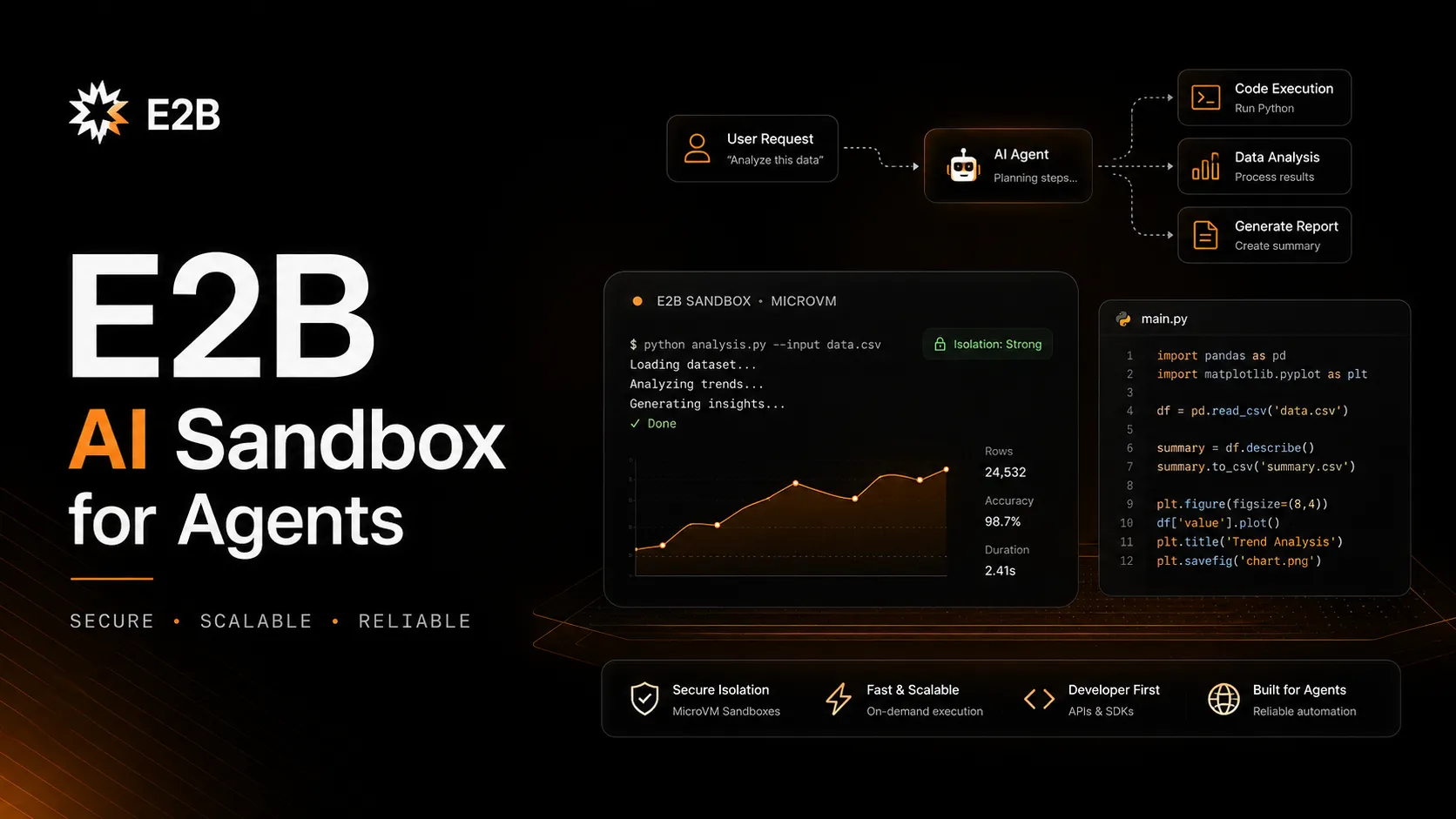
E2B is an open-source AI sandbox cloud for giving agents secure, isolated computers where they can execute code, use tools, and run workflows.
Information checked: Jun 14, 2026 ·View sources
Tool details
- Type
- Developer workflows
- Platforms
- Cloud sandboxes, JavaScript SDK, TypeScript SDK, Python SDK, REST API, CLI, GitHub Actions, MCP Gateway, Docker MCP Catalog, Cloud browser, Desktop sandbox, Linux microVMs, Custom sandbox templates
- Free plan
- Yes
- Open source
- Yes
- Bring your own key
- No
- Local models
- No
Overview
Best for
- AI agent code execution
- Code interpreter products
- Running untrusted AI-generated code
- LLM tool execution
- Data analysis agents
- Coding agents that need terminal and filesystem access
- Computer-use agents
- Cloud browser workflows
- MCP-enabled agent tools
- GitHub Actions validation
- Sandboxed test runners
- Products that need fast isolated execution environments
Strengths
- Purpose-built for running AI-generated code safely.
- Firecracker microVM isolation is stronger than container-only sandboxing.
- Fast startup and per-second billing fit high-volume agent workloads.
- Works with any LLM or AI framework rather than locking users to one model provider.
- SDKs, templates, MCP Gateway, persistence, and lifecycle APIs cover real production agent needs.
- Open-source ecosystem and cookbook examples make it easier to inspect and extend.
Limitations & trade-offs
- Developers looking for a complete cloud IDE
- Non-technical users looking for prompt-to-app builders
- Teams that only need simple frontend playgrounds
- Projects that require fixed monthly pricing with no usage metering
- Workflows where agents do not need to execute code
- Organizations unwilling to manage sandbox permissions, secrets, and network policies
- Not a full IDE or prompt-to-app builder by itself.
- Usage-based pricing can become expensive with long-running or high-concurrency agents.
- Requires engineering work to design sandbox lifecycle, secrets, networking, and cleanup correctly.
- Hobby sessions are limited to 1 hour and 20 concurrent sandboxes.
- Pro adds a fixed $150/month base cost before usage.
- Security still depends on correct tool permissions, network policy, and data-handling design.
Get started
Pricing & usage limits
Official pricingFree tier available
Free plan with one-time $100 usage credits, community support, up to 1-hour sandbox sessions, and up to 20 concurrent sandboxes.
Adds higher limits, custom sandbox CPU and RAM, up to 24-hour sessions, up to 100 concurrent sandboxes, and optional extra concurrency up to 1,100.
Custom pricing, higher limits, custom compute, 1,100+ concurrent sandboxes, and enterprise deployment or support discussions.
Usage-based compute billing while sandboxes are running. Default 2 vCPU costs $0.000028/second.
Memory is billed per GiB-second while a sandbox is actively running.
10 GiB included on Hobby and 20 GiB included on Pro; higher storage needs require custom arrangements.
Pricing checked: Jun 14, 2026 · Subscription, usage limits, and model costs may be billed separately.
Features & details
Secure AI sandboxes
- Run AI-generated code in isolated cloud sandboxes.
- Firecracker microVMs provide stronger isolation than ordinary containers.
- Sandboxes are designed for untrusted code, tool execution, and agent workflows.
Code interpreter workflow
- Execute Python and other code from JavaScript/TypeScript or Python SDKs.
- Read and write files inside sandboxes.
- Stream logs, inspect outputs, and return results back to an LLM or application.
Agent runtime
- Run coding agents such as Claude Code, Codex, Amp, Devin, OpenCode, and OpenAI Agents SDK inside secure sandboxes.
- Provide agents with terminal, filesystem, Git, browser, and tool access.
- Use sandbox lifecycle APIs to create, connect, pause, resume, snapshot, or kill environments.
Templates and persistence
- Custom templates define base images, environment variables, copied files, commands, and prebuilt snapshots.
- Sandbox persistence can pause and resume filesystem and memory state.
- Snapshots and auto-resume support longer-running or stateful agent sessions.
MCP and external tools
- MCP Gateway runs inside sandboxes and provides type-safe access to 200+ MCP tools from Docker’s catalog.
- Custom MCP servers can run inside a sandbox.
- Tools such as GitHub, Notion, Stripe, Browserbase, and Exa can be connected through supported MCP workflows.
Developer infrastructure
- API, SDK, CLI, webhooks, metrics, and telemetry support production integrations.
- Supports cloud browser, computer use, GitHub Actions CI/CD, and code-interpreter use cases.
- Open-source repositories include SDKs, code interpreter, desktop sandbox, cookbook examples, and infrastructure code.
Why Choose E2B?
E2B is most useful when an AI system needs a real computer to safely execute code. That is a different problem from giving a developer a cloud IDE. An agent may need to run Python, install packages, inspect files, call tools, use Git, drive a browser, or process data that a model generated during a task. Running that directly on application servers or user machines is risky, so E2B gives the agent an isolated sandbox instead.
The product’s main differentiation is that it is built for agent workloads from the ground up. Fast sandbox creation, Firecracker isolation, SDK control, code interpretation, templates, persistence, MCP tools, and lifecycle APIs all point toward the same goal: let agents do useful work without exposing the rest of the system.
Core Workflow
A practical E2B workflow starts from an application or agent runtime. The app creates a sandbox with the SDK, uploads context or uses a template, asks an LLM to produce code or tool calls, executes that code in the sandbox, reads the result, and decides whether to continue, pause, snapshot, or kill the environment.
For coding agents, the workflow becomes more like a virtual development machine. The agent can clone a repository, run tests, modify files, execute shell commands, and return diffs or outputs. For code-interpreter apps, the workflow is tighter: run code, capture logs, generate charts, return files, and discard or persist state as needed.
Use Cases
E2B fits AI code interpreters, data-analysis agents, coding agents, GitHub Actions validation, browser or computer-use agents, LLM tool execution, AI-generated app previews, and sandboxed test runners. It is especially useful when the code is generated dynamically and cannot be trusted by default.
It is less suited to users who want an IDE they can work in all day. For that, GitHub Codespaces, Coder, Gitpod/Ona, CodeSandbox, or Replit may fit better. E2B is infrastructure: it becomes powerful when embedded into another product, agent, or workflow.
Comparison to Alternatives
Compared with Daytona, E2B is a direct AI sandbox competitor with strong mindshare, Firecracker microVM isolation, MCP Gateway, and code-interpreter examples. Daytona is also focused on agent execution, so the decision should compare startup time, lifecycle APIs, pricing, templates, persistence, SDK ergonomics, and enterprise requirements.
Compared with CodeSandbox, E2B is less of a human-facing cloud workspace and more of an agent-facing runtime. Compared with GitHub Codespaces, E2B is not a dev container product for everyday repository work; it is a sandbox that an AI agent or app can create and control programmatically.
Compared with Modal, E2B is narrower but more purpose-built for agent code execution. Compared with Vercel Sandbox, E2B is more independent of a specific deployment ecosystem and is often evaluated as a general AI agent sandbox layer.
Best Configuration
The best E2B setup starts with a threat model. Treat AI-generated code and tool instructions as untrusted. Keep secrets out of sandboxes unless required, scope MCP tools narrowly, restrict public URLs, review network behavior, and kill or pause idle sandboxes deliberately.
For cost control, use default resources first, scale CPU and memory only when necessary, enable auto-pause, and monitor active sandboxes through the dashboard or CLI. The per-second model is efficient when sandbox lifetimes are short, but long-running agents and high concurrency can still produce meaningful cost.
Migration Notes
Teams migrating from local Docker execution should map every assumption: image, package installation, filesystem layout, network access, environment variables, logging, cleanup, and timeout behavior. The goal is not only to move execution into the cloud; it is to make generated-code execution safer, observable, and easier to govern.
Teams moving from a cloud IDE should rethink the abstraction. E2B is usually not where humans spend the day editing code. It is where agents and applications safely run code. Keep GitHub Codespaces, Coder, Gitpod/Ona, or CodeSandbox for developer workspaces, and use E2B where sandboxed execution is the core product requirement.
Model support & data privacy
Privacy & data handling
E2B sandboxes can contain AI-generated code, uploaded files, command output, environment variables, MCP tool results, browser activity, Git context, and persistent filesystem or memory state. Teams should avoid placing production secrets directly into generated code or broad sandbox environments, restrict network and MCP tool access, review custom templates, use lifecycle controls to pause or kill idle sandboxes, and define retention policies for snapshots, files, logs, and agent outputs.
Guides, reviews & fixes
View allNo published guides yet. Start with the official documentation above.
Product updates
No verified product updates listed yet. Follow this tool to see new relevant content in Saved.
See the content timelineAlternatives
Sources & verification
Verification dates record when this directory checked the information. Product release dates appear separately above.
Directory revision history
Created entry with current E2B positioning as open-source AI sandbox infrastructure, Hobby/Pro/Enterprise pricing, usage-based compute and memory rates, Firecracker microVM isolation, code interpreter, persistence, templates, MCP Gateway, Docker MCP Catalog, and coding-agent use cases.