

Daytona
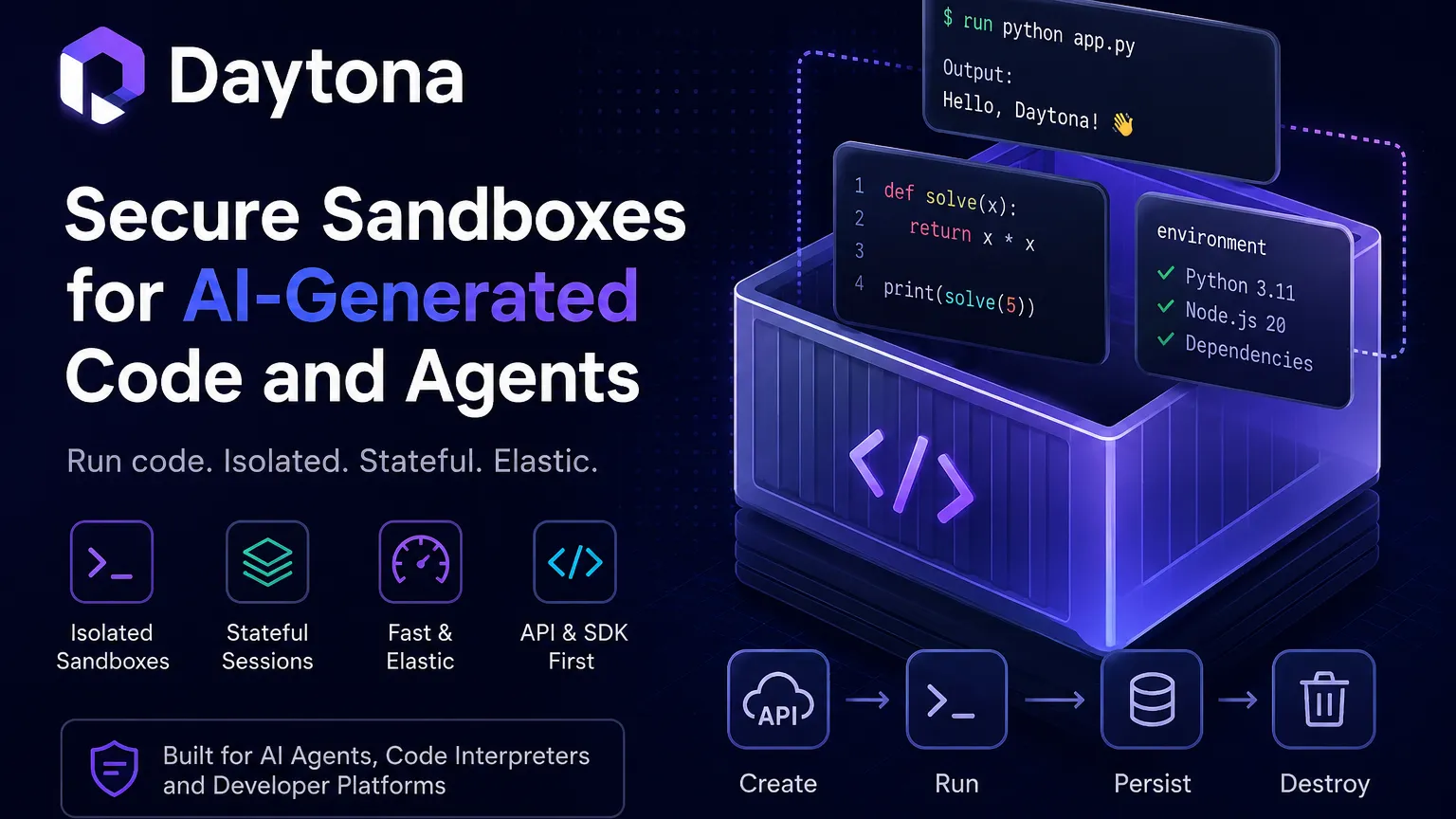
Daytona is secure sandbox infrastructure for AI agents and code-execution products that need fast, isolated, stateful environments.
Information checked: Jun 14, 2026 ·View sources
Tool details
- Type
- Cloud IDEs
- Platforms
- Cloud sandboxes, REST API, SDKs, Docker / OCI images, SSH, Web terminal, VS Code-style access where configured, Linux sandbox environments, Windows sandbox environments, GPU sandbox environments
- Free plan
- Yes
- Open source
- Yes
- Bring your own key
- No
- Local models
- No
Overview
Best for
- AI agent code execution
- Code interpreter infrastructure
- Running untrusted AI-generated code
- Sandboxed developer tools
- Programmatic execution environments
- High-concurrency agent workflows
- Stateful sandbox sessions
- Snapshot-based agent workflows
- Products that need isolated code runners
- Teams building agent platforms
- Secure evaluation of generated code
- Infrastructure teams replacing ad hoc Docker execution
Strengths
- Purpose-built for AI-generated code execution and agent workflows.
- Fast sandbox creation is useful for high-volume agent systems.
- Usage-based per-second billing fits bursty AI workloads.
- SDK and REST API make it suitable for embedding into products.
- Open-source core improves transparency compared with closed sandbox infrastructure.
- Supports stateful sessions and snapshots rather than only one-off execution.
Limitations & trade-offs
- Developers looking for a complete AI code editor
- Non-technical users looking for prompt-to-app builders
- Teams that only need simple browser-based coding examples
- Projects that require a GitHub-native CDE workflow
- Users who want fixed monthly pricing with no usage-based compute
- Small frontend demos better served by StackBlitz or CodeSandbox
- Teams unwilling to design sandbox security, secrets, and network policies
- Not a full AI IDE or prompt-to-app builder by itself.
- Pricing can become complex for high-concurrency agent workloads.
- Security depends on correct sandbox, network, secrets, and permission configuration.
- Less GitHub-native than GitHub Codespaces for repository development workflows.
- Less visual and beginner-friendly than Replit, CodeSandbox, or StackBlitz.
- The product has shifted from CDE positioning to AI sandbox infrastructure, which can confuse legacy users.
Get started
Pricing & usage limits
Official pricingFree tier available
$200 in free compute included for trying Daytona sandboxes; no credit card required on the public pricing page.
Usage-based CPU sandbox pricing, equivalent to about $0.0504 per vCPU-hour.
Usage-based memory pricing, equivalent to about $0.0162 per GiB-hour.
5 GB free, then usage-based storage pricing after the free allowance.
GPU sandbox pricing is listed for options such as Nvidia H100 and RTX PRO 6000, billed per second.
Volume discounts, custom limits, security review, dedicated support, and enterprise deployment discussions for larger-scale agent infrastructure.
Pricing checked: Jun 14, 2026 · Subscription, usage limits, and model costs may be billed separately.
Features & details
AI code execution sandboxes
- Create isolated sandboxes for running AI-generated code.
- Use fast sandbox startup for agent, interpreter, and code-runner workflows.
- Shut down or scale sandboxes on demand with usage-based billing.
Programmatic control
- REST API for sandbox lifecycle, snapshots, and runtime control.
- SDKs and client libraries for integrating sandboxes into applications.
- File, Git, process execution, and toolbox APIs support agent workflows.
Stateful agent runtime
- Supports long-lived, stateful sandbox sessions.
- Snapshots help preserve and restore environment state.
- Designed for agents that need to run commands, inspect results, and continue work over time.
Infrastructure compatibility
- Works with OCI and Docker-style images.
- Supports CPU, memory, storage, and selected GPU configurations.
- Can be used as infrastructure behind AI agents, code interpreters, coding platforms, and development tools.
Developer access
- Sandboxes can be accessed through APIs and developer-facing tooling.
- Supports SSH, browser-based access, or terminal-style interaction where configured.
- Useful for debugging agent runs and inspecting sandbox state.
Security focus
- Isolated execution helps separate AI-generated code from production infrastructure.
- Designed to reduce the risk of running untrusted or model-generated code directly on user systems.
- Enterprise buyers should validate isolation, networking, secrets, and compliance settings for their workload.
Why Choose Daytona?
Daytona is most useful when the product needs to run code generated by an AI system, not merely display code to a human. That distinction matters. A cloud IDE helps a developer write code; Daytona gives agents and applications a controlled place to execute code, inspect results, keep state, and continue work without touching production infrastructure.
The product has also changed shape over time. Earlier Daytona positioning was closer to cloud development environments and Codespaces-style workflows. Its current center of gravity is secure, elastic sandbox infrastructure for AI agents, code interpreters, and generated-code execution. For a directory entry, this legacy context should be preserved, but the main category should emphasize sandbox runtime and agent infrastructure.
Core Workflow
A practical Daytona workflow usually starts from an application, not a human opening an IDE. The host product calls Daytona’s API or SDK, creates a sandbox with a chosen image and resources, uploads or generates files, runs commands, reads outputs, and snapshots or destroys the environment depending on the task.
For agent workflows, the pattern is iterative. The agent writes code, executes it, observes errors, edits files, reruns commands, and stores state. Daytona is valuable because that loop can happen inside isolated infrastructure rather than on a developer laptop, production server, or ad hoc Docker host.
Use Cases
Daytona fits AI coding agents, code interpreters, notebook-like execution, automated code evaluation, sandboxed test runners, coding interview platforms, education products, dynamic plugin systems, and tools that need to safely run code from untrusted or semi-trusted sources.
It is less ideal as a primary human IDE. Developers who want a full cloud workspace may prefer GitHub Codespaces, Gitpod/Ona, CodeSandbox, Replit, or Coder. Teams that only need frontend demos may prefer StackBlitz. Daytona is best when sandbox lifecycle, execution safety, and API control are the product requirement.
Comparison to Alternatives
Compared with E2B, Daytona competes directly in the AI sandbox infrastructure category. Both are used by agent and code-interpreter products. The decision should focus on startup time, isolation model, SDK ergonomics, snapshots, pricing, quotas, observability, and deployment requirements.
Compared with CodeSandbox, Daytona is less about collaborative developer-facing workspaces and more about backend infrastructure for code execution. Compared with GitHub Codespaces, Daytona is not a GitHub-native dev container product. Codespaces is excellent for developers working in repositories; Daytona is stronger for applications spinning up isolated execution environments programmatically.
Compared with Modal or Vercel Sandbox, Daytona is narrower but more targeted. Modal is broader cloud compute. Vercel Sandbox is closely tied to the Vercel ecosystem. Daytona is focused on fast, isolated, stateful sandboxes for AI-generated code and agents.
Best Configuration
The best Daytona setup starts with threat modeling. Decide whether code is trusted, semi-trusted, or hostile. Then configure network access, filesystem persistence, secrets, image provenance, sandbox lifetime, and output handling accordingly. AI-generated code should generally be treated as untrusted until reviewed.
For cost control, design short-lived sandboxes by default, use snapshots intentionally, and monitor CPU, memory, storage, GPU, and concurrency. The per-second pricing model is efficient for bursty workloads, but high-concurrency agents can still generate meaningful cost if loops are not bounded.
Migration Notes
Teams migrating from traditional cloud development environments should rethink the abstraction. Daytona is not just a remote VS Code workspace. It is better treated as an execution substrate that can be embedded into products and automation systems.
Teams migrating from local Docker execution should inventory assumptions around volumes, networking, credentials, container images, cleanup, logs, and sandbox lifetime. The goal is not only to move execution to the cloud; it is to make generated-code execution safer, observable, scalable, and easier to govern.
Model support & data privacy
Privacy & data handling
Daytona sandboxes may run code, files, dependencies, generated outputs, terminal logs, environment variables, snapshots, and API-controlled workflows. Because the platform is commonly used to execute AI-generated or untrusted code, teams should strictly control secrets, network access, filesystem persistence, snapshot retention, image provenance, outbound calls, and sandbox lifetime before connecting Daytona to production systems or sensitive data.
Guides, reviews & fixes
View allNo published guides yet. Start with the official documentation above.
Product updates
No verified product updates listed yet. Follow this tool to see new relevant content in Saved.
See the content timelineAlternatives
Sources & verification
Verification dates record when this directory checked the information. Product release dates appear separately above.
Directory revision history
Created entry with Daytona’s current positioning as secure infrastructure for AI-generated code execution, sandbox runtime features, SDK/API workflow, pay-as-you-go pricing, open-source status, and CDE-to-agent-runtime migration context.