

Vercel Sandbox
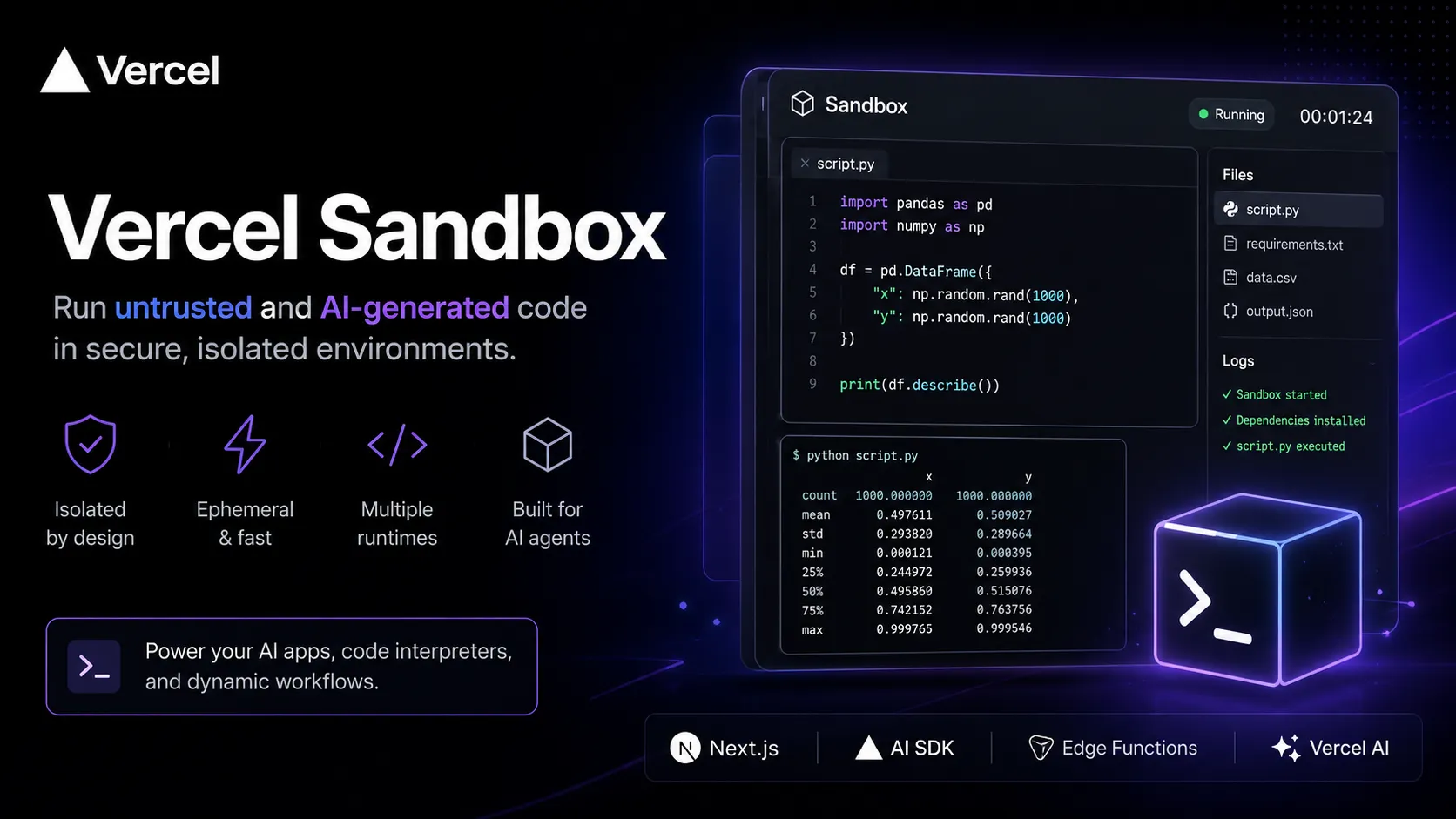
Vercel Sandbox is a Vercel-native isolated compute primitive for safely executing generated or untrusted code in AI apps, agent workflows, and developer platforms.
Information checked: Jun 15, 2026 ·View sources
Tool details
- Type
- Developer workflows
- Platforms
- Vercel, Next.js, Vercel AI SDK, Vercel Functions, Vercel AI Cloud, Node.js runtime, Python runtime, Sandbox SDK, Sandbox CLI, Amazon Linux 2023
- Free plan
- Yes
- Open source
- No
- Bring your own key
- No
- Local models
- No
Overview
Best for
- AI-generated code execution
- Next.js AI apps
- Vercel-hosted agent workflows
- Code interpreter features
- Dynamic Python execution
- Data processing inside AI apps
- Running untrusted user code
- Evaluation sandboxes
- Interactive app playgrounds
- Agentic web applications
- Vercel AI SDK tools
- Teams already deploying on Vercel
Strengths
- Strong fit for Vercel and Next.js teams building AI apps.
- Purpose-built for running untrusted or AI-generated code safely.
- Usage-based active CPU billing can be efficient for I/O-heavy workloads.
- Official SDK, CLI, and AI SDK examples reduce integration friction.
- Included Hobby allowance makes small experiments accessible.
- High paid concurrency limit is useful for agent and evaluation workloads.
Limitations & trade-offs
- Developers looking for a full browser IDE
- Teams needing self-hosted sandbox infrastructure
- Provider-neutral agent platforms
- Long-lived development workspaces
- Workloads requiring arbitrary VM images or full operating-system control
- Teams that need local model execution
- Non-technical users looking for prompt-to-app builders
- Not a full cloud IDE or developer workspace.
- Best fit is Vercel-hosted applications rather than provider-neutral infrastructure.
- Usage-based pricing requires monitoring for high-concurrency agent workloads.
- Runtime choices are narrower than general-purpose cloud VMs.
- No BYOC or self-hosted option documented as a core product path.
- Security still depends on correct secrets, network, filesystem, and data-handling design.
Get started
Pricing & usage limits
Official pricingFree tier available
Includes limited monthly Sandbox usage such as 5 active CPU hours, 420 GB-hours memory, 5,000 creations, 20 GB transfer, 15 GB lifetime storage, and 10 concurrent sandboxes.
Usage-based Sandbox active CPU billing on paid Vercel plans.
Provisioned Sandbox memory billing on paid Vercel plans.
Usage-based billing for creating Sandbox instances after included Hobby usage.
Usage-based data transfer pricing after included Hobby allowance.
Sandbox storage pricing on paid plans after included allowance.
Vercel Pro plan unlocks paid Sandbox usage with Vercel platform billing and higher concurrency.
Custom Vercel Enterprise terms, platform governance, support, security controls, and scaled Sandbox usage.
Pricing checked: Jun 15, 2026 · Subscription, usage limits, and model costs may be billed separately.
Features & details
Isolated code execution
- Run untrusted, user-generated, or AI-generated code in isolated ephemeral environments.
- Designed for AI agents, code interpreters, dynamic playgrounds, and evaluation workflows.
- Sandboxes start quickly and disappear when the task is complete.
Runtime support
- Supports runtime images such as Node.js and Python.
- Official examples include executing Python 3.13 from AI SDK tool workflows.
- Runs on Amazon Linux 2023 with common system tools.
SDK and CLI
- Vercel provides Sandbox SDK and CLI tooling.
- Create, manage, execute, and inspect sandboxes programmatically.
- Useful for app developers embedding code execution inside products.
Agentic workloads
- Built for AI agents that need secure runtime environments.
- Supports calculations, data processing, dynamic scripts, generated code, and automated testing workflows.
- Pairs naturally with Vercel AI SDK, AI Gateway, and Next.js apps.
Filesystem and snapshots
- Supports filesystem operations inside the sandbox environment.
- Filesystem snapshots help preserve or reuse sandbox state.
- Useful for multi-step workflows where agents generate, run, and inspect files.
Vercel platform integration
- Designed for deployment inside Vercel applications.
- Works well with Next.js, AI SDK, Vercel Functions, and Vercel’s AI Cloud positioning.
- Uses Vercel billing, quotas, and team-level platform controls.
Why Choose Vercel Sandbox?
Vercel Sandbox is most compelling when the application already lives on Vercel and needs to run code that should not execute inside the main app process. That includes AI-generated code, user-submitted scripts, data-processing snippets, evaluation tasks, and agent-generated workflows.
The key value is platform fit. A Next.js or Vercel AI SDK application can call into Sandbox without adding a separate sandbox cloud, custom container orchestration layer, or hand-rolled isolation service. This reduces integration overhead, but it also means Vercel Sandbox is best understood as a Vercel-native compute primitive rather than a general-purpose cloud IDE.
Core Workflow
A typical workflow begins inside a Vercel application. The app receives code, a task, or an agent instruction, creates a sandbox, writes files or runs commands, captures the result, and then returns output to the user or model. For AI SDK workflows, the sandbox can become a tool that a model calls when it needs real computation.
This pattern is especially useful for code interpreter features. A model can generate Python, run it in a sandbox, inspect stdout, produce files, and continue reasoning based on the result. The developer still needs to define boundaries: what code can run, what files are mounted or written, how long execution can last, what data is passed in, and whether output is persisted.
Use Cases
Vercel Sandbox fits AI agents, code interpreters, dynamic playgrounds, educational tools, evaluation runners, user script execution, generated app previews, and data-analysis features inside Vercel-hosted products. It is particularly attractive for teams already using Next.js, Vercel AI SDK, AI Gateway, and Vercel Functions.
It is less suitable when the primary need is an all-day development environment. For developer workspaces, GitHub Codespaces, Coder, Gitpod/Ona, CodeSandbox, or Replit are more appropriate. For provider-neutral AI sandbox infrastructure, E2B or Daytona may offer a more specialized standalone runtime model.
Comparison to Alternatives
Compared with E2B, Vercel Sandbox is more tightly integrated with Vercel and bills active CPU in a way that can be favorable for I/O-heavy workloads. E2B is more visibly positioned as a dedicated AI sandbox cloud with broader agent-runtime mindshare and open-source ecosystem examples.
Compared with Daytona, Vercel Sandbox is less about standalone agent infrastructure and more about embedding sandbox execution into Vercel applications. Compared with CodeSandbox, it is not a collaborative browser IDE or developer workspace product. Compared with GitHub Codespaces, it is not a repository-first dev container environment.
Compared with Modal, Vercel Sandbox is narrower. Modal is general serverless compute for Python and AI workloads; Vercel Sandbox is purpose-built for safe execution of generated or untrusted code within the Vercel platform.
Best Configuration
The best configuration starts with strict boundaries. Treat AI-generated and user-submitted code as untrusted. Limit inputs, avoid exposing secrets, keep execution short, scope filesystem writes, and design clear cleanup behavior. If the sandbox can access user data, define exactly what data is necessary and strip everything else.
For cost control, monitor active CPU, provisioned memory, creations, data transfer, storage, and concurrency. Short tasks with low CPU usage are a better fit than long-running background services. If the workload becomes high-volume, compare real bills against E2B, Daytona, Modal, CodeSandbox SDK, and other sandbox providers before scaling aggressively.
Migration Notes
Teams migrating from ad hoc Docker or server-side eval should first separate the execution contract from the app logic. Define input format, runtime image, dependencies, timeout, output format, file persistence, and error handling. Then replace the unsafe execution layer with Sandbox calls.
Teams moving from E2B, Daytona, or another sandbox provider should benchmark startup time, billing behavior, language support, filesystem behavior, concurrency limits, SDK ergonomics, and observability. The strongest reason to move to Vercel Sandbox is not abstract feature parity; it is reducing platform complexity when the rest of the app already runs on Vercel.
Model support & data privacy
Privacy & data handling
Vercel Sandbox may execute user-generated or AI-generated code, filesystem content, runtime logs, command output, data files, dependencies, and application-provided inputs inside ephemeral Vercel-managed environments. Teams should avoid passing production secrets or regulated data into sandboxes unless they have reviewed access controls, retention behavior, logging, network exposure, file persistence, public URLs, and organization-level Vercel security settings.
Guides, reviews & fixes
View allNo published guides yet. Start with the official documentation above.
Product updates
No verified product updates listed yet. Follow this tool to see new relevant content in Saved.
See the content timelineAlternatives
Sources & verification
Verification dates record when this directory checked the information. Product release dates appear separately above.
Directory revision history
Created entry with current Vercel Sandbox GA positioning, pricing and limits, SDK/CLI workflow, Python and Node runtime support, AI-generated code execution use cases, and comparison positioning against E2B, Daytona, CodeSandbox, and developer workspace platforms.