

Codeanywhere
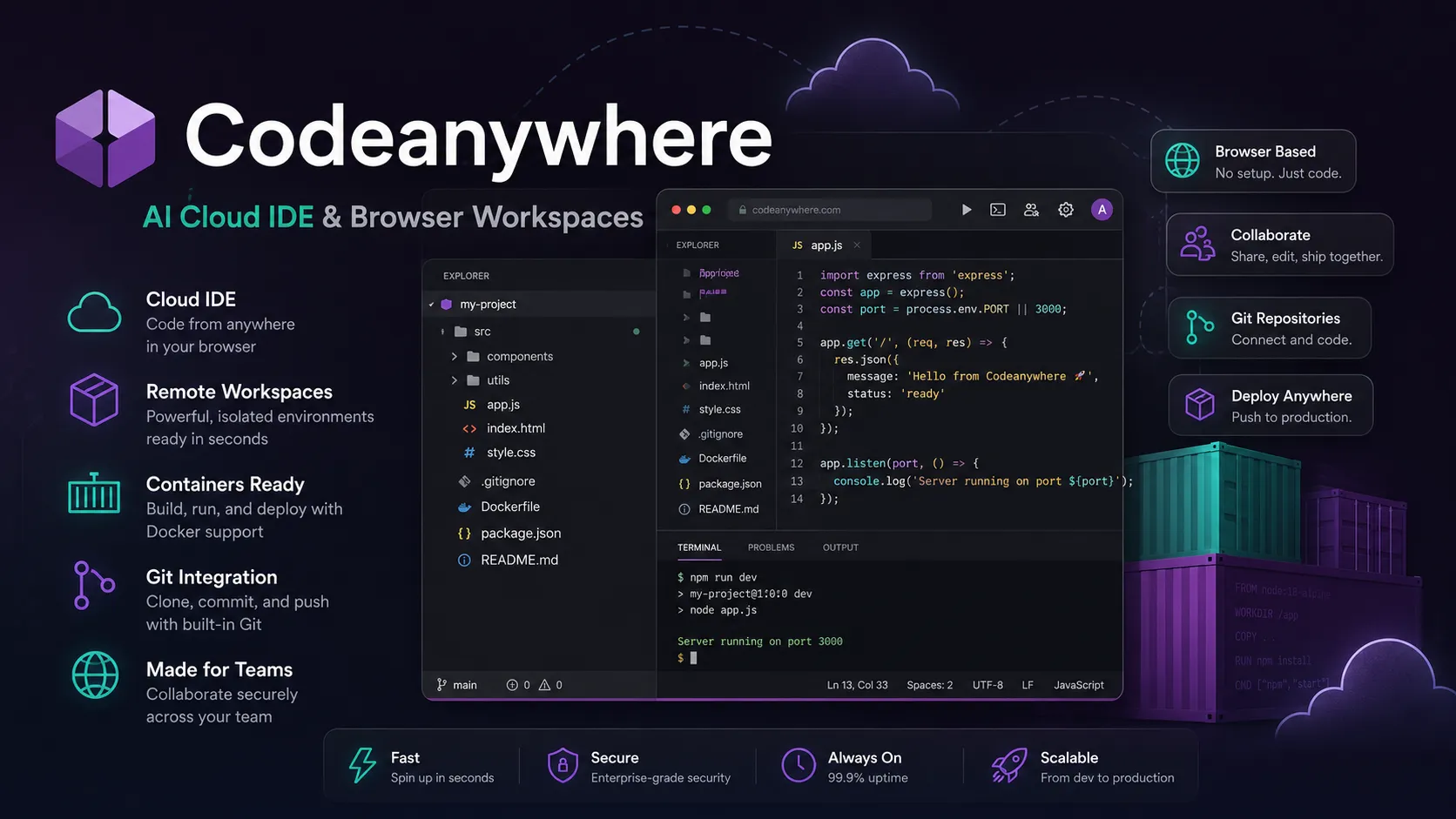
Codeanywhere is a legacy AI cloud IDE for browser-based VS Code workspaces, remote containers, Git development, terminal access, collaboration, and cloud development from any device.
Information checked: Jun 15, 2026 ·View sources
Tool details
- Type
- Cloud IDEs
- Platforms
- Web browser, VS Code browser IDE, Cloud workspaces, Containers, Dev containers, Dockerfile-based environments, Terminal, SSH, GitHub, GitLab, Bitbucket, Linux, macOS, Windows, Chromebook, On-premises or own-cloud enterprise deployment
- Free plan
- Yes
- Open source
- No
- Bring your own key
- No
- Local models
- No
Overview
Best for
- Legacy Codeanywhere users
- Short-term cloud IDE workflows before sunset
- Browser-based VS Code development
- Developer onboarding
- Education and bootcamps
- Freelancers working across devices
- Remote workspaces from Git repositories
- GitHub, GitLab, and Bitbucket projects
- Container-based web development
- Quick terminal and SSH access from a browser
- Teams comparing historical cloud IDE products
Strengths
- Familiar VS Code-like browser experience.
- Good fit for quick remote development and repository-based workspaces.
- Supports GitHub, GitLab, and Bitbucket instead of being tied to one Git host.
- Built-in terminal, SSH, port forwarding, collaboration, and devcontainer support.
- Free and low-cost paid tiers are accessible for individuals and small teams.
- Enterprise option supports own-cloud or on-premises deployment.
Limitations & trade-offs
- New long-term cloud IDE adoption after the announced sunset
- Teams needing a future-proof CDE roadmap
- Users looking for autonomous coding agents
- Non-technical prompt-to-app builders
- Teams needing deep self-hosted CDE governance comparable to Coder
- Developers needing GitHub-native dev containers comparable to Codespaces
- AI agent runtime or sandbox infrastructure use cases
- Official site says Codeanywhere is sunsetting on July 1, 2026.
- Not suitable for new long-term platform commitments without migration planning.
- Less modern than newer CDE platforms such as Coder, GitHub Codespaces, Gitpod/Ona, or CodeSandbox.
- Pricing and resource limits are tied to hours, workspaces, AI tokens, and plan quotas.
- Not primarily an AI app builder, autonomous agent platform, or full AI-native editor.
- Some roadmap items and docs appear tied to legacy or transition-era workflows.
Get started
Pricing & usage limits
Official pricingFree tier available
One-time free usage with 4 vCPU, 8 GB memory, 100 GB storage, 500K AI tokens, 20 hours, 1 parallel workspace, and 15-minute inactivity timeout.
Annual billing. Includes 4 vCPU, 8 GB memory, 100 GB storage, 1M AI tokens, 150 hours, 3 parallel workspaces, 5 pinned workspaces, and 60-minute inactivity timeout.
Annual billing. Includes up to 8 vCPU, 16 GB memory, 100 GB storage, 1M AI tokens, up to 300 hours, 6 parallel workspaces, and 5 pinned workspaces.
Run Codeanywhere on-premises or in your own cloud with added security, compliance, custom plans, and organization-focused support.
Documentation lists add-on packages such as +40 computer hours and +100,000 AI/API tokens.
Official pages state that Codeanywhere is sunsetting on July 1, 2026; new long-term adoption should include a migration plan.
Pricing checked: Jun 15, 2026 · Subscription, usage limits, and model costs may be billed separately.
Features & details
Browser VS Code IDE
- VS Code-style editor in the browser with familiar shortcuts and extension-oriented workflow.
- Supports coding, testing, debugging, and previewing from cloud workspaces.
- Designed for development from any machine without local environment setup.
Remote workspaces
- Create cloud workspaces from Git repositories.
- Connect GitHub, GitLab, and Bitbucket repositories.
- Use pinned and parallel workspaces depending on plan limits.
Containers and devcontainer support
- Prebuilt development environments for major languages and frameworks.
- Dockerfile and devcontainer.json support for standardized environments.
- Useful for teams that want repeatable setup without manually configuring every machine.
Terminal and SSH
- Built-in cloud terminal for running commands in workspaces.
- SSH and remote server workflows are supported from the browser.
- Port forwarding helps expose running services for preview and review.
AI and collaboration
- AI coding assistant is listed as a core platform feature.
- Slash-hash repository flow can open Git repositories quickly from the browser.
- Workspace sharing and team collaboration support pair work, education, and code review.
Enterprise and compliance
- Enterprise program offers custom deployment and security options.
- Official site states SOC 2 Type II, ISO 27001, and GDPR compliance.
- Enterprise is positioned for on-premises or own-cloud use.
Why Choose Codeanywhere?
Codeanywhere was built around a simple promise: open a development environment from almost any device and start coding without configuring a local machine. Its value is strongest for browser-based development, education, quick repository work, and developers who want a familiar VS Code-style editor with terminal access in the cloud.
The important caveat is timing. Codeanywhere’s official pages now state that the product is sunsetting on July 1, 2026. That changes the recommendation. Codeanywhere can still be relevant for existing users, historical comparisons, and short-term export work, but it should not be positioned as a safe long-term CDE choice for new teams.
Core Workflow
A typical Codeanywhere workflow starts with a Git repository. The user connects GitHub, GitLab, or Bitbucket, creates a cloud workspace, opens a VS Code-style browser IDE, runs commands in the terminal, forwards ports, and collaborates by sharing the workspace when needed.
For more standardized setups, devcontainer.json and Dockerfile support allow teams to define repeatable environments. This makes Codeanywhere closer to a cloud development environment than a basic online code editor. The workflow is especially useful when setup speed matters more than deep infrastructure control.
Use Cases
Codeanywhere fits lightweight remote coding, classroom projects, browser-based web development, quick repository inspection, contractor access, Chromebook workflows, and small-team collaboration. It also works for teams that need a temporary online IDE with terminal access and common language support.
It is less suitable for strategic platform adoption now that the official sunset date is public. For new development infrastructure, teams should evaluate current alternatives first. Existing Codeanywhere users should use the remaining time to export code, document workspace configuration, move secrets, and select a replacement.
Comparison to Alternatives
Compared with GitHub Codespaces, Codeanywhere is more vendor-neutral across GitHub, GitLab, and Bitbucket, but Codespaces is more current, GitHub-native, and actively positioned for dev container workflows. Compared with Coder, Codeanywhere is simpler to use but offers less self-hosted governance and enterprise infrastructure control.
Compared with Gitpod/Ona, Codeanywhere is more of a classic cloud IDE, while Ona has shifted toward background agents, automations, and governed environments. Compared with CodeSandbox and StackBlitz, Codeanywhere is closer to a cloud workspace with terminal access, while those tools are stronger for shareable browser sandboxes and web-focused workflows.
Compared with Replit, Codeanywhere is less of an app-building and hosting platform. Replit is broader for education, publishing, and AI-assisted app creation, while Codeanywhere is more traditional cloud IDE.
Best Configuration
For remaining usage, keep Codeanywhere simple. Use it for short-lived workspaces, repository access, browser coding, and terminal tasks that do not create long-term platform dependency. Avoid storing important secrets in workspaces unless necessary, and keep code synchronized with external Git repositories.
For teams, the best configuration is migration-ready. Inventory all workspaces, pinned workspaces, connected Git providers, SSH connections, environment variables, devcontainer files, Dockerfiles, collaboration links, and AI token usage. Then decide which workloads move to Codespaces, Coder, Gitpod/Ona, CodeSandbox, StackBlitz, Replit, or a local dev-container workflow.
Migration Notes
The migration path depends on how Codeanywhere was used. GitHub-heavy teams should test GitHub Codespaces first. Teams needing self-hosted infrastructure should test Coder. Teams needing cross-forge cloud environments should test Gitpod/Ona. Web example and sandbox-heavy teams should test CodeSandbox or StackBlitz.
Before leaving, export repository changes, push all code to Git, document workspace setup commands, capture devcontainer.json or Dockerfile configuration, move secrets to a new secret manager, and remove stale remote server connections. If a workspace was used as the only source of truth, treat migration as urgent because the sunset timeline leaves little room for recovery after service shutdown.
Model support & data privacy
Privacy & data handling
Codeanywhere workspaces can contain repository code, terminal history, SSH connections, environment variables, workspace files, AI assistant context, and collaboration activity. The official site states SSL/TLS encryption, strict access controls, authentication mechanisms, backups, SOC 2 Type II, ISO 27001, and GDPR compliance. Because the service is sunsetting, users should export important code, review secrets, remove unused remote connections, and migrate workspaces before relying on it for ongoing development.
Guides, reviews & fixes
View allNo published guides yet. Start with the official documentation above.
Product updates
No verified product updates listed yet. Follow this tool to see new relevant content in Saved.
See the content timelineAlternatives
Sources & verification
Verification dates record when this directory checked the information. Product release dates appear separately above.
Directory revision history
Created entry with current Codeanywhere pricing, VS Code Browser IDE, terminal, Git provider, devcontainer, collaboration, enterprise/compliance features, and official July 1, 2026 sunset notice.