On This Page8 sections
Key Takeaways
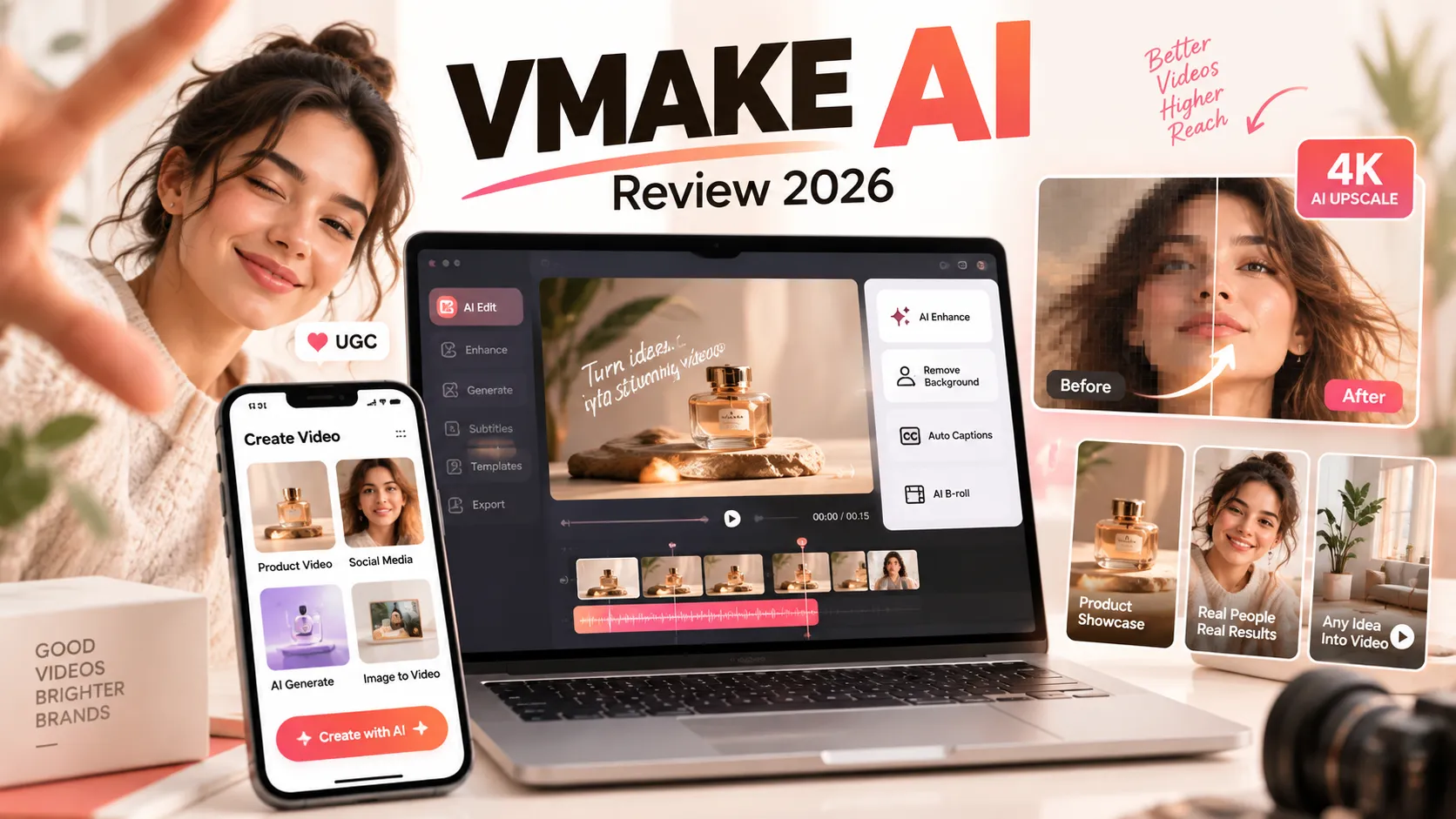
- Vmake AI, now branded as Vmake Labs, is an AI-powered platform for enhancing videos, creating product content, generating UGC-style advertisements, and editing images.
- Its strongest advantage is workflow consolidation. Creators can combine video enhancement, background removal, subtitles, product showcases, and AI video generation without relying on multiple specialized applications.
- Vmake AI offers limited free access, but daily credits, watermarks, export restrictions, and feature-specific quotas make the free tier better suited to evaluation than large-scale production.
- AI video enhancement is not the same as genuine detail recovery. Upscaling can improve perceived sharpness, but AI-generated textures and reconstructed features are not guaranteed to match the original scene.
- Vmake Labs is particularly relevant to ecommerce sellers and short-form creators producing product demonstrations, social media advertisements, and promotional videos.
- The best way to evaluate Vmake AI is by cost per usable export, rather than advertised resolution, generation credits, or the number of available features.
What Is Vmake AI?
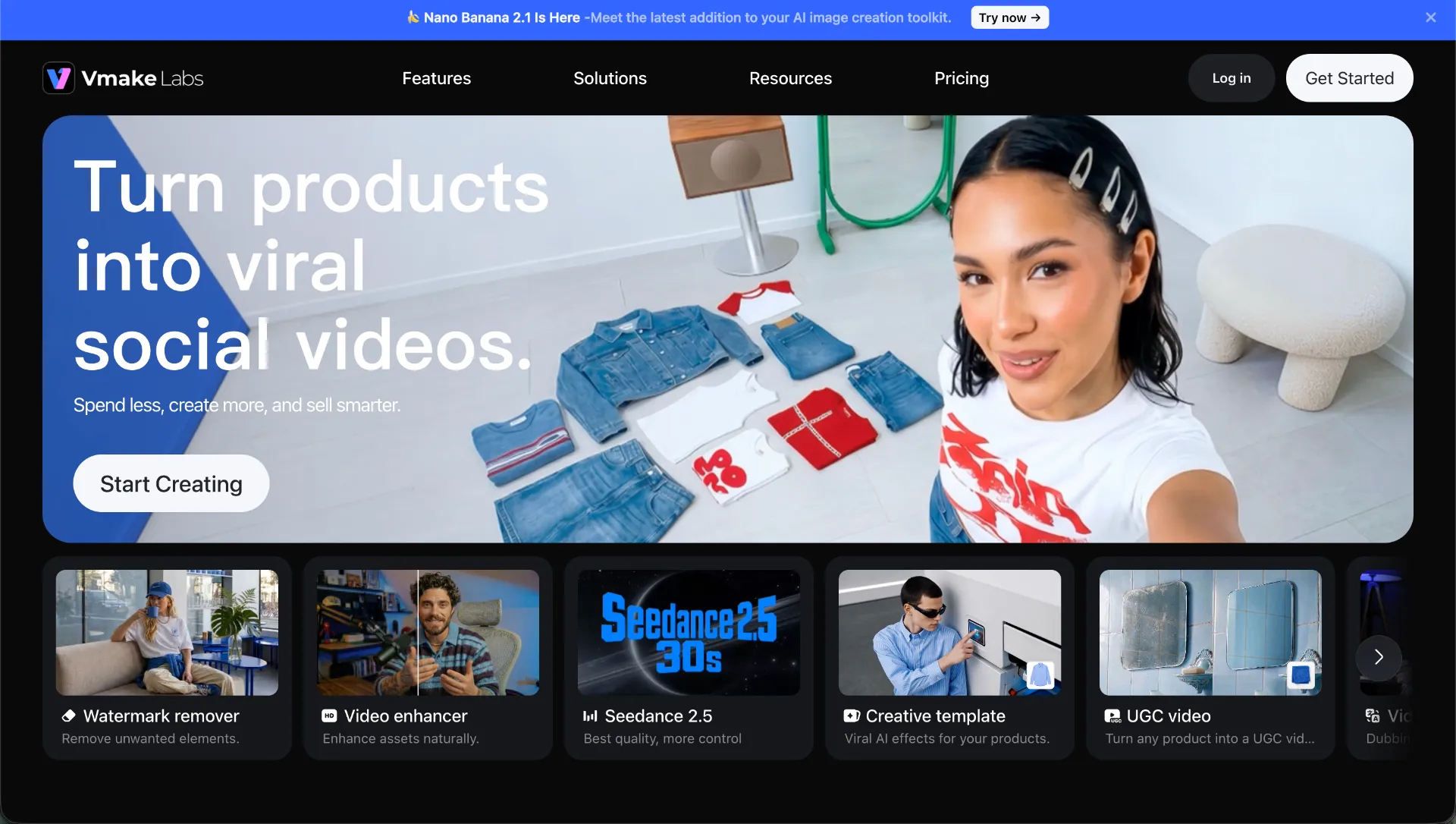
Vmake AI is an AI-powered video and image editing platform designed to simplify visual content production. Originally known primarily for its AI video enhancer and watermark removal tools, the platform has expanded into a broader creative environment under the Vmake Labs branding.
The service combines traditional video processing with generative AI features, including product video creation, AI avatars, image-to-video generation, automated subtitles, and UGC-style advertising workflows.
Unlike conventional video editors that require manual timeline editing, Vmake focuses on automating individual production tasks. Users can upload existing footage, choose an enhancement or editing function, and generate a processed result through its browser-based interface.
This approach is particularly attractive to three audiences:
- Content creators: Improving video quality, generating captions, removing backgrounds, and preparing clips for TikTok, Instagram Reels, or YouTube Shorts.
- Ecommerce businesses: Transforming product images into promotional videos, creating product showcases, and producing multiple advertising variations.
- Marketing teams: Generating short-form advertising assets, preparing multilingual content, and experimenting with different creative approaches.
The platform also offers mobile applications and developer-oriented capabilities, although available features and billing conditions can differ across access methods.
Vmake AI Features: What Can You Actually Do?
Vmake Labs combines several categories of AI tools. Understanding their differences is essential because each feature addresses a different production problem.
| Feature | Main Function | Best Use Case | Key Limitation |
|---|---|---|---|
| AI Video Enhancer | Improve sharpness, clarity, and perceived detail | Compressed or blurry footage | May generate inaccurate details |
| AI Video Upscaler | Increase video output resolution | Preparing clips for larger displays | Resolution does not equal genuine detail |
| Video Watermark Remover | Reconstruct areas covered by unwanted overlays | Cleaning authorized footage | Complex backgrounds may produce artifacts |
| Video Background Remover | Separate subjects from backgrounds | Product videos and composites | Hair and transparent objects are difficult |
| AI Noise Reducer | Reduce unwanted audio noise | Interviews and talking-head videos | Excessive processing may alter voices |
| AI Subtitles | Generate captions automatically | Shorts, Reels, and accessibility | Transcription errors require correction |
| AI Video Generator | Create videos using prompts or visual inputs | Marketing concepts and social content | Generation quality and costs vary |
| AI Product Showcase | Convert product assets into promotional videos | Ecommerce and social advertisements | Product details must be verified |
| AI Avatar Video | Generate presenter-style content | Product explainers and localization | Lip synchronization can be imperfect |
| AI Image Enhancer | Improve image sharpness and presentation | Product photos and thumbnails | Fine details may be reconstructed incorrectly |
The main distinction is that Vmake is no longer simply a video enhancement service. Its broader product strategy focuses on moving from raw creative assets to publishable marketing content through fewer manual steps.
Vmake AI Video Enhancer: How Does It Work?
The Vmake AI Video Enhancer is one of the platform's best-known functions. It is designed to improve the appearance of existing footage by applying AI-assisted restoration and enhancement.
Potential improvements include noise reduction, clearer edges, sharper textures, and enhanced visual presentation.
The platform advertises enhancement options for different types of footage, including portraits, products, low-light scenes, gaming content, and animation.
AI Upscaling vs Traditional Video Resizing
Traditional resizing increases pixel dimensions through interpolation. It does not recover information missing from the original recording.
AI upscaling uses learned visual patterns to predict additional detail. This can produce a more natural-looking image, particularly when dealing with compression artifacts, weak textures, and low-resolution footage.
However, there is an important technical limitation: predicted detail is not necessarily accurate detail.
For example, an AI model may reconstruct plausible facial textures without recovering the person's original appearance. Small product labels, handwritten text, and intricate patterns may also change during processing.
This distinction matters for ecommerce products, educational footage, archival materials, and any content requiring accurate representation.
Can Vmake AI Enhance Videos to 4K or 8K?
Vmake advertises high-resolution enhancement capabilities, including 2K, 4K, and 8K options in relevant enhancement workflows.
However, available export resolutions depend on the tool, subscription tier, and processing mode.
A video exported at 4K or 8K is not automatically comparable to footage recorded natively at that resolution.
Consider a heavily compressed 480p recording. Increasing its dimensions to 4K does not restore all missing visual information. AI models can improve perceived quality, but complex details remain dependent on predictions.
For most social media production, a clean 1080p output can be more useful than an aggressively processed 4K export containing artificial textures.
How to Use Vmake AI Video Enhancer
The basic enhancement workflow is straightforward, although interface options may differ by feature and subscription.
- Open the Vmake video enhancer. Select the appropriate video enhancement tool within the platform.
- Upload a video. Use a supported file format such as MP4 or MOV. Other formats may be accepted by specific enhancement interfaces.
- Choose an enhancement mode. Select automatic processing or a scene-specific mode when available.
- Select the target resolution. Start with a practical output such as 1080p or 2K before evaluating higher-resolution options.
- Process the footage. Allow the platform to analyze and enhance the uploaded video.
- Compare the result. Inspect detailed areas such as faces, text, logos, hair, and fast-moving objects.
- Download the final export. Verify watermark restrictions, resolution, file length, and applicable usage limits before completing the workflow.
Tips for Better Video Enhancement Results
- Use the highest-quality original footage available rather than repeatedly processing previously enhanced exports.
- Avoid extreme upscaling unless the output provides a visible improvement at its intended display size.
- Test short samples before processing longer videos.
- Inspect complex motion and facial details for unnatural reconstruction.
- Preserve the original video for comparison and future editing.
- Evaluate quality at normal playback speed and at individual frames.
Practical recommendation: A five- to ten-second test clip containing both motion and detailed objects provides a more meaningful assessment than a static preview image.
Vmake AI UGC Video Generator: A Major Use Case
One of the more commercially relevant directions for Vmake Labs is AI-generated UGC-style content.
UGC, or user-generated content, commonly refers to videos that resemble authentic creator demonstrations, product recommendations, or personal experiences.
Businesses increasingly use this format for short-form advertising because it can present products in a less formal style than traditional commercial videos.
Vmake provides tools for creating product showcases, AI avatar presentations, and videos derived from product assets or creative references.
How to Create a Product Video with Vmake AI
A practical workflow begins with an accurate product image and a clear creative objective.
- Upload a high-quality product image with accurate branding and packaging.
- Choose a product showcase or appropriate AI video generation workflow.
- Enter essential product information, including the product category, intended audience, and verified benefits.
- Select a format appropriate for the distribution platform, such as vertical video for mobile-first social channels.
- Generate an initial version and inspect the result for factual or visual inconsistencies.
- Produce additional variations using different hooks, visual treatments, or calls to action.
- Review the final creative against the actual product before publishing.
Example AI Product Video Prompt
The following creative brief illustrates how a seller might structure a short-form product video:
Create a 15-second vertical product showcase video for a premium stainless steel water bottle.

Style: Natural lighting, realistic product photography, smooth camera movement.

Opening: Close-up of the product on a clean kitchen counter.

Middle: Demonstrate the product's actual carrying and cleaning features.

Ending: Show the original product packaging with a concise call to action.

Requirements:
- Preserve the exact product shape and label.
- Maintain accurate colors and materials.
- Avoid unsupported product claims.
- Use a 9:16 composition suitable for short-form platforms.
- Keep movements realistic and visually consistent.
This is an illustrative production prompt rather than a guarantee that every Vmake workflow accepts the same instructions.
The most important requirement is product consistency. AI-generated advertisements can look convincing while introducing inaccurate labels, packaging details, colors, or product functions.
Vmake AI Pricing: Free, Plus, and Pro
Vmake Labs uses a combination of subscription allowances, agent credits, and feature-specific limits.
Pricing should be evaluated carefully because access to one workflow does not necessarily provide unrestricted access to every tool.
The published plan structure includes Free, Plus, and Pro tiers. Exact subscription charges, promotional discounts, and checkout conditions can change.
| Plan | Listed Agent Credits | Typical Usage Allowances | Best For |
|---|---|---|---|
| Free | 20 daily credits | Restricted tools, models, and exports | Initial testing |
| Plus | 1,000 monthly credits | Selected core tools with daily limits | Regular individual creators |
| Pro | 4,500 monthly credits | Higher usage limits and additional model access | Frequent production and professional users |
The published comparison lists selected core tools at up to 10 files per day under Plus and up to 50 files per day under Pro. Certain higher-resolution tools have separate monthly allowances.
Is Vmake AI Really Free?
Vmake provides free access, but the word free requires qualification.
The free plan has a limited daily credit allocation, restricted model access, and output conditions that may include watermarks or reduced resolution.
Free previews should not be confused with unrestricted high-quality downloads.
A creator evaluating Vmake should verify four conditions before relying on the free plan:
- How many credits are available and when they expire.
- Which enhancement or generation tools accept free credits.
- Whether the desired output includes a watermark.
- Whether the final resolution and commercial permissions match the intended use.
Are Vmake AI Credits Unlimited?
No. The listed subscriptions allocate finite agent credits and may additionally impose separate per-tool limits.
Some enhancement or editing features have daily or monthly file allowances independent of the headline agent credit balance.
Monthly credits are also subject to validity periods, so users should not assume unused allocations automatically roll over.
How to Calculate the Real Cost
A better purchasing metric is the effective cost of a usable result.
Effective cost per approved video = total platform spending / number of approved final videos
For example, if a creator spends $30 and produces 12 approved clips, the effective platform cost is $2.50 per usable clip.
This hypothetical calculation excludes editing labor, external tools, and advertising expenses.
The relevant question is not how many generations a subscription advertises, but how many outputs satisfy the user's quality and publishing requirements.
Vmake AI vs CapCut vs Topaz Video vs Runway vs HeyGen
Vmake competes with multiple categories of AI media software rather than a single direct alternative.
| Tool | Primary Strength | Best Use Case | Main Difference From Vmake |
|---|---|---|---|
| Vmake AI | Enhancement and automated content creation | Social videos and ecommerce creatives | Combines cleanup, generation, and marketing workflows |
| CapCut | Timeline editing and social content production | Shorts, Reels, and manually assembled videos | More focused on direct editing control |
| Topaz Video | Specialized video restoration and upscaling | Improving existing footage | More specialized restoration workflow |
| Runway | Generative video and creative experimentation | AI-generated visual content | Greater emphasis on generative creation |
| HeyGen | AI avatars and video localization | Presenter-led and multilingual videos | More specialized avatar and communication workflows |
These distinctions describe product positioning rather than verified head-to-head quality rankings.
Vmake AI vs CapCut
CapCut is better aligned with creators who need precise timeline control, transitions, sequencing, and frequent manual adjustments.
Vmake becomes more attractive when the primary requirement is automatic cleanup, product video generation, or rapid transformation of existing assets.
The two tools can complement each other: Vmake can prepare or generate assets before a creator assembles the final video in CapCut.
Vmake AI vs Topaz Video
Topaz Video is a dedicated restoration and enhancement option for users prioritizing video processing quality and technical control.
Vmake offers a broader set of marketing-oriented functions, making it more convenient when enhancement is only one step in a larger content workflow.
For archival restoration or technically demanding footage, a dedicated solution may be more suitable.
Vmake AI vs Runway
Runway emphasizes generative video creation and creative experimentation.
Vmake combines generation with practical utilities and product-oriented workflows.
The better option depends on whether the goal is original AI filmmaking or efficient production of commercial assets.
Vmake AI vs HeyGen
HeyGen focuses on AI presenters, avatars, and localization.
Vmake is broader in its combination of video enhancement, image utilities, and product showcase capabilities.
For organizations producing large numbers of multilingual presenter videos, specialist avatar platforms deserve separate evaluation.
Vmake AI Advantages and Disadvantages
Advantages
- Accessible workflow: Browser-based access reduces the need for complex local installation.
- Multiple tools in one platform: Video enhancement, background processing, captions, and generative production can share a workflow.
- Useful for ecommerce: Product-focused creative tools can reduce the effort required to prepare promotional concepts.
- Short-form orientation: The platform is relevant to creators targeting mobile video distribution.
- Automated processing: Routine cleanup tasks may require less manual editing than traditional applications.
- Limited free access: Users can evaluate selected capabilities before purchasing a subscription.
Disadvantages
- Inconsistent enhancement outcomes: AI reconstruction can create unnatural details or alter objects.
- Complex usage limits: Credits and feature-specific quotas can make total cost harder to predict.
- Free-tier restrictions: Watermarks, model restrictions, and export limitations reduce suitability for production.
- Limited manual precision: Fully automated processing is not a substitute for frame-by-frame editing.
- Variable generation quality: Some clips require several attempts before an acceptable result is obtained.
- Cloud processing considerations: Uploading confidential or sensitive material requires appropriate privacy review.
Vmake's main value is convenience. Its main trade-off is reduced control over how automated changes are made.
Common Vmake AI Problems and How to Avoid Them
Problem 1: Enhanced Video Looks Artificial
AI enhancement may introduce overly sharp faces, inconsistent textures, or flickering details.
Solution: Try a less aggressive enhancement mode, reduce the target resolution, and compare multiple frames against the original recording.
Problem 2: Text or Logos Become Distorted
Small text and logos are challenging because AI restoration models may reconstruct them as visual patterns rather than preserving exact characters.
Solution: Preserve original branded elements whenever possible. Reintroduce accurate logos or captions during final editing rather than relying on AI restoration to reconstruct them.
Problem 3: Background Removal Produces Rough Edges
Hair, transparent materials, reflections, and motion blur can confuse subject segmentation models.
Solution: Start with footage containing strong subject-background contrast and avoid unnecessary camera movement.
Problem 4: Video Generation Changes the Product
Generative video models can alter packaging, colors, labels, or physical proportions between frames.
Solution: Use strong product references, simplify movement, reduce unnecessary scene complexity, and verify each final export.
Problem 5: Credits Are Consumed Faster Than Expected
Different generation models and media workflows may apply different billing rules.
Solution: Check the estimated credits and tool-specific allowances before launching a job. Begin with shorter test outputs and monitor actual usage.
Is Vmake AI Safe? Privacy and Commercial Rights
Vmake processes uploaded media through cloud-based workflows, making privacy and usage rights important considerations.
The video enhancer's published information states that uploaded and enhanced files are automatically deleted after seven days. However, this should not be interpreted as a universal retention rule for every type of account information, generated asset, or platform service.
Before uploading sensitive content, organizations should review the applicable privacy policy, storage practices, and contractual terms.
Copyright and Watermark Removal
Vmake includes tools for removing watermarks and embedded text from videos.
The existence of these tools does not grant permission to modify or republish copyrighted third-party footage.
Users should only remove marks from content they own or are authorized to edit.
Commercial Use
The published plan comparison identifies commercial-use permissions for eligible paid subscriptions, while general terms may impose additional conditions.
Commercial-use eligibility should not be confused with ownership of third-party images, music, identifiable likenesses, or trademarks.
For commercial campaigns, verify the current subscription agreement, asset rights, and applicable advertising requirements.
Who Should Use Vmake AI?
Vmake AI is particularly suitable for:
- Ecommerce merchants creating product showcases from existing images.
- Social media creators who regularly improve or repurpose short clips.
- Affiliate marketers generating multiple video concepts for testing.
- Small marketing teams that need simplified production workflows.
- Creators who prefer browser-based automation over complex editing software.
Vmake AI may be less suitable for:
- Professional editors who require precise frame-level control.
- Archivists who need historically faithful restoration rather than plausible reconstruction.
- Filmmakers requiring advanced color grading and detailed timeline management.
- Businesses processing confidential materials without completing a vendor privacy assessment.
- Users expecting unrestricted high-resolution generation from a free subscription.
How to Evaluate Vmake AI Before Subscribing
A structured trial can reveal more than promotional examples.
Use five representative assets:
- A low-light talking-head video to evaluate noise reduction and facial detail.
- A fast-moving gaming clip to inspect motion consistency and interface clarity.
- A product close-up to verify labels, materials, and colors.
- A rights-cleared video containing an unwanted overlay to evaluate removal artifacts.
- A product image intended for a social advertisement to assess generation accuracy and creative usefulness.
Record the processing time, credits consumed, output resolution, visible artifacts, and whether the final asset meets publishing requirements.
For marketing content, measure downstream performance separately. A visually attractive AI-generated video is not automatically a high-converting advertisement.
A subscription is worth considering when the platform consistently produces approved assets at a lower total cost than the existing workflow.
Vmake AI Frequently Asked Questions
Is Vmake AI the Same as Vmake Labs?
Yes. Vmake AI has rebranded as Vmake Labs, reflecting its expansion from video enhancement into AI-powered creative production and marketing workflows.
Is Vmake AI Completely Free?
No. Limited free access is available, but credits, watermarks, model restrictions, and export limits apply. Advanced or higher-volume production generally requires paid access.
Can Vmake AI Improve Blurry Videos?
Vmake can improve perceived sharpness and reduce certain artifacts, depending on the input footage. However, severe blur and missing details cannot always be reconstructed accurately.
Does Vmake AI Support 4K Video Enhancement?
The platform advertises high-resolution enhancement options, including 4K and 8K in relevant workflows. Availability depends on the specific feature and subscription entitlement.
Can Vmake AI Remove Watermarks from Videos?
Yes. Vmake provides video watermark and text removal utilities. Results vary by scene complexity, and users must have appropriate rights to modify the footage.
Can Vmake AI Generate Videos from Images?
Yes. Vmake Labs offers image-to-video and product-focused generation workflows. Output specifications, available models, and credit costs vary.
Can Vmake AI Create UGC Advertisements?
Yes. Product showcase, AI avatar, and related creation workflows support UGC-style promotional content. Generated endorsements and product claims should be reviewed before commercial publication.
Does Vmake AI Have a Mobile App?
Vmake advertises iOS and Android applications alongside its browser-based service. Specific features and billing arrangements should be verified within the relevant application.
Does Vmake AI Offer an API?
Vmake Labs has developer-oriented offerings for media processing and editing. API availability, usage quotas, pricing, and supported endpoints should be confirmed independently of consumer subscription plans.
What Is the Best Alternative to Vmake AI?
The answer depends on the primary workflow. CapCut is relevant for timeline editing, Topaz Video for dedicated restoration, Runway for generative filmmaking, and HeyGen for avatar-focused communication. There is no universal winner across all categories.
Conclusion
Vmake AI has evolved into a broader AI video production platform under the Vmake Labs brand. Its combination of enhancement, image editing, generative video, and ecommerce-oriented creative tools makes it particularly relevant to creators and businesses producing frequent short-form content.
The platform's greatest advantage is reducing the number of separate steps involved in preparing visual assets. However, automated enhancement can introduce inaccurate details, generation quality varies, and usage limits require careful attention.
For occasional video cleanup, the limited free tier is a reasonable starting point. Frequent creators should evaluate paid plans using real production assets and track the cost per approved export.
Before subscribing, compare the quality of representative videos, confirm commercial permissions, and review the latest credit and export restrictions.
Explore the available tools and current subscription options on the official Vmake Labs website.
Continue Reading
More articles connected to the same themes, protocols, and tools.
Referenced Tools
Browse entries that are adjacent to the topics covered in this article.