
Official case study
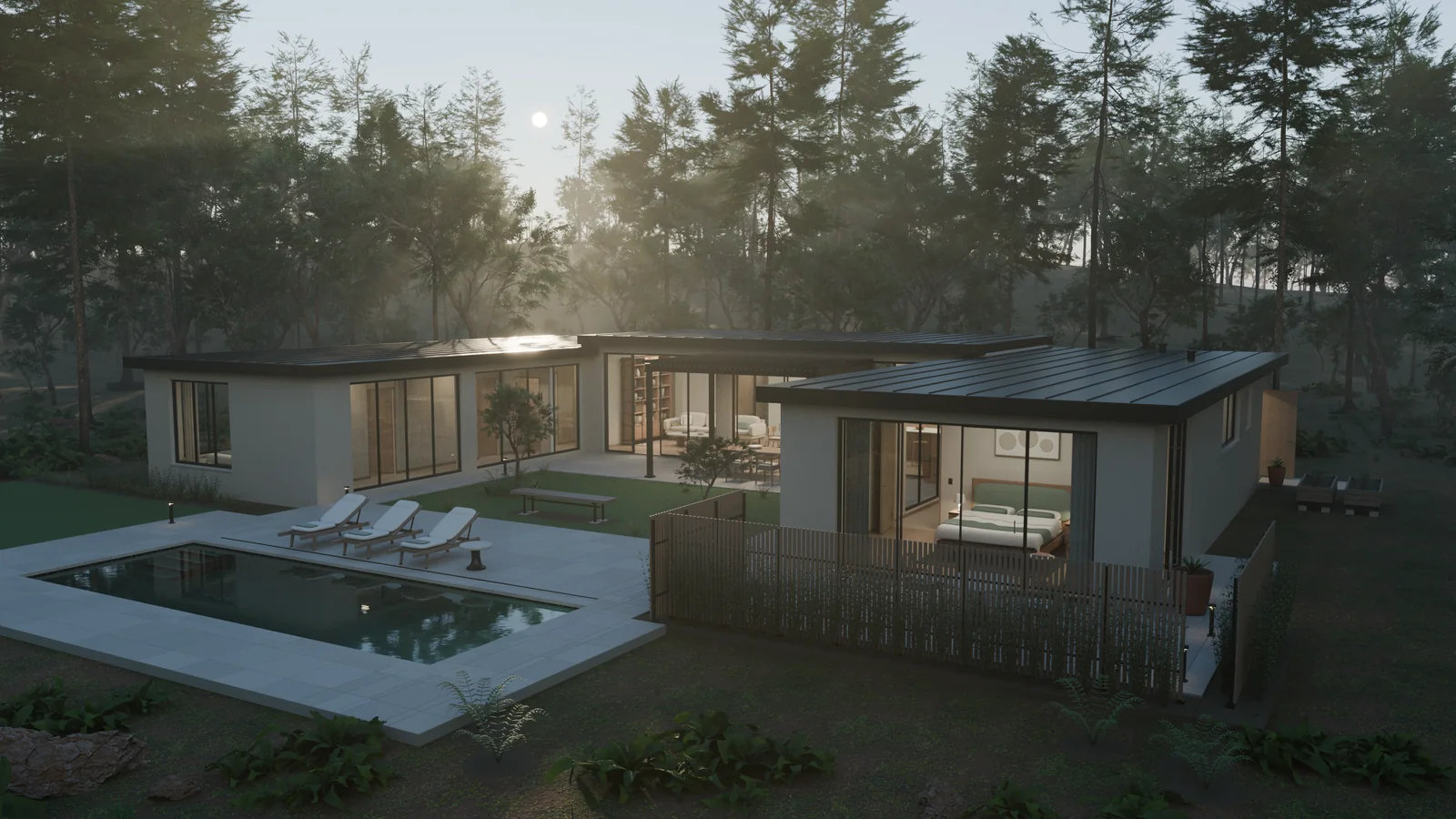
An editable furnished house, a Cycles camera tour, and an interactive Unreal Engine 5 walkthrough.
Thomas Ricouard / OpenAI
From Python scripts
to editable 3D scenes.
Explore what people are building when Astra writes Python, runs Blender, inspects the render, and revises the scene.
Collection updated
Blender is the tool. Astra writes the instructions. The result can include geometry, materials, cameras, and source code you can edit.
See the result, the method, and what the evidence supports.
12 cases in this collection
An editable furnished house, a Cycles camera tour, and an interactive Unreal Engine 5 walkthrough.
Thomas Ricouard / OpenAI
Three prompt-driven revisions, with the Python scripts, Blender scenes, renders, and session transcript on GitHub.
Simon Willison
A vintage drawing becomes a mechanical assembly. The creator reports 3,295 editable objects.
Tom Krcha
A procedural collector with 5,120 panels in the Earthward composition, refined through preview renders.
Thomas Ricouard / OpenAI
A hard-surface cruiser with a segmented ring, four detailed engines, and independently editable materials.
Thomas Ricouard / OpenAI
A three-view concept drawing becomes a 28-part rover, then receives measured edits to its saved Blender scene.
Kingy AI
A lily pond, bridge, and planted garden developed from references and successive material reviews.
Thomas Ricouard / OpenAI
A 14-minute first GIF looked plastic. A reference image and five revision rounds produced a better Cycles result.
Leon Liu / liustack
A reference-led workflow separates asset creation in Blender from scene assembly in Three.js or Unreal Engine.
Matt Shumer
A creator demonstration using property listing photos to reconstruct a house and produce a promotional walkthrough.
Yunfan Ye
A Three.js game is recreated as Blender scenes for a trailer, with GPT Image 2 supplying image assets.
Meng To
A computer-use attempt at a realistic bat illustrates the gap between operating Blender and producing convincing anatomy.
aollivier82
“Public project files” means the author links editable downloads or a repository. Other outputs and timings are reported by their creators; this collection is not an independent benchmark.
The useful loop is the work between the first prompt and the final image.
Provide views, dimensions, and the parts that must remain editable.
Astra writes bpy scripts. Blender creates and saves the scene.
Render cheaply. Compare the silhouette, intersections, materials, and framing.
Fix visible problems, render again, then deliver the scene and required exports.
Start here for repeatable builds, scenes, and batch rendering. The agent runs Blender in the background with a saved script.
/Applications/Blender.app/Contents/MacOS/Blender --background --python scene.pyUse the interface to inspect a viewport or handle a UI-specific step. Scripts still do much of the scene construction.
See the house exampleInspect and modify an open scene through Blender Lab's add-on and MCP server. Requires Blender 5.1 or newer.
The integration executes model-written Python. Blender recommends an isolated environment without sensitive files.
Blender's setup and guidance
The donut's first version took 14 minutes and looked plastic. Better references, materials, and repeated visual checks improved the result.
The train's object count does not prove clean topology. The bat demo shows that a working Blender session can still produce unconvincing anatomy.
Attach a clear reference for a mechanical object, prop, or house. Ask for saved source files and visual checks as part of the deliverable.
This starter prompt adapts the practices in the examples. It is not an original prompt from a featured case.
Use the locally installed Blender through its Python API.
Build the attached reference as an editable Blender scene.

Requirements:
- Keep major components separate and clearly named.
- Match proportions and silhouette before adding detail.
- Keep materials independently editable.
- Preserve the source Python scripts and an editable .blend.
- Export a GLB and a turntable video.
- Render front, side, three-quarter, and close-up views.

Workflow:
1. Analyze the reference and identify uncertain details.
2. Build the primary geometry and check proportions.
3. Render a low-cost preview.
4. Compare the preview with the reference.
5. Fix geometry, intersections, and floating parts.
6. Add secondary details, materials, lighting, and cameras.
7. Render and inspect again. Revise what still looks wrong.
8. Save the final scene, scripts, exports, and previews.

Do not consider the task finished merely because Blender ran
without errors. Visually inspect the render before completion.