On This Page8 sections
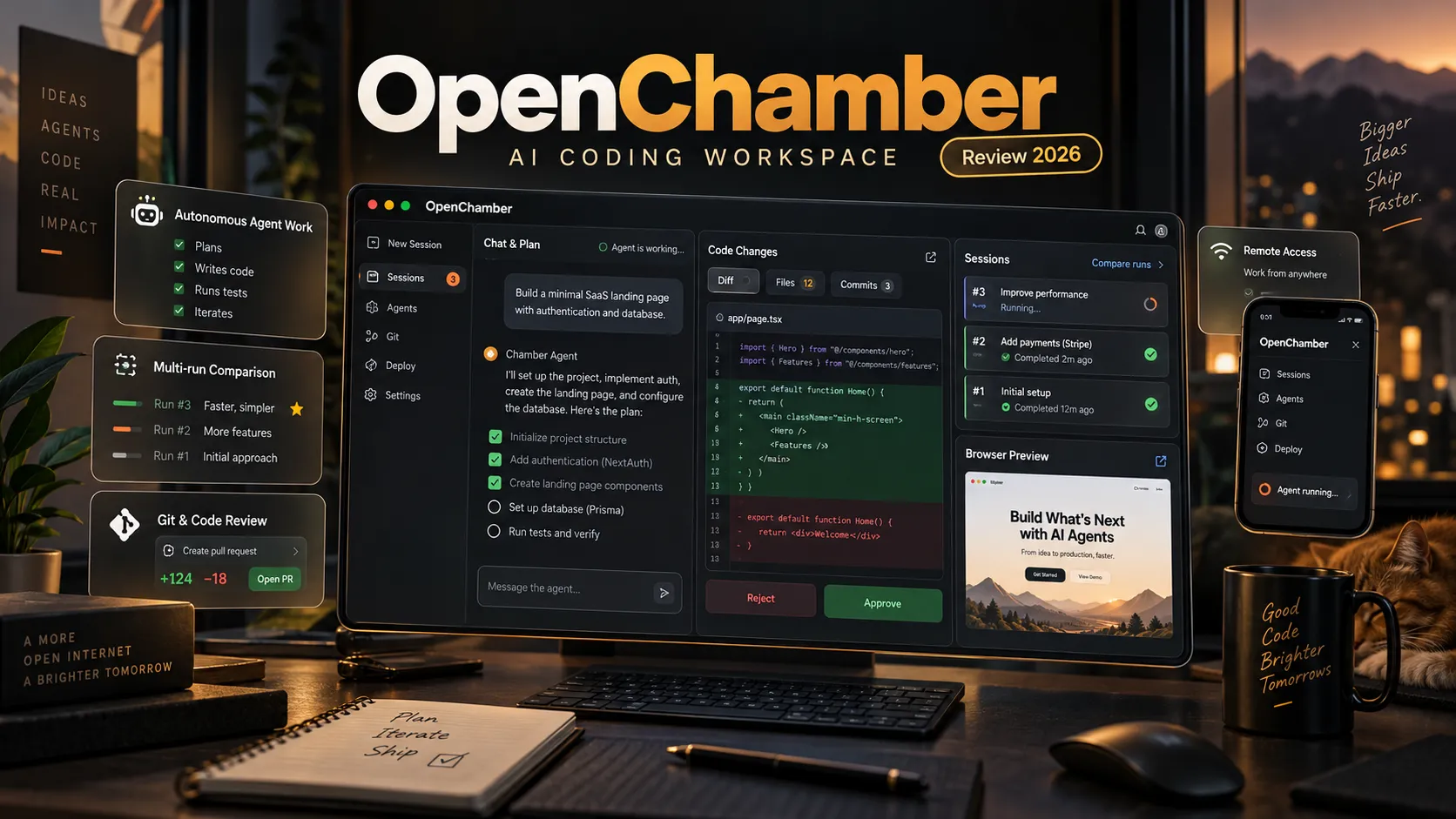
OpenChamber is an open-source AI coding workspace designed to help developers run, manage, and review autonomous coding agents across desktop, web, VS Code, and mobile devices.
Built on the OpenCode runtime, it combines AI coding sessions, Git workflows, browser previews, scheduled tasks, and remote access into a unified development environment.
Unlike traditional AI coding assistants that primarily focus on generating or editing code, OpenChamber focuses on managing the entire agentic development workflow: defining objectives, supervising execution, comparing implementations, reviewing code, and preparing changes for release.
This guide examines OpenChamber's architecture, features, installation methods, pricing, integrations, security considerations, and alternatives based on the project's official documentation and GitHub releases available as of October 12, 2026.
Key Takeaways
- Open-source and free: OpenChamber is MIT-licensed and built on the OpenCode coding-agent runtime.
- Autonomous execution: Session Goals can automatically continue agent work until an objective is completed, blocked, or reaches configured limits.
- Parallel development: Multi-run supports up to five concurrent runs, with optional Git worktree isolation.
- Model comparison: Fusion helps combine promising parts of different implementations into a new session.
- Cross-platform access: OpenChamber supports macOS, Windows, Linux, web browsers, VS Code, and mobile devices.
- Remote coding: Private Relay provides end-to-end encrypted connections between paired devices without opening public inbound ports.
- Integrated workflows: GitHub, GitLab, and Linear integrations connect coding sessions with issues, pull requests, and reviews.
- Flexible deployment: Developers can run OpenChamber locally or self-host it on Linux servers using the CLI or Docker.
- Separate AI costs: The software is free, but model inference, infrastructure, and optional services may incur charges.
What Is OpenChamber? is an open-source Agentic Development Environment, or ADE, designed to provide a graphical workspace for AI-assisted software engineering.
Its central purpose is to help developers coordinate coding agents rather than simply interact with them through a terminal.
OpenChamber provides a unified interface for creating coding sessions, tracking active work, reviewing generated changes, managing repositories, connecting remote machines, and automating recurring tasks.
The project is built around OpenCode, an open-source AI coding agent responsible for model interactions, tool execution, and project-file operations.
OpenCode provides the execution engine, while OpenChamber provides the management and review environment.
This distinction is important. OpenChamber is not a new foundation model, and it does not automatically make an AI model better at programming. Instead, it improves how developers organize, evaluate, and control coding-agent workflows.
The project is maintained independently of the OpenCode team and distributed under the MIT license.
Its official website is openchamber.dev, and its source code is available on GitHub.
How Does OpenChamber Work?
OpenChamber separates the user interface from the underlying coding-agent execution environment.
A typical deployment contains three functional layers:
- Client interface: Desktop, browser, VS Code, or mobile applications display projects, conversations, agent activity, diffs, and approval requests.
- Workspace management: OpenChamber manages session state, remote connections, schedules, Git integrations, and supporting workflows.
- Agent execution: OpenCode communicates with configured model providers, invokes tools, executes commands, and modifies project files.
A developer might open OpenChamber on a Mac, select a repository, and instruct an agent to implement a feature. The agent works through OpenCode while OpenChamber displays execution progress, modified files, terminal output, and review options.
The same running instance can be accessed from another device when appropriate remote connectivity is configured.
The execution happens on the connected host, not necessarily on the device displaying the interface. This allows a smartphone to supervise coding tasks running on a workstation or remote Linux server.
However, OpenChamber does not eliminate the need for testing, access controls, or human review. Autonomous execution remains dependent on the selected model, available tools, and project environment.
Session Goals: Autonomous AI Coding With Defined Objectives
Session Goals is one of OpenChamber's most distinctive features.
Traditional coding-agent conversations may stop after producing a response, even when the original development objective remains incomplete. Developers then need to inspect the result and manually request additional work.
OpenChamber introduces a goal-oriented execution loop that can continue an agent session automatically.
How Session Goals Works
The documented workflow follows five stages:
- The developer enables Goal mode and submits a self-contained objective.
- The coding agent performs a turn and reports its result.
- An independent progress evaluator examines the latest response against the objective.
- The evaluator determines whether the goal is complete, blocked, or requires additional work.
- If the objective remains unfinished, OpenChamber sends another instruction to continue execution.
The system supports configurable token budgets, continuation limits, manual pause and cancellation, and error-related stopping conditions.
For example, a developer could assign this objective:
Refactor the authentication module without changing its public API. Add regression tests, run the complete test suite, verify that the production build succeeds, and report remaining failures with file paths.
This objective is more effective than a vague instruction to improve authentication because it provides measurable completion criteria.
According to the official Session Goals documentation, the progress evaluator uses the objective and the agent's latest response rather than the complete conversation history. Therefore, essential requirements should be included directly in the goal.
Can Session Goals Continue in the Background?
Yes. The goal loop runs on the OpenChamber server, allowing work to continue after a browser tab is closed.
However, the server or desktop instance responsible for execution must remain running. Closing a browser interface and shutting down the execution environment are different operations.
Important Limitations
An AI evaluator may incorrectly determine that a task has been completed.
For reliable results, developers should require actual test output, successful builds, static analysis, and independent review when appropriate.
Session Goals improves task continuity, but it does not guarantee correct software.
Multi-run: Compare Up to Five AI Coding Agents
Multi-run allows developers to submit the same assignment to multiple models or sessions simultaneously.
OpenChamber supports up to five runs in a group. Each run has a separate session and can optionally operate inside an isolated Git worktree.
This capability is useful when the best solution is uncertain or when several implementation strategies deserve comparison.
For example, a developer creating an analytics dashboard could compare three implementations with different approaches to component architecture, data fetching, and application state management.
Why Parallel Implementations Matter
Different coding models may make different architectural decisions, introduce different dependencies, or handle edge cases differently.
Comparing their actual implementations can provide more useful evidence than relying on general model rankings alone.
A practical evaluation should consider:
- Feature completeness and acceptance criteria.
- Compilation and test results.
- Code readability and maintainability.
- Accessibility and responsive behavior.
- Runtime performance and error handling.
- Dependency changes and security implications.
- Compatibility with existing project conventions.
Git Worktree Isolation
Git worktrees allow multiple branches to be checked out into separate directories.
When Multi-run uses isolated worktrees, each agent can modify its own files without directly overwriting another run's changes.
Without isolation, simultaneous agents working in the same directory may introduce conflicts or observe inconsistent intermediate states.
Worktree isolation does not automatically isolate shared databases, external APIs, deployment infrastructure, or other resources outside the repository.
What Is Fusion?
Fusion provides a workflow for combining promising parts of multiple implementations into a new coding session.
For example, one implementation may have a stronger frontend structure, another may handle API errors more carefully, and a third may provide better tests.
Fusion can help consolidate those strengths, but the result must still be validated. Combining implementations may introduce conflicting assumptions or incompatible interfaces.
When Should Developers Use Multi-run?
Multi-run is most useful for complex refactoring, architectural decisions, difficult bugs, and features with multiple plausible solutions.
It is less valuable for straightforward edits, small documentation changes, or routine formatting.
Parallel execution may substantially increase model costs, so the value of comparing implementations should justify the additional usage.
Changes Walkthrough: AI-Guided Code Review
OpenChamber includes a Changes Walkthrough feature designed to make large code diffs easier to understand.
A conventional Git diff shows which lines were added or removed but does not necessarily explain how those changes relate to the overall implementation.
Changes Walkthrough organizes related modifications into an AI-guided sequence that explains their purpose and relationships.
For example, a subscription feature might involve database migrations, backend endpoints, authentication checks, frontend components, and automated tests.
Rather than reviewing these changes as disconnected files, developers can follow a structured explanation of how the implementation works.
This is especially useful when coding agents modify dozens of files in one task.
However, explanations generated by an AI model are not evidence that the code is correct. Developers should still inspect security-sensitive logic, database changes, authorization rules, and test results.
Built-In Browser Preview and Visual Debugging
OpenChamber includes a browser preview workflow that allows developers to inspect a running web application alongside a coding-agent conversation.
The application can identify local development servers and open them within the workspace.
Developers can point to interface elements and provide the agent with relevant context, including screenshots, element positions, styling information, and browser errors.
This makes OpenChamber particularly useful for frontend development with technologies such as React, Vue, Tailwind CSS, and modern JavaScript frameworks.
For example, instead of describing a misaligned mobile navigation element through text alone, a developer can identify the affected component and ask the agent to correct its responsive layout.
Remote Preview Limitations
When OpenChamber runs on a remote server, its development server also runs on that remote machine.
The desktop application supports remote port forwarding for development-server previews. An ordinary browser session does not automatically receive equivalent access to a remote machine's localhost address.
Developers should consult the official Preview documentation when configuring remote development environments.
GitHub, GitLab, and Linear Integration
OpenChamber connects coding-agent sessions with repository management and issue-tracking workflows.
Supported capabilities include:
- Creating and managing Git branches and worktrees.
- Inspecting modified files and commit history.
- Starting sessions from GitHub or GitLab issues and pull requests.
- Using failed CI checks and review comments as context for additional work.
- Creating, reviewing, updating, and merging pull requests when permissions allow.
- Connecting Linear issues to coding sessions and projects.
OpenChamber 2.2.0: Issues and PRs Board
The October 8, 2026 release introduced an expanded Issues and PRs Board.
The board provides a dedicated interface for browsing GitHub and GitLab issues, pull requests, merge requests, and Linear work items.
Depending on the connected platform and permissions, users can inspect activity, manage metadata, submit comments, review changes, and perform relevant status or merge operations.
The board also makes it easier to start new coding sessions or worktrees directly from a selected issue.
This release demonstrates OpenChamber's evolution from a graphical agent interface toward a more comprehensive software development workspace.
The complete changes are documented in the OpenChamber v2.2.0 release notes.
Remote AI Coding With Private Relay
Private Relay enables paired devices to access a running OpenChamber instance from another network without directly exposing an inbound public port.
The server establishes an outbound connection to relay infrastructure. A paired client can use that connection when direct connectivity is unavailable.
According to the Private Relay documentation, application traffic is end-to-end encrypted, and the relay does not possess the encryption keys needed to read its contents.
Pairing uses one-time QR codes or links. Individual device credentials can later be revoked.
A typical workflow involves a coding agent running on a Linux workstation while a developer reviews its progress, answers questions, and inspects code changes from a smartphone.
Private Relay vs. SSH vs. Cloudflare Tunnel
| Connection method | Main benefit | Key consideration |
|---|---|---|
| Private Relay | Encrypted access for paired devices | Requires pairing and a running instance |
| SSH | Direct administration and port forwarding | Requires SSH configuration |
| VPN or LAN | Private network connectivity | Depends on network setup |
| Cloudflare or similar tunnel | Browser-accessible remote URL | Requires strong authentication and HTTPS |
Private Relay is optional. OpenChamber also supports direct connections, SSH-based remote instances, private networks, and tunnels.
For personal remote access, paired-device connectivity can reduce setup complexity. Organizations with stricter requirements may prefer private networking or a self-hosted relay.
Scheduled Tasks and Automated Agent Workflows
OpenChamber supports scheduled coding-agent tasks that can run once, daily, weekly, or according to a Cron expression.
A scheduled task starts a new session with a configured prompt, model, and agent.
Possible applications include:
- Reviewing recent repository changes each morning.
- Inspecting dependency updates.
- Summarizing completed development work.
- Running scheduled code-quality checks.
- Reviewing test failures and identifying possible causes.
Scheduled tasks can also use Session Goals, allowing an automated session to continue working toward a defined outcome.
Repository-Based Scheduled Tasks
OpenChamber supports portable Markdown-based task definitions stored in .agents/loops/.
For example:
---
name: daily-code-review
schedule: '0 9 * * 1-5'
enabled: true
model: provider/model-name
agent: plan
timezone: Asia/Taipei
---
Review recent repository changes and identify significant defects.
Summarize findings with relevant file paths.
Do not modify production code without approval.
The model field must reference an actual provider and model configured in the execution environment.
Repository-defined tasks include activation safeguards. Adding a task file to a repository does not automatically mean every machine immediately executes it.
Scheduled tasks require a running OpenChamber server. They are not equivalent to a fully managed cloud automation service.
Additional configuration details are available in the Scheduled Tasks guide.
Does OpenChamber Support Claude Code and Codex?
OpenChamber primarily uses the model and provider ecosystem available through OpenCode.
However, accessing an AI model and managing another coding tool's native execution environment are different capabilities.
Claude Code Integration
OpenChamber documents a dedicated Claude Code integration.
The integration uses the installed Claude Code CLI and Anthropic's official Claude Agent SDK. Eligible Claude subscribers can authenticate through the supported CLI workflow, subject to account requirements and restrictions.
This approach differs from unsupported methods that extract browser tokens or impersonate unofficial authentication clients.
The official integration documentation describes the supported setup.
OpenAI and Codex Integration
OpenAI models can be accessed through supported OpenCode provider configurations.
However, this does not automatically mean OpenChamber can import every session created independently by Codex CLI or reproduce its native runtime behavior.
Developers moving from Codex CLI should verify authentication, tool permissions, model selection, and project compatibility before changing their primary development workflow.
Auto Model Routing
OpenChamber also includes model-routing functionality that classifies tasks and chooses among user-configured models.
Simpler work can be routed to faster or less expensive models, while more demanding implementation tasks can use stronger models.
This feature can improve cost allocation, but routing decisions depend on classification quality, configured providers, and fallback settings.
It does not guarantee that every task receives the best possible model.
Skills, MCP Servers, and Extensions
OpenChamber provides multiple ways to extend agent capabilities.
| Mechanism | Purpose | Example |
|---|---|---|
| Skills | Reusable agent instructions | Project coding conventions |
| MCP servers | External tools and data access | Database queries or internal APIs |
| OpenChamber Extensions | Additional interface functionality | Custom project dashboard |
Skills
Skills allow developers to define reusable instructions that agents load when relevant.
They can be configured for individual users or specific projects. OpenChamber also provides a Skills Catalog for installing published skills from supported repositories.
MCP Servers
Model Context Protocol servers provide agents with additional tools and data sources.
OpenChamber supports configuration of local and remote MCP servers through its settings interface.
Extensions
OpenChamber Extensions can add custom panels, workflow actions, and third-party integrations.
Extensions may request permissions involving project files, sessions, or external services. Users should carefully review requested access before installation.
The Skills Catalog, MCP documentation, and Extensions guide provide additional information.
Supported Operating Systems and Platforms
OpenChamber provides several different access methods.
| Platform | Availability | Typical use case |
|---|---|---|
| macOS | Desktop application | Primary development workstation |
| Windows | Desktop application | Windows development environment |
| Linux | Desktop and server | Local coding or remote hosting |
| Web / PWA | Browser interface | Lightweight remote access |
| VS Code | Editor extension | Agent sessions alongside source code |
| iOS / iPadOS | TestFlight beta | Mobile task supervision |
| Android | Mobile application | Remote monitoring and approvals |
| CLI / Server | Self-hosted runtime | Persistent execution and automation |
Some capabilities are platform-specific. Desktop browser features, remote previews, and third-party extensions may differ between desktop, web, VS Code, and mobile environments.
OpenChamber Technical Architecture
The OpenChamber repository uses a TypeScript-based monorepo.
Its major technologies include:
| Component | Technology |
|---|---|
| Main language | TypeScript |
| Frontend framework | React |
| Styling | Tailwind CSS |
| Web build system | Vite |
| Application state | Zustand |
| Web server | Node.js and Express |
| Desktop runtime | Electron |
| Mobile runtime | Capacitor |
| Coding-agent runtime | OpenCode |
| Code editor | CodeMirror |
| Diff rendering | Pierre Diffs |
| Monorepo tooling | Bun |
The repository contains packages for UI components, web services, desktop applications, mobile clients, VS Code integration, SDK functionality, extensions, and documentation.
This architecture allows multiple interfaces to share functionality while relying on a common execution environment.
The repository's technical structure also makes OpenChamber a useful reference for developers studying cross-platform agentic software architecture.
How to Install OpenChamber
Method 1: Install the Desktop Application
The desktop application is the simplest installation method for most developers.
- Visit the official GitHub Releases page.
- Download the appropriate package for macOS, Windows, or Linux.
- Install and launch OpenChamber.
- Configure a supported model provider or integration.
- Open an existing repository and create a coding session.
The desktop distribution bundles a compatible OpenCode CLI, so a separate OpenCode installation is not required for the normal desktop setup.
Method 2: Install the CLI and Web Version
The documented CLI/Web installation requires Node.js 24.14 or newer and an available OpenCode CLI.
Install OpenCode using its official installer:
curl -fsSL https://opencode.ai/install | bashInstall OpenChamber:
curl -fsSL https://raw.githubusercontent.com/openchamber/openchamber/main/scripts/install.sh | bashRemote installation scripts should be reviewed before execution in security-sensitive environments.
Start OpenChamber with a UI password:
openchamber --ui-password YOUR_STRONG_PASSWORDThe local interface normally opens at http://localhost:3000.
Common management commands include:
openchamber status
openchamber logs
openchamber connect-url --qr
openchamber startup enable
openchamber stop
openchamber update
Method 3: Deploy With Docker
The official repository includes a Dockerfile and Docker Compose configuration.
A basic installation can begin with:
git clone https://github.com/openchamber/openchamber.git
cd openchamber
export OPENCHAMBER_UI_PASSWORD=YOUR_STRONG_PASSWORD
docker compose up -d --build
The Compose configuration includes persistent directories for application settings, OpenCode state, SSH configuration, and project workspaces.
Before allowing remote access, administrators should review network bindings, credentials, file permissions, authentication, and HTTPS configuration.
Method 4: Install the VS Code Extension
OpenChamber is also available through the Visual Studio Marketplace.
The extension provides access to supported agent workflows from within VS Code, making it useful for developers who prefer traditional source-code editing alongside AI assistance.
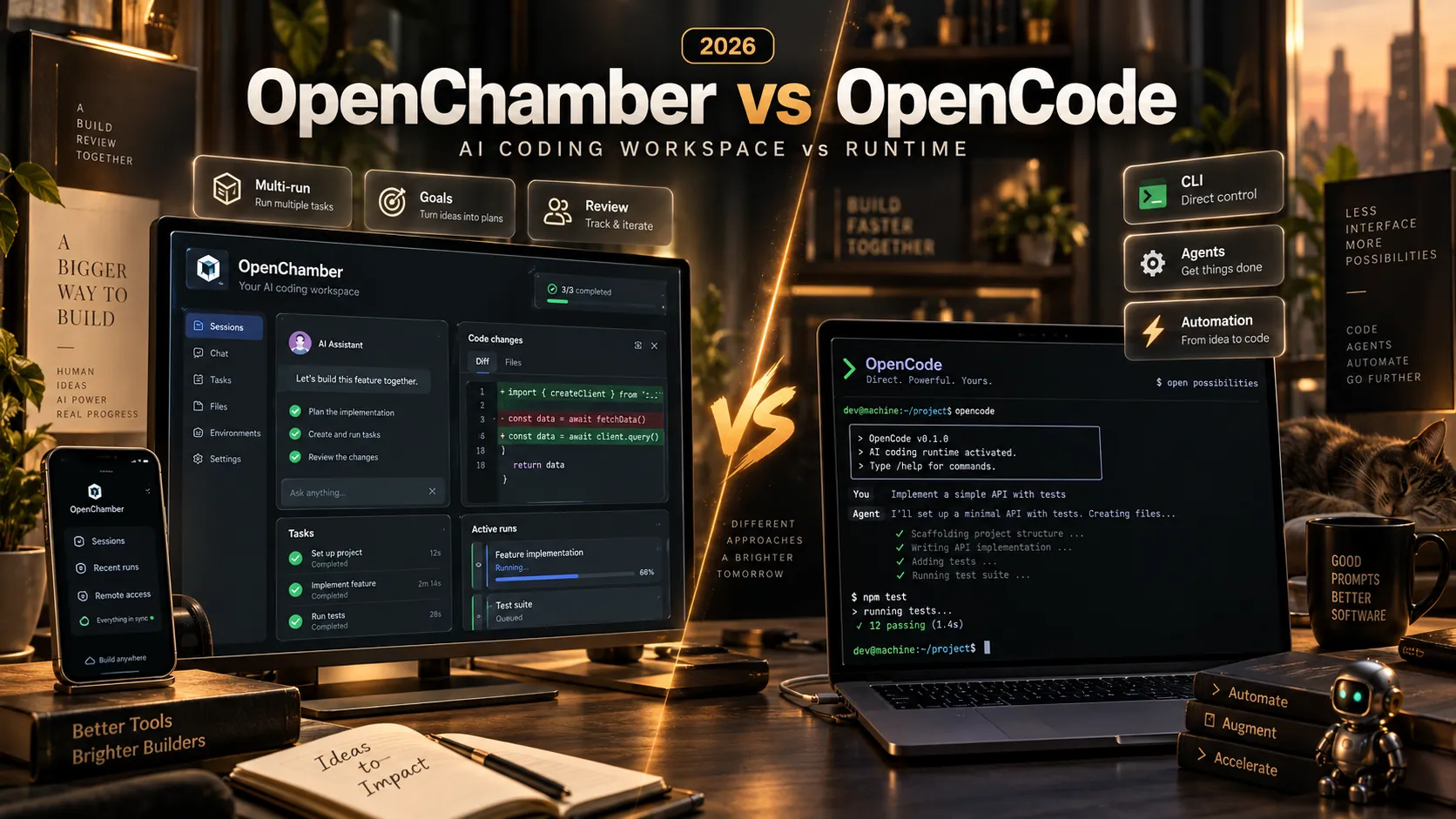
OpenChamber vs. OpenCode vs. Cursor vs. Claude Code
These products overlap in AI-assisted development but focus on different parts of the workflow.
| Tool | Primary role | Main strength |
|---|---|---|
| OpenChamber | Agentic development workspace | Parallel execution, review, and remote control |
| OpenCode | AI coding-agent runtime | Model integrations and tool execution |
| Cursor | AI-powered code editor | AI integrated into the editing environment |
| Claude Code | Coding agent | Agentic programming with Claude |
| Codex CLI | Terminal coding agent | OpenAI-based coding workflows |
OpenChamber vs. OpenCode
OpenCode provides the underlying agent runtime. OpenChamber adds a more comprehensive graphical environment for managing sessions, reviewing code, and coordinating development tasks.
Developers satisfied with OpenCode's native workflow may not need OpenChamber. Those managing multiple sessions or remote environments may benefit from the additional interface.
OpenChamber vs. Cursor
Cursor is primarily an AI-focused development editor.
OpenChamber is better understood as a workspace for coordinating coding agents and reviewing their output, although it also includes file inspection and editing capabilities.
The choice depends on whether integrated editing or agent orchestration is the higher priority.
OpenChamber vs. Claude Code
Claude Code is a coding agent, whereas OpenChamber provides a workspace for managing agent-driven development.
The two products are not necessarily mutually exclusive because OpenChamber documents a supported Claude Code integration.
No general claim that one tool produces better code follows from these feature differences alone. Coding quality depends on the selected models, project context, available tools, and evaluation methodology.
OpenChamber Pricing: Is It Really Free?
OpenChamber itself is free and distributed under the MIT license.
However, using the software may still involve external costs.
| Cost category | Explanation |
|---|---|
| OpenChamber license | Free |
| AI model inference | Depends on provider pricing or eligible subscription |
| Multi-run | Parallel execution may increase token usage |
| Session Goals | Continuations and evaluations may create additional calls |
| Self-hosting | Server, storage, and networking costs |
| Optional services | Third-party integrations or classification services |
The important distinction is between software licensing and the computational cost of coding-agent workloads.
Developers seeking predictable spending should configure goal budgets, limit unnecessary parallel runs, and select appropriately priced models for routine tasks.
Is OpenChamber Secure and Private?
OpenChamber can access development environments, read project files, and execute authorized tools. Consequently, security controls are especially important.
The project documents several protective mechanisms:
- Localhost binding by default for standard local server configurations.
- UI password authentication.
- Passkey support.
- Per-device authentication credentials.
- Revocable device pairing.
- End-to-end encrypted Private Relay connections.
- Enterprise policy controls for certain integrations and network behavior.
However, self-hosting does not guarantee that all data stays exclusively on the local machine.
Model requests may send prompts and relevant source-code context to configured providers. Optional classification services, MCP servers, and extensions may introduce additional data flows.
Recommended Security Practices
- Keep local-only network binding unless remote access is necessary.
- Require strong authentication for browser-accessible instances.
- Use HTTPS or secure private networking for remote access.
- Review third-party extensions and MCP servers before granting permissions.
- Apply least privilege to repository credentials, SSH keys, and deployment tokens.
- Consider prompt-injection risks in external issues, repository content, and retrieved data.
- Require explicit review before destructive operations or production deployments.
- Maintain backups and test upgrades before applying them to critical environments.
The official security documentation provides additional information about authentication, enterprise policies, and network exposure.
OpenChamber Limitations and Potential Drawbacks
1. Dependency on OpenCode
OpenChamber relies primarily on OpenCode for coding-agent execution. Developers using other native agent runtimes may encounter differences in session management, tool behavior, or integration compatibility.
2. Increased Model Consumption
Session Goals and Multi-run can increase token usage significantly. Automatic continuation and parallel execution should have practical budgets.
3. Platform Feature Differences
Mobile, web, desktop, and VS Code do not provide identical capabilities. Developers should verify the features required by their intended workflow.
4. Background Tasks Require a Running Host
Closing the browser does not necessarily stop a server-side task, but shutting down the OpenChamber process prevents continued execution.
5. Remote Access Requires Security Planning
Publicly exposing an application that can interact with source code, terminals, and credentials creates risks. Authentication, networking controls, and permission management are essential.
6. Rapid Development Can Introduce Regressions
OpenChamber is actively developed, with frequent releases and ongoing issue reports.
The public GitHub Issues page includes reports involving updates, long sessions, and other environment-specific behavior. Individual reports do not establish that every installation is affected.
Production deployments should use tested versions and maintain rollback options.
Practical Example: Managing an AI Coding Project
Consider a developer implementing a new analytics dashboard inside an existing SaaS application.
A structured OpenChamber workflow could follow these steps:
- Define the objective: Specify the required dashboard features, supported data fields, responsive behavior, and acceptance tests.
- Create isolated worktrees: Prevent parallel agents from modifying the same checkout.
- Launch Multi-run: Ask several configured models to implement the same requirements.
- Inspect the results: Compare code complexity, UI behavior, performance considerations, and actual test results.
- Choose or combine implementations: Keep the strongest solution or use Fusion to begin a consolidated implementation.
- Run verification: Execute lint checks, type checks, automated tests, and production builds.
- Review the diff: Use Changes Walkthrough to understand modifications and inspect sensitive changes manually.
- Create a pull request: Review CI checks and comments before merging.
This workflow does not guarantee reduced AI spending. Its primary advantage is improved control, comparability, and reviewability when developing complex features with coding agents.
Frequently Asked Questions
Is OpenChamber Open Source?
Yes. OpenChamber is published on GitHub under the MIT license, allowing use, inspection, modification, and redistribution under the applicable license terms.
Is OpenChamber Free?
The software is free. Model inference, infrastructure, and optional integrations may have separate costs.
Is OpenChamber the Same as OpenCode?
No. OpenCode is the coding-agent runtime, while OpenChamber provides a graphical workspace and additional development workflows around it.
Can OpenChamber Use Claude Code?
Yes. The documented integration uses the Claude Code CLI and Anthropic's official Claude Agent SDK, subject to the relevant provider requirements.
Can OpenChamber Use OpenAI Models?
Yes, through compatible OpenCode provider configurations. This does not automatically provide complete interoperability with independently created Codex CLI sessions.
Can OpenChamber Run Multiple AI Agents?
Yes. Multi-run supports up to five runs with optional Git worktree isolation.
Does OpenChamber Continue Working After Closing the Browser?
Session Goals can continue after the browser closes as long as the OpenChamber execution process remains active and the task has not reached a stopping condition.
Can OpenChamber Run on a VPS?
Yes. CLI/server and Docker deployment options support Linux-based self-hosting. Strong authentication, persistent storage, and appropriate network controls are recommended.
Does OpenChamber Have Mobile Apps?
Yes. The official documentation describes iOS TestFlight beta access, Android application packages, and PWA installation options.
Does OpenChamber Guarantee Correct AI-Generated Code?
No. It improves supervision, automation, and review, but developers still need testing, validation, and human judgment before deploying important changes.
Conclusion
OpenChamber represents a shift from AI-assisted code generation toward more structured, agent-driven software development.
Instead of focusing exclusively on the conversation between a developer and one coding agent, it provides tools for managing multiple sessions, continuing work toward defined goals, comparing alternative implementations, reviewing code, and connecting development workflows across devices.
Session Goals and Multi-run address two important limitations of conventional agent workflows: premature task termination and difficulty comparing alternative implementations. Git integration, Changes Walkthrough, browser previews, and remote access help connect agent-generated code with established development and review practices.
The trade-offs include additional configuration, potentially higher model usage, and the security responsibilities associated with granting agents access to development environments.
For developers already relying heavily on AI coding agents, OpenChamber offers a compelling open-source workspace worth evaluating.
Start with an existing repository, define a measurable Session Goal, test Multi-run with isolated worktrees, and compare results using actual build and test output.
Explore the OpenChamber GitHub repository, read the official documentation, and download the latest release to evaluate whether it improves development reliability, review efficiency, and overall workflow control.
Continue Reading
More articles connected to the same themes, protocols, and tools.

Referenced Tools
Browse entries that are adjacent to the topics covered in this article.