
On This Page8 sections
Key Takeaways
- MoneyPrinterTurbo is an open-source AI video production workflow, not a standalone video-generation model. It connects script generation, stock or AI-generated footage, voiceover, subtitles, music, rendering, and publishing in one pipeline.
- The project is still actively evolving in 2026. Version 1.3.8 was released on October 3, 2026, adding MuAPI video generation, VoxCPM reference-audio voice cloning, configurable concurrency, improved progress reporting, and reusable local project workflows.
- The biggest change from older tutorials is native AI footage generation. MoneyPrinterTurbo can now use services such as Seedance, MiniMax H3, WaveSpeed, OFox, Shengsuan Cloud, and MuAPI instead of relying only on stock footage.
- Low-cost operation is possible, but AI video is the main cost driver. A stock-footage workflow can use Pexels, Pixabay, Coverr, and Edge TTS, while generated video clips are billed by external providers.
- It is not an automatic YouTube money machine. YouTube allows AI-assisted production, but generic, repetitive, or mass-produced template content can create monetization problems.
- The strongest use case is faceless, narration-led content. Educational explainers, history, productivity, travel, business, rankings, and general knowledge are easier to automate than software tutorials, product demos, or breaking news.
What Is MoneyPrinterTurbo?
MoneyPrinterTurbo is an open-source project that automates much of the short-form and faceless video production process.
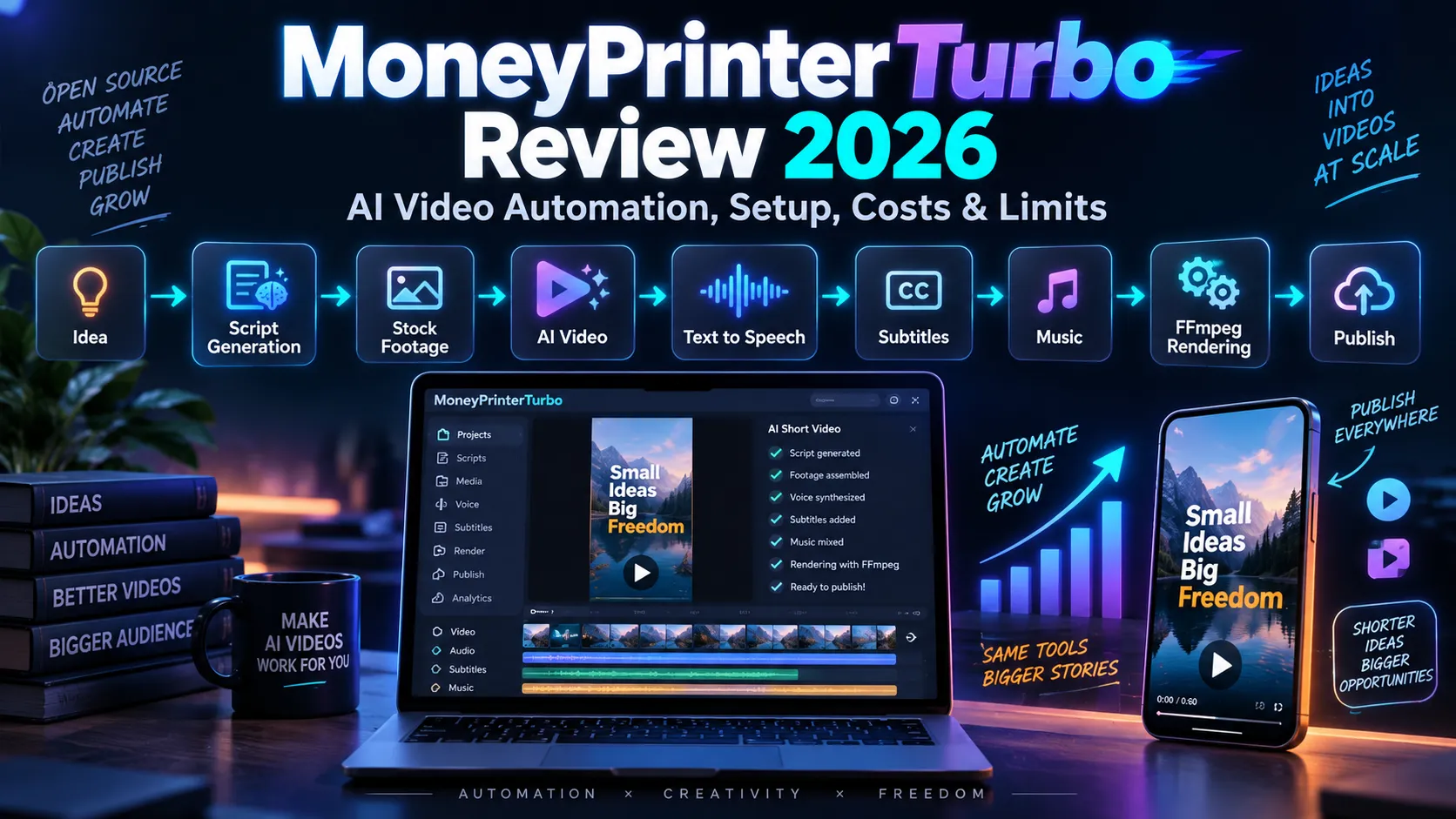
Instead of functioning like a single text-to-video model, it acts as an orchestration layer between multiple services:
Topic
  ↓
LLM script generation
  ↓
Scene and keyword planning
  ↓
Stock footage / AI images / AI video
  ↓
Text-to-speech
  ↓
Subtitle timing
  ↓
Background music
  ↓
FFmpeg-based editing and rendering
  ↓
Export / publishing
The official workflow can take a topic and turn it into a script, narration, footage, subtitles, music, and a finished video. Users can also replace individual stages with their own scripts, local media, uploaded narration, or third-party model providers.
That distinction matters. MoneyPrinterTurbo is best understood as an AI video production orchestrator, not as a competitor to foundation video models such as Seedance, Veo, Kling, or Wan.
Its value comes from connecting those components into a repeatable production workflow.
MoneyPrinterTurbo 1.3.8: What Changed in 2026?
Many older MoneyPrinterTurbo tutorials describe a much simpler product: an LLM writes a script, Pexels provides stock clips, Edge TTS generates narration, and FFmpeg combines everything.
That description is now incomplete.
Version 1.3.8 added several production-oriented improvements:
- MuAPI video generation as a configurable asynchronous video-material source.
- VoxCPM reference-audio voice cloning, including pacing and emotion conditioning.
- Optional local Whisper transcription for editable reference-audio transcripts.
- Configurable stock-download concurrency for Pexels, Pixabay, and Coverr.
- Configurable clip-rendering concurrency for faster processing on stronger hardware.
- Continuous progress reporting during downloads, clip processing, and final rendering.
- Improved background-task logs in the WebUI.
- BT.709 color handling for more consistent playback.
- A local project CLI that can preserve revisions and reuse unchanged render results.
Recent releases also added word-level subtitles, pop-up subtitle animation, Kokoro and VoxCPM TTS, Claude Code as an LLM provider, and more AI-video backends.
The practical implication is clear: MoneyPrinterTurbo has evolved from a basic automated Shorts generator into a modular content-production system.
Core Features
AI Script Generation
MoneyPrinterTurbo supports a wide range of model providers and OpenAI-compatible gateways, including:
- OpenAI
- Anthropic Claude
- Google Gemini
- DeepSeek
- Kimi / Moonshot
- Alibaba Qwen
- Azure OpenAI
- VolcEngine Ark
- xAI Grok
- MiniMax
- Xiaomi MiMo
- OpenRouter
- Ollama
- LiteLLM
- Groq
- Claude Code
Users can also skip AI script generation entirely and paste a finished script.
This flexibility matters because the best script model does not have to be the same provider used for visuals or speech.
Stock Footage
MoneyPrinterTurbo can automatically retrieve HD stock material from:
- Pexels
- Pixabay
- Coverr
Stock footage remains useful because it is fast, inexpensive, and predictable.
The weakness is semantic precision. A script about a specific protocol, game mechanic, software interface, scientific process, or person may produce search keywords that return visually related but factually inaccurate B-roll.
For broad topics such as productivity, travel inspiration, business habits, fitness, nature, or motivational content, this mismatch is usually less damaging.
AI Video Generation
Newer versions can use multiple AI-video routes, including:
- Seedance through VolcEngine Ark
- MiniMax H3
- Shengsuan Cloud AI Video
- WaveSpeed AI
- OFox
- MuAPI
This enables a stronger production strategy than pure stock footage:
Hook scene → AI video
Explanation → stock footage
Abstract concept → AI image animation
Product context → local screenshot or screen recording
Transition → AI video
Closing → stock + motion graphics
A hybrid workflow usually offers a better balance between cost, relevance, and speed.
AI Image Generation
MoneyPrinterTurbo can connect to OpenAI-compatible image-generation endpoints and use generated images as visual material.
This is particularly useful when a scene does not justify the cost of text-to-video. A generated illustration can be animated with zooming, panning, cropping, or transition effects and still provide more semantic accuracy than a generic stock clip.
Text-to-Speech
Supported speech routes include options such as:
- Edge TTS
- Azure Speech
- SiliconFlow
- Gemini TTS
- Xiaomi MiMo
- MiniMax
- ElevenLabs
- Chatterbox
- Kokoro
- Fish Audio
- VoxCPM
Edge TTS remains useful for inexpensive workflows because it does not require a paid API key.
For branded channels, premium or cloned voices can improve continuity, but reference voices should only be used when the operator has the necessary rights.
Subtitles and Short-Form Caption Styles
MoneyPrinterTurbo supports configurable subtitles, including font, position, size, outline, background, and color.
Recent versions added word-level subtitles and pop-up animations, which are better suited to TikTok, YouTube Shorts, and Instagram Reels than traditional full-sentence captions.
Output Formats and Publishing
Common social output formats include:
- 9:16 vertical video
- 16:9 landscape video
- 1:1 square video
The project also includes publishing workflows for major short-form platforms.
For production use, direct publishing should still include a review step rather than treating a successful render as automatic approval.
How to Install MoneyPrinterTurbo
Windows
The simplest Windows path is the project's prepared one-click release package.
Use the release asset rather than assuming the automatically generated source archive includes the same helper scripts.
macOS and Linux
A typical local setup uses uv:
git clone https://github.com/harry0703/MoneyPrinterTurbo.git
cd MoneyPrinterTurbo
uv python install 3.11
uv sync --frozen
sh webui.sh
After startup, the WebUI and API can be accessed locally.
Docker
Docker is a better choice when isolation and repeatability matter.
It is especially useful for:
- VPS deployments
- team environments
- staging systems
- reproducible production servers
- keeping Python and FFmpeg dependencies away from the host system
A public SaaS deployment should not expose the default application directly to the internet. Add reverse-proxy controls, authentication, rate limits, secret management, and provider-budget limits.
A Practical First Configuration
A beginner should avoid enabling every provider immediately.
A lower-complexity stack is:
Script: OpenAI / Claude / Gemini / DeepSeek
Footage: Pexels + Pixabay + Coverr
Voice: Edge TTS
Subtitles: word-level
Rendering: local FFmpeg
Output: 9:16
Publishing: manual review
Once the basic workflow is reliable, add AI footage only where it materially improves the scene.
A more advanced hybrid stack could be:
Research and script
        ↓
Scene planner
        ↓
Stock footage for generic scenes
AI images for illustrative scenes
AI video for hooks and difficult scenes
Local screenshots for factual scenes
        ↓
Premium TTS or approved cloned voice
        ↓
Word-level subtitles
        ↓
Render
        ↓
Human QA
        ↓
Publish
How Much Does MoneyPrinterTurbo Cost?
MoneyPrinterTurbo itself is open source, so the software does not require a subscription fee.
The real cost depends on the providers used around it.
Near-Zero API Cost Workflow
A low-cost configuration can combine:
- a local model through Ollama
- free stock footage
- Edge TTS
- local FFmpeg rendering
The main costs then become hardware, bandwidth, storage, and operator time.
Paid LLM Workflow
Script generation is normally a small part of total cost because a 30- to 60-second short-form script uses relatively few tokens.
For most workflows, repeated AI-video generations are a much larger cost factor than script generation.
AI Video Is Usually the Expensive Stage
Text-to-video providers charge per clip, duration, resolution, generation, or credit bundle.
Failed generations and rejected clips also matter.
Useful safeguards include:
- set a maximum number of generated clips per task
- use stock footage before AI video for generic scenes
- use AI images when motion is not essential
- require explicit confirmation before paid generation
- cache successful assets
- separate draft-resolution generation from final-resolution rendering
What MoneyPrinterTurbo Is Best At
MoneyPrinterTurbo works best when the narration carries most of the information and the visuals support the narration.
Good fits include:
- history explainers
- geography facts
- productivity content
- business concepts
- general AI education
- travel inspiration
- psychology topics
- motivational content
- list videos
- biographies
- general science explainers
- evergreen facts
- faceless Shorts and Reels
These formats tolerate a mixture of stock footage, generated images, generated clips, typography, and animation.
Where MoneyPrinterTurbo Struggles
Automation becomes less reliable when visual accuracy is the product.
Examples include:
- software UI tutorials
- game walkthroughs
- breaking news
- legal or financial instructions
- hardware reviews
- product comparisons
- medical demonstrations
- exact historical reconstruction
- tutorials that depend on cursor position
- content about named people or events where generic footage is misleading
For these subjects, local screenshots, screen recordings, verified images, and manually selected footage should replace automatic stock retrieval.
Stock Footage vs AI Video
| Method | Strengths | Weaknesses | Best Use |
|---|---|---|---|
| Stock footage | Fast, cheap, realistic | Can be semantically vague | Broad lifestyle and generic B-roll |
| AI images | Precise concepts, cheaper than video | Limited motion | Illustrations and abstract scenes |
| AI video | Original visuals, higher semantic control | Expensive and slower | Hooks and difficult scenes |
| Local media | Highest factual accuracy | Requires manual collection | Tutorials, products, games, news |
| Hybrid | Best overall control | More workflow complexity | Serious production |
For most channels, hybrid production is the strongest option.
Can MoneyPrinterTurbo Make Money on YouTube?
MoneyPrinterTurbo can help produce videos, but it cannot make a channel monetizable by itself.
YouTube's monetization rules focus on originality, authenticity, and viewer value. Generic, repetitive, or mass-produced template content can create monetization problems even when the production process is technically sophisticated.
The risky workflow is:
100 generic topics
→ one template
→ automatic scripts
→ automatic stock footage
→ automatic voice
→ automatic upload
A stronger workflow is:
Real audience demand
→ original angle
→ researched script
→ deliberate scene plan
→ MoneyPrinterTurbo production
→ human review
→ unique title and thumbnail
→ publish
→ retention analysis
→ improve the next video
AI is not the core monetization problem.
Interchangeable content is.
YouTube Monetization Checklist
Before publishing, verify that each video has:
- a distinct topic or angle
- original commentary or educational value
- factual claims that were checked
- visuals that actually match the narration
- sufficient variation from previous uploads
- licensed or commercially usable music and footage
- a title and thumbnail designed for that specific video
- no misleading synthetic depiction of real people or events
- a human review for obvious generation failures
An open-source production tool does not automatically make every connected asset commercially safe.
Is MoneyPrinterTurbo Good for Batch Video Production?
Yes, but batch production should be used carefully.
Recent releases include batch-oriented features, reduced material repetition, concurrency controls, task history, reusable configuration, and progress reporting.
A safer batch workflow looks like this:
20 approved scripts
→ generate 20 projects
→ review failed or weak scenes
→ regenerate only selected assets
→ render final versions
→ schedule publication
The distinction is important:
Batch production improves throughput. It should not remove editorial control.
Security and Production Considerations
MoneyPrinterTurbo connects to external APIs and handles credentials, local files, downloaded assets, temporary files, and rendered output.
A production deployment should therefore treat it like a backend service.
Recommended controls include:
- keep API keys outside source control
- use environment-specific secrets
- restrict public WebUI exposure
- put the API behind authentication
- configure reverse-proxy request limits
- restrict upload types and sizes
- monitor disk growth
- cap provider spending
- isolate FFmpeg processing where practical
- keep dependencies and containers updated
- back up reusable project configuration separately from temporary caches
Is MoneyPrinterTurbo Suitable as a SaaS Backend?
Technically, yes.
Its architecture already provides useful building blocks such as:
- WebUI
- API workflows
- CLI workflows
- Docker deployment
- multiple model providers
- batch generation
- reusable configuration
- rendering pipelines
- publishing integrations
However, a simple hosted clone has limited differentiation.
A stronger product would place MoneyPrinterTurbo inside a larger content operating system:
Trend discovery
        ↓
Keyword and audience demand
        ↓
Research
        ↓
Original content angle
        ↓
Script
        ↓
Scene-level storyboard
        ↓
Asset routing
 ┌──────────┬───────────┬──────────┐
 Stock      AI image     AI video
 └──────────┴───────────┴──────────┘
        ↓
MoneyPrinterTurbo
        ↓
Quality assurance
        ↓
Publishing
        ↓
CTR and retention analytics
        ↓
Feedback into the next video
The defensible value is not simply generating another video.
It is deciding what to make, producing it efficiently, measuring the result, and improving the next output.
MoneyPrinterTurbo vs a Traditional AI Video Generator
| Capability | MoneyPrinterTurbo | Typical AI Video Model |
|---|---|---|
| Generate script | Yes | Usually no |
| Search stock footage | Yes | No |
| Generate AI footage | Through providers | Core function |
| Text-to-speech | Yes | Usually separate |
| Subtitle generation | Yes | Usually separate |
| Music integration | Yes | Limited or separate |
| Multi-scene assembly | Yes | Limited |
| FFmpeg rendering | Yes | Not the focus |
| Batch workflows | Yes | Provider dependent |
| Publishing | Supported | Usually no |
MoneyPrinterTurbo can become more useful as AI-video models improve because it can route work to new providers instead of competing with them directly.
Recommended Workflow for High-Quality Output
Step 1: Research Before Generating
Do not begin with a random prompt.
Start with:
- search demand
- audience comments
- competitor gaps
- trending questions
- recurring misconceptions
- useful evergreen queries
Step 2: Write a Scene-Aware Script
The script should specify not only narration but also what the viewer should see.
Scene 1
Narration: Most AI Shorts fail before the first sentence finishes.
Visual: Fast montage of low-retention vertical videos.
Purpose: Hook.

Scene 2
Narration: The problem is not AI itself. It is interchangeable production.
Visual: Repeating template cards multiplying across the screen.
Purpose: Explain the thesis.
Scene-aware scripts improve material retrieval and make it easier to decide where paid AI video is justified.
Step 3: Route Each Scene to the Cheapest Suitable Asset Type
Use:
- stock for ordinary real-world footage
- AI images for conceptual illustrations
- AI video for high-impact or unavailable scenes
- local media for factual demonstrations
Step 4: Generate Voice and Captions
Review:
- pronunciation
- pauses
- sentence rhythm
- subtitle breaks
- on-screen safe zones
Step 5: Render a Draft First
Check for:
- mismatched footage
- duplicated footage
- hallucinated visuals
- subtitle clipping
- music volume
- awkward pauses
- abrupt scene changes
- generated-video artifacts
Step 6: Publish Only After Human QA
Automation should reduce repetitive editing work.
It should not eliminate editorial judgment.
Common MoneyPrinterTurbo Mistakes
Generating Every Scene With AI Video
This increases cost without guaranteeing better storytelling.
Use generated video where it provides visible value.
Trusting Automatic Stock Search
Keyword similarity is not factual accuracy.
Specific topics need specific assets.
Using the Same Template for Every Video
This can hurt retention and make the channel feel mass-produced.
Ignoring Provider Costs
Batch generation can multiply API spending quickly.
Set explicit limits before running large jobs.
Treating TTS as Finished Audio
Even strong speech models can mispronounce names, acronyms, technical terms, or multilingual phrases.
Review the full narration.
Publishing Without Rights Checks
MoneyPrinterTurbo's open-source license does not automatically grant rights to every stock asset, music track, generated output, voice reference, or external provider.
Each source has its own terms.
Who Should Use MoneyPrinterTurbo?
MoneyPrinterTurbo is a strong fit for:
- developers building AI media workflows
- creators producing faceless educational content
- agencies experimenting with semi-automated video production
- researchers comparing AI-video providers
- indie hackers prototyping content SaaS products
- teams that want control over providers instead of being locked into one closed editor
It is less suitable for creators who want a completely polished, one-click consumer editor with no configuration or review.
Pros and Cons
Pros
- Open source and highly extensible
- Supports many LLM, TTS, stock, image, and video providers
- Can mix free stock footage with paid AI generation
- Works for vertical, landscape, and square output
- Supports WebUI, API, CLI, Docker, and Agent workflows
- Recent development is active
- Batch production is built into the workflow
- Word-level captions improve short-form output
- Not locked to a single AI-video model
Cons
- Output quality depends heavily on provider choice and script quality
- Automatic stock footage can be semantically wrong
- AI-video costs can rise quickly
- Complex workflows still require human review
- Public SaaS deployment requires additional security and cost controls
- One-click mass production creates monetization and quality risks
- Provider APIs and model availability can change independently of the project
FAQ
Is MoneyPrinterTurbo free?
The MoneyPrinterTurbo software is open source. External LLM, TTS, image, video, storage, hosting, and publishing services may charge separately.
Does MoneyPrinterTurbo need a GPU?
Not necessarily. A cloud-provider workflow can run expensive inference remotely. Local speech recognition, local models, or high-volume rendering benefit more from stronger hardware.
Can MoneyPrinterTurbo generate AI video?
Yes. Current versions support multiple AI-video routes rather than relying only on stock footage.
Can it generate images?
Yes. It can use OpenAI-compatible text-to-image services and incorporate generated images into the video workflow.
Can it clone a voice?
Recent versions support reference-audio workflows through VoxCPM. Only voices and recordings that the operator owns or is authorized to use should be supplied.
Does it support YouTube Shorts?
Yes. It supports vertical output suitable for Shorts and other short-form platforms.
Will YouTube monetize MoneyPrinterTurbo videos?
There is no special approval simply because a tool was used. YouTube evaluates originality, authenticity, variation, and viewer value. Generic, repetitive, or mass-produced template content can be ineligible for monetization.
Is MoneyPrinterTurbo a replacement for CapCut?
Not exactly. CapCut is primarily an interactive editing environment. MoneyPrinterTurbo is more useful as an automated production pipeline connecting scripts, media providers, speech, subtitles, rendering, and publishing.
Is it a replacement for Seedance or other video models?
No. It can call models and services such as Seedance as part of a larger workflow. The model generates footage; MoneyPrinterTurbo coordinates production.
Conclusion
MoneyPrinterTurbo is much more capable in 2026 than its early reputation suggests.
The important shift is from automatic stock-video assembly toward modular AI media orchestration. Current versions can combine multiple LLMs, stock libraries, AI images, AI-video providers, TTS systems, animated subtitles, FFmpeg rendering, batch workflows, and publishing tools in one open-source pipeline.
Its strongest role is not replacing creative direction.
It is removing repetitive production work after the creative direction has been decided.
For creators, the highest-quality strategy is to combine original research, a strong hook, scene-aware scripting, selective AI generation, accurate local assets, and human review.
For developers, the larger opportunity is even more interesting: use MoneyPrinterTurbo as the production engine inside a broader system for trend discovery, content planning, asset routing, publishing, and performance analytics.
That turns the project from a so-called money printer into something substantially more useful: an open, programmable AI video production backend.
Continue Reading
More articles connected to the same themes, protocols, and tools.



Referenced Tools
Browse entries that are adjacent to the topics covered in this article.





