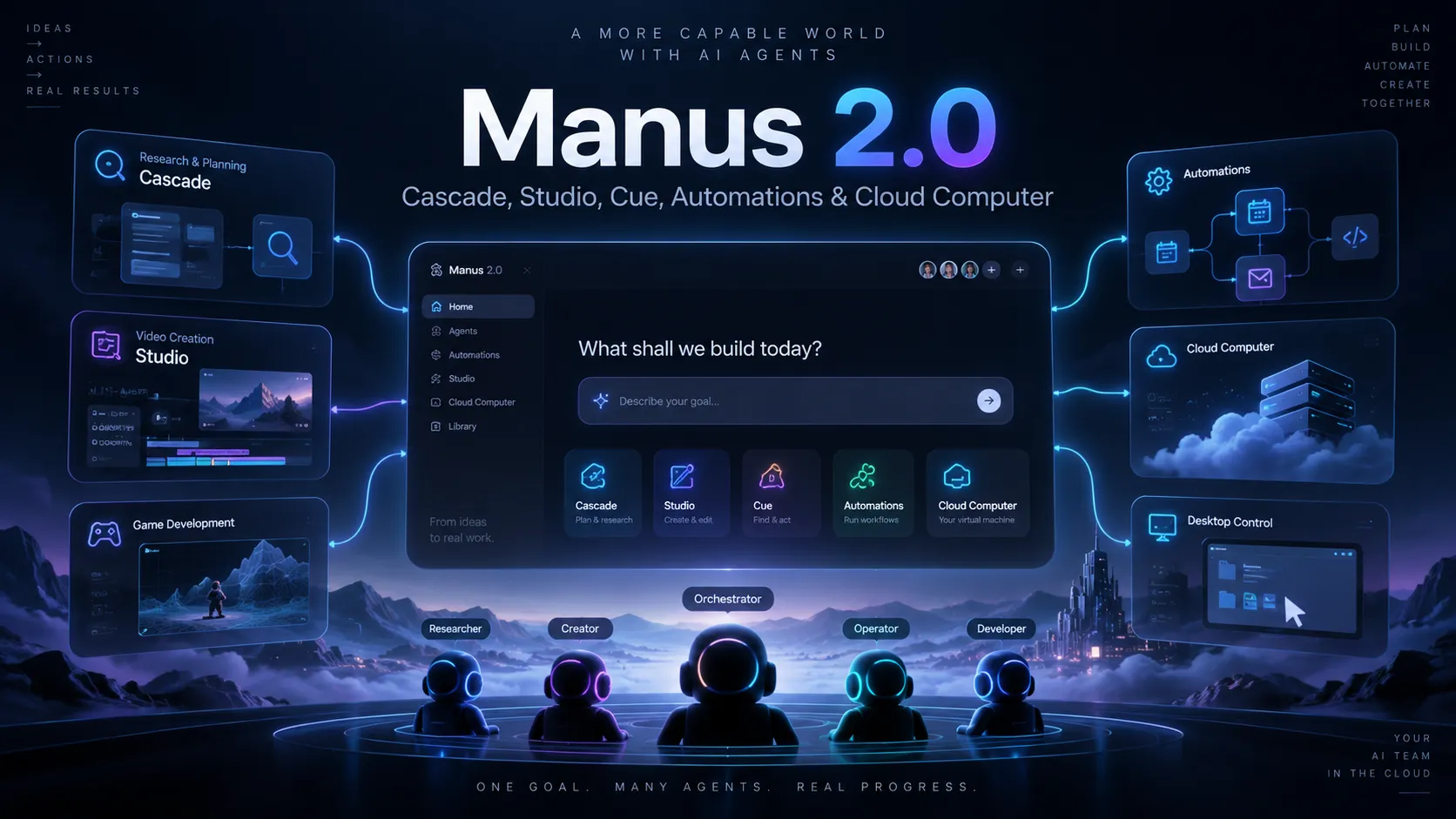
Cue is a standalone personal-agent application from Manus for delegating cross-service tasks to persistent agents with their own communication identity and computer environment.
Interact with supported real-world services through QR-based flows
Availability
Web access
Desktop access
Mobile access
Invite-based early access
Why Choose Cue?
Cue is easiest to understand as an execution layer for personal agents, not as another coding copilot. The important distinction is where the agent lives and what it is expected to own. An IDE assistant usually operates inside a repository and helps modify code. Cue is designed around a persistent agent identity that can carry a responsibility across communication channels, external services, and its own computer environment.
That makes Cue potentially useful when the work surrounding software matters as much as the code itself. A product launch, for example, may involve research, vendor outreach, scheduling, document preparation, status follow-up, and coordination across several services. Those tasks do not fit naturally inside an editor even when they belong to a developer-led project. Cue's model is better aligned with handing off the operational outcome while a dedicated coding tool remains responsible for repository work.
The tradeoff is equally important: users should not choose Cue because they expect deep codebase indexing, inline completion, refactoring, terminal-native patching, or an IDE-style review loop. The official launch positions Cue as a personal-agent application, so its value should be judged by how reliably it handles delegated workflows rather than by conventional coding benchmarks.
Core Workflow
A practical Cue setup starts with roles rather than prompts. Instead of creating one general-purpose agent for everything, define a narrow responsibility such as release coordination, research, outreach, or administrative follow-up. Give that agent only the context and permissions needed for the role, then describe the desired outcome and the boundaries it should respect.
For larger jobs, Cue's group-agent model is most useful when the work can be decomposed cleanly. One agent can gather information, another can turn the findings into a shortlist, and another can prepare a deliverable. The user remains responsible for the direction and final decision. This is different from asking one large conversational assistant to keep every subtask in the same context window.
For developer workflows, the strongest pattern is likely a split stack: keep code generation and repository edits in a coding-native tool, while Cue handles the surrounding coordination. That separation reduces the risk of turning a personal operations agent into an overloaded pseudo-IDE and makes it clearer which system owns which part of the workflow.
Use Cases
Cue is a better fit for workflows that cross application boundaries than for tasks that are purely local to a source tree. For a small product team, that could include collecting competitive research, coordinating a launch checklist, following up with service providers, organizing meeting outputs, or preparing material that must move through several external systems.
It may also be useful for founder or indie-developer operations where engineering, marketing, support, and administration are handled by the same person. In that environment, the bottleneck is often not writing another function; it is switching between inboxes, browser tabs, scheduling, payments, and repetitive follow-up. A persistent role-based agent can be more valuable there than another inline autocomplete layer.
High-impact actions deserve a stricter operating model. Tasks involving money, account access, customer communication, or irreversible external changes should begin with conservative budgets and narrow permissions. Early users should manually review important outputs until the product's behavior and control surface are well understood.
Comparison to Alternatives
Cursor, Windsurf, Claude Code, Codex CLI, and similar developer tools solve a different problem. They are optimized for editing repositories, understanding code, running commands, and iterating on software. Cue should not be evaluated as a replacement for those tools unless its product direction changes substantially.
The closer comparisons are persistent personal-agent products such as Meta Muse, Grok Bot, ego, and Zinley. These products compete on how much real work an agent can own outside a single chat: computer access, continuity, communication channels, integrations, autonomy, and user controls. Cue's launch positioning emphasizes per-agent identity and collaboration between multiple agents, which is a more role-oriented mental model than a single universal assistant.
For buyers, the meaningful comparison is therefore not which assistant writes the best code. It is which agent platform can reliably operate the services required by the workflow, expose enough control for risky actions, preserve context over time, and make failures easy to inspect and correct.
Best Configuration
Start with one low-risk role and a clearly bounded responsibility. Avoid giving a new agent broad access to every account on day one. A research or coordination role is a better first test than an agent with authority to spend money or send high-stakes messages.
Separate identities by job when the contexts are materially different. A research agent should not automatically inherit the same operational scope as an agent that handles scheduling or payments. This is especially important for users experimenting with multiple agents in the same group, because clearer role boundaries make delegation and troubleshooting easier.
For software projects, keep the repository workflow anchored in an AI IDE or CLI coding agent and use Cue for cross-service orchestration. This produces a cleaner architecture: the coding tool edits and tests the product, while Cue coordinates the work that happens around the product.
Migration Notes
Moving from a chatbot to Cue is less about importing chat history and more about converting recurring responsibilities into agent roles. Existing prompts can be reused as operating instructions, but they should be rewritten around outcomes, permissions, escalation conditions, and completion criteria rather than conversational style alone.
Moving from Manus is also not the same as switching IDEs. Cue is a separate app built on the same underlying infrastructure, and the official launch materials do not document a general migration or import mechanism. Treat the first setup as a fresh role design unless current product documentation explicitly provides a transfer path.
Developers coming from Cursor, Windsurf, Claude Code, or Codex CLI should keep those tools in place for code-centric work. Cue is more naturally added beside them as an orchestration and operations layer. That distinction prevents misleading expectations and gives the product a clearer role in a developer stack.
Because Cue launched in early access on September 28, 2026, availability, pricing, supported platforms, and control details may evolve quickly. Any production or security-sensitive adoption should be rechecked against current official documentation before permissions are expanded.
Model support & data privacy
Privacy & data handling
Cue's launch materials describe agents that may use email, phone, a wallet, and a computer, which can involve sensitive permissions and external actions. The official launch announcement does not provide detailed Cue-specific documentation for data retention, model training, or the full security control model, so sensitive accounts and spending permissions should be granted conservatively and reviewed against current Cue/Manus terms.