On This Page8 sections
Key Takeaways
- Video2Game uses a video as the starting point for game development. The clip establishes a visual direction; a coding agent builds the interactive implementation.
- It is an open-source agent skill, rather than a hosted upload-and-download game generator.
- The workflow combines visual analysis, generated assets, browser game code and recorded playtests.
- Reported generation spending is not a complete development budget. Coding-agent usage, iteration, deployment and maintenance require separate accounting.
- A convincing demonstration still needs broader testing before it becomes a reliable public game.
What Is Video2Game?
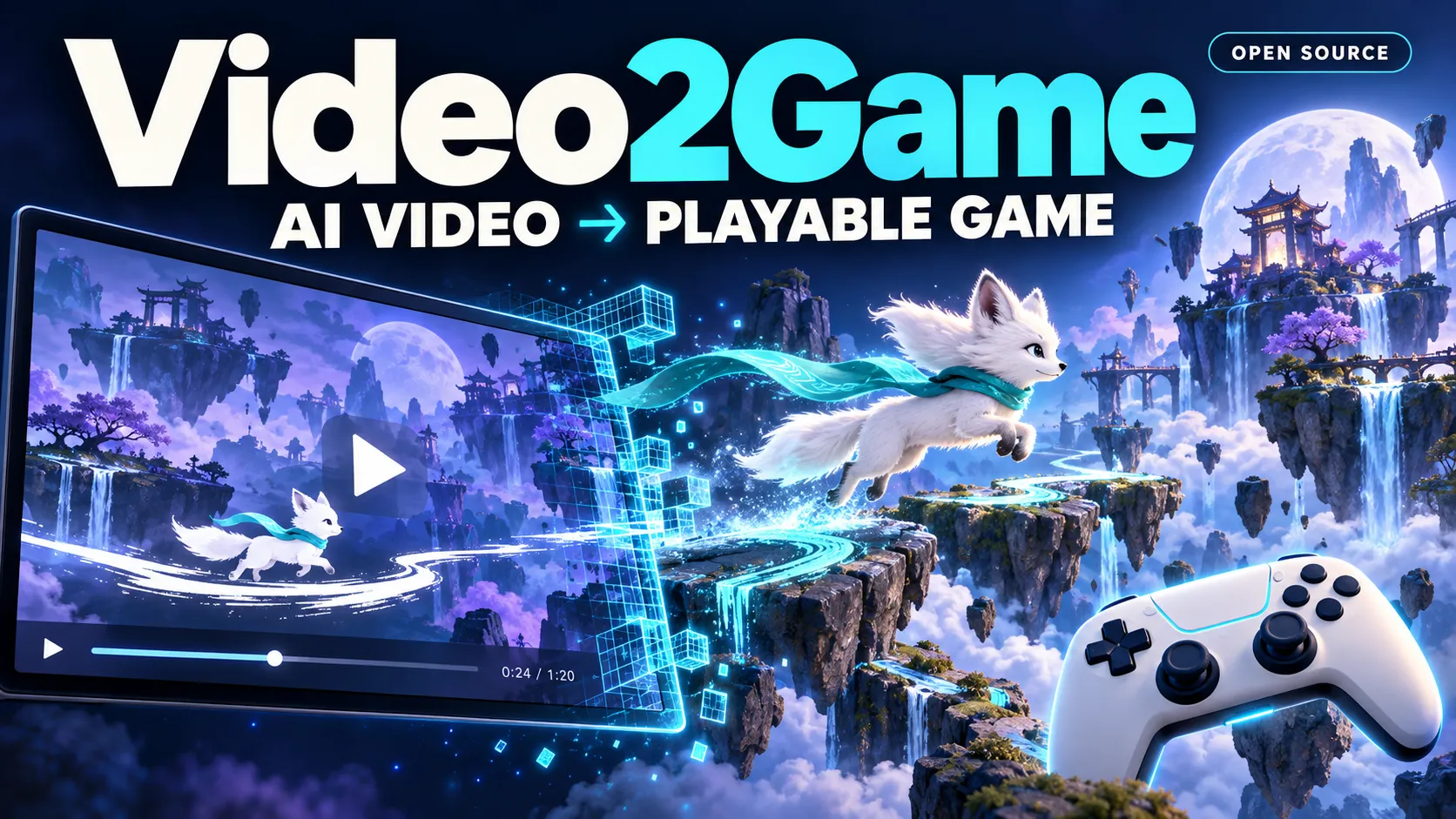
Lovis Odin’s Video to Game repository, also called Video2Game, provides a skill for coding agents including Claude Code, Codex, Cursor and Gemini CLI. Its published gallery contains 31 browser games built with Three.js.
The approach starts with an imagined gameplay clip. The agent analyzes its appearance and mechanics, creates matching assets, implements an interactive game and records a playthrough.
The useful shift is making visual decisions before implementation. A short clip can communicate camera framing, character scale, atmosphere and the consequence of an action more directly than an abstract text description.
That does not make the video a complete specification. It shows one sequence of events, while a game must respond to many possible player decisions.
Documentation checked October 31, 2026. Gallery descriptions and spending figures below are developer-reported; they are not independent gameplay benchmarks.
How the Video-to-Game Workflow Works
The skill specification organizes development into analysis, asset creation, implementation, visual comparison and playtesting. Its expected delivery includes game files, assets, documentation, comparison images and a recorded demonstration.
1. Choose a video with a readable mechanic.
The project’s video prompt guide recommends a short clip, a stable gameplay camera and one clear action. Its example settings use 10–15 seconds, 1080p and a 16:9 aspect ratio.
A strong reference shows both an action and its result: pushing clouds causes rain, laying rails changes a train’s route, or flipping gravity opens another path.
A cinematic montage is harder to implement because cuts can hide inconsistent geography or changes in character scale. For a first prototype, choose a continuous shot with a visible player character and a repeatable interaction.
2. Convert observations into an implementation specification.
The video-analysis reference describes extracting frames, a contact sheet, palette information and cuts. It asks the agent to document the camera, character, mechanic, world and visual treatment before coding.
The engineering benefit is traceability. A statement such as “the camera follows from approximately four character heights behind” is easier to implement and review than “make the camera cinematic.”
Separate the resulting specification into two categories:
- Observed: what is visible in identifiable frames.
- Designed: rules needed to make the experience playable, such as failure conditions, checkpoints and restart behavior.
That distinction prevents invented rules from being presented as faithful reconstruction.
3. Generate assets against the same references.
The asset guide describes a character pipeline involving concept images, background removal, image-to-3D generation and optional rigging. It also covers environmental layers, textures and audio.
Using shared reference frames should help assets converge on a consistent style. However, matching their appearance does not guarantee usable geometry. A character can still arrive with an incorrect scale, orientation or animation setup.
Inspect the main character and the assets essential to the core mechanic before generating decorative variations. Those early checks can prevent expensive rework across an entire scene.
4. Implement an actual game loop.
The game implementation guide calls for controls, a goal, progression, feedback, an ending and restart behavior. It also documents keyboard and gamepad input.
For example, a cloud-herding scene needs more than moving clouds. The implementation must determine how pushing works, when clouds merge, what triggers rain and how the player recognizes completion.
5. Compare appearance and test interaction separately.
A screenshot comparison answers whether the game resembles the reference. A playtest answers whether inputs produce the intended behavior. Neither check substitutes for the other.
A visually faithful scene can have broken collision detection. A mechanically correct prototype can lose the camera composition that made its reference compelling. Keep separate acceptance criteria for both.
Four Examples That Make the Approach Concrete
The following examples summarize the controls and concepts documented in the individual gallery entries. They should be read as implementation descriptions, not independent quality ratings.
| Game | Documented interaction | Reported fal spending | Useful design question |
|---|---|---|---|
| Ink Fox | An auto-running fox jumps and creates brush-stroke platforms | $3.14 | Does creating terrain give the player meaningful control over movement? |
| Snow Globe | The player flips the world, rotating gravity and the camera | $6.15 | Can the camera communicate a gravity change without disorienting the player? |
| Cloud Shepherd | A shepherd pushes cloud creatures together to produce rain | $4.27 | Is the connection between player action and environmental change obvious? |
| Train Painter | The player curves newly laid tracks and adjusts the train’s speed | $15.48 | Does the player have enough visibility and time to plan the route? |
These examples suggest a practical concept filter: choose an interaction whose effect is immediately visible. That makes the idea easier to communicate in a reference video and easier to evaluate in the resulting game.
What Does Video2Game Actually Cost?
The main README reports $202 across 31 games, which produces a calculated average of approximately $6.52 per game. It also reports 1,013 fal calls. These are project-reported figures, not a guaranteed price for reproducing a game.
There is an accounting detail worth preserving: the README places that call total beside image, 3D and audio category counts that sum to 1,078. Asset outputs and API requests can differ, so these numbers should not be treated as a reconciled billing breakdown.
More concretely, the asset-generation script records endpoint names, arguments, elapsed time, prompts and output files. Its log-writing code does not include a billed-dollar field. The generated log is useful for provenance, but it is not itself an invoice.
For a realistic budget, track:
- Concept-video generation and rejected alternatives.
- Image, model, animation and audio generation.
- Coding-agent usage and implementation retries.
- Human review, playtesting and repair time.
- Hosting, asset delivery and ongoing maintenance.
A more useful metric for repeated production is:
Cost per accepted prototype =
Total spending across all attempts / Prototypes that pass acceptance tests
For illustration, spending $60 across ten attempts produces a $6 attempt average. If only three meet the release criteria, spending per accepted prototype is $20. Those numbers illustrate the calculation; they are not Video2Game results.
How to Install Video2Game
The repository documents these installation routes.
Claude Code:
claude plugin marketplace add lovisdotio/video-to-game
claude plugin install video-to-game@video-to-game
Codex, Cursor, Gemini CLI and other supported agents through the Skills CLI:
npx skills add lovisdotio/video-to-gameThe skill lists Python 3.9+, FFmpeg, Node.js 18+, playwright-core, fal-client and a configured FAL_KEY among its prerequisites. Check the selected scripts and browser-recording setup before starting; installing the skill does not establish that every runtime dependency is ready.
Keep the fal credential in the local generation environment. It should never be embedded in public HTML or shipped with downloadable game assets.
Prepare two inputs: the reference video and, if available, the prompt that generated it. The prompt helps explain intent that individual frames may leave ambiguous.
The following is a suggested task brief, rather than a quotation from the project:
Use the video-to-game skill to build a playable browser game
from gameplay.mp4. Read gameplay.txt for the original concept.

Before implementation:
- Identify the camera, character, palette and core mechanic.
- Separate visible evidence from assumptions.
- Define controls, objective, failure, completion and restart.
- Propose an asset plan and generation budget.

During implementation:
- Preserve the reference video's central interaction.
- Inspect essential assets before generating variations.
- Keep credentials outside browser code and public files.

Before delivery:
- Compare the video and game at three documented moments.
- Record a playthrough using player inputs.
- Test failure, recovery, completion and restart separately.
- Report console errors and performance with test conditions.
- Deliver source, assets, provenance and known differences.
Budget reporting needs explicit attention: the existing asset log should be supplemented with actual usage or billing records.
Why Automated Playtesting Matters—and Where It Stops
The playtesting guide describes scenarios that operate through browser inputs while reading game state. The implementation guide defines window.__game.state as read-only information used to time actions.
That separation is valuable: tests can inspect progress while still exercising the controls a player uses. Directly changing the character’s position during a test would bypass the movement behavior under evaluation.
The recording workflow also selects visually active sections. Its best_window.py helper ranks windows by image change. That is a demonstration-selection method, not a measurement of enjoyment, fairness or reliability.
A selected clip can omit slow loading, confusing onboarding, failed attempts or problems elsewhere in a level. Public release therefore needs additional scenarios:
| Test | Behavior to verify |
|---|---|
| First visit | The player can identify the objective and begin without debug parameters |
| Deliberate failure | Falling, missing a target or taking a wrong route produces a recoverable state |
| Repeated restart | The game resets progress, timers, audio and temporary effects consistently |
| Unusual input | Holding opposing directions or repeatedly triggering an action does not break the game |
| Background and return | Switching tabs does not cause an uncontrolled simulation jump |
| Several level seeds | Procedural variations remain playable beyond the demonstration seed |
| Missing asset | A failed download produces understandable feedback instead of a silent blank screen |
These are recommended release checks, not claims that every gallery game already passes them.
A Single HTML Entry Point Is Not a Self-Contained Game
The implementation guide describes an index.html entry point, an assets/ directory and Three.js loaded through an import map. That structure is convenient for static hosting, but it still has dependencies.
Individual gallery documents, including Train Painter’s README, explicitly state that the game assets are not included in the repository.
Consequently, cloning the repository should not be assumed to produce a complete offline copy of every demonstration.
Before deploying a generated game:
- Collect the required models, textures and audio in a controlled deployment location.
- Check paths under the actual production URL, including subdirectories.
- Confirm that library and asset requests succeed from a fresh browser session.
- Test loading with an empty cache and a slower connection.
- Document any external services required at runtime.
For a local check, run a static server from the delivered game directory:
python3 -m http.server 8000 --bind 127.0.0.1Then inspect the page, network requests and console at http://127.0.0.1:8000/.
Mobile support deserves its own acceptance criteria. Documented keyboard controls do not establish touch usability. Check control placement, screen orientation, camera behavior and sustained performance on the intended devices.
Common Failure Modes and Better Decisions
The video changes its own rules.
Generated clips may contain drifting geometry or inconsistent object relationships. Use a coherent reference segment and explicitly resolve contradictions in the specification. Reproducing every visual inconsistency would make the implementation less predictable.
The memorable moment cannot sustain a game.
A two-second transformation may work as a reward but offer little repeated interaction. Design the decisions that lead to that moment: positioning, timing, resource use or route selection.
The character looks correct but behaves incorrectly.
Visual generation and gameplay integration are different tasks. Verify scale, orientation, collision shape and animation transitions before building the level around the character.
Visual effects obscure the objective.
Judge readability while moving and acting, not only in a still image. The player needs to distinguish the character, hazards and interactive objects throughout the intended camera range.
Performance targets become unsupported claims.
The skill names a laptop frame-rate target, but that is a requirement rather than a published cross-device benchmark. Report the device, browser, resolution, scene and measurement conditions alongside any achieved frame rate.
A successful recording becomes the entire test suite.
Retain the showcase recording, but add failure and recovery tests. A robust prototype should support plausible player mistakes, not only the route selected for its trailer.
Which Projects Are a Good Fit?
Based on the documented workflow, the strongest starting projects are small experiences with a bounded environment, a stable camera and one central action.
Good candidates include a short gravity puzzle, a movement challenge, a compact environmental transformation game or a visual prototype for a larger concept.
Projects centered on extensive dialogue, complex menus, persistent economies or competitive online multiplayer need specifications and systems that a short visual reference cannot adequately express.
The project’s game-loop reference discusses local cooperation and AI teammates. That should not be interpreted as a ready-made networking architecture.
For a first experiment, define one measurable success condition: a new player can understand the action, perform it, reach an ending and restart. Expand only after that loop works reliably.
Is This the Same Video2Game as the CVPR 2024 Paper?
No. The 2024 Video2Game research paper, by Hongchi Xia, Zhi-Hao Lin, Wei-Chiu Ma and Shenlong Wang, addresses interactive reconstruction of real-world scenes using neural radiance fields, meshes and a physics module.
| Aspect | Lovis Odin’s Video to Game | CVPR 2024 Video2Game |
|---|---|---|
| Starting point | A visual gameplay concept | Video of a real-world scene |
| Main approach | Coding-agent workflow and generated assets | Scene reconstruction and physical interaction |
| Intended result | A playable game prototype based on the concept | An interactive digital environment reconstructed from observations |
The shared name does not indicate that the projects use the same implementation or research method.
Frequently Asked Questions
Is Video2Game free?
The repository uses the MIT License. Hosted model generation and coding-agent usage can still incur charges. Free access to the workflow does not imply free execution.
Can it convert any video into a complete game?
No general success guarantee is established by the published examples. A clear gameplay reference reduces ambiguity; arbitrary footage may omit almost every rule needed for interaction.
Does it export Unity, Unreal or Godot projects?
The published skill targets Three.js browser games. Its specification explicitly excludes those engine workflows.
Does the code license cover every generated asset?
Do not assume that repository licensing settles the terms of separately generated or externally hosted assets. Record their provenance and check the applicable service and asset terms before distribution.
Conclusion
Video2Game offers a concrete way to connect visual concept development with playable implementation. Its most reusable ideas are the frame-based specification, consistent asset references and requirement to demonstrate the resulting interaction.
The remaining work is equally concrete: complete the rules the video leaves unstated, measure actual spending, test beyond the best recording and package all runtime dependencies.
Start with one original mechanic and one short reference clip. Use the Video to Game repository to build a prototype, then evaluate whether a new player can understand, complete and restart it before investing in a larger game.
Continue Reading
More articles connected to the same themes, protocols, and tools.

Referenced Tools
Browse entries that are adjacent to the topics covered in this article.