
 CrewAICrewAI is an open-source multi-agent framework and enterprise agent platform for teams building role-based agent crews, event-driven flows, and production AI automations.
LangGraph
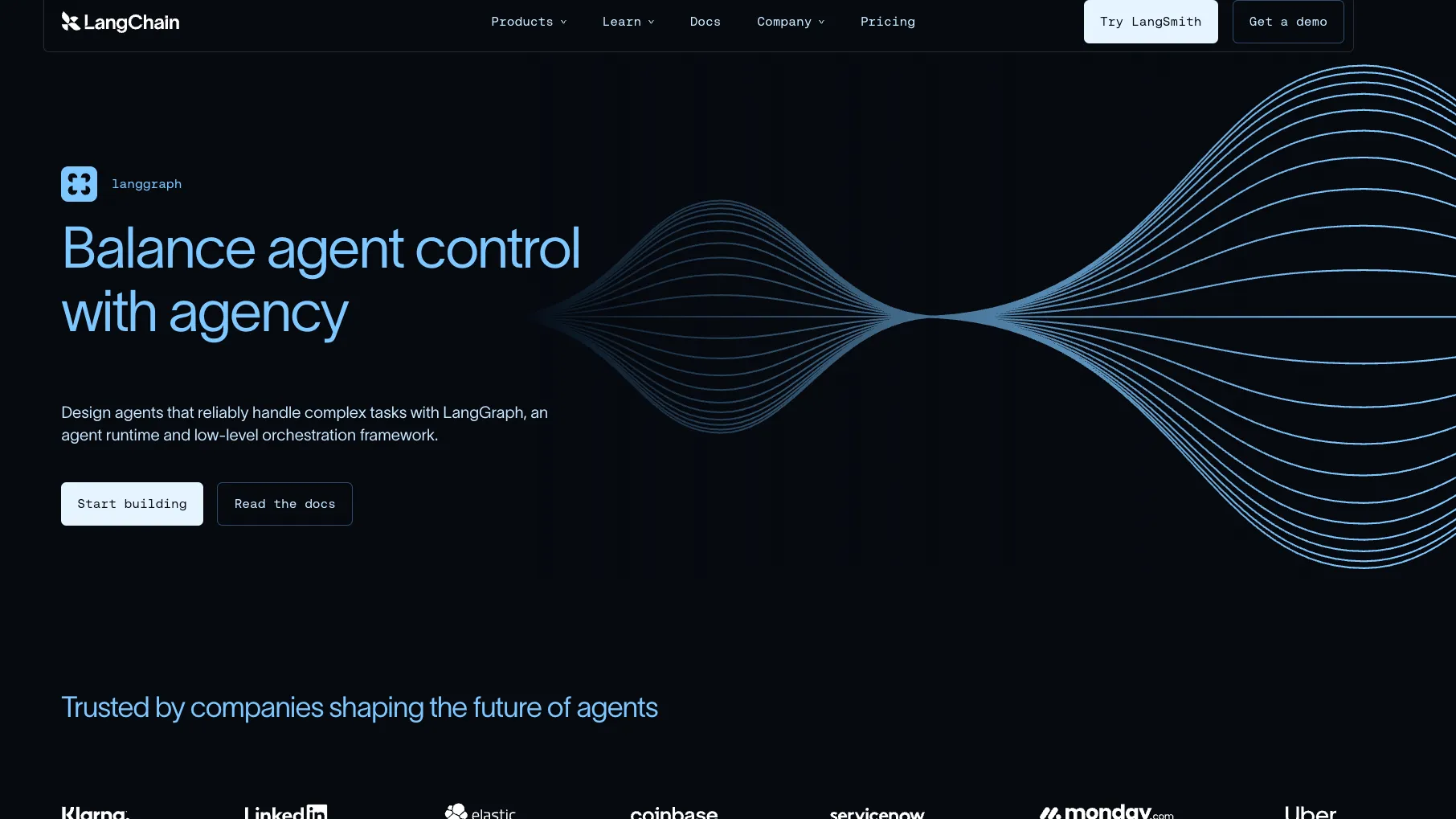
LangGraph is an open-source, low-level agent orchestration framework for developers building stateful, controllable, long-running AI agents and workflows.
Information checked: Jul 8, 2026 ·View sources
Tool details
- Type
- Developer workflows
- Platforms
- Python, JavaScript, TypeScript, Node.js, Web, Docker, Kubernetes, Cloud, Self-hosted, LangSmith, Local development, OpenAI-compatible providers
- Free plan
- Yes
- Open source
- Yes
- Bring your own key
- Yes
- Local models
- Yes
Overview
Best for
- Stateful AI agents
- Long-running agent workflows
- Human-in-the-loop automation
- Graph-based agent orchestration
- Multi-step tool-using assistants
- Production agent deployments with tracing and evaluation
- Teams that want low-level control over agent state and routing
Strengths
- Strong fit for stateful, long-running, production-oriented agent workflows.
- Open-source MIT license with Python and JavaScript/TypeScript support.
- Graph model gives developers more control than black-box agent loops.
- Works well with LangChain integrations while remaining usable as a standalone orchestration runtime.
- LangSmith adds tracing, Studio, evaluation, and deployment paths for production teams.
Limitations & trade-offs
- Developers looking for an AI-native code editor like Cursor or Windsurf
- Teams that want a terminal-first coding agent
- Simple prompt wrappers that do not need state or graph control
- Non-technical users looking for a no-code chatbot builder
- Teams that prefer role-based crew abstractions over explicit graph design
- Projects that cannot invest in evaluation, observability, and operational safeguards
- Not an AI code editor, IDE extension, or autonomous GitHub issue-to-PR coding agent.
- Lower-level than many agent frameworks, so new users need to understand state, tools, routing, and graph design.
- Production deployment and observability are strongest when paired with LangSmith paid plans.
- Complex graphs can become hard to maintain without strict naming, testing, and visualization discipline.
- Model, vector store, and infrastructure costs are separate from LangGraph itself.
Get started
Pricing & usage limits
Official pricingFree tier · From $39
LangGraph OSSFree
MIT-licensed open-source library for building stateful agent workflows in Python and JavaScript/TypeScript.
LangSmith Developer$0 / seat/month
Free LangSmith plan for one user with 5K base traces per month, then pay-as-you-go usage.
LangSmith Plus$39 / seat/month
Team plan with 10K base traces per month, LangSmith Deployment access, Sandboxes, Engine, email support, and one free dev-sized deployment.
LangSmith EnterpriseCustom / contract
Enterprise plan with self-hosted and hybrid deployment options, custom SSO and RBAC, support SLA, and custom seats and workspaces.
Pricing checked: Jul 8, 2026 · Subscription, usage limits, and model costs may be billed separately.
Features & details
Graph-Based Agent Runtime
- StateGraph and Functional API patterns
- Nodes, edges, conditional routing, and subgraphs
- Long-running stateful agent workflows
- Low-level control over agent architecture
Reliability and Control
- Durable execution and persistence
- Checkpointing, stores, and memory
- Human-in-the-loop interrupts
- Streaming, time travel, and fault-tolerance patterns
Developer Tooling
- Python SDK
- JavaScript and TypeScript SDK
- LangGraph CLI for local development and Docker builds
- LangSmith Studio for visual debugging and live iteration
Deployment and Observability
- LangSmith Deployment for managed agent hosting
- Standalone Agent Server with Docker, Compose, or Kubernetes
- Hybrid and self-hosted enterprise options
- Tracing, evaluation, prompts, and monitoring through LangSmith
Why Choose LangGraph?
LangGraph is most useful when an AI agent needs to behave like a controlled workflow rather than a single assistant prompt. It gives developers a graph structure for representing state, steps, routes, tool calls, interruptions, and resumable execution.
That makes it different from AI coding assistants. A coding assistant helps a developer write code inside an editor. LangGraph helps developers build the agent runtime behind an AI product: the logic that decides what happens next, what state is saved, when a human should intervene, and how the workflow resumes after a failure.
The strongest reason to choose LangGraph is control. Many agent frameworks are easy to start with because they hide the architecture. LangGraph takes the opposite stance: the developer can make the architecture explicit, inspectable, and testable. That matters when the agent is handling real work instead of a demo conversation.
Core Workflow
A typical LangGraph project starts by identifying the state that must persist across the workflow. That state might include messages, tool results, retrieved context, user decisions, intermediate plans, approvals, and long-term memory. From there, the developer creates graph nodes for meaningful steps and edges for the possible transitions between them.
The design process then becomes a control problem. Which paths are deterministic? Which decisions should be made by a model? Which actions require a human checkpoint? Which failures should retry, branch, or stop? LangGraph works best when those questions are answered explicitly rather than left inside one large prompt.
Once the graph runs locally, teams usually add observability, datasets, evaluations, and deployment infrastructure. The graph may begin as a local Python or TypeScript workflow, then move into a LangSmith-traced application, a standalone Agent Server, or a managed LangSmith Deployment depending on the production requirements.
Use Cases That Fit LangGraph
LangGraph fits workflows where state and control matter. Strong use cases include support agents, research agents, coding assistants, customer operations agents, document review workflows, compliance review, internal copilots, long-running task automation, agentic data analysis, and workflows that pause for human approval.
It is especially useful when a basic agent loop becomes too unpredictable. If the agent needs to remember prior steps, branch based on tool results, stop for review, resume later, or coordinate subgraphs, LangGraph gives the developer the vocabulary to model that behavior directly.
It is less useful for simple one-shot generation tasks, basic RAG chatbots, or teams that only need a few tool calls with no persistent state. In those cases, LangChain agents, LlamaIndex, Haystack, or a simpler application framework may be faster to implement.
Comparison to Alternatives
Compared with CrewAI, LangGraph is more explicit and lower-level. CrewAI is easier to explain as role-based agents working as a team. LangGraph is better when the workflow needs precise state transitions, conditional routing, durable execution, and complex recovery behavior.
Compared with AutoGen, LangGraph is more aligned with production state control than conversational agent teams. AutoGen remains important historically, but it is now mainly relevant for existing projects and migration planning. LangGraph is the more active choice for teams already working in the LangChain ecosystem.
Compared with Semantic Kernel, LangGraph is less Microsoft-specific and more graph-runtime oriented. Semantic Kernel is attractive for plugin-style integration with existing .NET, Python, or Java applications. LangGraph is stronger when the key problem is agent state, control flow, and long-running orchestration.
Compared with LlamaIndex and Haystack, LangGraph is not primarily a retrieval framework. Those tools are often stronger when the hard problem is document ingestion, indexing, and search quality. LangGraph is stronger when retrieval is only one part of a larger agent workflow that also needs tools, review, state, and deployment.
Best Configuration
The best LangGraph setup starts with a simple graph and a clear state model. Avoid turning every prompt or helper function into a node. Nodes should represent meaningful transitions in the agent workflow, not every line of implementation detail.
For production use, define human checkpoints early. LangGraph makes human-in-the-loop workflows practical, but the team still needs policy: which actions require approval, who can approve them, what state can be edited, and how the agent should continue afterward.
For observability, connect LangGraph to LangSmith while the project is still small. Traces are most valuable when the team can compare how the graph evolves across versions. Waiting until production to add tracing makes it harder to understand why an agent made a decision.
For deployment, choose the lightest option that fits the risk profile. Local and standalone servers are useful for internal prototypes and controlled infrastructure. Managed LangSmith Deployment is more attractive when the team wants scaling, Studio, and operational workflows. Enterprise self-hosting makes sense when governance, data residency, or procurement requires a private stack.
Migration Notes
Migrating from a simple LangChain agent to LangGraph usually starts by making hidden control flow explicit. Identify where the existing agent retrieves, calls tools, retries, asks for clarification, or stops. Those decision points often become graph nodes or conditional edges.
Migrating from CrewAI requires a mental model shift. CrewAI organizes work around agents and tasks; LangGraph organizes work around state and transitions. The migration is usually easiest when each CrewAI task is mapped to a bounded LangGraph node and delegation behavior is replaced with explicit routing.
Migrating from AutoGen often means turning a conversation into a state machine. Instead of relying on agents to coordinate through messages, define the state, transitions, and termination conditions directly. This usually improves predictability but may require redesigning parts of the workflow.
Migrating from a custom workflow engine should begin with persistence and interruption requirements. If the current system already uses queues, jobs, and databases, LangGraph should be introduced where model-driven routing and stateful agent behavior add clear value, not as a replacement for all backend orchestration.
Tradeoffs in Practice
LangGraph's main advantage is also its main cost: explicit control. Developers get more power, but they must make more architectural decisions. Poorly designed graphs can become as confusing as poorly designed code.
The framework rewards teams that test workflows with real traces and representative failure cases. A graph that looks elegant on a whiteboard may still fail when tools return partial data, users interrupt mid-run, models choose unexpected routes, or external services time out.
The practical verdict is that LangGraph is best for serious agent engineering. It is not the fastest way to create a toy chatbot, and it is not a developer-facing IDE. It is a framework for building the stateful agent systems that sit behind production AI products.
Model support & data privacy
Supported models
- OpenAI
- Anthropic
- Azure OpenAI
- Google Gemini
- AWS Bedrock
- Hugging Face
- OpenRouter
- Ollama
- Mistral
Privacy & data handling
LangGraph OSS runs in the developer's own environment, so privacy depends on the configured model provider, tools, storage, checkpoints, tracing, and deployment architecture. LangSmith tracing can capture graph state and LLM prompts, but it can be disabled with LANGSMITH_TRACING=false; local development keeps data on the machine unless tracing or external services are enabled. LangSmith states that customer data is not used to train models, but teams should still review provider routing, trace retention, masking, and deployment settings before sending sensitive data.
Guides, reviews & fixes
No published guides yet. Start with the official documentation above.
Product updates
No verified product updates listed yet. Follow this tool to see new relevant content in Saved.
See the content timelineAlternatives
CrewAICrewAI is an open-source multi-agent framework and enterprise agent platform for teams building role-based agent crews, event-driven flows, and production AI automations. Microsoft Agent FrameworkAn open-source Microsoft framework for building provider-flexible AI agents and controlled multi-agent workflows across Python and .NET.
 AutoGenAutoGen is Microsoft’s open-source multi-agent AI framework for conversational agents, tool use, code execution, and agent collaboration, now primarily relevant for existing projects and migration planning.
 Semantic KernelSemantic Kernel is Microsoft’s open-source AI application orchestration SDK for connecting LLMs, plugins, memory, vector stores, and existing code into agentic workflows.
 LlamaIndexLlamaIndex is a developer framework and managed document-agent platform for building context-aware LLM applications over private, structured, and unstructured data.
 HaystackHaystack is an open-source AI orchestration framework and enterprise platform for teams building production RAG, agents, multimodal search, and context-engineered LLM applications.
Sources & verification
Verification dates record when this directory checked the information. Product release dates appear separately above.
Official websiteLangGraph Python documentationLangGraph JavaScript documentationLangGraph GitHub repositoryLangGraph.js GitHub repositoryLangGraph MIT licenseLangSmith pricingLangSmith Deployment documentationLangGraph CLI documentationLangSmith Studio for LangGraphData storage and privacy documentationLangChain model integrations
Directory revision history
Created directory entry using the official LangGraph product page, Python and JavaScript documentation, GitHub repositories, LangSmith pricing, deployment documentation, CLI documentation, Studio documentation, and data privacy documentation.