
 Microsoft Agent FrameworkAn open-source Microsoft framework for building provider-flexible AI agents and controlled multi-agent workflows across Python and .NET.
AutoGen
AutoGen is Microsoft’s open-source multi-agent AI framework for conversational agents, tool use, code execution, and agent collaboration, now primarily relevant for existing projects and migration planning.
Information checked: Jul 8, 2026 ·View sources
Tool details
- Type
- Developer workflows
- Platforms
- Python 3.10+, .NET documentation and samples, Web UI via AutoGen Studio, Docker, Local development, Cloud applications, OpenAI-compatible endpoints
- Free plan
- Yes
- Open source
- Yes
- Bring your own key
- Yes
- Local models
- Yes
Overview
Best for
- Existing AutoGen projects that need maintenance or migration planning
- Multi-agent AI prototypes
- Research experiments with agent collaboration
- Tool-using assistants
- Human-in-the-loop agent workflows
- Code execution experiments inside controlled environments
- Learning older Microsoft multi-agent design patterns
Strengths
- Influential open-source framework for multi-agent AI research and prototypes.
- Offers both high-level AgentChat APIs and lower-level event-driven Core APIs.
- Useful for experimenting with agent teams, tool use, code execution, and human-in-the-loop patterns.
- Supports local model workflows through providers such as Ollama and llama.cpp.
- AutoGen Studio makes agent prototyping more approachable than code-only frameworks.
Limitations & trade-offs
- New long-term Microsoft agent projects that should start with Microsoft Agent Framework
- Developers looking for an AI code editor like Cursor or Windsurf
- Teams that want a terminal-first coding agent
- Production systems without time for sandboxing, monitoring, and security hardening
- Non-technical users looking for a no-code chatbot builder
- Teams that need a framework with active new feature development
- AutoGen is now in maintenance mode and will not receive new features or enhancements.
- New Microsoft-aligned agent projects should usually start with Microsoft Agent Framework instead.
- Not an AI-native code editor, IDE extension, or autonomous GitHub issue-to-PR coding product.
- Production use requires careful sandboxing, security review, evaluation, and observability.
- The v0.2 to newer AutoGen architecture changed significantly, so older tutorials may be outdated.
Get started
Pricing & usage limits
Free tier available
AutoGen OSSFree
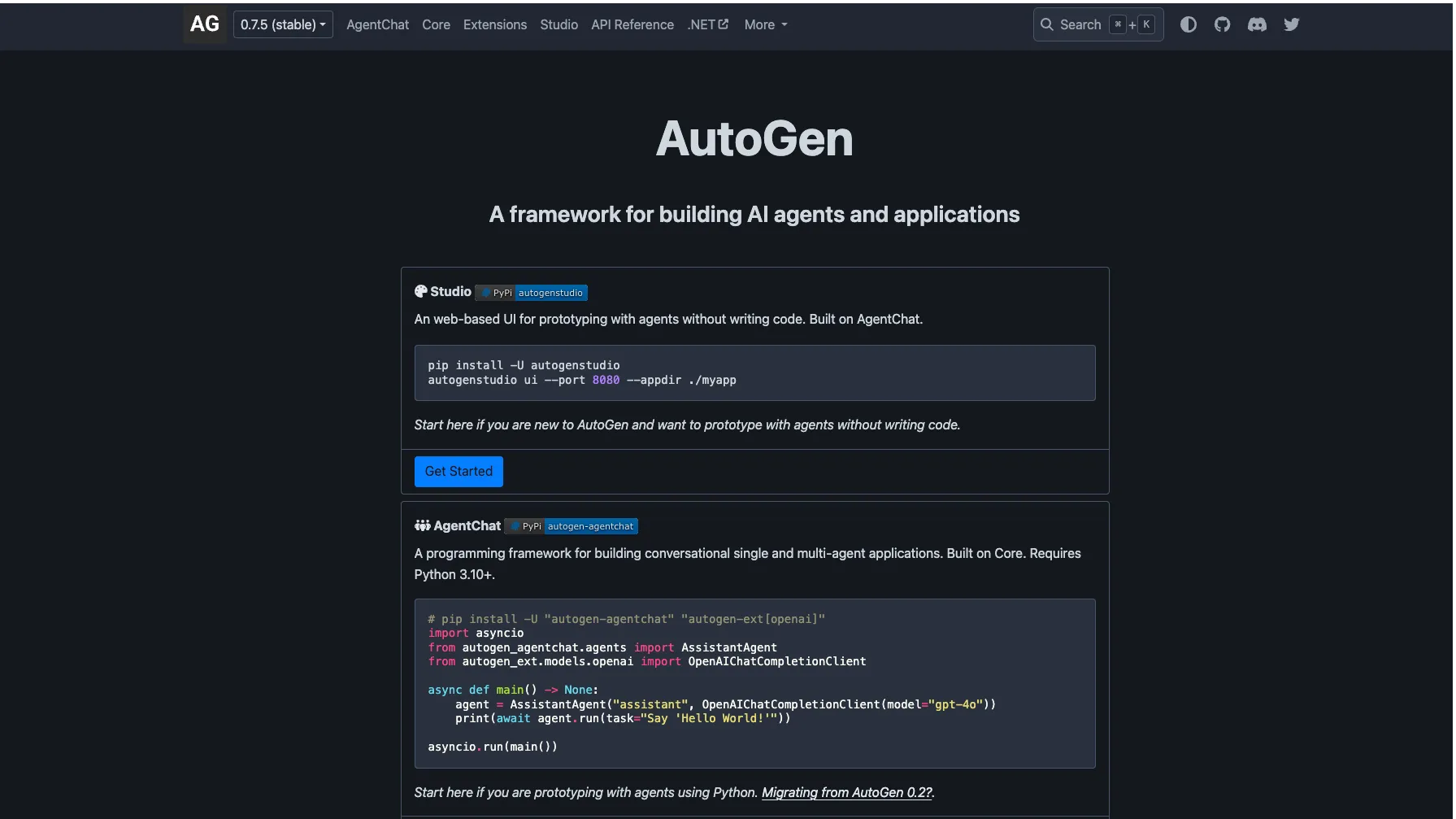
Open-source framework available through GitHub and Python packages such as autogen-agentchat, autogen-core, autogen-ext, and autogenstudio.
Bring Your Own Model/APIUsage-based
AutoGen itself is free, but model calls, embeddings, cloud infrastructure, browser automation, and code execution resources are billed by the selected provider.
Microsoft Agent FrameworkFree
Microsoft’s open-source successor path for new agent projects; provider, hosting, and cloud costs are billed separately where applicable.
Pricing checked: Jul 8, 2026 · Subscription, usage limits, and model costs may be billed separately.
Features & details
AgentChat
- High-level API for single-agent and multi-agent conversations
- Assistant agents, user proxy patterns, and custom agents
- Team patterns including Selector Group Chat, Swarm, and Magentic-One
- Human-in-the-loop conversational workflows
Core Runtime
- Event-driven programming model
- Typed message passing between agents
- Direct messaging and publish-subscribe patterns
- Distributed multi-agent system support
Extensions and Tools
- Model clients for OpenAI, Azure OpenAI, Azure AI Foundry, Anthropic, Ollama, and llama.cpp
- MCP tool integration through McpWorkbench
- Docker command-line code execution
- Adapters for OpenAI agents, LangChain tools, Semantic Kernel tools, and browser-based agents
Studio and Prototyping
- AutoGen Studio web UI for no-code agent prototyping
- Local app directory for saved agent experiments
- Agent workflow testing before writing full application code
- Useful for demos, research, and exploratory multi-agent designs
Why Choose AutoGen?
AutoGen is most valuable today as an established multi-agent framework and a reference point for how conversational agents can coordinate, call tools, use code execution, and work with humans in the loop. It helped popularize the idea that LLM applications could be built as teams of specialized agents rather than as one large prompt around one assistant.
The important caveat is status. AutoGen is now in maintenance mode, which changes the buying and adoption decision. Existing teams may still need to maintain AutoGen systems, understand AutoGen Studio prototypes, or migrate old agent patterns. New teams should treat Microsoft Agent Framework as the forward-looking Microsoft path rather than starting a long-term project on AutoGen.
For a developer tools directory, AutoGen should be positioned as a framework and migration-relevant resource, not as an AI IDE. It does not edit a codebase like Cursor, run as a terminal coding agent like Aider, or autonomously turn GitHub issues into pull requests. It helps developers build agentic applications.
Core Workflow
A typical AutoGen project begins by defining agents, their roles, their model clients, and the tools they are allowed to use. In simple AgentChat workflows, developers can create assistant-style agents and place them into a team pattern. In more advanced Core workflows, developers work closer to the event-driven runtime and design typed message flows between agents.
The practical design challenge is deciding how much autonomy each agent should have. An agent may only answer questions, or it may call a tool, browse, execute code in a container, ask a human for approval, delegate to another agent, or participate in a group conversation. The framework makes those patterns possible, but the developer must still define boundaries.
The strongest AutoGen workflows are explicit about termination conditions, tool access, memory, error handling, and human checkpoints. Without those constraints, multi-agent systems can become expensive, hard to debug, and difficult to trust.
Use Cases That Fit AutoGen
AutoGen fits research, experimentation, and legacy multi-agent systems where agent collaboration is the central concept. Examples include analyst agents, coding experiment agents, browser-and-file-handling agents, research assistants, simulation-style agent teams, and prototypes that compare different coordination patterns.
It is also useful for studying multi-agent failure modes. Because agents can talk to each other, call tools, and execute code, AutoGen makes it easier to observe where coordination breaks down: repeated loops, weak task delegation, unsafe tool calls, excessive token usage, or unclear handoff rules.
It is less suitable for new enterprise production systems that need active framework investment, long-term Microsoft support, and modern integration with Microsoft Foundry, MCP, A2A, observability, and durable workflows. Those requirements now point more directly toward Microsoft Agent Framework.
Comparison to Alternatives
Compared with Microsoft Agent Framework, AutoGen is the older path. Agent Framework is the successor direction for production-grade agents and multi-agent workflows in the Microsoft ecosystem. The comparison is not only about features; it is about lifecycle. New projects should consider starting on Agent Framework to avoid future migration work.
Compared with LangGraph, AutoGen is more conversation-centered, while LangGraph is more state-machine and graph-workflow centered. LangGraph often fits teams that want explicit control over state transitions, retries, checkpoints, and durable orchestration. AutoGen is more relevant when the project already uses its conversational team abstractions or older agent patterns.
Compared with CrewAI, AutoGen is more of a framework for flexible multi-agent experimentation, while CrewAI emphasizes role-based crews and task delegation with a more opinionated user experience. CrewAI may be easier for simple role-based workflows; AutoGen gives more low-level control through Core.
Compared with LlamaIndex or Haystack, AutoGen is not primarily a retrieval framework. It can use retrieval and tools, but LlamaIndex and Haystack are stronger starting points when the hard problem is grounding answers in documents, indexes, and search pipelines.
Best Configuration
The best AutoGen configuration is conservative. Use the smallest number of agents that can complete the task, give each agent a narrow role, and avoid exposing powerful tools until the workflow has been tested in a safe environment.
For code execution, use strict sandboxing. Docker-based execution is useful, but it should not be treated as a complete security boundary for untrusted tasks without additional controls. Agents that can browse the web, call local services, or execute generated code require careful isolation, authentication, and review.
For model configuration, test both quality and cost. Multi-agent systems can multiply token usage quickly because agents exchange messages, critique each other, retry plans, and call tools. A cheaper or local model may be adequate for some agents, while stronger hosted models may be reserved for planning, synthesis, or final review.
For teams staying on AutoGen temporarily, keep the architecture migration-friendly. Avoid deep coupling to deprecated APIs, document each agent role and tool contract, and map AutoGen concepts to Microsoft Agent Framework equivalents early.
Migration Notes
The most important migration step is to inventory the current AutoGen design. List every agent, model client, tool, team pattern, termination condition, memory dependency, and external service. Many AutoGen systems look simple in a demo but depend on implicit conversation behavior that must be made explicit during migration.
When moving toward Microsoft Agent Framework, migrate workflows one at a time rather than attempting a full rewrite. Start with a contained agent team, reproduce the same behavior, then compare outputs, cost, latency, observability, and failure handling.
Older AutoGen v0.2 projects need special care because the modern AutoGen architecture introduced AgentChat, Core, and Extensions as distinct layers. Teams maintaining older code should decide whether to update within AutoGen first or migrate directly to the newer Microsoft Agent Framework path.
Tradeoffs in Practice
AutoGen's main advantage was flexibility for multi-agent experimentation. Its main limitation in 2026 is lifecycle risk. A framework in maintenance mode can still be useful, but it is not the best foundation for a new multi-year platform unless the team has a specific reason to stay.
The broader lesson is that multi-agent systems are not automatically better than single-agent workflows. More agents can improve decomposition and review, but they can also create loops, hidden costs, coordination errors, and security risks. AutoGen makes those patterns easy to explore, not automatically safe.
The practical verdict is that AutoGen remains important for existing users, research history, and migration content. For new production agent systems, compare Microsoft Agent Framework, LangGraph, CrewAI, LlamaIndex, and Haystack before committing to AutoGen.
Model support & data privacy
Supported models
- OpenAI
- Azure OpenAI
- Azure AI Foundry
- GitHub Models
- Anthropic
- Ollama
- llama.cpp
- Gemini
Privacy & data handling
AutoGen is an open-source framework that runs in the developer’s environment, so data handling depends on the configured model provider, tool integrations, browser agents, code execution sandbox, logging, and deployment architecture. Teams should review provider terms and isolate any web-browsing, local-control, or code-execution components before using AutoGen with sensitive data or production systems.
Guides, reviews & fixes
No published guides yet. Start with the official documentation above.
Product updates
No verified product updates listed yet. Follow this tool to see new relevant content in Saved.
See the content timelineAlternatives
Microsoft Agent FrameworkAn open-source Microsoft framework for building provider-flexible AI agents and controlled multi-agent workflows across Python and .NET. LangGraphLangGraph is an open-source, low-level agent orchestration framework for developers building stateful, controllable, long-running AI agents and workflows.
 CrewAICrewAI is an open-source multi-agent framework and enterprise agent platform for teams building role-based agent crews, event-driven flows, and production AI automations.
 LangChainLangChain is a developer framework and agent engineering ecosystem for building, debugging, evaluating, and deploying LLM-powered applications.
 LlamaIndexLlamaIndex is a developer framework and managed document-agent platform for building context-aware LLM applications over private, structured, and unstructured data.
 Semantic KernelSemantic Kernel is Microsoft’s open-source AI application orchestration SDK for connecting LLMs, plugins, memory, vector stores, and existing code into agentic workflows.
Sources & verification
Verification dates record when this directory checked the information. Product release dates appear separately above.
Official websiteAutoGen GitHub repositoryAutoGen AgentChat documentationAutoGen Core documentationAutoGen Extensions documentationAutoGen model clientsAutoGen Studio documentationMicrosoft Agent Framework overviewMicrosoft Agent Framework 1.0 announcementAutoGen to Microsoft Agent Framework migration guide
Directory revision history
Created directory entry using official AutoGen documentation, GitHub repository, AgentChat/Core/Extensions docs, model client docs, and Microsoft Agent Framework migration guidance.