
Northflank
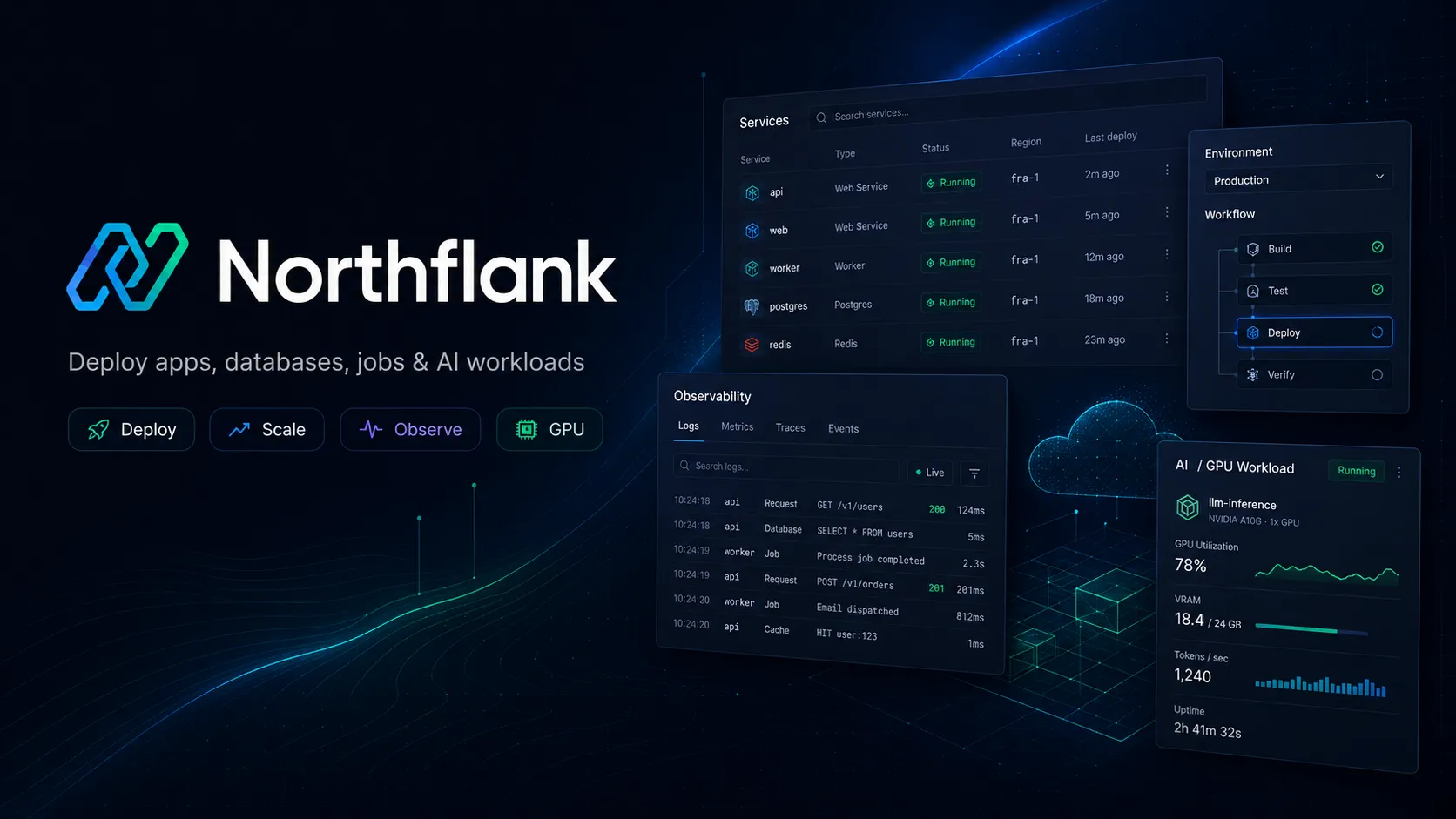
Northflank is a full-stack developer platform and PaaS for deploying production workloads, AI infrastructure, databases, jobs, and preview environments on Northflank Cloud or customer-owned cloud infrastructure.
Information checked: Jun 16, 2026 ·View sources
Tool details
- Type
- Developer workflows
- Platforms
- Browser, CLI, API, GitOps, GitHub, GitLab, Bitbucket, Docker, Kubernetes, AWS, Google Cloud, Azure, Oracle Cloud, CoreWeave, Civo, OpenShift, Rancher, Tanzu
- Free plan
- Yes
- Open source
- No
- Bring your own key
- No
- Local models
- No
Overview
Best for
- Teams deploying containerized services, APIs, workers, jobs, and databases
- Startups that want a Heroku-like workflow with more Kubernetes, BYOC, and production controls
- AI infrastructure teams running inference, training, code execution, agents, or Jupyter notebooks
- Engineering teams that need full-stack preview environments for pull requests
- Platform teams building an internal developer platform without assembling many separate DevOps tools
Strengths
- Combines deployments, databases, jobs, CI/CD, previews, observability, and release workflows in one platform.
- Supports both Northflank-managed infrastructure and BYOC deployments in customer cloud accounts.
- Strong fit for teams that want Kubernetes power without managing Kubernetes directly.
- Usage-based pricing avoids seat fees for normal pay-as-you-go usage.
- Useful for AI infrastructure teams running GPU workloads, sandboxes, agents, and inference services.
Limitations & trade-offs
- Developers looking for an AI code editor or AI coding extension
- Projects that only need static hosting or simple frontend previews
- Teams that want zero infrastructure concepts and no resource-based billing decisions
- Organizations without cloud operations capacity for BYOC, VPC, Kubernetes, or enterprise rollout
- Users who want an open-source self-hosted PaaS they can fully run and modify themselves
- Not an AI IDE, code editor, or AI coding assistant by itself.
- More infrastructure-oriented than simpler app hosts such as Railway or Render.
- Costs depend on resource sizing, runtime duration, network egress, storage, builds, and GPU usage.
- BYOC and enterprise deployments require cloud, networking, IAM, and security planning.
- Teams that only need static frontend hosting may find the platform broader than necessary.
Get started
Pricing & usage limits
Official pricingFree tier available
Free sandbox for testing with always-on compute, 2 free services, 1 free database, and 2 free cron jobs.
Usage-based plan with no seat pricing; pay for consumed CPU, memory, storage, network, builds, GPUs, and other resources.
Predefined compute plans start at nf-compute-10 with 0.1 shared vCPU and 256 MB memory.
Usage-based CPU pricing for scalable workloads.
Usage-based memory pricing for services, jobs, and addons.
GPU pricing starts with NVIDIA L4 24GB; higher-end GPU types are available at separate rates.
Custom requirements, SLAs, white-label options, 24/7 support, FDE onboarding, and 100+ enterprise features.
Pricing checked: Jun 16, 2026 · Subscription, usage limits, and model costs may be billed separately.
Features & details
Deployment Platform
- Deploy services, jobs, databases, and workers
- Build from GitHub, GitLab, or Bitbucket
- Run Dockerfiles, buildpacks, and container images
- Promote workloads across preview, staging, and production
Developer Workflow
- UI, API, CLI, GitOps, and templates
- Reusable infrastructure-as-code templates
- Pipelines and release workflows
- Real-time logs, metrics, health checks, and alerts
Preview and Ephemeral Environments
- Pull request preview environments
- Full-stack previews with databases and jobs
- Idle shutdown policies
- Snapshots and caching for faster recreation
Cloud and Kubernetes
- Northflank managed cloud
- Bring Your Own Cloud on AWS, GCP, Azure, Oracle, and CoreWeave
- Import Kubernetes clusters
- Support for EKS, GKE, AKS, Rancher, OpenShift, and Tanzu
AI and GPU Infrastructure
- GPU workloads for inference, training, notebooks, and agents
- Secure microVM sandboxes for untrusted code
- Fractional GPU and time-slicing support
- Persistent volumes, object storage, and databases for stateful AI workloads
Security and Operations
- RBAC and organization controls
- Secret management
- Custom domains and SSL
- SOC 2 Type 2 compliance
Why Choose Northflank?
Northflank is most useful when a team has outgrown a simple app host but does not want to assemble Kubernetes, CI/CD, databases, preview environments, observability, secrets, and release management from separate tools. It gives developers a self-service deployment workflow while still exposing enough infrastructure control for production systems.
The key difference is that Northflank is not only a deployment target. It is closer to a platform layer that spans build, deploy, release, scale, observe, and secure. That makes it relevant for teams building SaaS products, internal tools, data services, AI platforms, agent infrastructure, and stateful backends.
Core Workflow
A common Northflank workflow starts with a Git repository or container image. Northflank builds the application, stores the image, deploys it as a service or job, connects managed addons such as databases or queues, and exposes logs, metrics, domains, health checks, scaling, and release controls from the same platform.
For teams with multiple environments, pipelines are the more important concept. A change can move from pull request preview to staging and production with consistent templates and promotion rules. This is where Northflank differs from basic hosting: the platform is designed around repeatable release paths rather than one-off deployments.
BYOC adds another layer. Teams can start on Northflank-managed infrastructure and later deploy into their own AWS, GCP, Azure, Oracle, CoreWeave, or Kubernetes environment while preserving a similar developer experience. That is valuable for companies that expect data residency, compliance, cloud credits, VPC control, or enterprise procurement to matter later.
Use Cases
Northflank works well for containerized APIs, web backends, microservices, workers, scheduled jobs, managed databases, full-stack previews, internal developer platforms, AI inference endpoints, training jobs, notebooks, and secure code execution sandboxes.
It is especially interesting for AI product teams because modern AI infrastructure usually needs more than GPUs. Agents and model-powered apps also need background jobs, queues, databases, object storage, secrets, logs, previews, autoscaling, and secure isolation. Northflank’s pitch is that those pieces live in one operational platform instead of being stitched together manually.
Comparison to Alternatives
Compared with Render and Railway, Northflank is broader and more infrastructure-heavy. Render and Railway can be easier for small apps, while Northflank becomes more compelling when teams need production release workflows, preview environments, BYOC, Kubernetes abstraction, stateful workloads, and GPU infrastructure.
Compared with Heroku, Northflank targets a similar desire for simple deployment but with a more modern container, Kubernetes, BYOC, preview, and AI infrastructure focus. Teams that like Heroku’s developer experience but have hit platform limits may find Northflank a more flexible next step.
Compared with Vercel, the distinction is workload shape. Vercel is excellent for frontend and framework-native web delivery. Northflank is better framed around containers, backends, databases, jobs, stateful services, GPU workloads, and infrastructure control.
Compared with Modal or RunPod, Northflank is less narrowly focused on serverless functions or GPU compute. It is more of a full application platform that can also run AI workloads, sandboxes, and GPU-backed services.
Best Configuration
For small teams, the best starting point is a simple pay-as-you-go project with one service, one database, one job, and a clear deployment pipeline. Avoid turning on every platform feature immediately. First make build, deploy, logs, domains, secrets, and rollback reliable.
For production teams, define templates early. Standard service templates, database patterns, environment variables, health checks, preview policies, and resource sizes prevent each project from becoming a custom snowflake. This is especially important if Northflank is being used as an internal developer platform.
For AI workloads, decide whether the primary bottleneck is GPU access, secure code execution, stateful storage, or release workflow. Northflank can cover all of these, but the architecture should still separate inference APIs, worker queues, sandbox execution, persistent volumes, model artifacts, and observability.
For BYOC, treat cloud account preparation as a real infrastructure project. Networking, IAM, VPC boundaries, regions, cost visibility, secrets, registries, logs, and compliance responsibilities should be defined before moving critical workloads.
Migration Notes
Teams migrating from Heroku, Render, or Railway should begin with stateless services and one managed database before moving background workers, scheduled jobs, and production pipelines. The biggest conceptual change is that Northflank gives more infrastructure control, so teams should document resource sizing, release policies, and environment boundaries.
Teams migrating from raw Kubernetes should identify which parts of the current platform are truly valuable and which are accidental complexity. Northflank can replace many custom CI/CD, deployment, preview, logging, and database workflows, but it should be evaluated against existing cluster policies, GitOps practices, security controls, and cost models.
Teams migrating AI workloads should avoid treating Northflank as only a GPU vendor. The better migration target is the whole operational path: build images, deploy inference, run background jobs, attach storage, isolate untrusted code, monitor costs, and promote changes safely across environments.
Model support & data privacy
Supported models
- Llama 4
- DeepSeek
Privacy & data handling
Northflank offers both a multi-tenant PaaS model and BYOC deployments. Its security page says BYOC workloads run in the customer’s own cloud account, VPC, and Kubernetes cluster, while Northflank provides the higher-level platform abstraction. Teams should review metadata, logs, metrics, builds, images, secrets, backups, and workload data handling before deploying sensitive or regulated systems.
Guides, reviews & fixes
View allNo published guides yet. Start with the official documentation above.
Product updates
No verified product updates listed yet. Follow this tool to see new relevant content in Saved.
See the content timelineAlternatives
Sources & verification
Verification dates record when this directory checked the information. Product release dates appear separately above.
Directory revision history
Created initial directory entry using Northflank official website, pricing, documentation, deployment, previews, sandboxes, GPU, BYOC, and security sources.