

Roo Code
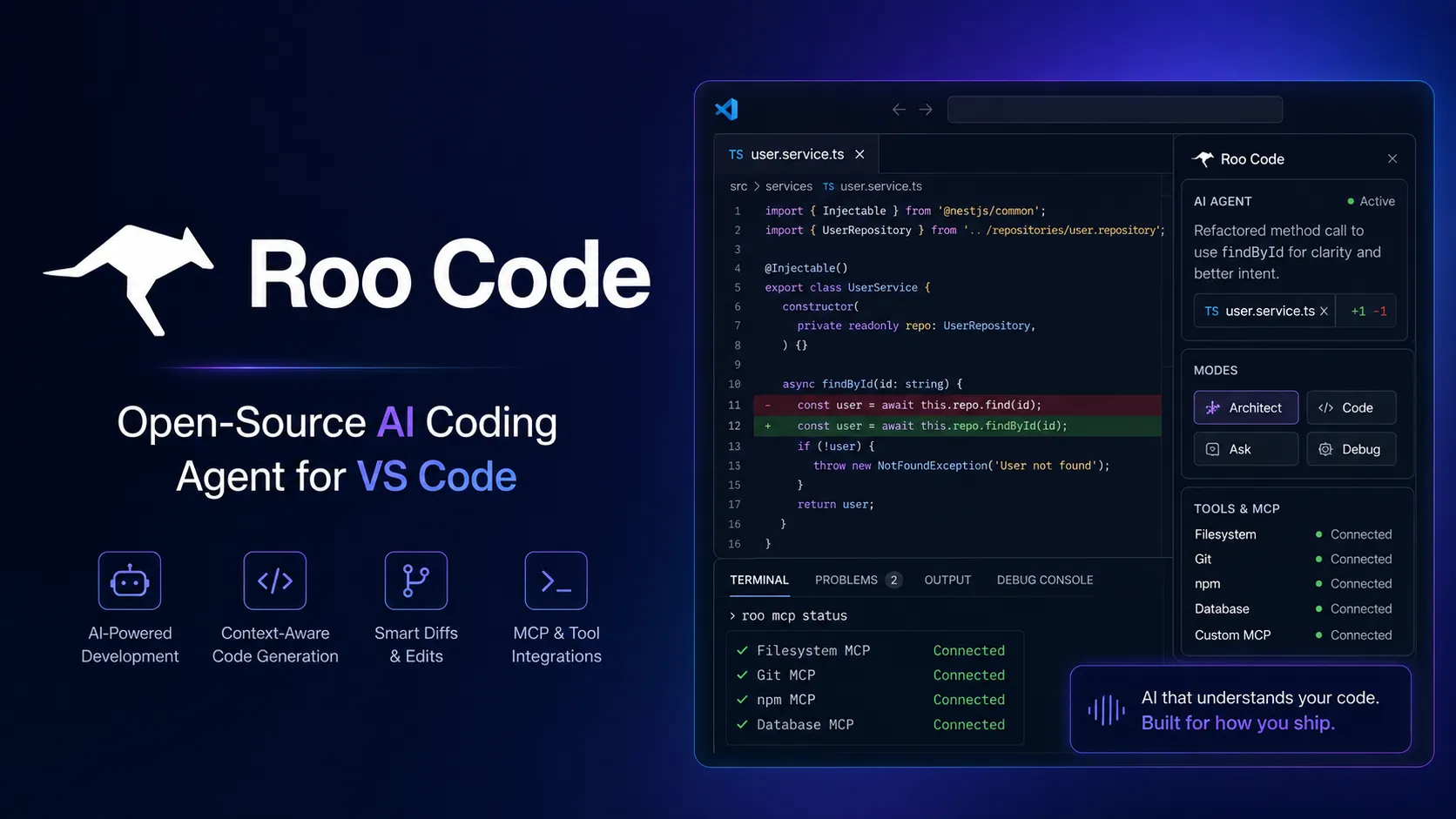
Roo Code is an open-source AI coding agent for VS Code that can read and write files, run terminal commands, use MCP tools, and work through specialized modes. It is best for developers who want a powerful, customizable, model-agnostic agent inside their existing editor.
Choose Roo Code when you want a powerful, open-source VS Code agent with modes, MCP, provider flexibility, local-model options, and deep customization. Choose a hosted AI IDE or CLI agent instead if you want simpler billing, a more polished all-in-one editor, or a terminal-only Git workflow.
Pricing Plans
Roo Code Extension
Free and open-source VS Code extension. Users pay only for the model provider or infrastructure they choose.
Bring Your Own API Key
Use external inference providers such as Anthropic, OpenAI, OpenRouter, Requesty, Google, and others; costs depend on provider token pricing.
Local Models
Use local models through supported setups such as Ollama or LM Studio; actual cost depends on local hardware.
Codebase Indexing
Optional semantic indexing may require embedding API usage and a Qdrant vector database; cost depends on repository size.
Roomote Cloud Agent
Cloud agent product made by the creators of Roo Code; priced per parallel Roomote after a 7-day trial with included token allowance.
Core Features
1Editor-native agent
- Runs inside VS Code as an AI coding agent.
- Reads and writes project files with reviewable tool actions.
- Executes terminal commands with user approval.
2Specialized modes
- Code mode for implementation and file operations.
- Architect mode for planning, systems design, specs, and migrations.
- Ask mode for explanations and documentation help.
- Debug mode for tracing issues and isolating root causes.
- Orchestrator mode for breaking complex work into delegated subtasks.
3Customization
- Custom modes can define behavior, tool access, and file permissions.
- .roorules files provide project-specific guidance.
- Custom instructions, slash commands, and skills support repeatable workflows.
4Model and provider flexibility
- Works with external inference providers through API keys.
- Supports local models through Ollama and LM Studio.
- Sticky Models can assign different models to different modes.
5Context and tools
- MCP support connects Roo Code to external tools and resources.
- Context mentions let users reference files, folders, and problems.
- Codebase indexing adds semantic search for larger projects.
6Cloud and team direction
- Roomote provides a related cloud-agent workflow for interrupt work, Slack, GitHub, logs, and PR handoff.
- Cloud workflows are positioned as complementary to the local editor extension.
- Useful for teams that want agents to take first pass on bugs, regressions, and repo questions.
Pros
- Free, open-source VS Code agent.
- Highly customizable through modes, rules, skills, and provider settings.
- Model-agnostic and BYOK-friendly.
- Supports local model workflows for offline or privacy-sensitive usage.
- Good for deep iterative work where file edits and terminal commands matter.
- MCP and codebase indexing make it more capable than a simple chat sidebar.
Cons
- Inference costs can rise quickly with frontier models and long agent loops.
- Requires careful approval discipline because it can edit files and run commands.
- Setup is more complex than fixed-price hosted coding assistants.
- Quality depends heavily on the selected model and provider.
- Semantic indexing can add extra embedding and database overhead.
- Main local experience is VS Code-centered rather than a standalone AI IDE.
Why Choose Roo Code?
Roo Code is most compelling for developers who want an AI agent that can work inside a familiar VS Code workflow without forcing a new editor or a single model vendor. Its philosophy is closer to “give the agent real tools and supervise it carefully” than “generate a snippet and paste it manually.” That makes it useful for deeper implementation work, but it also demands more judgment from the user.
The main advantage is control. Roo Code can be tuned through modes, rules, skills, provider settings, local models, MCP servers, and indexing choices. That flexibility is valuable for serious development, but it also means the best experience comes from thoughtful setup rather than default settings.
Core Workflow
A practical Roo Code workflow starts with the right mode. Ask mode is useful for exploration, Architect mode is useful for planning, Code mode is useful for implementation, Debug mode is useful for narrowing a failure, and Orchestrator mode is useful when work needs to be broken into subtasks. Switching modes intentionally helps avoid asking one agent persona to do every job.
The safest working pattern is plan, scope, approve, verify. Give Roo a bounded task, mention the relevant files or folders, ask it to explain its approach, then approve file edits and commands only when they match the intended direction. After each meaningful change, review the diff, run tests, and decide whether to continue or start a fresh task with a cleaner context window.
Use Cases
Roo Code fits codebase-heavy tasks where context and tools matter. Examples include refactoring a module, debugging a failing test, adding logs to isolate a problem, updating documentation, migrating an API, improving test coverage, or asking questions about how a repository is structured. It is also useful for teams that want to encode project-specific behavior through rules, skills, and custom modes.
It is less suited to users who only need autocomplete or a visual prompt-to-app builder. Roo Code is a developer tool for people who are comfortable reviewing diffs, managing model costs, and deciding whether a proposed terminal command is safe.
Comparison to Alternatives
Compared with Cline, Roo Code is closely related in spirit but leans further into modes, customization, orchestration, and token-for-quality workflows. Cline may feel simpler for many users, while Roo Code can be more attractive for developers who want extra knobs and specialized agent personas.
Compared with Continue, Roo Code is more agentic. Continue is often a better fit for configurable chat, completion, and model routing, while Roo Code is better when the user wants the assistant to edit files, run commands, and carry out multi-step work.
Compared with Cursor or Windsurf, Roo Code avoids editor lock-in. Cursor and Windsurf provide more polished AI-native IDE experiences, while Roo Code lets users keep VS Code and layer in an open-source agent. Compared with Aider or OpenCode, Roo Code is more editor-first; terminal-first agents may be cleaner for Git-native shell workflows.
Best Configuration
The best configuration starts with model strategy. Use stronger reasoning models for Architect and Debug mode, and cheaper or faster models for routine Code or Ask tasks when quality requirements are lower. Sticky Models can reduce manual switching by assigning the right model to each mode.
For serious projects, add .roorules files that define package manager, coding conventions, test commands, architectural constraints, and directories that require extra care. Disable unused MCP servers to reduce context overhead, and be conservative with auto-approval. For large repositories, evaluate codebase indexing carefully because it can improve navigation but may add embedding cost and local infrastructure complexity.
Migration Notes
Developers moving from Cline should compare custom modes, tool permissions, MCP setup, indexing behavior, and model routing rather than only raw output quality. The workflows overlap, but Roo Code can require more tuning to get the best result.
Teams moving from Cursor, Windsurf, or Copilot should pilot Roo Code on real repository tasks: one bug fix, one refactor, one test repair, one documentation update, and one MCP-connected workflow. The right metric is not whether Roo can produce code once; it is whether it fits the team’s review habits, security expectations, cost limits, and editor standards.
Teams considering Roomote should treat it as a complementary cloud-agent workflow rather than a direct replacement for the local extension. Roo Code is for developers working in the editor; Roomote is aimed at operational engineering work that arrives through Slack, GitHub, logs, tickets, and support channels.
Best For
- VS Code users who want an open-source AI coding agent
- Developers who want provider choice and BYOK control
- Multi-file refactoring
- Debugging and test repair
- Architecture planning with dedicated modes
- Custom workflow automation
- MCP-connected development tasks
- Local model experiments
- Large codebases that benefit from semantic indexing
- Teams that want project-specific rules and custom agent personas
Not Ideal For
- Users who want a fully managed fixed-price AI IDE
- Developers whose main need is inline autocomplete
- Non-technical users looking for prompt-to-app builders
- Teams that cannot allow agentic tools to run terminal commands
- Users who do not want to manage API keys or provider billing
- Workflows that require enterprise governance out of the box without custom setup
Privacy Notes
Roo Code runs locally inside the developer’s VS Code environment, but prompts, file context, terminal output, MCP tool results, embeddings, and generated edits may be sent to whichever model or embedding provider the user configures. Local-model setups reduce external data exposure, while BYOK setups inherit the privacy and retention terms of the selected provider. Users should avoid exposing secrets, credentials, production data, customer data, private keys, or sensitive terminal output, and should be especially cautious with auto-approval, web browsing, MCP servers, and untrusted repositories.
Alternatives
Sources
Update History
- Jun 14, 2026: Created entry with current Roo Code open-source status, VS Code workflow, modes, MCP, local models, codebase indexing, skills, provider flexibility, and related Roomote cloud-agent pricing.
Related Tools
More listings in a similar part of the directory.






Roo Code Articles
Guides, comparisons, and launch notes connected to this listing.

