
 CursorCursor is an AI coding and cloud development platform that combines a VS Code-based editor, local and cloud agents, CLI workflows, Origin code hosting, repository collaboration, and prompt-to-app creation.
Augment Code
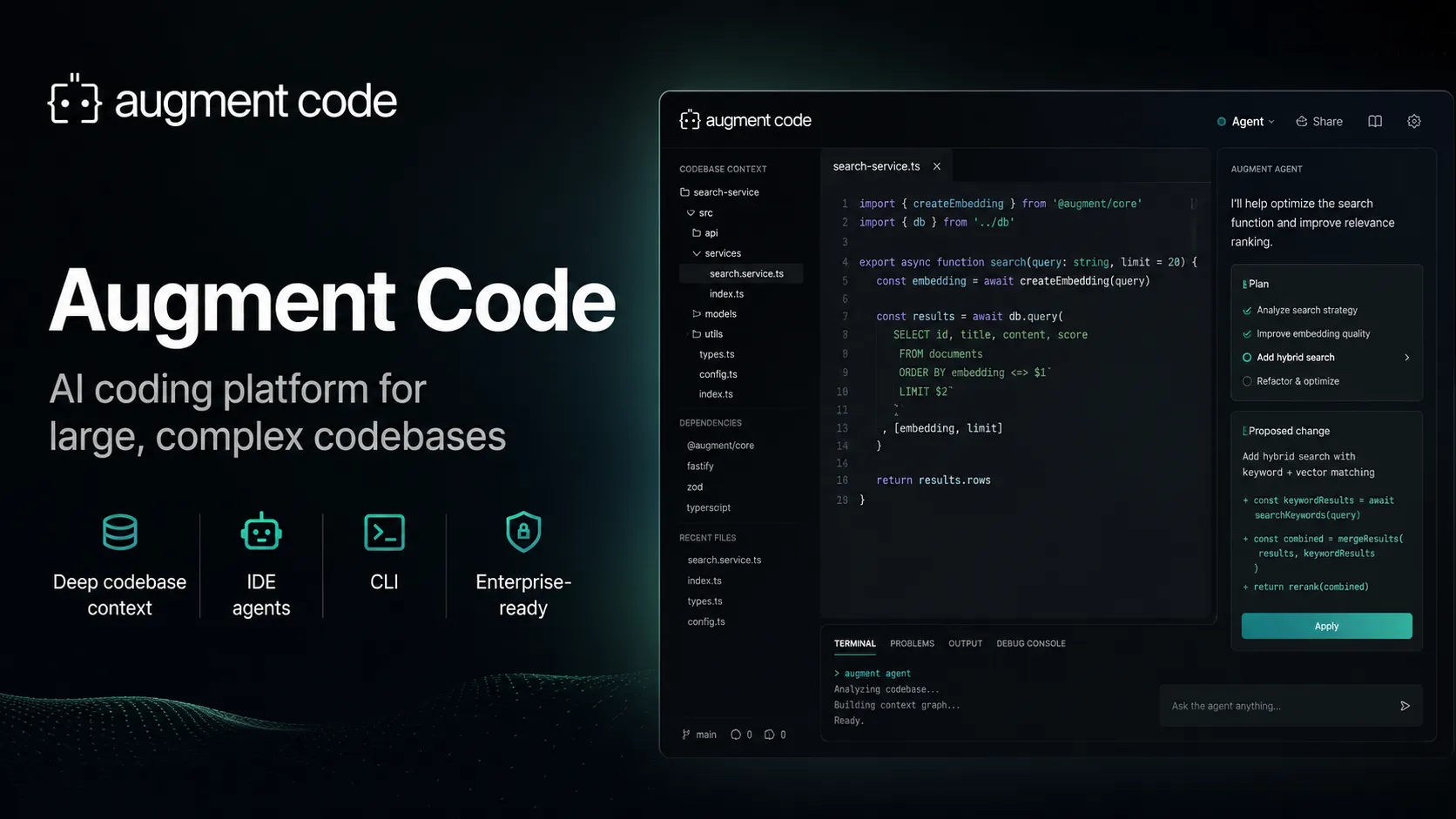
Augment Code is an enterprise-focused AI coding platform for teams working in large repositories, existing IDEs, terminals, and automated engineering workflows.
Information checked: Jun 14, 2026 ·View sources
Tool details
- Type
- Editor extensions
- Platforms
- VS Code, JetBrains IDEs, Vim, Neovim, CLI, Browser-based Cosmos cloud agent platform, GitHub, Slack, Linear
- Free plan
- No
- Open source
- No
- Bring your own key
- No
- Local models
- No
Overview
Best for
- Enterprise engineering teams
- Large monorepos
- Production refactors
- Repository-scale debugging
- Teams that want AI agents inside existing IDEs
- Teams using JetBrains who do not want to switch to a VS Code fork
- Cloud agent automation
- AI-assisted code review
- Migration and modernization projects
- Incident investigation and security remediation workflows
Strengths
- Strong focus on large, complex, production codebases.
- Works across VS Code, JetBrains IDEs, Vim/Neovim, CLI, and cloud agent sessions.
- Context Engine is designed to reduce shallow, file-local AI responses.
- Cosmos enables longer-running cloud agent and automation workflows.
- Business pricing avoids per-seat billing for teams up to 50 seats.
- Enterprise security and compliance features are more developed than many lightweight coding assistants.
Limitations & trade-offs
- Solo developers looking for the cheapest autocomplete tool
- Users who want a full standalone AI IDE replacement
- Teams requiring fully local model execution
- Workflows that need BYOK model routing as a core documented feature
- Projects where usage-based AI billing is unacceptable
- Users whose main need is simple line-by-line code completion on a low-cost plan
- Current public pricing is team-oriented rather than low-cost individual-first.
- Usage-based billing can be harder to predict than flat-rate AI IDE plans.
- Code completions are enterprise-only after deprecation on non-enterprise plans.
- Cloud agent workflows may not fit teams requiring fully local execution.
- Advanced features require setup discipline around indexing, rules, secrets, tools, and budgets.
- Not open source as a full coding platform.
Get started
Pricing & usage limits
Official pricingFrom $100
Business$100 / month
Flat monthly plan for up to 50 seats with $100/month of usage included across LLM, Context Engine, and Cosmos compute.
EnterpriseCustom
Custom usage, unlimited users, advanced security, SSO/OIDC/SCIM, compliance options, multi-region compute, and dedicated support.
Pricing checked: Jun 14, 2026 · Subscription, usage limits, and model costs may be billed separately.
Features & details
Context-aware coding
- Context Engine indexes codebases, dependencies, APIs, schemas, and architecture.
- Agent and chat workflows are designed for production-scale repositories.
- Supports repository-aware edits, explanations, planning, and follow-up implementation.
Editor and terminal clients
- VS Code extension with agent, chat, indexing, MCP, and Secrets Manager support.
- JetBrains plugin for IntelliJ, PyCharm, WebStorm, and other JetBrains IDEs.
- Vim and Neovim support for chat and codebase indexing.
- Auggie CLI brings Augment agent workflows into the terminal.
Cosmos cloud agents
- Cloud agent sessions that can be launched, monitored, resumed, and run on Augment-managed compute.
- Experts provide reusable agent personas for specific engineering jobs.
- Environments provide sandboxed compute for longer-running work.
Automation and integrations
- Integrates with GitHub, Slack, and Linear.
- Supports MCP servers and native tools in supported clients.
- Supports webhooks, custom slash commands, subagents, skills, and workflow automation.
Enterprise governance
- Usage analytics, pooled team usage, and pay-as-you-go top-ups.
- SOC 2 Type II, no AI training on paid customer data, and enterprise security reports.
- Enterprise options include CMEK, ISO 42001 compliance, SIEM integration, data residency, granular access controls, audit trails, SSO/OIDC, and SCIM.
Why Choose Augment Code?
Augment Code is built around a clear thesis: AI coding becomes more valuable when the assistant understands the real codebase rather than only the current file or a small pasted snippet. That makes it most relevant for teams working in large repositories, old systems, multi-service architectures, and production environments where a seemingly small change can touch APIs, schemas, dependencies, tests, and deployment assumptions.
The product is not only an IDE plugin. Augment now spans editor clients, terminal workflows, code review, and Cosmos cloud agents. This makes it closer to an enterprise engineering automation layer than a simple autocomplete product. The tradeoff is complexity: teams get more power, but also need clearer rules around budgets, model choice, secrets, access controls, and when agents are allowed to act.
Core Workflow
A practical Augment workflow starts by letting the Context Engine index the repository and by giving the assistant useful project rules. Instead of asking generic questions, developers should ask scoped questions tied to the architecture: where a behavior is implemented, what dependencies are involved, what tests should change, or how to safely refactor a subsystem.
For everyday work, the editor agent is best used for local implementation and explanation. The CLI is better when developers want terminal-first control, scripting, or automation. Cosmos is better for longer-running or repeatable work, especially when a team wants to configure specialized experts for review, migration, incident investigation, or other recurring engineering tasks.
Use Cases
Augment Code is strongest in codebases where context is the bottleneck. That includes onboarding to unfamiliar repositories, debugging behavior across services, planning refactors, updating legacy modules, improving test coverage, reviewing pull requests, and automating repeatable engineering workflows.
It is also a strong fit for JetBrains teams that want modern agentic coding without switching to a VS Code-based AI IDE. Teams using Vim, Neovim, or CLI workflows may also find it useful because it does not force one editor surface. For simple greenfield apps or small personal projects, lighter and cheaper tools may be easier to justify.
Comparison to Alternatives
Compared with Cursor and Windsurf, Augment is less about replacing the editor and more about bringing a repository-aware agent into the tools engineers already use. Cursor and Windsurf can feel smoother for developers who want an AI-native editing environment. Augment is more compelling when the team wants codebase context, enterprise controls, and support across multiple editors.
Compared with GitHub Copilot, Augment is more explicitly positioned around large-codebase understanding and team-level agent workflows. Copilot has broader mainstream adoption and a strong GitHub-native path, while Augment emphasizes its Context Engine, Cosmos agents, and enterprise software engineering automation.
Compared with Claude Code or Aider, Augment offers a more managed platform with IDE integrations, cloud sessions, code review, analytics, and enterprise governance. Terminal-first agents may be simpler for individual developers who want direct repo control, but Augment is more structured for organizations standardizing agentic development.
Best Configuration
For individual developers inside a team, the best setup is to keep Augment grounded. Add project-specific rules, use precise prompts, avoid asking for giant multi-part changes in one request, and review every generated diff. For larger tasks, ask Augment to inspect the architecture first, identify affected files, and propose a plan before implementation.
For organizations, the best configuration starts with policy rather than usage. Decide which repositories can be indexed, which models are allowed, which tools and MCP servers may be connected, which secrets agents can access, and what budget limits apply. Teams should also define when Cosmos agents can open or modify pull requests, who approves them, and what audit trail is required.
Migration Notes
Teams adopting Augment from Cursor, Copilot, or JetBrains AI should not compare only completion quality. The more important comparison is whether Augment reduces time spent understanding large systems, reviewing risky changes, and repeating common engineering workflows. A short pilot should include one messy refactor, one production bug investigation, one code review workflow, and one onboarding task.
Teams leaving Augment should document any reliance on Context Engine indexing, Cosmos experts, MCP tool configuration, code review settings, custom commands, and usage analytics. Because Augment may become part of the engineering process rather than just an editor assistant, the real migration surface can include workflows, approvals, and team conventions—not only IDE extensions.
Model support & data privacy
Supported models
- Claude Fable 5
- Claude Haiku 4.5
- Claude Opus 4.5
- Claude Opus 4.6
- Claude Opus 4.7
- Claude Sonnet 4.5
- Claude Sonnet 4.6
- Gemini 3.1 Pro
- GPT-5.1
- GPT-5.2
- GPT-5.4
- GPT-5.5
- Kimi K2.6
- Prism
Privacy & data handling
Augment states that paid plans do not allow AI training on customer data. The platform processes codebase context, prompts, model requests, repository metadata, tool calls, and cloud-agent session data to provide its Context Engine, IDE clients, CLI, Cosmos, and automation features. Enterprise buyers should review the Trust Center, data residency, CMEK, audit trail, SIEM, and access-control options before using it with regulated or highly confidential code.
Guides, reviews & fixes
No published guides yet. Start with the official documentation above.
Product updates
No verified product updates listed yet. Follow this tool to see new relevant content in Saved.
See the content timelineAlternatives
CursorCursor is an AI coding and cloud development platform that combines a VS Code-based editor, local and cloud agents, CLI workflows, Origin code hosting, repository collaboration, and prompt-to-app creation. WindsurfWindsurf, now transitioning under the Devin Desktop brand, is an AI-native IDE for developers who want coding agents, codebase context, and editor workflows in one desktop environment.
 GitHub CopilotGitHub Copilot is a mainstream AI code assistant and developer workflow layer for teams that want AI support inside existing editors, GitHub repositories, pull requests, and terminal workflows.Augment Code vs GitHub Copilot
 Claude CodeClaude Code is Anthropic's terminal coding agent for repository work, subagents, hooks, MCP, and automation, with growing operational tooling for API cost analysis and feedback.
 ClineCline is an open-source, model-flexible AI coding agent for developers who want agentic file editing, command execution, browser use, MCP tools, and human-in-the-loop control inside existing development environments.
 ContinueContinue is an open-source AI coding agent and IDE extension ecosystem focused on configurable model access, repository-defined AI checks, and team-controlled coding workflows.
 Sourcegraph CodySourcegraph Cody is an enterprise AI coding assistant focused on codebase-aware chat, code edits, completions, and context retrieval across large multi-repository environments.
 Amazon Q DeveloperAmazon Q Developer remains an AWS developer assistant, but its IDE plugin is now a legacy migration path to Kiro rather than the strategic destination for new IDE deployments.
 JetBrains AIJetBrains AI is an IDE-native AI coding assistant and agent layer for JetBrains IDEs, positioned as an integrated alternative to standalone AI editors and generic coding extensions.
 TabnineTabnine is an enterprise-focused AI coding assistant and agentic platform for organizations that need private, governed, deploy-anywhere AI development workflows.
 AiderAider is a terminal-native, open-source AI coding agent for developers who want direct Git-based code editing with flexible model choice.
 DevinDevin is an autonomous AI software engineer for delegating real engineering tasks to cloud and desktop agents that work across repositories, tickets, pull requests, shells, browsers, and team tools.
Sources & verification
Verification dates record when this directory checked the information. Product release dates appear separately above.
Official websiteAugment Code pricingAugment documentation introductionAugment VS Code setupAugment JetBrains setupAugment feature availabilityAugment available modelsAugment token-based pricingAugment VS Code MarketplaceAugment JetBrains Marketplace
Directory revision history
Created entry with current Business and Enterprise pricing, Cosmos, Auggie CLI, IDE support, model list, feature availability, usage-based billing, and enterprise security controls.