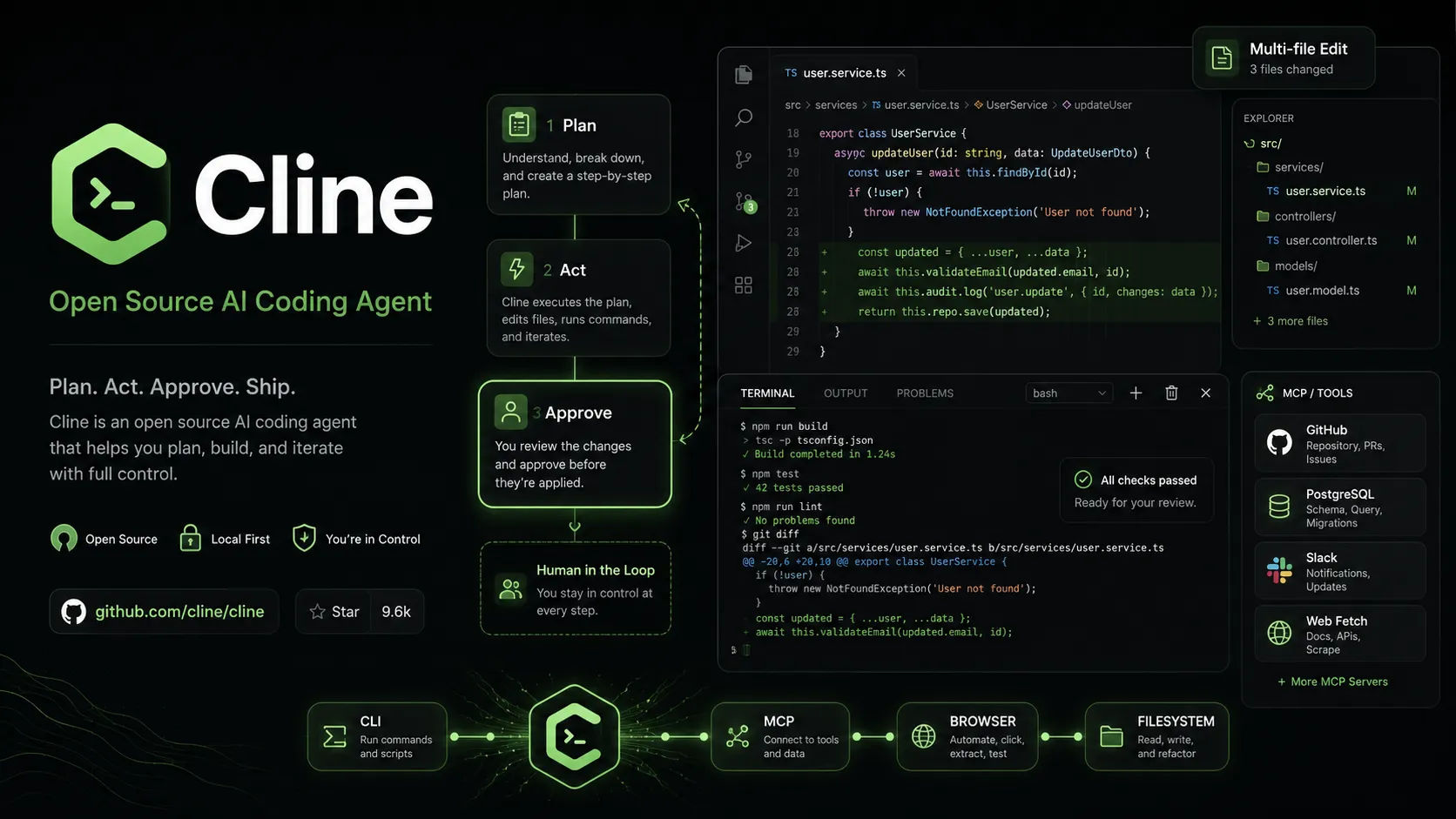
Cline is an open-source, model-flexible AI coding agent for developers who want agentic file editing, command execution, browser use, MCP tools, and human-in-the-loop control inside existing development environments.
Free for individual developers. Use the open-source extension, CLI, and supported local workflows; pay only for model inference.
Cline ProviderUsage-based
Unified billing through Cline with credits and supported hosted models, including free model options where available.
Bring Your Own KeyUsage-based
Use your own API keys from providers such as Anthropic, OpenAI, Google, OpenRouter, AWS Bedrock, Vertex AI, Groq, Cerebras, Vercel AI Gateway, DeepSeek, and others.
Local Models$0
Run local or self-hosted models where supported; actual cost depends on local hardware and chosen model.
EnterpriseCustom
Adds JetBrains support, SSO, SLA, dedicated support, centralized billing, RBAC, team management, provider controls, authentication logs, and advanced configuration options.
Pricing checked: Jun 14, 2026 · Subscription, usage limits, and model costs may be billed separately.
Features & details
Agentic editor workflow
Reads project files, edits code, runs commands, and uses browser tooling with explicit approval.
Plan and Act modes separate exploration from execution.
Diff views, checkpoints, and one-click undo help keep generated changes reviewable.
Terminal and automation
Cline CLI supports interactive terminal use and headless automation for CI/CD or scripts.
Runs bash commands and reacts to terminal output from tests, builds, dev servers, and deploy scripts.
Kanban runs multiple agents in parallel with per-card worktrees, auto-commit, and dependency chains.
Model flexibility
Supports Cline Provider unified billing or BYOK provider setup.
Works with major hosted providers such as Anthropic, OpenAI, Gemini, OpenRouter, AWS Bedrock, Vertex AI, Groq, Cerebras, Vercel AI Gateway, and DeepSeek.
Can be paired with local or self-hosted models through compatible provider setups.
Extensibility
MCP Marketplace and MCP support connect Cline to external tools, services, and custom workflows.
Rules and Skills let teams define project conventions, architecture guidance, and task-specific behavior.
Cline SDK exposes the shared agent runtime for custom agents, integrations, scheduled automations, and product embedding.
Editor and team coverage
Runs as a VS Code extension and works with VS Code-compatible environments such as Cursor and Windsurf.
Enterprise documentation covers JetBrains support for IntelliJ IDEA, PyCharm, WebStorm, GoLand, and related IDEs.
Documentation also references Antigravity, Zed, and Neovim via ACP mode for broader editor workflows.
Why Choose Cline?
Cline is most compelling for developers who want agentic coding without abandoning their current editor. Instead of acting like a simple autocomplete tool, it can inspect a project, propose a plan, edit multiple files, run terminal commands, use browser context, and iterate with explicit human approval. That makes it a good fit for developers who want an agent that can do real work but still keep every high-impact action reviewable.
Its open-source and provider-flexible design is the major differentiator. Cline does not force one model vendor or one billing path. A developer can use the Cline Provider for convenience, bring existing API keys, or experiment with local models and OpenAI-compatible endpoints. The tradeoff is that users must manage model quality, inference cost, privacy exposure, and approval discipline more actively than they would in a bundled AI IDE subscription.
Core Workflow
A practical Cline workflow starts with Plan mode. Let the agent inspect the relevant files, ask clarifying questions, and outline the implementation strategy before it changes anything. Once the plan is acceptable, switch to Act mode and approve each file edit or terminal command as needed. This pattern works especially well for bug fixes, test updates, refactors, and feature work that touches multiple files.
The key habit is to keep tasks narrow. Asking Cline to “rebuild the whole app” can create large diffs and expensive model calls. Asking it to “add validation to this API route, update the related tests, and run the test command” gives the agent a verifiable target. When paired with checkpoints, diffs, and Git, this makes Cline productive without turning the local workspace into an uncontrolled automation surface.
Use Cases
Cline is strong for developers who want an AI agent inside VS Code or a VS Code-compatible workflow. It is useful for multi-file edits, codebase exploration, linter-driven fixes, test generation, dependency updates, API changes, documentation updates, and browser-assisted UI debugging. It is also a good tool for experimenting with MCP because the agent can connect to external tools and services rather than only reading files.
For teams, Cline becomes more interesting when used as a shared agent runtime rather than just an individual extension. The CLI, SDK, Kanban, rules, skills, and enterprise configuration controls point toward workflows where multiple developers or automation jobs can use the same agent core across editor, terminal, and programmatic surfaces.
Comparison to Alternatives
Compared with Cursor or Windsurf, Cline is lighter and less editor-replacement oriented. Cursor and Windsurf offer polished AI-native IDE experiences, while Cline lets developers keep stock VS Code or related environments and add an agentic layer on top. That matters for teams with existing extensions, security policies, and editor standards.
Compared with Claude Code, Aider, and OpenCode, Cline is more editor-first. Terminal agents are excellent when the developer wants Git-native control from the shell. Cline is better when visual diffs, editor context, browser flows, and VS Code workspace integration matter. Compared with Continue, Cline is more autonomous and tool-using, while Continue is often better for configurable chat, completions, and model-routing workflows that do not need as much file and terminal agency.
Best Configuration
The best Cline setup starts with the right model and strict approval settings. Use stronger models for complex refactors and architecture-sensitive changes, and cheaper models for routine edits or exploratory tasks. Keep auto-approve narrow or disabled until the workflow is trusted. Use project-specific rules to define style, package manager, testing commands, deployment constraints, and files the agent should avoid.
For teams, standardize provider choices, spending limits, telemetry settings, MCP server approvals, local model policies, and Git practices. Sensitive repositories should avoid broad MCP access, browser sessions with authenticated customer data, and prompts that expose secrets. Enterprise users should centralize configuration and provider allowlists before rolling Cline out broadly.
Migration Notes
Developers moving from Copilot or simple chat assistants should expect a different rhythm. Cline is not mainly about completing the next line; it is about delegating scoped tasks. Start with small changes, inspect every diff, and build trust before allowing longer command-running sessions or multi-agent work.
Teams moving from Cursor, Windsurf, Claude Code, or OpenCode should compare representative tasks rather than generic demos. Test one refactor, one failing test, one UI bug that needs browser context, one MCP integration, and one CI-style automation. The best tool is the one that fits the team’s review process, model policy, cost tolerance, and security boundaries—not simply the one that produces the most impressive first response.
Model support & data privacy
Supported models
Cline Provider
Anthropic
OpenAI
Gemini
OpenRouter
AWS Bedrock
GCP Vertex
Groq
Cerebras
Vercel AI Gateway
DeepSeek
Local models
OpenAI-compatible providers
Privacy & data handling
Cline runs client-side in the user’s development environment, but prompts, code context, terminal output, browser data, and tool results may be sent to the selected model provider or Cline Provider depending on configuration. Cline’s terms say telemetry data may include non-code metadata and is enabled by default but can be disabled in extension settings. BYOK privacy depends on the selected third-party provider, so users should avoid exposing secrets, customer data, private keys, production credentials, or regulated data through prompts, terminal output, browser sessions, MCP tools, or local files included in context.
Created entry with current Cline positioning, open-source pricing, Cline Provider and BYOK model options, CLI, SDK, Kanban, JetBrains enterprise support, MCP, privacy caveats, and team governance features.