
Tabnine
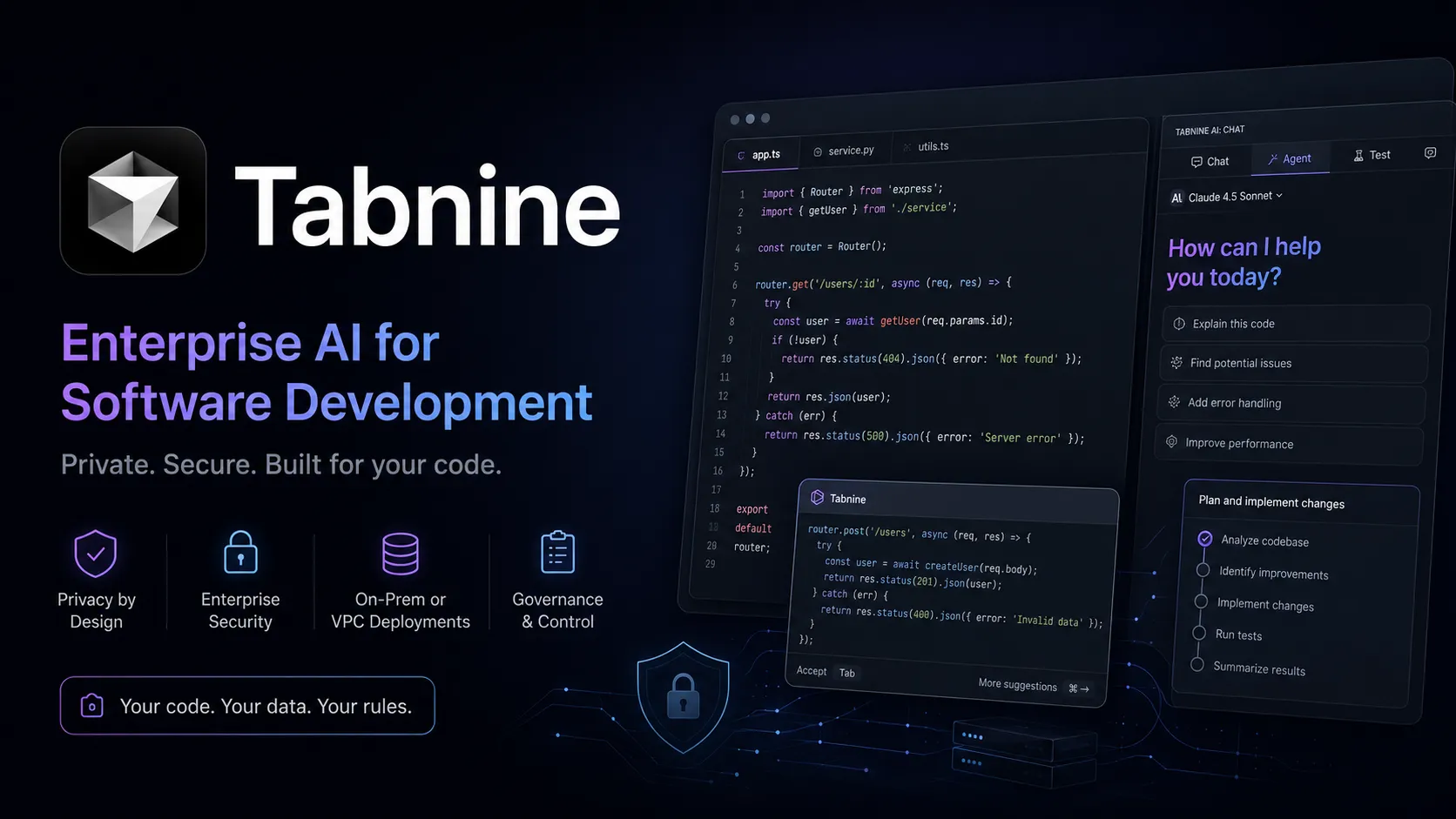
Tabnine is an enterprise-focused AI coding assistant and agentic platform for organizations that need private, governed, deploy-anywhere AI development workflows.
Information checked: Jun 14, 2026 ·View sources
Tool details
- Type
- Editor extensions
- Platforms
- VS Code, JetBrains IDEs, IntelliJ IDEA, PyCharm, WebStorm, PhpStorm, Android Studio, GoLand, CLion, Rider, DataGrip, RustRover, RubyMine, DataSpell, Aqua, AppCode, Eclipse, Visual Studio 2022, CLI, SaaS, VPC, On-premises, Air-gapped environments
- Free plan
- No
- Open source
- No
- Bring your own key
- Yes
- Local models
- No
Overview
Best for
- Enterprise engineering teams
- Regulated industries
- Security-sensitive codebases
- On-premises AI coding deployments
- Air-gapped development environments
- Teams needing code privacy and zero retention
- Organizations that require SSO, auditability, analytics, and model governance
- Companies using Jira, Confluence, GitHub, GitLab, Bitbucket, or Perforce
- Large teams standardizing AI coding assistance across multiple IDEs
- Teams that want organization-aware agentic workflows
Strengths
- Strong privacy and compliance posture for enterprise engineering teams.
- Supports SaaS, VPC, on-premises, and air-gapped deployment.
- Broad IDE and language coverage.
- Governance controls are deeper than most consumer AI coding assistants.
- Context Engine helps agents follow organization-specific standards.
- No-train, no-retain policy reduces risk for proprietary codebases.
Limitations & trade-offs
- Solo developers looking for the cheapest AI coding assistant
- Users who want a full AI-native code editor replacement
- Non-technical users looking for prompt-to-app builders
- Developers who want open-source local-first agents
- Teams that want provider-neutral BYOK experimentation above governance
- Users whose primary need is lightweight free autocomplete
- Current public pricing is enterprise/team-oriented, not low-cost individual-first.
- Less attractive for solo developers seeking cheap or free consumer AI coding.
- Private deployment and governance setup require administrative planning.
- Agentic workflows may feel heavier than lightweight autocomplete tools.
- Third-party model privacy can differ from Tabnine proprietary model privacy.
- Not a full standalone AI IDE or prompt-to-app builder.
Get started
Pricing & usage limits
Official pricingFrom $39
Annual plan for code completions, IDE chat, Jira integration, privacy controls, governance, analytics, and flexible deployment.
Includes Code Assistant plus agentic workflows, Tabnine CLI, Context Engine, MCP tool use, and organization-aware automation.
Reserved token consumption quota can be added based on actual LLM provider prices plus handling fee.
SaaS, VPC, on-premises, or fully air-gapped deployment with enterprise support, SSO, compliance, and private infrastructure options.
Optional add-on for remote or headless agents in CI/CD and automated development workflows.
Pricing checked: Jun 14, 2026 · Subscription, usage limits, and model costs may be billed separately.
Features & details
Code assistant workflow
- AI code completions for current-line, multi-line, and full-function implementation.
- AI-powered IDE chat for explaining, generating, refactoring, documenting, and fixing code.
- Inline actions support common software development tasks inside the editor.
Enterprise deployment
- Deploy as secure SaaS, VPC, on-premises, or fully air-gapped installation.
- Supports private infrastructure for organizations with strict security or compliance requirements.
- Compatible with legacy systems, modern stacks, major cloud providers, and major IDEs.
Agentic platform
- Autonomous agents with optional user-in-the-loop oversight.
- Tabnine CLI brings agentic coding and automation into terminal workflows.
- Agents can use MCP tools such as Git operations, testing frameworks, linters, Jira, Confluence, databases, Docker, package managers, and CI/CD systems.
Context Engine
- Builds organizational context from repositories, standards, APIs, docs, and development workflows.
- Connects to GitHub, GitLab, Bitbucket, Perforce Helix Core, Jira, Confluence, and related systems.
- Helps agents follow team conventions and surface relevant internal code examples.
Governance and compliance
- Zero code retention and no training on customer code.
- Centralized analytics, auditability, LLM access controls, usage visibility, and pricing thresholds.
- Supports GDPR, SOC 2, ISO 27001, TLS, end-to-end encryption, SSO, and license-safe AI usage.
IDE and language coverage
- Supports VS Code, JetBrains IDEs, Eclipse, and Visual Studio 2022.
- Works across major programming languages including JavaScript, TypeScript, Python, Java, C/C++, C#, Go, PHP, Ruby, Kotlin, Rust, SQL, Swift, Terraform, and more.
- Designed for both modern frameworks and legacy enterprise codebases.
Why Choose Tabnine?
Tabnine is most compelling when the AI coding decision is owned by engineering leadership, security, compliance, and platform teams—not only individual developers. Its strongest differentiation is control: organizations can decide where the system runs, which models are available, how usage is governed, and how much code context is allowed to leave the local or private environment.
That makes Tabnine different from consumer-first assistants that optimize for fast onboarding and broad availability. Tabnine is better understood as an enterprise AI development platform: code completions and chat are the entry point, while private deployment, Context Engine, governance, analytics, MCP, CLI, and agentic workflows are the reason larger teams evaluate it seriously.
Core Workflow
A practical Tabnine workflow starts inside the developer’s existing IDE. Developers use completions and chat for local coding tasks, while the organization configures deployment, model access, code privacy settings, repository context, Jira or Confluence connections, and policy controls centrally. This lets teams add AI assistance without forcing every engineer to switch editors.
For the Agentic Platform, the workflow expands from suggestion-level help to task-level automation. The CLI and agents can work on code changes, refactors, tests, and pull request-related work while using the Context Engine to follow internal standards. The best results come when teams define coaching guidelines, repository context, allowed tools, and review boundaries before allowing autonomous workflows at scale.
Use Cases
Tabnine fits regulated industries, large enterprises, security-sensitive teams, and organizations with valuable proprietary code. It is useful for code completion, code explanation, refactoring, documentation, unit test generation, code review guidance, and maintaining consistency across teams.
It is also a strong fit for teams that need to deploy AI inside a VPC, on-premises environment, or air-gapped network. In those environments, the key value is not only developer productivity; it is making AI adoption possible without violating internal security, privacy, legal, or compliance requirements.
Comparison to Alternatives
Compared with GitHub Copilot, Tabnine is more focused on privacy, deployment flexibility, and enterprise governance. Copilot usually has the advantage in broad developer familiarity and GitHub-native workflows, while Tabnine has an advantage when organizations need stronger control over model access, retention, deployment location, and codebase context.
Compared with Cursor or Windsurf, Tabnine does not try to replace the editor. Cursor and Windsurf are better for developers who want an AI-native coding environment with an integrated editing experience. Tabnine is better when the company wants AI coding assistance across existing IDEs and infrastructure.
Compared with Continue, Cline, Aider, or OpenCode, Tabnine is less open-source and less tinkerer-oriented, but more enterprise-packaged. Open-source tools can be excellent for flexible BYOK workflows, but Tabnine is more appropriate when procurement, compliance, support, auditability, and private deployment are required.
Best Configuration
The best Tabnine setup starts with deployment strategy. A small team may use secure SaaS, while a regulated enterprise may need VPC, on-premises, or air-gapped deployment. Model access should be controlled by team and use case, especially when optional third-party chat models are enabled.
For the strongest results, connect Tabnine to the repositories, standards, issue trackers, and documentation that define how the organization actually builds software. Then define governance rules: which teams can use which models, what context is indexed, how MCP tools are approved, how usage is audited, and when human review is required for agentic work.
Migration Notes
Moving from Copilot, Cursor, or another AI assistant to Tabnine should be treated as a governance migration, not just a plugin swap. Start by identifying which features developers actually use: autocomplete, chat, test generation, code review, repository explanation, or agentic automation. Then map those workflows to Tabnine Code Assistant or the Agentic Platform.
For enterprise rollout, pilot with one or two representative teams before broad deployment. Measure acceptance rate, developer satisfaction, code quality impact, privacy posture, support overhead, model cost, and review outcomes. If private deployment is required, involve security and platform engineering early because the operational model matters as much as the assistant experience.
Model support & data privacy
Supported models
- Tabnine proprietary models
- Claude 4.6 Sonnet
- Claude 4.6 Opus
- Claude 4.5 Sonnet
- Claude 4.5 Opus
- Claude 4.5 Haiku
- Claude 4 Sonnet
- GPT-5.4
- GPT-5.3 Codex
- GPT-5.2 Codex
- GPT-5.2
- GPT-5
- GPT-4o
- Gemini 3 Pro
- Gemini 2.5 Pro
- Gemini 2.5 Flash
- Devstral-Small-2-24B-Instruct-2512
- Devstral-2-123B-Instruct-2512
- MiniMax-M2.5
- GLM-4.7
- Qwen-3-Coder-480B-A35B-Instruct
- Qwen-3-30B
Privacy & data handling
Tabnine states that when using Tabnine models it does not retain customer code, share customer code with third parties, or train on customer code. Requests may include local project context such as code, variables, imports, related files, errors, and chat history to generate relevant responses, and Tabnine says that context is deleted after inference. Third-party chat model options may have different privacy protections, so enterprise buyers should review model selection, deployment mode, telemetry, logs, and private-installation settings before rollout.
Guides, reviews & fixes
View allNo published guides yet. Start with the official documentation above.
Product updates
No verified product updates listed yet. Follow this tool to see new relevant content in Saved.
See the content timelineAlternatives
Sources & verification
Verification dates record when this directory checked the information. Product release dates appear separately above.
Directory revision history
Created entry with current Tabnine pricing, Code Assistant and Agentic Platform positioning, Context Engine, CLI, MCP, deploy-anywhere architecture, privacy notes, supported IDEs, and enterprise governance features.