

Aider
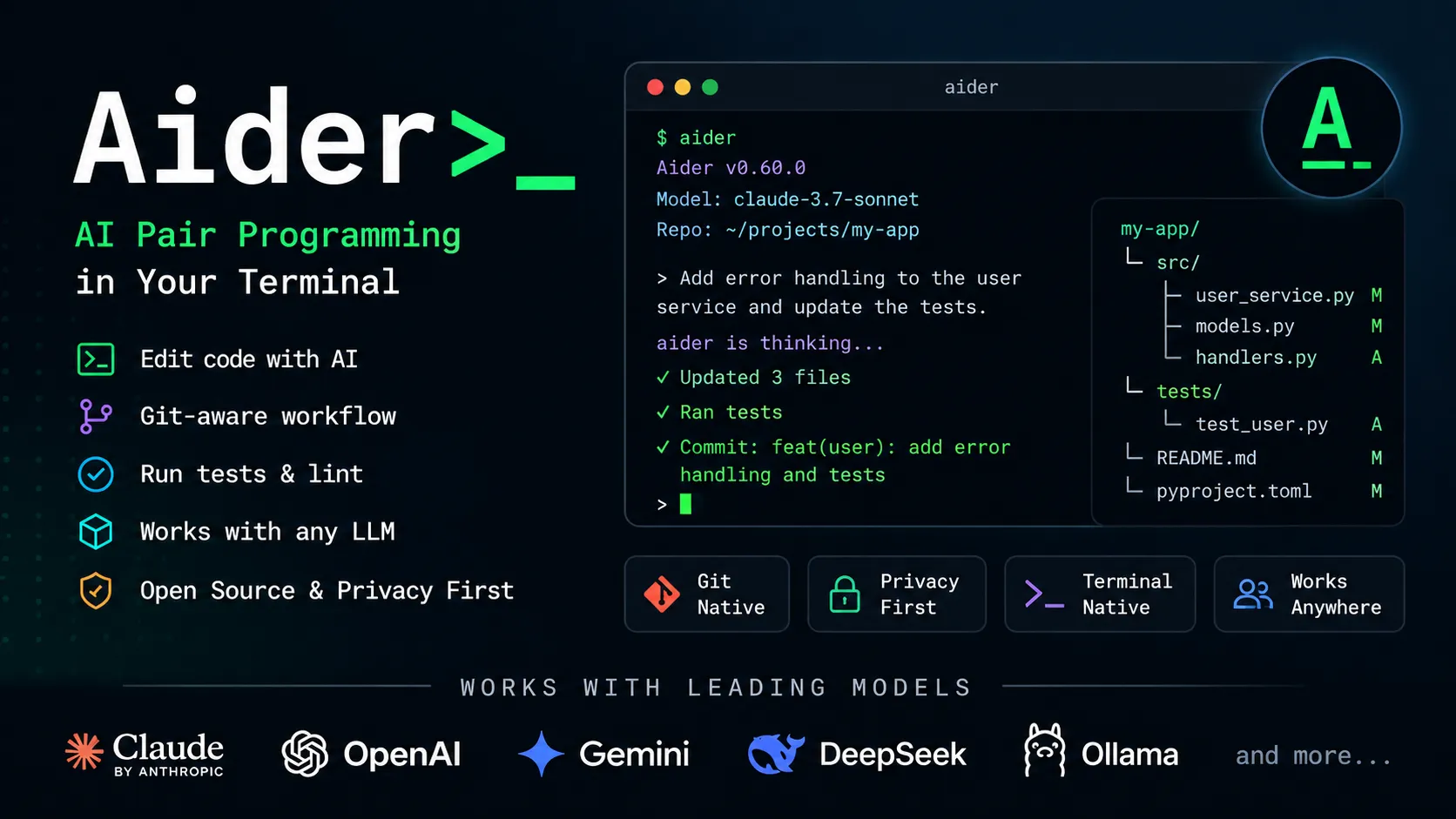
Aider is a terminal-native, open-source AI coding agent for developers who want direct Git-based code editing with flexible model choice.
Information checked: Jun 14, 2026 ·View sources
Tool details
- Type
- CLI agents
- Platforms
- macOS, Linux, Windows, Terminal, Local Git repositories, Experimental browser UI
- Free plan
- Yes
- Open source
- Yes
- Bring your own key
- Yes
- Local models
- Yes
Overview
Best for
- Terminal-first developers
- Open-source AI coding workflows
- Local Git repository editing
- Multi-file refactoring
- Bug fixing
- Test generation
- Developers who want BYOK model control
- Developers experimenting with local models
- Teams comparing open-source coding agents
- Cost-conscious AI coding setups
Strengths
- Free, open-source, and local-first.
- Works with many hosted and local models instead of locking users to one provider.
- Fits naturally into Git-based development workflows.
- Strong for targeted multi-file edits and refactoring from the terminal.
- Good companion to any IDE because it does not require switching editors.
- Useful for cost-conscious users who want direct control over model choice.
Limitations & trade-offs
- Users who want a polished AI IDE with visual project management
- Developers who primarily want inline autocomplete
- Non-technical users building apps from prompts
- Teams that need centralized enterprise billing and admin controls out of the box
- Users who do not want to manage API keys, model settings, or terminal workflows
- Workflows that require guaranteed hosted support or SLAs
- No bundled hosted model plan; users must manage API keys or local models.
- Less friendly for non-terminal users than browser or IDE-native tools.
- Model quality matters heavily; weaker models may fail to apply reliable edits.
- No built-in enterprise admin console or centralized governance layer documented.
- Usage costs can vary widely depending on model and context size.
- Not an inline autocomplete tool.
Get started
Pricing & usage limits
Free tier available
Open Source$0
Aider is free and open source. Users run it locally and bring their own model/API access.
Bring Your Own API KeyUsage-based
Costs depend on the chosen LLM provider, model, context size, and usage volume.
Local Models$0
Can connect to local models through Ollama or OpenAI-compatible local endpoints; hardware and model quality determine performance.
Pricing checked: Jun 14, 2026 · Subscription, usage limits, and model costs may be billed separately.
Features & details
Terminal-first coding
- Runs as a command-line AI pair programmer inside a local Git repo.
- Edits project files directly instead of only suggesting snippets.
- Works with new projects and existing codebases.
Git-aware workflow
- Automatically commits AI changes with generated commit messages.
- Makes it easy to diff, review, revert, or undo AI edits with normal Git tools.
- Can work with repository context through Aider's repo map.
Model flexibility
- Supports OpenAI, Anthropic, Gemini, DeepSeek, OpenRouter, Azure, Amazon Bedrock, Vertex AI, and many LiteLLM-compatible providers.
- Supports local models via Ollama and OpenAI-compatible APIs.
- Lets users choose different models for capability, cost, privacy, and latency.
Code quality loop
- Can run linting and tests after edits.
- Can ask the model to fix issues surfaced by linters or test suites.
- Supports multi-file changes, refactors, bug fixes, and test generation.
Extra context inputs
- Can include images and web pages as context.
- Supports voice-to-code workflows.
- Includes an experimental browser UI for users who prefer a graphical chat surface.
Why Choose Aider?
Aider is strongest when the developer already lives in the terminal and wants AI to make concrete changes inside a real repository. It does not try to become a new IDE, a no-code builder, or a hosted development platform. Instead, it focuses on the command-line loop: describe the change, let the model edit files, inspect the diff, run tests, and keep the result in Git.
That makes Aider unusually flexible. It can sit beside VS Code, JetBrains, Vim, Neovim, Zed, or any other editor because it is not tied to the editor surface. The main decision is not whether the UI is polished; the real decision is whether the team values local control, model choice, and Git-native review more than a fully managed AI coding product.
Core Workflow
The practical workflow starts in a Git repository. A developer launches Aider, adds the relevant files or lets the repo map provide broader context, then asks for a focused change. Aider edits the files directly and can create commits that are easy to inspect, revert, or modify with normal Git tools.
This works best when requests are specific. “Refactor this auth module to separate token parsing from request validation and update the tests” is usually better than “improve the backend.” Aider can help with broad exploration, but its value increases when the developer treats it like a pair programmer who needs the right files, constraints, and acceptance criteria.
Use Cases
Aider fits targeted implementation work: adding a feature, fixing a bug, writing tests, updating docs, migrating APIs, changing function signatures, and refactoring code across several files. It is also useful for developers experimenting with multiple providers because the same workflow can be tested with Claude, OpenAI, Gemini, DeepSeek, OpenRouter, or local models.
It is less ideal for users who want an app generated from scratch through a visual web interface. Aider can start new projects, but it assumes the user is comfortable with local files, terminals, package managers, Git, and model configuration. That makes it more developer-native than founder-native.
Comparison to Alternatives
Compared with Claude Code, Aider is more open and model-agnostic, while Claude Code offers a more vertically integrated Anthropic experience. Compared with Codex CLI or Gemini CLI, Aider is less tied to a single model provider and more attractive for users who want to switch models based on cost, quality, or privacy.
Compared with Cursor or Windsurf, Aider gives up the polished editor-native experience in exchange for portability. It can be used alongside any editor, but it will not provide the same integrated autocomplete, chat panel, or visual agent UX. Compared with GitHub Copilot, Aider is more directed: instead of completing as the user types, it performs requested edits across files.
Best Configuration
The best configuration starts with model choice. Use a strong hosted coding model for difficult refactors, and use cheaper or local models for lower-risk edits, exploration, or privacy-sensitive experiments. Keep provider keys in environment variables or local config files, not in source code. Use ignored files and explicit file selection to avoid sending secrets or irrelevant private material to a model.
For teams, conventions matter. Add repository-specific guidance for architecture, style, tests, and commit expectations. Decide whether auto-commits are desired, which models are allowed, and whether local-only workflows are required for sensitive repositories. Aider is powerful precisely because it is flexible, but that flexibility should be governed by team rules.
Migration Notes
Aider is easy to introduce because it does not require replacing the existing editor or development platform. A team can pilot it on one repository, compare diffs against human-written changes, and evaluate whether it improves bug fixing, test writing, or refactoring speed. The migration risk is lower than adopting a full AI IDE because developers can keep their normal tools.
Leaving Aider is also straightforward because the output is ordinary code and Git commits. The main things to document are model choices, configuration files, environment variables, ignored paths, and team prompt conventions. If Aider becomes part of the development process, those workflow habits—not the code itself—are what need a clean handoff.
Model support & data privacy
Supported models
- Gemini 2.5 Pro
- DeepSeek R1
- DeepSeek Chat V3
- Claude 3.7 Sonnet
- OpenAI o3
- OpenAI o4-mini
- GPT-4.1
- Ollama
- LM Studio
- OpenRouter
- Azure OpenAI
- Amazon Bedrock
- Vertex AI
- GitHub Copilot
Privacy & data handling
Aider runs locally in the user's environment, but code and prompts may be sent to the selected LLM provider unless a local model is used. Privacy therefore depends on model choice, API provider terms, configuration, ignored files, and whether the user includes sensitive files, secrets, images, web pages, or command output in chat context.
Guides, reviews & fixes

Product updates
No verified product updates listed yet. Follow this tool to see new relevant content in Saved.
See the content timelineAlternatives
 Claude CodeClaude Code is Anthropic's terminal coding agent for repository work, subagents, hooks, MCP, and automation, with growing operational tooling for API cost analysis and feedback.Aider vs Claude Code
 Codex CLIOpenAI Codex CLI is a terminal coding agent that combines repository editing and command execution with task-to-task coordination, parallel workflows, hooks, and the broader Codex platform.
 Gemini CLIGemini CLI is Google’s open-source terminal coding agent for Gemini-powered development workflows, now positioned as a legacy tool transitioning toward Antigravity CLI for future agent-first development.
 OpenCodeOpenCode is an open-source coding-agent harness for terminal, desktop, and IDE workflows with broad provider support, BYOK, and an optional OpenCode Go subscription for curated open models.
 ClineCline is an open-source, model-flexible AI coding agent for developers who want agentic file editing, command execution, browser use, MCP tools, and human-in-the-loop control inside existing development environments.
 Roo CodeRoo Code is a powerful open-source VS Code coding agent for developers who want model choice, deep customization, local control, and multi-step agentic workflows inside their editor.
 ContinueContinue is an open-source AI coding agent and IDE extension ecosystem focused on configurable model access, repository-defined AI checks, and team-controlled coding workflows.
 CursorCursor is an AI coding and cloud development platform that combines a VS Code-based editor, local and cloud agents, CLI workflows, Origin code hosting, repository collaboration, and prompt-to-app creation.
 WindsurfWindsurf, now transitioning under the Devin Desktop brand, is an AI-native IDE for developers who want coding agents, codebase context, and editor workflows in one desktop environment.
 GitHub CopilotGitHub Copilot is a mainstream AI code assistant and developer workflow layer for teams that want AI support inside existing editors, GitHub repositories, pull requests, and terminal workflows.
 Augment CodeAugment Code is an enterprise-focused AI coding platform for teams working in large repositories, existing IDEs, terminals, and automated engineering workflows.
Sources & verification
Verification dates record when this directory checked the information. Product release dates appear separately above.
Official websiteAider official websiteAider GitHub repositoryAider LLM documentationAider configuration documentationAider advanced model settingsAider release historyAider browser UI announcementAider blog
Directory revision history
Created entry with open-source/BYOK pricing, terminal workflow, Git-based editing, repo map, local model support, supported provider notes, and migration guidance.