

Kilo Code
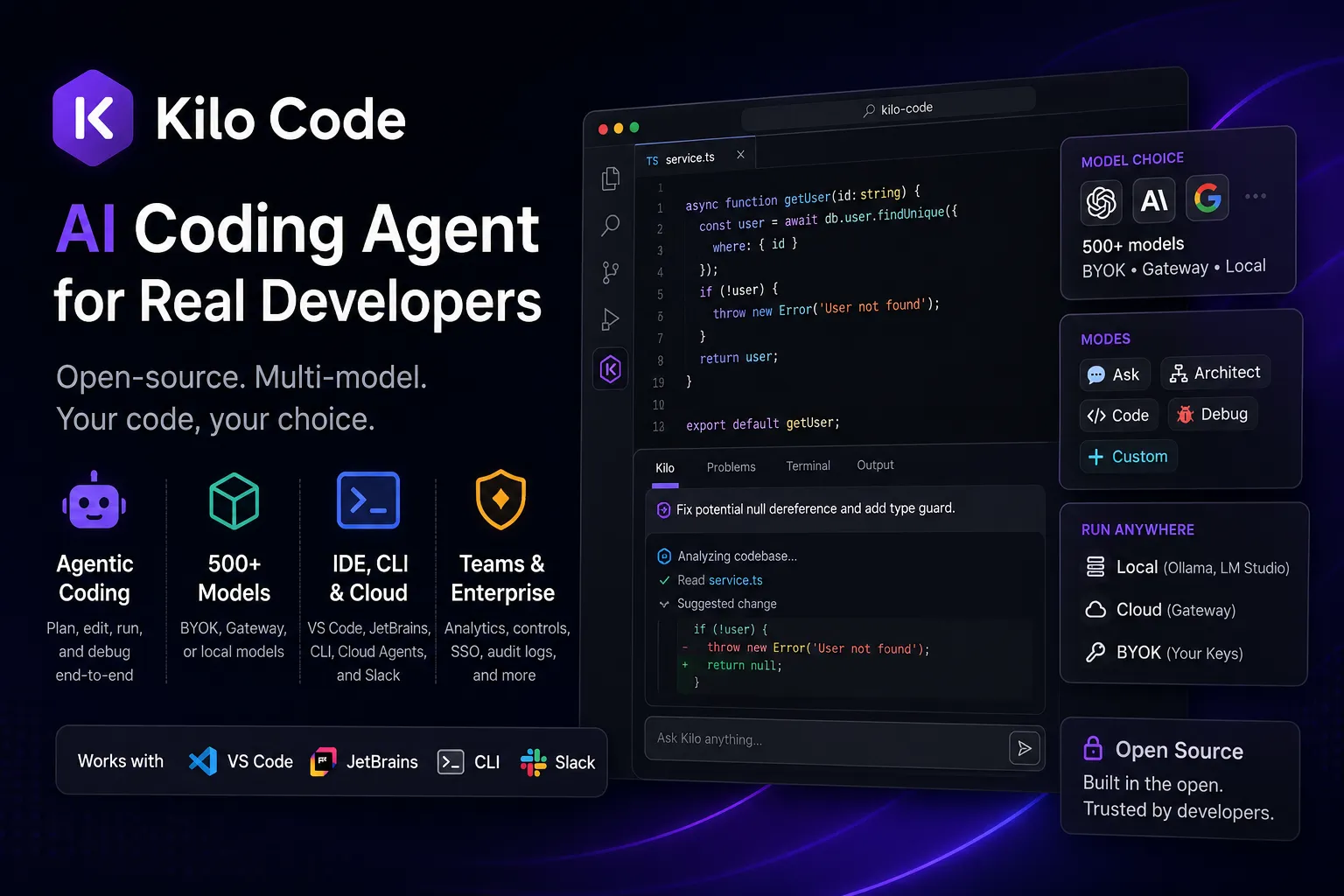
Kilo Code is an open-source AI coding agent for VS Code, JetBrains, CLI, and cloud workflows. It is best for developers who want agentic coding with broad model choice, BYOK, local model support, and team controls without being locked into one AI provider.
Choose Kilo Code when openness, model flexibility, BYOK/local options, and cross-surface agent workflows matter more than having one tightly controlled first-party editor experience.
Pricing Plans
Free & Open Source
Core VS Code, JetBrains, and CLI coding agent; AI usage is billed separately or supplied via BYOK/local models.
Teams
Adds centralized billing, usage analytics, shared modes, shared BYOK, team management, privacy controls, and priority support.
Enterprise
Adds model/provider restrictions, private gateway BYOK, audit logs, SSO/OIDC/SCIM, SLA commitments, and dedicated support.
Auto Free / BYOK / Local
Use free routed models where available, bring provider keys, or run local models with Ollama, LM Studio, or Atomic Chat.
Kilo Gateway
Pay-as-you-go hosted inference at provider rates with no AI inference markup.
Kilo Pass
Monthly AI credit subscription with bonus credits for regular hosted inference usage.
Core Features
1Agentic Coding
- Natural-language code generation and editing
- Automated refactoring and bug fixing
- Terminal command execution with permission controls
- Browser automation for web tasks
- Self-checking workflow for generated changes
2Modes and Context
- Ask, Architect, Code, Debug, and Custom modes
- Codebase-aware assistance
- Custom rules and repository-level guidance
- Semantic codebase indexing
- Task history and checkpoints
3Model Flexibility
- 500+ models through Kilo Gateway
- Bring-your-own-key provider routing
- Local models via Ollama, LM Studio, and Atomic Chat
- OpenAI-compatible provider support
- Auto Model routing for cost/capability control
4Team Workflow
- VS Code and JetBrains extensions
- Kilo CLI for terminal workflows
- Cloud agents and Slack entry points
- Code review workflows
- Shared modes, analytics, and organization controls
Pros
- Open-source agent with inspectable behavior.
- Broad model choice across hosted, BYOK, and local providers.
- Works across IDE, terminal, cloud, and team workflows.
- Mode-based workflow separates planning, coding, and debugging.
- Teams and enterprise controls are available for organizations.
Cons
- Hosted inference, Gateway, and team features add pricing complexity.
- Local models require extra setup and suitable hardware.
- The broad platform surface may feel heavier than a simple autocomplete extension.
- Agentic terminal and browser actions require careful permission discipline.
- Some advanced workflows depend on provider capability and model quality.
Why Choose Kilo Code?
Kilo Code is most compelling when a developer wants the control of an extension-based workflow without accepting a single-model or single-editor lock-in. Instead of treating AI assistance as only autocomplete, Kilo is built around agentic sessions: it can plan, edit, run commands, inspect results, and continue iterating inside the development environment.
The main strategic difference is model freedom. A team can start with free or hosted models, route through Kilo Gateway, bring existing provider keys, or move sensitive workflows to local inference. That makes Kilo attractive for developers who want to compare model performance task by task rather than standardize everything around one vendor.
Core Workflow
The practical workflow is to keep Kilo close to the repository and assign it scoped tasks: explain an unfamiliar module, draft an implementation plan, edit a feature, run a failing test, or debug an error trace. The mode system helps separate thinking work from modification work, which is useful when teams want a plan before allowing file edits or terminal execution.
For larger codebases, Kilo works best when repository conventions are made explicit. Add project rules, define preferred test commands, document architectural boundaries, and keep tasks narrow enough that the agent can verify its own changes. The agent is strongest when it can use existing tests, linters, and type checks as feedback loops rather than relying only on generated code.
Use Cases
Kilo Code fits day-to-day engineering work such as feature scaffolding, refactoring, debugging, test repair, dependency migration, and exploratory codebase understanding. It is also useful for teams experimenting with multiple model providers because the same workflow can be tested against different hosted, BYOK, or local models.
The tool is less suited to non-technical product builders who want a finished web app from a prompt. It assumes the user is working inside a real repository and is willing to review changes, manage permissions, and validate output with normal engineering checks.
Comparison to Alternatives
Compared with Cursor or Windsurf, Kilo is less about replacing the editor and more about adding an open, multi-model agent layer to existing IDE and terminal workflows. That makes migration easier for developers who already like VS Code or JetBrains, but it may feel less seamless than a fully AI-native editor.
Compared with Cline and Roo Code, Kilo competes in the same open-source VS Code agent category but emphasizes a broader platform: CLI, Gateway, team controls, code review, cloud agents, and managed inference options. Compared with Claude Code or Aider, Kilo is less purely terminal-first and more useful when developers want the same agentic workflow across both editor and CLI surfaces.
Best Configuration
For individual developers, a sensible starting setup is the free extension plus either BYOK or a small hosted credit balance. Use stronger frontier models for planning and complex code edits, then use cheaper or local models for explanations, small refactors, and repetitive tasks. This keeps the workflow flexible without turning every request into an expensive model call.
For teams, the configuration should focus on guardrails: shared modes, approved providers, spending visibility, repository rules, and clear permission boundaries for terminal or browser actions. Kilo becomes more predictable when the agent has a documented engineering playbook and when CI is treated as the final source of truth.
Migration Notes
Moving from Roo Code or Cline should be straightforward conceptually because the workflow is still extension-based and agentic. The main migration task is not rewriting code; it is recreating custom modes, rules, provider settings, and permission expectations.
Moving from Cursor requires a different decision: whether the team wants to stay in its current editor or adopt a dedicated AI-native editor. Kilo is the better fit when editor continuity, BYOK, local model support, and open-source inspection are high priorities. Cursor remains attractive when the team wants a polished all-in-one editor experience with fewer moving parts.
Best For
- Developers who want an open-source AI coding agent inside VS Code or JetBrains.
- Teams that want BYOK, shared modes, usage analytics, and centralized AI cost controls.
- Power users who switch between IDE and terminal workflows.
- Developers comparing Roo Code, Cline, Continue, Cursor, and Claude Code.
- Privacy-conscious workflows that can run capable local models.
Not Ideal For
- Users who only need lightweight autocomplete with minimal setup.
- Non-technical users looking for a no-code prompt-to-app builder.
- Teams that require a single fixed first-party model vendor.
- Developers without budget or hardware for higher-capability model usage.
Privacy Notes
Kilo Code can use local models through Ollama, LM Studio, and Atomic Chat for workflows where code and prompts stay on the local machine. Hosted Gateway, Cloud Agents, code review, and BYOK routing may send prompts, repository context, or outputs to Kilo infrastructure and/or the selected model provider, so sensitive repositories should be reviewed against provider terms, enterprise controls, and internal policy.
Alternatives
Sources
Update History
- Jun 16, 2026: Created directory profile using the official site, pricing page, docs, GitHub repository, and VS Code Marketplace listing.
Related Tools
More listings in a similar part of the directory.





Kilo Code Articles
Guides, comparisons, and launch notes connected to this listing.

