

Sourcegraph Cody
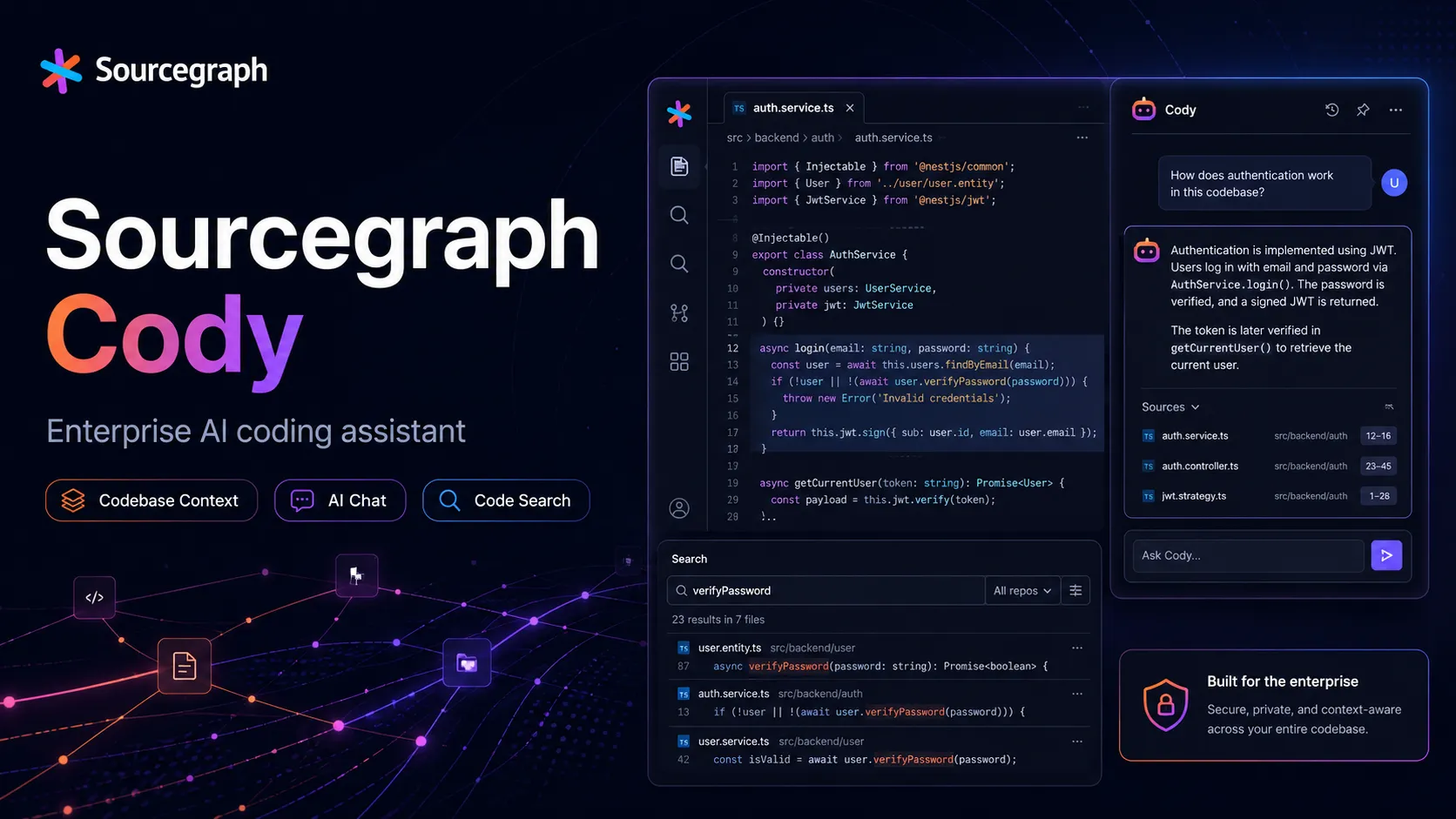
Sourcegraph Cody is an enterprise AI coding assistant focused on codebase-aware chat, code edits, completions, and context retrieval across large multi-repository environments.
Information checked: Jun 16, 2026 ·View sources
Tool details
- Type
- Editor extensions
- Platforms
- VS Code, JetBrains IDEs, Visual Studio, Sourcegraph Web, Cody CLI, GitHub, GitLab, Sourcegraph Cloud, Sourcegraph self-hosted
- Free plan
- No
- Open source
- Yes
- Bring your own key
- Yes
- Local models
- No
Overview
Best for
- Enterprise teams with large monorepos or multi-repository architectures
- Organizations already using Sourcegraph Code Search and code intelligence
- Developers who need AI answers grounded in remote repository context
- Security-conscious teams that need context filtering and enterprise controls
- Teams that want AI assistance inside existing IDEs rather than switching editors
Strengths
- Strong codebase-context layer for large enterprise repositories.
- Works across VS Code, JetBrains IDEs, Visual Studio, web, and CLI workflows.
- Sourcegraph search and code intelligence make Cody useful for multi-repository understanding.
- Enterprise Context Filters help control which repositories can be sent as LLM context.
- Enterprise customers can access model selection and newer models through Cody Gateway.
Limitations & trade-offs
- Individual developers looking for a low-cost personal AI coding assistant
- Teams that want a standalone AI-native editor
- Users looking for a fully autonomous coding agent that takes issues end-to-end
- Organizations that do not plan to deploy or buy Sourcegraph Enterprise
- Developers who need local model execution as a primary feature
- Cody Free and Cody Pro were discontinued in 2025, so Cody is now mainly an enterprise offering.
- Less attractive for individual developers compared with newer agentic tools such as Amp, Cursor, Claude Code, or Copilot.
- Current pricing is tied to Sourcegraph Enterprise rather than a simple per-seat Cody plan.
- Advanced value depends on having Sourcegraph indexed and configured across the organization.
- Not a full autonomous coding agent in the same sense as Devin, Factory, or OpenHands.
Get started
Pricing & usage limits
Official pricingFrom $16000
Enterprise platform plan that includes credits for AI features and scales with team size.
Enterprise-supported Cody access for Sourcegraph customers; Cody Free, Cody Pro, and Enterprise Starter Cody access were discontinued in 2025.
Additional volume credit buckets are available as add-ons for AI feature usage.
Pricing checked: Jun 16, 2026 · Subscription, usage limits, and model costs may be billed separately.
Features & details
IDE Assistance
- AI chat inside supported IDEs
- Code completions and edits
- Custom and shared prompts
- Debugging and code explanation workflows
Enterprise Code Context
- Sourcegraph Search API context
- Local and remote repository context
- Symbols, APIs, and usage-pattern awareness
- Multi-repository codebase understanding
Supported Surfaces
- VS Code extension
- JetBrains IDE extension
- Visual Studio extension
- Cody Web inside Sourcegraph
- Cody CLI
Model and Context Controls
- Enterprise model selection
- Cody Gateway model access
- Context Filters for sensitive repositories
- MCP support for external context
Sourcegraph Platform Fit
- Works with Code Search
- Compatible with Sourcegraph Enterprise
- Connects to major code hosts
- Complements MCP Server, API, and CLI workflows
Why Choose Sourcegraph Cody?
Sourcegraph Cody is most valuable when codebase context is the bottleneck. Many AI coding assistants can explain the open file or generate small snippets, but Cody’s original differentiation is its connection to Sourcegraph’s code search and code intelligence layer. That makes it more useful for large organizations where the relevant answer may live in another repository, another service, or a pattern repeated across many teams.
The product has also changed strategically. Cody Free and Cody Pro were discontinued in 2025, while Cody Enterprise remains supported. That means Cody should now be evaluated less as a personal Copilot alternative and more as part of a broader Sourcegraph Enterprise deployment for code understanding, governance, and AI-assisted development.
Core Workflow
A typical Cody workflow starts inside the IDE. The developer asks a question about a file, selected code, symbol, repository, or broader codebase. Cody uses the open file and repository by default, and can use additional context through Sourcegraph search, remote repositories, symbols, and explicitly referenced files or artifacts.
For enterprise usage, the stronger workflow is to pair Cody with a well-indexed Sourcegraph instance. The assistant becomes more useful when Sourcegraph already understands the organization’s code hosts, repository graph, code navigation, and search patterns. In that setup, Cody is not only answering from the local checkout; it can help developers understand APIs, usage examples, conventions, and dependencies across the company’s codebase.
Use Cases
Cody is well suited for onboarding into unfamiliar codebases, explaining legacy systems, finding implementation patterns, generating tests, drafting refactors, debugging errors, documenting functions, and answering architecture questions that require repository context.
It is especially useful for support engineers, platform teams, security teams, and enterprise developers who frequently need to understand code they did not write. For these workflows, the value is less about raw code generation and more about reducing the time needed to locate the right context.
Comparison to Alternatives
Compared with GitHub Copilot, Cody is more explicitly tied to code search and multi-repository context. Copilot is often easier for broad individual adoption, while Cody is more compelling when the company already relies on Sourcegraph to understand a large codebase.
Compared with Cursor or Windsurf, Cody does not require switching to a new AI-native editor. It works inside existing IDEs and the Sourcegraph web app, which can reduce migration friction for enterprise teams. The tradeoff is that it may not feel as cohesive as a full AI-native editor for agentic editing sessions.
Compared with Continue, Cody is more enterprise-platform oriented. Continue offers more open model and local configuration flexibility, while Cody focuses on Sourcegraph’s indexed context, governance, enterprise deployment, and controlled codebase access.
Compared with Amp, Cody now occupies the more enterprise-context-assistant lane. Amp is Sourcegraph’s newer agentic coding product for modern delegated workflows, while Cody remains relevant where IDE assistance and Sourcegraph Enterprise context are the core requirement.
Best Configuration
For enterprises, Cody should be rolled out after Sourcegraph code indexing and permissions are in good shape. If Sourcegraph cannot search the right repositories or reflect the right access rules, Cody’s context advantage is weakened.
Context Filters should be configured early. They are important for preventing sensitive repositories from being used as LLM context and for giving security teams a clear policy boundary. Model selection should also be governed centrally so developers have access to approved models without each team inventing its own routing strategy.
For developer adoption, begin with high-value knowledge workflows: explain this service, find usage examples, compare implementations, generate migration notes, write tests for this function, or summarize this subsystem. These tasks show Cody’s codebase-context advantage more clearly than generic autocomplete benchmarks.
Migration Notes
Teams moving from Cody Free or Cody Pro should recognize that those plans are no longer the main path forward. Sourcegraph points individual and Pro users toward Amp, while Cody Enterprise remains supported for larger organizations.
Teams moving from GitHub Copilot should evaluate Cody on enterprise context quality rather than only completion speed. The key question is whether Cody can answer organization-specific questions that require cross-repository context.
Teams moving from Sourcegraph Code Search alone should treat Cody as an assistant layer on top of existing search workflows. The best results usually come when developers already know how to search the codebase and use Cody to synthesize, explain, and modify based on that context.
For security-conscious teams, review Sourcegraph AI Terms, Cody Gateway, model-provider routing, zero-retention commitments, Context Filters, and self-hosted or single-tenant deployment options before enabling Cody on sensitive repositories.
Model support & data privacy
Supported models
- Claude Opus 4.5
- Gemini 3 Pro
- GPT-5.1
- OpenAI 4.1
- OpenAI 4.1-mini
- OpenAI 4.1-nano
- OpenAI o3
- OpenAI o4-mini
- Google Gemini 2.5 Flash Preview
- Google Gemini 2.5 Pro Preview
- Claude 3.5 Sonnet
- Amazon Bedrock
- Azure OpenAI
- Google Cloud Vertex AI
Privacy & data handling
Cody collects prompts and responses to provide the service, and Sourcegraph documentation says it does not use user data to train models. Sourcegraph AI Terms state that Sourcegraph and partner LLMs do not use customer code to train models, and partner LLMs use zero-retention handling for inputs, outputs, and candidate context when accessed through Sourcegraph Partner LLMs. Enterprise teams should review AI Terms, Context Filters, Cody Gateway, model routing, self-hosting, and codehost permissions before rollout.
Guides, reviews & fixes
View allNo published guides yet. Start with the official documentation above.
Product updates
No verified product updates listed yet. Follow this tool to see new relevant content in Saved.
See the content timelineAlternatives
Sources & verification
Verification dates record when this directory checked the information. Product release dates appear separately above.
Directory revision history
Created initial directory entry using Sourcegraph Cody documentation, Sourcegraph pricing, Cody plan-discontinuation notice, enterprise model changelogs, context filter announcement, MCP announcement, AI Terms, marketplace listing, and public snapshot repository.