

OutSystems
OutSystems is an enterprise AI development and low-code platform for teams that need to build, run, and govern full-stack applications and agentic systems at scale.
Information checked: Jul 2, 2026 ·View sources
Tool details
- Type
- App builders
- Platforms
- OutSystems Cloud, OutSystems Developer Cloud, ODC Studio, ODC Portal, Self-hosted option on eligible plans, Web apps, Mobile apps
- Free plan
- Yes
- Open source
- No
- Bring your own key
- Yes
- Local models
- No
Overview
Best for
- Enterprise application modernization
- Regulated business applications
- Internal workflow automation
- Customer portals and service apps
- AI-assisted low-code development
- Governed AI agent orchestration
- Organizations standardizing on one app and agent delivery platform
Strengths
- Designed for enterprise-grade apps, agents, and workflows rather than throwaway prototypes.
- Combines AI generation with model-driven development, governance, and DevSecOps.
- Strong fit for regulated industries and large organizations with complex integrations.
- Personal Edition makes it possible to evaluate the platform before sales-led procurement.
- Agent Workbench extends the platform beyond apps into governed AI agent orchestration.
Limitations & trade-offs
- Solo developers looking for a cheap AI coding assistant
- Teams that want plain React, Next.js, or full-code ownership as the primary workflow
- Simple landing pages or small content sites
- Startups that want fast prompt-to-app prototyping without enterprise platform overhead
- Developers who prefer local-only, open-source, or CLI-first coding agents
- Enterprise pricing is quote-based and can be too heavy for solo builders or small teams.
- Not as lightweight or code-native as prompt-to-app tools like Lovable or Bolt.new.
- Platform skills, architecture patterns, and lifecycle conventions take time to learn.
- Best value appears when an organization commits to OutSystems as a strategic platform.
- Generated and model-driven apps still require governance, testing, and architecture review.
Get started
Pricing & usage limits
Official pricingFree tier available
Development runtime in OutSystems Cloud for test applications only; up to 100 internal users; no production use or uptime guarantee.
Production platform for enterprise apps; includes dev, non-production, and production runtimes, 100 internal users to start, and 99.5% uptime.
Options for 24x7 support, 99.95% uptime, extra runtimes, self-hosting, additional compliance, larger apps, and more users.
Pricing checked: Jul 2, 2026 · Subscription, usage limits, and model costs may be billed separately.
Features & details
AI App Development
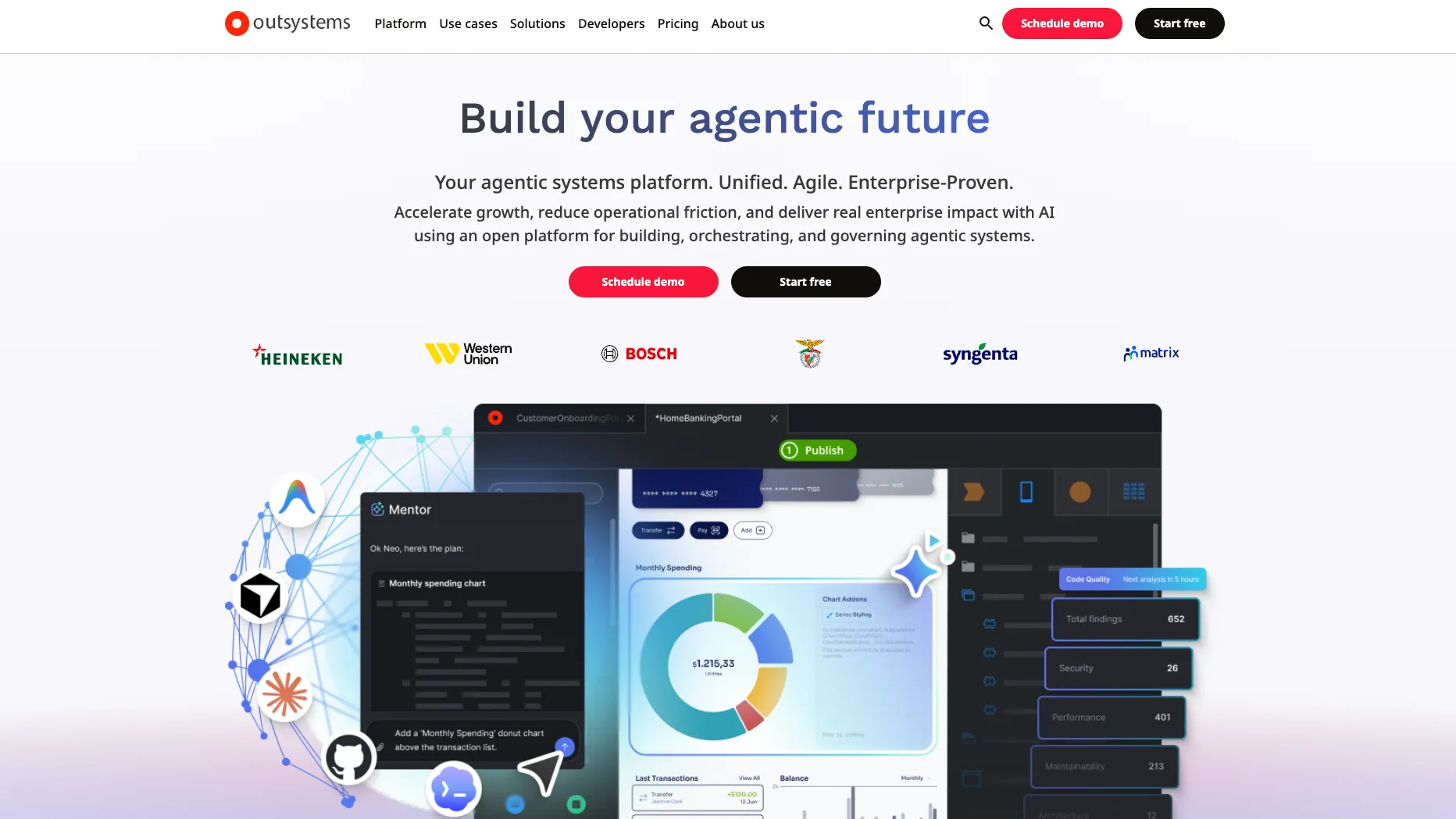
- Mentor for AI-assisted app generation and in-IDE iteration
- Natural-language requirements to editable visual blueprints
- Model-driven full-stack application development
- AI-assisted review, validation, and modernization workflows
Enterprise Low-Code Platform
- Visual development for web, mobile, logic, data, and integrations
- Reusable components and Forge ecosystem
- Integrated DevSecOps and lifecycle management
- Separate development, test, and production runtimes
Agentic AI Capabilities
- Agent Workbench for designing and governing AI agents
- Agent orchestration across apps, workflows, data, and APIs
- MCP-powered connections and enterprise context grounding
- Observability for reasoning, tool use, quality, and cost
Governance and Operations
- Role-based access controls and human-in-the-loop approvals
- Security and compliance controls for regulated environments
- One-click publishing across controlled environments
- Cloud hosting with advanced add-ons for support, uptime, and compliance
Why Choose OutSystems?
OutSystems is best understood as an enterprise application platform, not a lightweight AI coding assistant. Its main value is the combination of low-code development, AI-assisted delivery, governed deployment, and long-term application lifecycle management.
That makes it especially relevant for organizations where the hard part is not creating the first screen. The harder problems are integration, compliance, approvals, deployment stages, runtime operations, support ownership, and modernization of systems that cannot simply be rebuilt from scratch.
OutSystems is a stronger fit when a company wants a standardized delivery platform across many teams rather than a single prompt-to-app workspace for one project.
Core Workflow
A typical OutSystems workflow starts with a business requirement, process, or modernization target. Teams can use Mentor to turn that requirement into a visual plan, review the generated blueprint, and then refine the application inside the OutSystems development environment.
The important difference from simple AI app builders is that the generated work remains tied to a model-driven architecture. Screens, data, logic, dependencies, and deployment stages are visible in platform-managed structures, which makes the system easier to govern than a pile of generated files.
For larger teams, the workflow usually looks like this:
- Capture the business process or application requirement.
- Generate or model the application structure.
- Review the data model, integrations, and business logic.
- Iterate with visual development and AI assistance.
- Validate security, architecture, and dependency impact.
- Publish through controlled environments.
- Monitor the application or agent in production.
This is slower than a pure vibe-coding demo, but it is closer to how enterprise software actually reaches production.
Use Cases
OutSystems is strongest for applications that sit close to business operations. Examples include customer portals, onboarding flows, case management, loan origination, insurance workflows, logistics tools, field service apps, employee self-service systems, and modernization layers around legacy software.
The platform also becomes more interesting for AI projects when an organization wants agents to interact with existing systems instead of living in a disconnected chatbot interface. Agent Workbench is designed for these scenarios: agents that read enterprise context, call APIs, use connectors, participate in workflows, and remain observable after deployment.
OutSystems is less compelling for simple marketing sites, indie SaaS experiments, or developer teams that want direct ownership of a conventional codebase from day one.
Comparison to Alternatives
The most direct comparison is Mendix. Both target enterprise low-code application development, complex integrations, and governed delivery. Mendix may appeal to organizations already aligned with Siemens ecosystems or teams that prefer its modeling approach, while OutSystems is often evaluated for high-performance enterprise apps, lifecycle controls, and its expanding AI app and agent story.
Microsoft Power Apps is a stronger fit when a company is already deeply invested in Microsoft 365, Dataverse, SharePoint, Teams, and Power Automate. OutSystems usually makes more sense when applications need to go beyond departmental workflows into broader customer-facing, core-system, or multi-environment delivery.
Appian and Pega are better comparisons for process-heavy automation, case management, and rule-driven operations. OutSystems tends to be more application-development oriented, while those platforms may be preferred when process orchestration is the center of gravity.
Compared with Lovable, Bolt.new, Replit Agent, or v0, OutSystems is much more enterprise-focused. Those tools are better for fast prototypes and code-generation-driven MVPs. OutSystems is better when the buying decision includes governance, production reliability, compliance, support, and long-term portfolio management.
Best Configuration
OutSystems is usually most effective when treated as a strategic platform rather than a side tool. Teams should define platform ownership early: who manages architecture, who approves data models, who controls integrations, who reviews AI-generated changes, and who owns runtime operations.
For enterprise adoption, a practical configuration includes separate development, test, and production runtimes; role-based permissions; formal review rules for security-sensitive changes; connector standards for core systems; and clear policies for AI model usage.
Agent projects should also define guardrails before implementation. That means documenting what agents may access, which tools they can call, when human approval is required, how reasoning and tool use are logged, and which model providers are approved for each environment.
Migration Notes
Migrating into OutSystems is not the same as moving code from one framework to another. The migration plan should start from business capabilities, data ownership, integration contracts, and operating model. For legacy systems, the safest approach is usually incremental: wrap, extend, and modernize high-value workflows before attempting full replacement.
Teams leaving OutSystems should also plan carefully. Although OutSystems emphasizes generated open code and integration flexibility, the productivity model depends heavily on platform services, visual models, runtime conventions, and lifecycle tooling. A departure plan should account for rewritten workflows, deployment changes, data access patterns, user management, and monitoring.
For organizations already committed to OutSystems 11, evaluating OutSystems Developer Cloud should include technical differences, runtime architecture, AI/agent capabilities, compatibility requirements, and data migration strategy. The decision should be based on portfolio needs rather than a one-app feature comparison.
Practical Evaluation Checklist
Before adopting OutSystems, teams should validate five areas:
- Portfolio fit: Are there enough enterprise applications or workflows to justify a platform-level investment?
- Integration depth: Can the platform connect cleanly to the systems that matter most?
- Governance model: Are roles, approvals, environments, and compliance controls mapped to the organization’s SDLC?
- AI readiness: Are model providers, data boundaries, prompt policies, and agent guardrails defined?
- Exit and portability: Does the team understand which parts are standard code, which parts are platform-managed, and what migration would require?
The strongest OutSystems deployments usually have a clear center of excellence, reusable architecture patterns, and disciplined governance. Without those, teams can still build quickly, but they may recreate the same sprawl and technical debt that low-code platforms are meant to reduce.
Model support & data privacy
Supported models
- Azure OpenAI
- Amazon Bedrock
Privacy & data handling
OutSystems is aimed at enterprise environments with governance, access control, compliance options, and managed runtime controls. Data exposure still depends on the selected deployment model, configured AI providers, model endpoints, connectors, logs, and organizational policies, so teams should review the MSA, privacy terms, AI model configuration, and data-processing controls before using regulated or confidential data.
Guides, reviews & fixes
View allNo published guides yet. Start with the official documentation above.
Product updates
No verified product updates listed yet. Follow this tool to see new relevant content in Saved.
See the content timelineAlternatives
Sources & verification
Verification dates record when this directory checked the information. Product release dates appear separately above.
Directory revision history
Updated positioning around OutSystems as an AI development and agentic systems platform with Mentor and Agent Workbench.
Verified pricing structure: Personal Edition remains free for test applications, while production ODC pricing is quote-based.