

Kimi Code
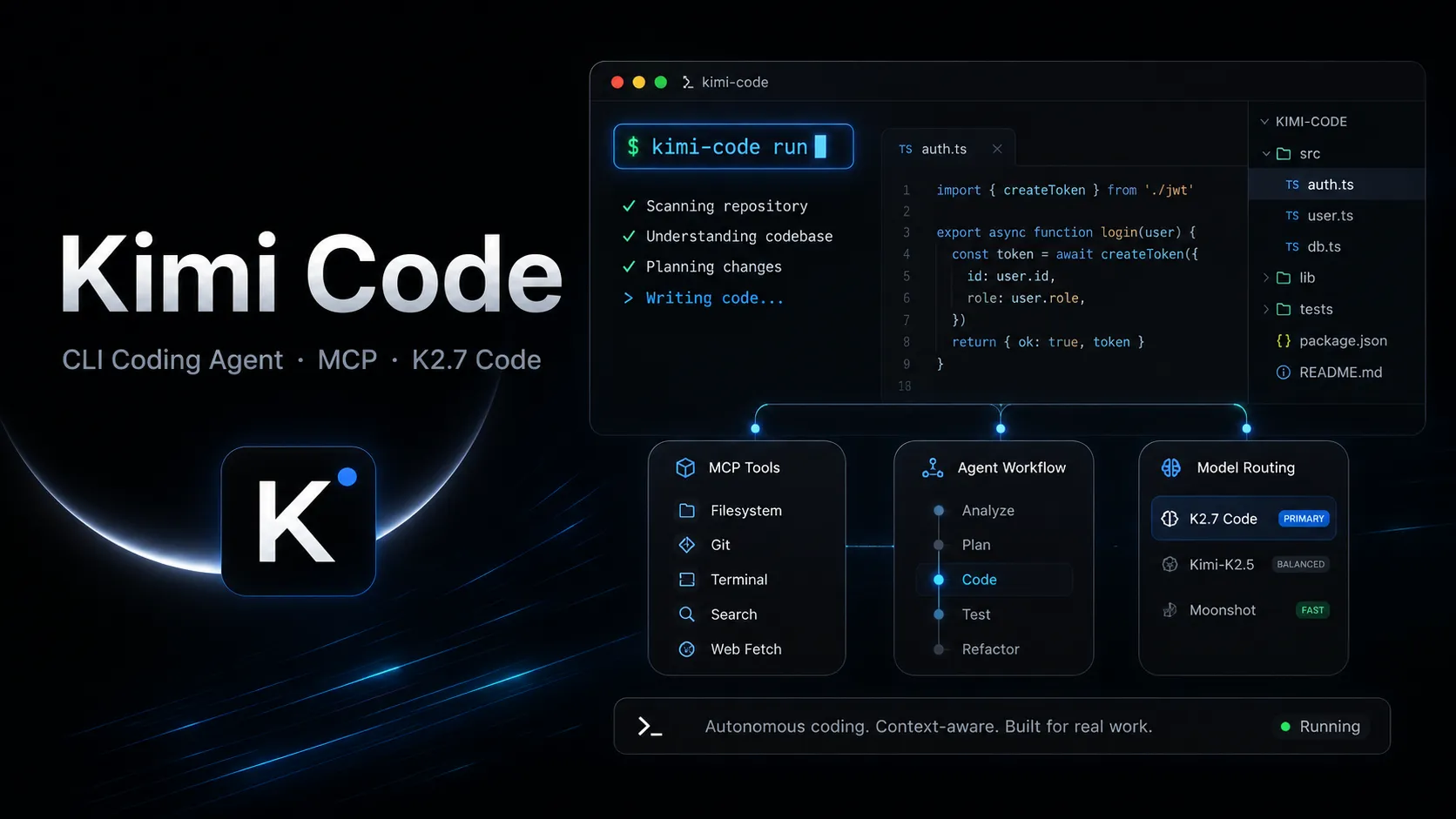
Kimi Code is a CLI-first AI coding agent from Moonshot AI that combines Kimi’s coding models with terminal automation, MCP tooling, and IDE interoperability.
Information checked: Jul 1, 2026 ·View sources
Tool details
- Type
- CLI agents
- Platforms
- macOS, Linux, Windows, Terminal, VS Code, Zed, JetBrains IDEs via ACP, ACP-compatible clients, Claude Code-compatible workflows, Roo Code, OpenCode
- Free plan
- No
- Open source
- Yes
- Bring your own key
- Yes
- Local models
- No
Overview
Best for
- Developers who prefer terminal-native AI coding agents.
- Long-context codebase reading, refactoring, and debugging.
- Teams experimenting with Kimi K2.7 Code as a lower-cost coding model.
- Power users who want MCP, hooks, skills, plugins, and custom provider configuration.
- Developers who want one agent usable from CLI and ACP-compatible IDEs.
Strengths
- Strong terminal-first workflow for agentic coding.
- MIT-licensed CLI with active public development.
- Kimi K2.7 Code targets long-context coding and agent tasks.
- Flexible provider configuration beyond Moonshot’s managed service.
- MCP, plugins, skills, hooks, and subagents make it highly extensible.
- ACP support makes it usable from compatible IDE agent panels.
Limitations & trade-offs
- Users who want a polished full AI IDE instead of a terminal agent.
- Teams that require a fully free hosted coding agent.
- New users who specifically need the official VS Code extension as their primary interface.
- Highly regulated organizations that cannot send repository context to external model providers.
- Developers who do not want to manage API keys, provider configuration, shell permissions, or approval rules.
- Kimi Code service access starts with paid membership or API usage.
- Official VS Code extension availability is restricted for new TS CLI users.
- YOLO mode and MCP tools require careful security discipline.
- Subscription usage is governed by quotas and acceptable-use rules.
- Enterprise teams may need extra review because prompts, files, and generated content can be processed by Moonshot services.
- You need to manage terminal setup, provider keys, and local permissions yourself.
Get started
Pricing & usage limits
Official pricingFrom $19
Entry paid Kimi Code subscription with weekly refreshed usage quotas and multi-device login.
Higher weekly limits and increased concurrency for more active coding workflows.
Expanded quota tier for intensive daily development and larger projects.
Highest published Kimi Code subscription tier for complex projects and larger codebases.
Token-based API pricing for the standard kimi-k2.7-code model.
Higher-cost, lower-latency API variant for speed-sensitive coding workflows.
Pricing checked: Jul 1, 2026 · Subscription, usage limits, and model costs may be billed separately.
Features & details
Terminal Agent
- Interactive TUI for long coding sessions
- Reads and edits repository files
- Runs shell commands with approval controls
- Supports plan mode, auto mode, and YOLO mode
Codebase Workflow
- File and folder references with @ syntax
- Context compression for long sessions
- Session history and resume support
- Built-in subagents for planning, coding, and exploration
Tooling and Integrations
- MCP client with stdio, HTTP, and SSE transports
- Agent Client Protocol support via kimi acp
- Works with Zed, JetBrains ACP workflows, and compatible clients
- Third-party coding agent setup for Claude Code, Roo Code, OpenCode, and related tools
Model and Provider Support
- Uses Moonshot AI’s Kimi Code managed service by default
- Supports Moonshot API keys
- Can connect to Anthropic, OpenAI-compatible, Google GenAI, and Vertex AI providers
- Supports custom model aliases, context sizes, and capability metadata
Extensibility
- Model Context Protocol configuration
- Agent Skills and plugins
- Lifecycle hooks for local automation
- Custom themes and configuration files
Why Choose Kimi Code?
Kimi Code is best evaluated as a terminal-native agent rather than a conventional editor plugin. Its center of gravity is the command line: the agent sits inside the project, reads local context, proposes changes, runs commands, and adapts based on tool feedback. That makes it appealing for developers who already live in terminals and want an agent that can work across repositories without forcing a full editor migration.
Its differentiation is also tied to Moonshot’s model strategy. Kimi K2.7 Code is positioned for long-context coding and agentic workflows, while the CLI adds the execution layer around that model. The result is not simply “chat with a coding model”; it is a programmable agent surface with provider configuration, MCP tools, skills, hooks, and IDE interoperability layered around the model.
Core Workflow
A typical session starts inside a repository. The developer asks Kimi Code to inspect a folder, explain architecture, diagnose a failure, write a feature, or produce a refactor plan. The important operational detail is that file writes and command execution are mediated by approval modes. This creates a practical balance between autonomy and control: the agent can move quickly, but the developer can keep high-risk actions behind confirmation.
The workflow becomes more powerful when the agent is treated as a repo-aware assistant instead of a one-shot generator. Good prompts reference files, define acceptance criteria, ask for a plan before edits, and let tests or build commands become feedback loops. For larger changes, plan mode is safer than direct execution because it exposes the agent’s intended path before files are touched.
Use Cases
Kimi Code fits refactoring, bug diagnosis, test generation, project exploration, CLI automation, and multi-file implementation work. It is especially useful when the task benefits from running commands, reading logs, scanning many files, or iterating through errors. Compared with browser chat, the key advantage is proximity to the working tree and terminal.
It can also serve as a model gateway for developers who want to use Kimi models inside other tools. The third-party-agent and provider configuration paths make it relevant even when Kimi Code is not the only interface in the workflow. For example, a team might use Kimi Code directly in terminal sessions while also testing Kimi K2.7 Code from Cline, Roo Code, OpenCode, or compatible agent clients.
Comparison to Alternatives
Compared with Claude Code, Kimi Code is more closely tied to Moonshot’s Kimi model lineup and offers a lower published starting subscription price, while Claude Code benefits from Anthropic’s mature coding-agent ecosystem and enterprise familiarity. Compared with Codex CLI or Gemini CLI, the main decision is model preference, latency, integration needs, and trust posture. The CLI-agent category is converging quickly, so practical evaluation should focus on real repo tasks, not benchmark claims alone.
Compared with Cline or Roo Code, Kimi Code is more terminal-first. Cline-style tools are easier for developers who want the interaction inside VS Code, while Kimi Code is more natural for shell-driven users. Compared with Aider, Kimi Code feels more like a general agent environment with MCP, skills, hooks, and subagents, while Aider remains attractive for Git-centric pair-programming workflows.
Best Configuration
For serious use, start with a conservative approval profile. Allow read-only exploration freely, require approval for file writes and shell commands, and avoid broad MCP permissions until each server is trusted. YOLO mode should be reserved for disposable branches, generated projects, or low-risk automation where the working tree can be reset easily.
Provider setup should be deliberate. Using the Kimi managed service is simplest, but API-key mode gives teams clearer control over model selection and spend. If multiple providers are configured, document which provider is default for coding, which is used for cheaper exploration, and which is allowed for sensitive repositories. The biggest productivity gains usually come from stable conventions: branch first, plan before large edits, run tests after changes, and keep reusable prompts or skills for repeated project tasks.
Migration Notes
Teams moving from another CLI coding agent should migrate task patterns before migrating everything else. Start with low-risk workflows such as project explanation, test generation, documentation updates, and small bug fixes. Then test larger refactors only after approval rules, provider credentials, MCP tools, and rollback habits are in place.
The main migration risk is assuming all coding agents behave the same. Kimi Code has its own session model, permission flow, provider configuration, plugin system, and quota behavior. Existing Claude Code, Codex, or MCP settings should be reviewed rather than blindly copied. The right migration goal is not to replace every agent immediately, but to identify where Kimi Code’s long-context, terminal-native workflow produces better speed, cost, or repo understanding.
Model support & data privacy
Supported models
- Kimi K2.7 Code
- Kimi K2.7 Code Highspeed
- Kimi K2.6
- Kimi K2.5
- Claude
- OpenAI Chat Completions-compatible models
- OpenAI Responses API models
- Gemini
- Google Vertex AI models
Privacy & data handling
Kimi Code can read project files, execute commands, and send prompts, file content, media, and generated outputs to configured model providers. Moonshot AI’s privacy policy states that user content may be processed to provide and improve services, including model training or optimization depending on jurisdiction and consent. Teams should review provider configuration, MCP trust boundaries, YOLO mode, and sensitive-code policies before use.
Guides, reviews & fixes
View allNo published guides yet. Start with the official documentation above.
Product updates
No verified product updates listed yet. Follow this tool to see new relevant content in Saved.
See the content timelineAlternatives
Sources & verification
Verification dates record when this directory checked the information. Product release dates appear separately above.
Directory revision history
Directory entry reviewed against official Kimi Code website, docs, GitHub repository, provider docs, MCP docs, VS Code notes, pricing article, API platform, and privacy policy.
Kimi published K2.7 Code pricing details, including membership tiers and token-based API pricing.
Kimi K2.7 Code was released for Kimi Code workflows with reported improvements over K2.6 on coding and agent benchmarks.