


Pi
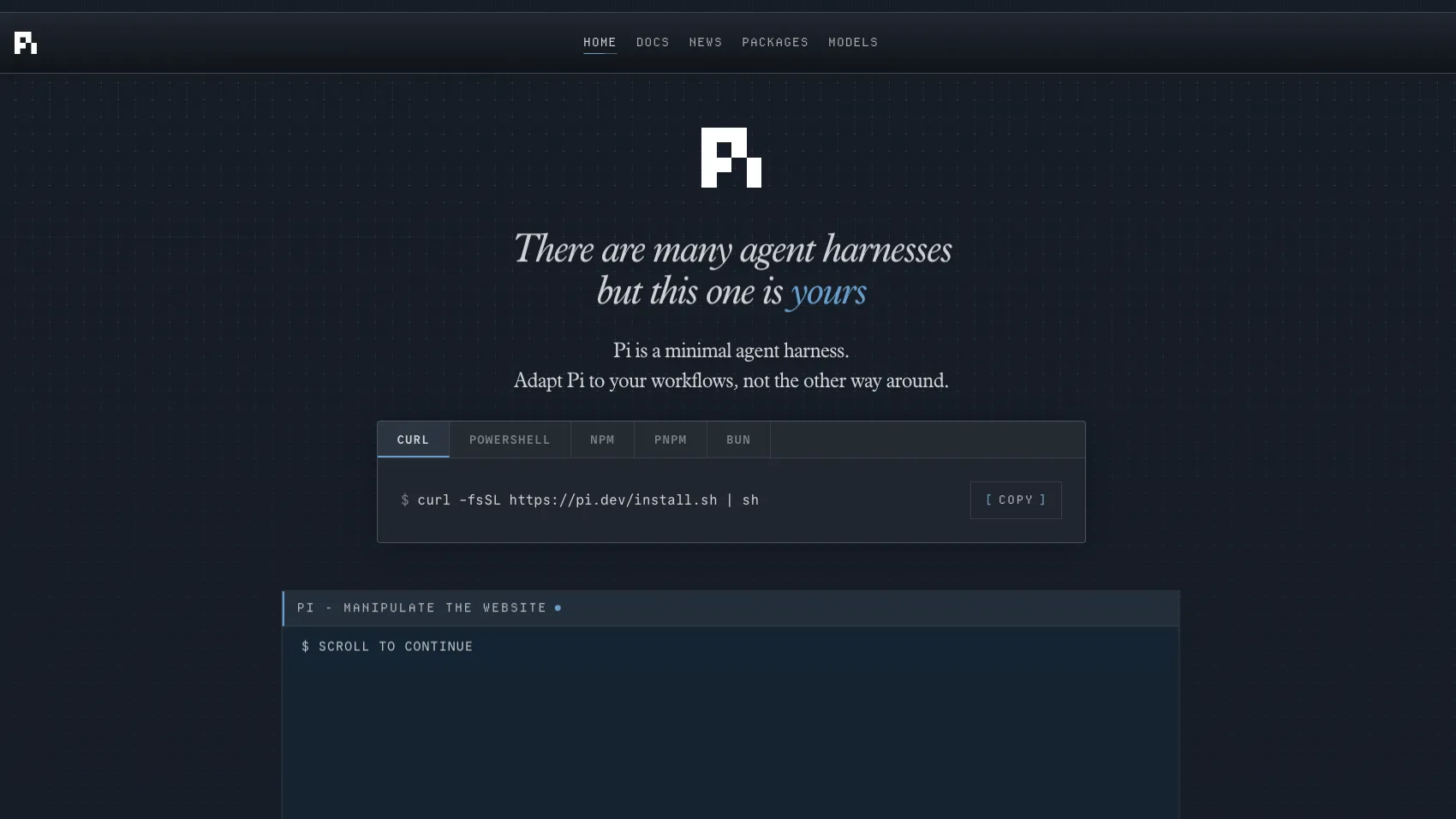
Pi is an open-source terminal coding agent and customizable agent harness for developers who want a lightweight, extensible alternative to more opinionated CLI agents.
Information checked: Aug 29, 2026 ·View sources
Tool details
- Type
- CLI agents
- Platforms
- macOS, Linux, Windows, Termux on Android, Node.js
- Free plan
- Yes
- Open source
- Yes
- Bring your own key
- Yes
- Local models
- Yes
Overview
Best for
- Developers who prefer coding agents in the terminal
- Teams that want a customizable agent harness instead of a fixed product workflow
- Power users building custom commands, tools, prompts, and agent extensions
- Scripted agent workflows using JSON, RPC, or SDK modes
- Developers experimenting with multiple LLM providers from one CLI
Strengths
- Highly hackable terminal-first coding agent.
- Strong fit for developers who want to shape the agent workflow themselves.
- Supports many model providers and custom provider configuration.
- Scriptable through print, JSON, RPC, and SDK modes.
- Open-source and MIT licensed.
Limitations & trade-offs
- Users who want a full AI-native code editor like Cursor or Windsurf
- Developers who need built-in sandboxing without extra setup
- Teams that prefer opinionated workflows with plan mode and permission gates enabled by default
- Non-technical users looking for prompt-to-app generation
- Organizations that require a managed enterprise admin console out of the box
- Not a polished AI IDE with a built-in editor UI.
- No built-in sandbox; isolation must be handled externally.
- Skips some baked-in features like plan mode and sub-agents by default.
- Requires comfort with terminal workflows and configuration.
- Provider costs, rate limits, and privacy depend on the selected model setup.
Get started
Pricing & usage limits
Free tier available
Open Source$0 / forever
MIT-licensed CLI and agent harness; model usage is paid separately through selected providers.
Model AccessVaries
Use supported subscriptions, API keys, local models, or custom providers depending on your setup.
Pricing checked: Jul 8, 2026 · Subscription, usage limits, and model costs may be billed separately.
Features & details
Terminal Agent Harness
- Interactive terminal UI
- Print and JSON modes for scripts
- RPC and SDK integration options
Customization System
- TypeScript extensions
- Reusable skills
- Prompt templates
- Themes and Pi packages
Model and Provider Access
- API-key provider support
- OAuth-based subscription providers
- Custom provider and model configuration
Session and Context Control
- Tree-structured session history
- Session branching and sharing
- AGENTS.md and context file support
- Configurable compaction
Why Choose Pi?
Pi is built for developers who want the coding agent itself to be part of the workflow they can modify. Instead of presenting a sealed assistant with a fixed set of behaviors, Pi treats the agent as a small core surrounded by user-controlled extensions, skills, prompts, themes, and packages.
That design makes Pi especially interesting for power users. A team can start with the default terminal agent, then gradually add project-specific commands, context injection, custom UI behavior, model routing, or workflow automation without waiting for the core product to ship every feature. The tradeoff is that Pi expects more ownership from the developer: the flexibility is valuable, but it is not the same as a heavily managed AI IDE.
Core Workflow
The normal workflow is terminal-first. A developer starts Pi inside a repository, chooses a model provider, and works through an interactive session. From there, the agent can inspect files, edit code, run commands, and respond to steering messages while a run is in progress.
The important difference is how Pi handles history and control. Sessions are tree-structured, so a developer can rewind to an earlier message, branch the conversation, and keep multiple possible paths in one session file. That is useful when an agent takes a promising but risky direction: instead of losing the earlier state, the user can branch and test another route.
Pi also supports non-interactive modes. That makes it more useful as infrastructure for developer workflows, not just a chat-style assistant. A script can call Pi in print mode, consume JSON event streams, or integrate through RPC and SDK surfaces where a regular TUI would be too manual.
Use Cases
Pi is most useful for coding tasks where the developer wants tight terminal control: refactoring a local repository, generating scripts, debugging failing tests, exploring unfamiliar code, or building reusable agent workflows around a team’s conventions.
It is also a good fit for teams experimenting with context engineering. Project instructions, reusable prompts, skills, and extensions can be used to shape how the agent sees the repository and how much context is loaded. That is valuable when the same repository needs repeatable agent behavior across different tasks.
For automation-heavy users, Pi can become a layer beneath custom workflows. A developer might use Pi interactively for exploratory work, then convert repeatable parts into prompt templates, package them, or run them through JSON/RPC modes from other tools.
Comparison to Alternatives
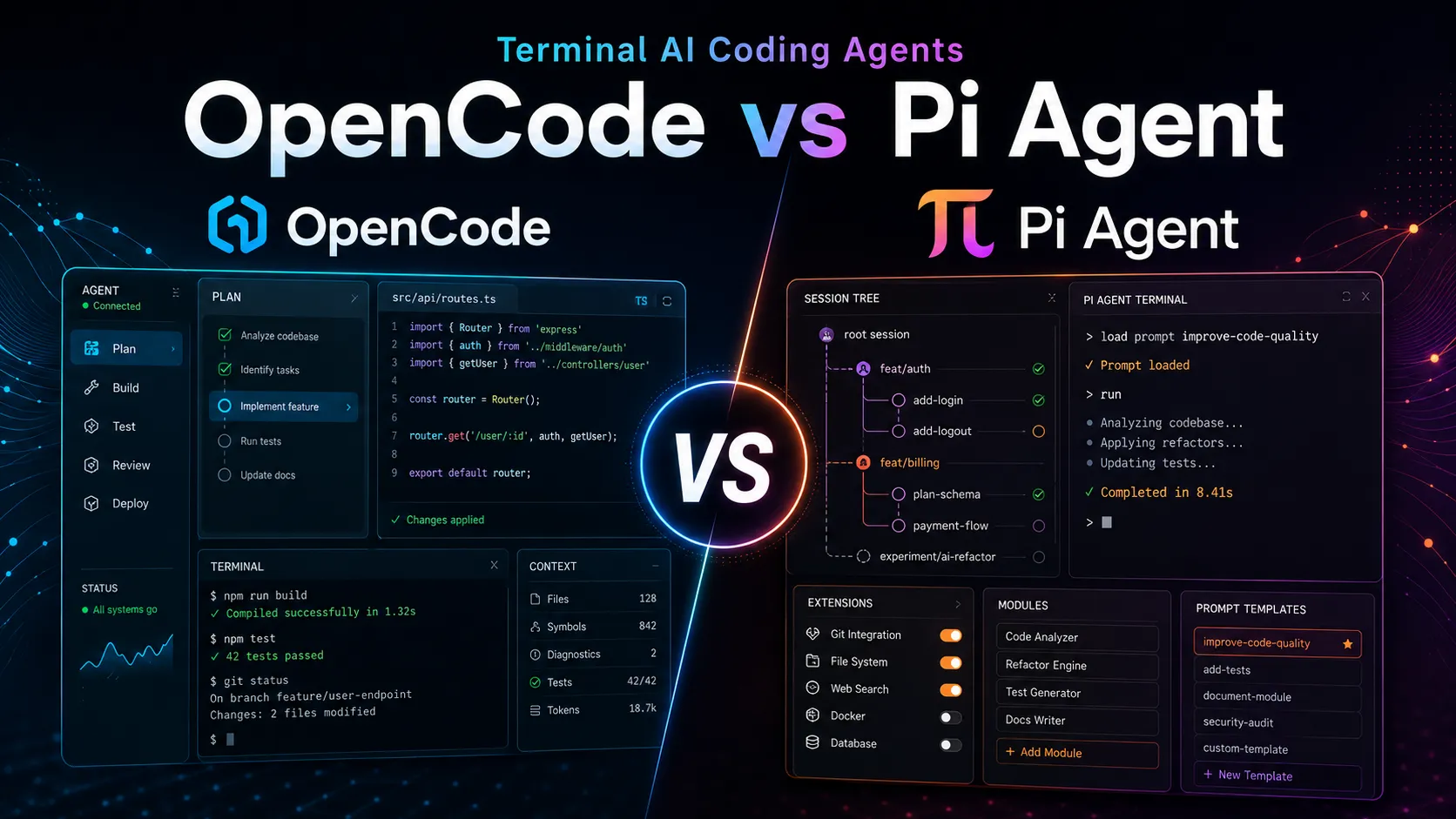
Compared with Claude Code, Codex CLI, Gemini CLI, and Qwen Code, Pi is less tied to one model ecosystem. Its appeal is not just that it can call models; it is that the agent harness can be reshaped through extensions and packages. That makes it attractive for developers who switch providers or want a workflow that survives model churn.
Compared with Aider, Pi is broader and more harness-oriented. Aider has a strong reputation for Git-aware terminal pair programming, while Pi emphasizes session trees, extensibility, custom providers, and programmable modes. Developers who want a direct pair-programmer loop may prefer Aider; developers who want to build their own agent surface may prefer Pi.
Compared with AI IDEs such as Cursor or Windsurf, Pi is intentionally not trying to own the whole editor experience. It sits beside the editor in the terminal. That can be a strength for users who already like their editor setup, but a weakness for teams that want inline completions, editor-native chat, visual diffs, and built-in project navigation in one GUI.
Best Configuration
A practical Pi setup should start with a trusted local workspace, explicit provider credentials, and a clear model selection strategy. For everyday coding, use a strong reasoning model for complex edits and a cheaper model for simple inspection, summarization, or scripted tasks. Pi’s provider flexibility is most valuable when users intentionally route work by task type rather than using one model for everything.
For serious repositories, define project instructions and reusable prompts early. This keeps repeated guidance out of ad hoc chat messages and makes the workflow easier to share. Extensions should be added gradually, especially when they can run commands or touch files.
For risky tasks, run Pi in a container, VM, or sandboxed environment. Pi’s local-agent model is powerful because it can use the same filesystem and toolchain as the developer, but that also means the isolation boundary needs to come from the operating system or container layer.
Migration Notes
Moving from another CLI agent to Pi is mostly a workflow migration, not a file-format migration. The key step is to identify which behaviors are essential: model provider setup, repository instructions, custom commands, edit approval habits, test-running patterns, and any sandbox expectations.
Users coming from more opinionated agents should expect to rebuild some defaults themselves. For example, if a previous tool had plan mode, permission prompts, sub-agents, or background shell management built in, Pi may require an extension, package, tmux-based workflow, or external sandbox pattern to achieve the same shape.
The upside is long-term flexibility. Once a team encodes its preferred prompts, skills, and extensions, Pi can become a portable agent environment that follows the team’s workflow rather than forcing everyone into a single product’s assumptions.
Model support & data privacy
Supported models
- Anthropic
- OpenAI
- OpenAI Codex
- Claude Pro/Max
- GitHub Copilot
- Google Gemini
- Azure OpenAI
- Amazon Bedrock
- Mistral
- Groq
- Cerebras
- xAI
- Hugging Face
- OpenRouter
- Ollama
- DeepSeek
Privacy & data handling
Pi runs locally with the permissions of the user account that starts it. Code, prompts, and command output may be sent to the selected model provider unless a local provider is used. Pi does not include a built-in sandbox, so untrusted repositories or unattended runs should be isolated with Docker, a VM, micro-VM, or another sandboxing layer.
Guides, reviews & fixes
Product updates
No verified product updates listed yet. Follow this tool to see new relevant content in Saved.
See the content timelineAlternatives
 Claude CodeClaude Code is Anthropic's terminal coding agent for repository work, subagents, hooks, MCP, and automation, with growing operational tooling for API cost analysis and feedback.
 Codex CLIOpenAI Codex CLI is a terminal coding agent that combines repository editing and command execution with task-to-task coordination, parallel workflows, hooks, and the broader Codex platform.
 Gemini CLIGemini CLI is Google’s open-source terminal coding agent for Gemini-powered development workflows, now positioned as a legacy tool transitioning toward Antigravity CLI for future agent-first development.
 AiderAider is a terminal-native, open-source AI coding agent for developers who want direct Git-based code editing with flexible model choice.
 OpenCodeOpenCode is an open-source coding-agent harness for terminal, desktop, and IDE workflows with broad provider support, BYOK, and an optional OpenCode Go subscription for curated open models.
 Qwen CodeQwen Code is an open-source terminal coding agent optimized for Qwen Coder models and designed for developers who want agentic code understanding, editing, automation, and tool use from the command line.
Sources & verification
Verification dates record when this directory checked the information. Product release dates appear separately above.
Official websiteDocumentationProviders DocumentationSecurity DocumentationContainerization DocumentationModel CatalogGitHub RepositoryPress Kit
Directory revision history
Updated the Pi Coding Agent Cheatsheet for v0.84.4: clear_queue, ui_prompt_start/ui_prompt_end, terminal capability overrides, fullscreenCopyOnSelect, DeepSeek V4 Flash Vision, and pre-request compaction behavior are now part of the stable release.
Verified Pi as an open-source terminal coding agent and agent harness with extensions, skills, prompt templates, multi-provider support, and documented security/containerization guidance.