

Qwen Code
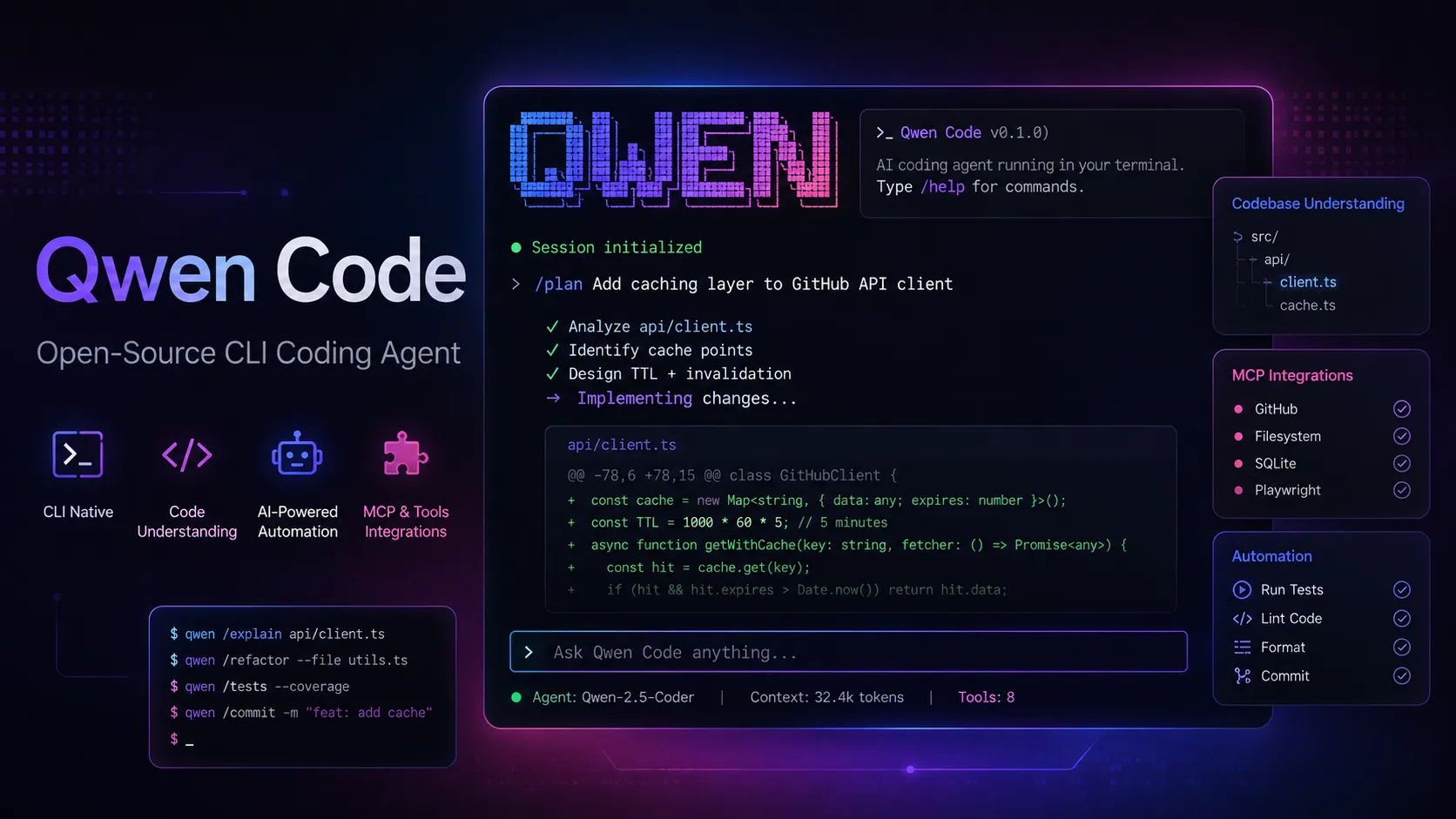
Qwen Code is an open-source terminal coding agent optimized for Qwen Coder models and designed for developers who want agentic code understanding, editing, automation, and tool use from the command line.
Information checked: Jun 16, 2026 ·View sources
Tool details
- Type
- CLI agents
- Platforms
- macOS, Linux, Windows, Node.js, npm, Homebrew, CLI, VS Code, Zed, JetBrains IDEs, GitHub Actions, MCP, Alibaba Cloud Model Studio, OpenRouter, Fireworks AI, Ollama, vLLM
- Free plan
- Yes
- Open source
- Yes
- Bring your own key
- Yes
- Local models
- Yes
Overview
Best for
- Developers who want an open-source terminal coding agent
- Qwen model users who want a CLI optimized for Qwen Coder models
- Teams experimenting with BYOK, OpenAI-compatible endpoints, local models, or Alibaba Cloud Coding Plan
- Developers who need codebase exploration, bug fixing, refactoring, tests, documentation, and Git automation
- CI and automation workflows where a scriptable coding agent is more useful than an IDE sidebar
Strengths
- Open-source terminal-first coding agent with a familiar Claude Code-like workflow.
- Optimized for Qwen Coder models while still supporting multiple provider types.
- Strong automation surface with skills, subagents, MCP, GitHub Actions, and headless usage.
- Works with local and remote model providers through OpenAI-compatible endpoints.
- Good fit for developers who prefer command-line workflows over AI-native editors.
Limitations & trade-offs
- Users who want a fully hosted AI code editor with no terminal setup
- Teams that require a mature enterprise admin console, SSO, RBAC, and procurement package
- Developers who relied on the discontinued Qwen OAuth free tier
- Users who want a visual prompt-to-app builder rather than repository-level coding automation
- Organizations that cannot allow agents to read files, run shell commands, or send code context to configured model providers
- Qwen OAuth free tier was discontinued on April 15, 2026.
- Best experience usually requires an Alibaba Cloud Coding Plan or a configured API provider.
- Requires Node.js and terminal comfort for the primary workflow.
- Not a full IDE; graphical workflows depend on companion or editor integrations.
- Agentic edits and shell commands still need human review and safe approval settings.
Get started
Pricing & usage limits
Official pricingFree tier available
Qwen Code itself is open source and free to install from npm, Homebrew, GitHub, or the official installer.
Fixed monthly Coding Plan with 90,000 requests/month, 45,000 requests/week, and 6,000 requests per 5-hour window.
Bring an API key and pay model-token pricing through Alibaba Cloud Model Studio.
Use compatible providers such as OpenRouter, Fireworks AI, vLLM, Ollama, or other OpenAI-format endpoints.
Configure Anthropic or Gemini providers with your own credentials and provider pricing.
Pricing checked: Jun 16, 2026 · Subscription, usage limits, and model costs may be billed separately.
Features & details
Terminal Agent Workflow
- Interactive `qwen` terminal sessions
- Natural-language codebase questions
- File editing with approval flow
- Shell command execution and test running
Coding Automation
- Feature implementation
- Bug fixing and debugging
- Code review workflows
- Git branch, commit, and conflict assistance
Agent Capabilities
- Agent Skills
- SubAgents
- Follow-up suggestions
- Memory and session compression
Tooling and Integrations
- MCP server support
- GitHub Actions integration
- VS Code companion extension
- Zed and JetBrains integration guides
Model Flexibility
- Alibaba Cloud Coding Plan authentication
- Alibaba Cloud Model Studio API key authentication
- OpenAI-compatible provider configuration
- Anthropic and Gemini provider configuration
Safety and Control
- Permission prompts before edits
- Approval modes
- Sandboxing support
- Ignore files and trusted folder controls
Why Choose Qwen Code?
Qwen Code is useful when the developer wants a terminal-native coding agent without being locked into a single closed product. It is open source, optimized for Qwen Coder models, and designed around the idea that the agent should live where many developers already work: inside the project directory, with access to files, shell commands, Git, tests, and external tools.
The main attraction is flexibility. Qwen Code can use Alibaba Cloud Coding Plan, Alibaba Cloud Model Studio API keys, OpenAI-compatible endpoints, Anthropic, Gemini, local inference servers, and third-party routing providers. That makes it more configurable than many hosted AI IDEs, while still offering a familiar agentic coding workflow.
Core Workflow
A typical workflow starts by opening a terminal inside a repository and running qwen. From there, the developer can ask the agent to explain the project, inspect a bug, modify files, generate tests, refactor modules, review changes, or help with Git commands.
The better workflow is exploratory first, editing second. Ask Qwen Code to understand the repository, summarize the relevant files, and propose a plan before allowing edits. Once the plan is clear, approve file changes, run tests, inspect the diff, and iterate. This reduces the risk of broad or poorly scoped agent changes.
For repeated work, Skills and SubAgents are important. Skills package reusable instructions and resources, while SubAgents can separate specialized tasks. MCP then expands the workflow beyond the local repository, allowing Qwen Code to work with external systems and custom developer tooling when configured.
Use Cases
Qwen Code works well for codebase exploration, bug fixing, feature implementation, unit test generation, refactoring, documentation updates, code review, merge conflict assistance, command-line automation, GitHub Actions workflows, and local AI pair programming.
It is also useful for developers experimenting with Qwen Coder models or Alibaba Cloud Coding Plan. The tool gives those models an action layer: they are not only answering questions, but also reading files, editing code, running commands, and working through a task loop.
Comparison to Alternatives
Compared with Claude Code, Qwen Code is more open and provider-flexible. Claude Code has a very polished Anthropic-centered workflow, while Qwen Code appeals to developers who want an open-source CLI and stronger Qwen model alignment.
Compared with Codex CLI, the difference is model ecosystem. Codex CLI fits OpenAI-first users. Qwen Code is more natural for Qwen Coder users, Alibaba Cloud Coding Plan subscribers, and developers who want to route through OpenAI-compatible or local endpoints.
Compared with Gemini CLI, Qwen Code has a close conceptual relationship because it was originally adapted from Gemini CLI, but it has been shaped around Qwen Coder models, Qwen authentication paths, and its own agent features such as Skills, SubAgents, channel integrations, and Qwen-specific workflows.
Compared with Aider, Qwen Code is broader and more agentic. Aider is excellent for Git-centered terminal pair programming. Qwen Code adds a larger tool surface around MCP, GitHub Actions, sandboxing, follow-up suggestions, memory, and multi-platform integrations.
Compared with Cline or Roo Code, Qwen Code is not primarily a VS Code extension. It is better for developers who prefer the terminal and want editor integration as an option rather than the center of the experience.
Best Configuration
For most users, start with the official installer or npm package, then configure authentication through qwen auth. If monthly usage is predictable and high, Alibaba Cloud Coding Plan may be easier to budget. If usage is light or the team needs specific routing, a direct API key or OpenAI-compatible provider may be more flexible.
For cost control, make model choice explicit. Agentic coding can trigger many model requests because the agent may inspect files, plan, call tools, make edits, and run follow-up checks. Use /compress, scoped prompts, ignored files, and smaller tasks to reduce unnecessary context and calls.
For safer automation, keep approval prompts enabled until the project workflow is well understood. Sandboxing, trusted folders, ignored files, and careful MCP server permissions are especially important when using the agent on repositories with secrets, deployment scripts, infrastructure code, or customer data.
Migration Notes
Users migrating from the discontinued Qwen OAuth free tier should switch to Alibaba Cloud Coding Plan, Alibaba Cloud Model Studio API key authentication, OpenRouter, Fireworks AI, or another configured provider. The CLI can still be used, but the original free OAuth path should not be treated as a long-term pricing option.
Teams moving from Claude Code or Codex CLI should evaluate Qwen Code on real repository tasks rather than generic chat quality. The key questions are whether Qwen Code understands the project, makes safe edits, uses tests effectively, and fits the team’s provider and cost preferences.
Teams adopting Qwen Code in CI should begin with low-risk automation, such as documentation updates, lint fixes, changelog generation, or review summaries. More autonomous feature work should remain behind pull requests, test gates, and human review until the team has strong confidence in the workflow.
Model support & data privacy
Supported models
- Qwen3.6-Plus
- Qwen3.5-Plus
- Qwen3-Max
- Qwen3-Coder-Next
- Qwen3-Coder-Plus
- Kimi K2.5
- GLM-5
- GLM-4.7
- MiniMax-M2.5
- OpenAI-compatible models
- Anthropic Claude
- Google Gemini
- Ollama
- vLLM
Privacy & data handling
Qwen Code runs locally as a CLI, but prompts, code context, tool results, and generated outputs are sent to the configured model provider, such as Alibaba Cloud Coding Plan, Alibaba Cloud Model Studio, OpenAI-compatible endpoints, Anthropic, Gemini, OpenRouter, Fireworks AI, Ollama, or vLLM. Teams should review provider terms, region, retention, API key storage, ignored files, trusted folders, sandboxing, MCP permissions, and shell command approval before using it with sensitive repositories.
Guides, reviews & fixes
View allNo published guides yet. Start with the official documentation above.
Product updates
No verified product updates listed yet. Follow this tool to see new relevant content in Saved.
See the content timelineAlternatives
Sources & verification
Verification dates record when this directory checked the information. Product release dates appear separately above.
Directory revision history
Created initial directory entry using Qwen Code official page, GitHub repository, documentation, integration guides, model-provider docs, Alibaba Cloud Coding Plan pricing, Model Studio model list, and Qwen3-Coder announcement.