
 Claude CodeClaude Code is Anthropic's terminal coding agent for repository work, subagents, hooks, MCP, and automation, with growing operational tooling for API cost analysis and feedback.
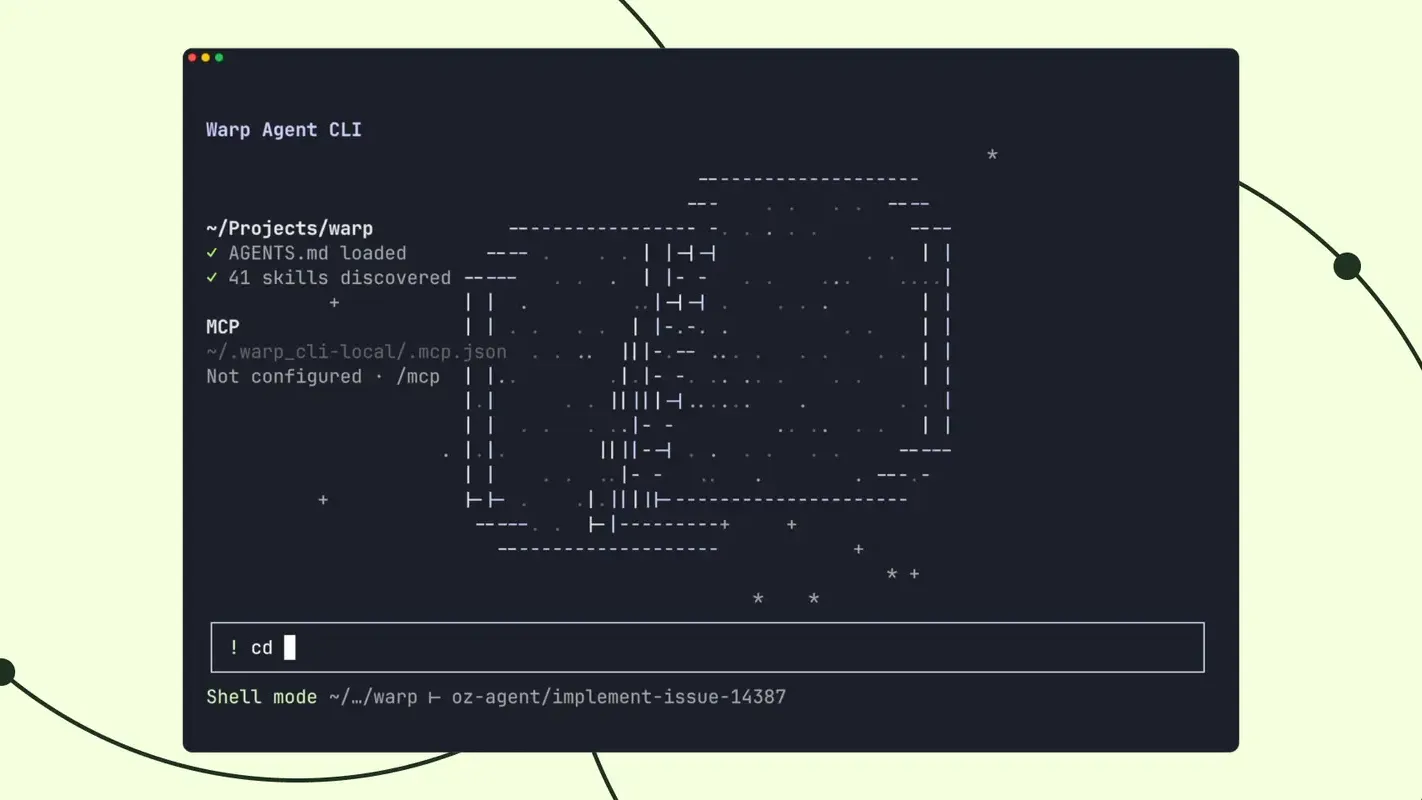
Warp Agent CLI
Warp Agent CLI is a terminal-first, multi-model coding agent that emphasizes deep shell integration, persistent sessions, and local-to-cloud agent orchestration.
Information checked: Aug 14, 2026 ·View sources
Tool details
- Type
- CLI agents
- Platforms
- macOS, Linux, Windows
- Free plan
- Yes
- Open source
- Yes
- Bring your own key
- Yes
- Local models
- Yes
Overview
Best for
- Developers who already live in the terminal
- Backend, infrastructure and platform engineering workflows
- Debugging through REPLs, database shells and interactive CLI tools
- Multi-repository work that changes directories frequently
- Remote debugging and development over SSH
- Developers who want model choice and automatic routing
- Teams experimenting with parallel local and cloud coding agents
Strengths
- Works in Ghostty, iTerm2, VS Code terminals, Windows Terminal and other standard terminals.
- PTY multiplexing enables unusually persistent shell and SSH workflows.
- Can operate interactive tools such as REPLs, database shells and debuggers.
- Offers broad model choice instead of locking the agent to one model provider.
- Supports BYOK and OpenAI-compatible custom inference endpoints.
- Connects interactive terminal work to Warp's multi-agent and cloud orchestration platform.
Limitations & trade-offs
- Developers who primarily want inline autocomplete inside a graphical IDE
- Users requiring completely offline or localhost-only AI inference
- Users who do not want prompts or agent requests to transit a hosted agent backend
- Developers who prefer a single-provider coding agent with its native subscription model
- Very light AI users who do not need shell-aware agent workflows
- The Warp Agent harness runs through Warp's backend rather than entirely on the local machine.
- Local models require a publicly reachable HTTPS endpoint or tunnel; localhost-only inference is not supported.
- The Free plan includes CLI access but no bundled Warp AI credits.
- Credit-based usage can be less predictable than a simple fixed-use subscription.
- A Warp account is required to use the CLI.
- Some orchestration and enterprise controls depend on the broader Warp and Oz platform.
Get started
Pricing & usage limits
Official pricingFree tier · From $20
Free$0 / month
Includes Warp Agent CLI access but no bundled Warp AI usage; use ad hoc credits, BYOK, or custom inference.
Build$20 / month
Includes 1,500 credits; annual billing is listed from $18/month.
Max$200 / month
Includes 18,000 credits; annual billing is listed from $180/month.
Business$50 / user/month
Includes 1,500 credits per seat plus team controls, custom inference endpoints and SAML SSO; annual billing is listed from $45/user/month.
EnterpriseCustom
Adds advanced governance, shared credit terms, BYOLLM, self-hosted cloud agents and enterprise support.
Pricing checked: Aug 14, 2026 · Subscription, usage limits, and model costs may be billed separately.
Features & details
Terminal-Native Agent
- Persistent agent sessions across directory changes
- SSH workflows without a remote Warp binary
- Control of interactive and full-screen terminal apps
- Natural-language and shell-command input detection
- Command and argument tab completion
Agent Orchestration
- Automatic subagent delegation
- Multi-agent workflow visibility
- Local-to-cloud agent handoff
- Cloud agent monitoring and steering
- Cross-harness cloud delegation
Models & Inference
- Automatic model routing
- Frontier and hosted open-weight models
- Bring Your Own API Key
- OpenAI-compatible custom inference endpoints
- Custom model routers
Context & Control
- Rules and reusable skills
- MCP server support
- Agent permission profiles
- Resumable conversations
- API-key authentication for headless environments
Why Choose Warp Agent CLI?
Warp Agent CLI is not simply the terminal version of an editor chat panel. Its main design difference is that the agent is built around the terminal session itself.
Most coding agents can execute commands, but real terminal work frequently changes the environment underneath the agent. Developers move between directories, enter SSH sessions, open database shells, start REPLs, attach debuggers, and interact with full-screen programs. Warp approaches this with a multiplexing layer between the agent and the underlying shell, closer conceptually to a session manager than to a chatbot that periodically invokes shell commands.
That architectural choice matters most when development extends beyond editing files. A backend engineer debugging a service may move from source code to logs, PostgreSQL, a Python REPL, an SSH session, and a debugger during one investigation. Warp Agent CLI is designed so the agent can remain involved across those transitions rather than forcing the developer to restart the workflow whenever shell state changes.
It also separates the Warp Agent from Warp Terminal. Developers can keep Ghostty, iTerm2, a VS Code terminal, Windows Terminal, or another preferred terminal and invoke the agent with the warp command. This makes it possible to evaluate Warp's agent without replacing the rest of an established terminal setup.
Core Workflow
A typical session begins inside the repository or environment where the developer is already working. Starting warp opens an agent conversation using the same Warp account and agent ecosystem used elsewhere in Warp.
The important difference appears once the task becomes iterative. A developer can ask the agent to inspect a project, develop a plan, make changes, run validation, observe failures, and continue working through the result. Direct shell work can happen alongside agent prompts, reducing the separation between human-driven commands and delegated work.
Permission settings deserve particular attention because the agent can modify files and execute commands. For unfamiliar repositories or production-adjacent environments, a conservative profile that requires approval for sensitive actions is a more appropriate starting point than broad autonomy. Permissions can then be relaxed for well-understood workflows.
The resumable conversation model is also useful for debugging and migrations that extend beyond a single terminal session. Instead of compressing the entire investigation into one run, the developer can return to the previous agent context later.
Where the Terminal Architecture Matters
The CLI's multiplexing architecture changes which workflows can remain continuous.
Consider SSH-based debugging. With a conventional local coding agent, entering a remote shell can create an awkward boundary between the locally running assistant and the remote environment being investigated. Warp's session model is designed to follow the terminal into the SSH connection, allowing the agent to continue working without installing a Warp Agent binary on the remote host.
Interactive terminal programs create a similar challenge. Typical agent tool calls work well for commands that start, print output, and exit. Database clients, debuggers, REPLs, editors, and monitoring utilities do not behave that way. Warp's terminal-aware architecture allows these long-running interactive programs to remain part of the agent session.
The practical value therefore increases as more of a developer's work happens inside shells and interactive terminal tools.
Use Cases
Remote debugging and operations
Warp Agent CLI is a natural fit for developers who investigate development VMs, staging systems, containers, or cloud hosts over SSH. The agent can remain useful while the terminal moves between local and remote contexts.
This also increases the importance of command permissions. An agent attached to a privileged remote shell can potentially perform the same destructive operations as the logged-in user, so production usage should combine explicit approvals with narrowly scoped credentials.
Database and REPL-driven investigation
Data problems often require a loop of reading application code, opening a database client, testing queries, comparing results, adjusting assumptions, and returning to the code. Similar workflows occur with Python, Node.js, language REPLs, and debuggers.
A terminal agent capable of participating in those long-running sessions can reduce the amount of context that has to be manually copied back into a separate assistant.
Multi-repository changes
Some engineering work crosses application, infrastructure, shared-library, and generated-client repositories. Because the agent session can continue as the working directory changes, repository boundaries do not necessarily have to become conversation boundaries.
This makes the design relevant to migrations and cross-service changes where relationships between repositories are more important than any one repository in isolation.
Parallel agent work
Warp becomes more differentiated when a task can be split into independent pieces. Its orchestration model can delegate work to subagents and move suitable tasks into cloud execution.
The benefit is greatest when work is genuinely separable. Parallelizing tightly coupled changes can instead create conflicting edits and additional review overhead, so more agents are not automatically better.
Comparison to Alternatives
The most relevant alternatives are other terminal-first coding agents rather than graphical AI IDEs. Claude Code, Codex CLI, Gemini CLI, OpenCode, and Aider are realistic substitutes because they all let developers delegate coding work without making a graphical editor the primary interface.
Warp's strongest differentiation is the terminal substrate around the agent. The product emphasizes persistent terminal state, interactive applications, SSH continuity, model routing, and a path from a local session into multi-agent or cloud execution.
Developers whose priority is a particular model ecosystem may prefer that provider's native CLI because the account and inference model are simpler. Developers whose priority is complete local control should also compare Warp carefully with locally oriented open-source agents.
Warp can connect to models running through Ollama, LM Studio, vLLM, or similar infrastructure using an OpenAI-compatible custom endpoint. However, that endpoint must be reachable through a public HTTPS URL and the Warp Agent harness still runs through Warp's backend. This means Warp's local-model support should not be interpreted as a fully offline architecture.
Best Configuration
The right setup depends on whether the priority is quality, cost, control, or inference flexibility.
Automatic routing is convenient for developers who do not want to manually select a model for every task. More difficult debugging, planning, or architectural work can justify a higher-capability routing profile, while explicitly selecting a model is useful when reproducibility or provider-specific billing matters.
BYOK is a practical option when a developer already pays a supported model provider directly. Custom OpenAI-compatible endpoints provide more flexibility for OpenRouter, LiteLLM, internal gateways, or self-hosted models, but their public reachability requirement should be considered before using them with sensitive infrastructure.
Persistent rules and skills become valuable after repeated sessions reveal instructions that are being restated frequently. Repository conventions, test commands, formatting requirements, deployment constraints, and forbidden operations are stronger candidates for durable context than repeated prompt text.
MCP servers are most useful for external systems the agent genuinely needs, such as issue trackers or observability tools. Connecting every available integration can create unnecessary tool-selection complexity, so a smaller workflow-specific set is generally easier to control.
Permission profiles should also be separated by risk level. A local feature-development profile should not automatically inherit the same command privileges as a profile used around production infrastructure.
Migration Notes
Developers already using Warp Terminal have the simplest path because the standalone CLI exposes the same Warp Agent outside the Warp application. The primary reason to adopt it is therefore portability across terminals rather than access to an entirely different agent.
Developers coming from Claude Code, Codex CLI, Gemini CLI, OpenCode, or Aider do not need to replace their existing terminal. Running Warp Agent CLI alongside the current tool on the same repository is a better evaluation strategy. Tasks involving SSH, REPLs, databases, multiple working directories, and long-running processes are particularly useful because they test Warp's terminal-specific differentiation rather than only model quality.
Model choice should also be evaluated separately from the agent harness. When the same or comparable models are available across tools, differences in results may come from planning, context management, permissions, tool execution, or the surrounding harness rather than the underlying LLM alone.
Teams should evaluate data flow before migrating sensitive workloads. Warp's client codebase is open source, but the Warp Agent harness is a hosted service. BYOK and custom inference can change which provider performs inference or how it is billed, yet requests still transit Warp's backend. Open-source client code and local-model connectivity therefore do not make the complete Warp Agent stack self-hosted.
The Main Tradeoff
Warp Agent CLI trades architectural simplicity for a richer terminal-aware agent environment.
A lightweight coding CLI centered on one model can be easier to understand and budget. Warp adds a broader layer around the model: terminal state, inference routing, permission policies, reusable context, subagents, cloud handoff, and the wider Oz orchestration platform.
That additional machinery is most valuable when the terminal itself is a primary development workspace. Developers who regularly debug through shells, remote machines, databases, REPLs, and long-running terminal processes are more likely to notice Warp Agent CLI's advantages. Developers who mainly want occasional repository edits from an AI assistant may prefer a simpler CLI agent.
Model support & data privacy
Supported models
- GPT-5.6 Sol
- GPT-5.6 Terra
- GPT-5.6 Luna
- GPT-5.5
- GPT-5.4
- GPT-5.3 Codex
- Claude Opus 5
- Claude Fable 5
- Claude Sonnet 5
- Gemini 3.1 Pro
- Gemini 3.7 Flash
- Grok 4.6
- GLM 5.2
- Kimi K3
- Qwen 3.7 Plus
- DeepSeek V4 Pro
Privacy & data handling
Warp states that supported Warp-provided models are covered by Zero Data Retention agreements with contracted providers, although provider-specific exceptions can apply to particular models. AI on the Free plan requires telemetry to remain enabled, while paid users can disable telemetry and continue using AI. BYOK and custom-endpoint prompts still transit Warp's backend because the Warp Agent harness runs server-side. Custom endpoint credentials are stored locally and are not retained by Warp, but provider-side retention depends on the endpoint or provider. Local models such as Ollama or LM Studio can be used only through a publicly reachable HTTPS endpoint or tunnel, so this is not a fully offline local-inference workflow.
Guides, reviews & fixes
No published guides yet. Start with the official documentation above.
Product updates
No verified product updates listed yet. Follow this tool to see new relevant content in Saved.
See the content timelineAlternatives
Claude CodeClaude Code is Anthropic's terminal coding agent for repository work, subagents, hooks, MCP, and automation, with growing operational tooling for API cost analysis and feedback. Codex CLIOpenAI Codex CLI is a terminal coding agent that combines repository editing and command execution with task-to-task coordination, parallel workflows, hooks, and the broader Codex platform.
 Gemini CLIGemini CLI is Google’s open-source terminal coding agent for Gemini-powered development workflows, now positioned as a legacy tool transitioning toward Antigravity CLI for future agent-first development.
 OpenCodeOpenCode is an open-source coding-agent harness for terminal, desktop, and IDE workflows with broad provider support, BYOK, and an optional OpenCode Go subscription for curated open models.
 AiderAider is a terminal-native, open-source AI coding agent for developers who want direct Git-based code editing with flexible model choice.
Sources & verification
Verification dates record when this directory checked the information. Product release dates appear separately above.
Official websiteWarp Agent CLI QuickstartWarp PricingWarp Model ChoiceWarp Bring Your Own API KeyWarp Custom Inference EndpointWarp PrivacyWarp Open Source Repository
Directory revision history
Warp launched Warp Agent CLI as a standalone version of the Warp Agent that can run in third-party terminals.