Framer
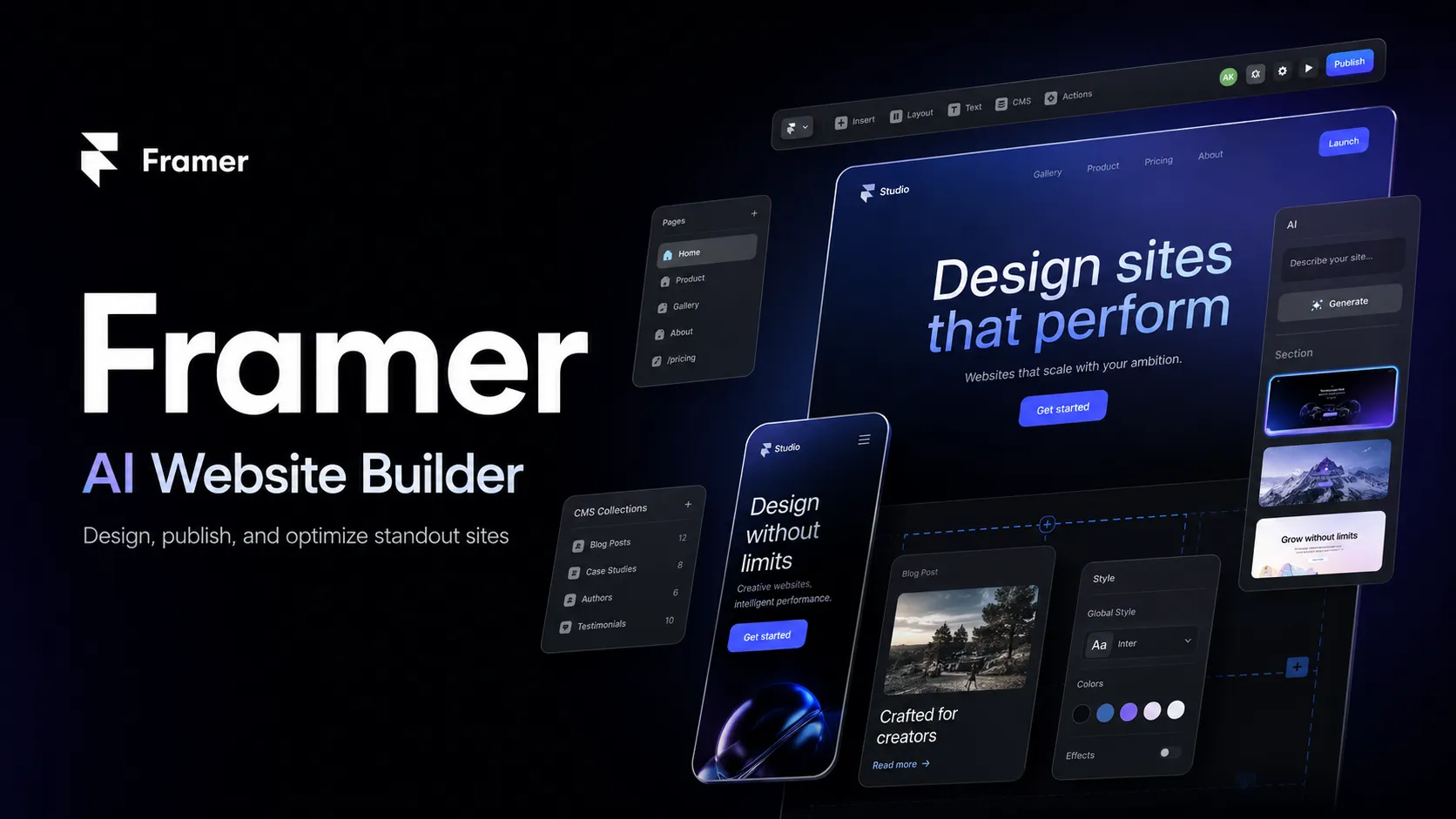
Framer is an AI-powered website builder for designing, publishing, localizing, and optimizing professional websites from a visual canvas. It is strongest for marketing sites, landing pages, portfolios, startup sites, and CMS-driven pages where design quality and publishing speed matter more than full-stack app logic.
Framer is a strong choice when the goal is to ship a visually polished website quickly with AI, CMS, localization, hosting, and collaboration in one workflow; it is less suitable when the project is really a custom web application or developer-owned codebase.
Pricing Plans
Free
Free Framer domain, design pages, 1 GB bandwidth, and limited AI credits for trying Framer.
Basic
For creative personal sites, with custom domain support, 2 CMS collections, 50 GB bandwidth, built-in SEO, and AI credits.
Pro
For growing professional sites, with 10 CMS collections, 100 GB bandwidth, redirects, staging, branching, and higher AI credit allocation.
Enterprise
For teams needing custom limits, SSO, SCIM, role-based access, compliance controls, custom workflows, priority support, and enterprise-scale hosting.
Locales add-on
Optional AI-powered translation locale add-on for multilingual sites.
Convert add-on
Optional A/B testing, funnels, and personalization add-on.
Advanced Hosting add-on
Optional advanced hosting for Pro, with reverse proxy-style workflows and custom headers under one domain.
Core Features
1AI Website Building
- AI agents for generating layouts, sections, and visual styles from prompts
- AI-assisted CMS setup, content creation, and organization
- AI code generation for custom components, effects, interactions, and live data
- AI review for typos, contrast, SEO gaps, missing alt text, and inconsistent styles
2Design and Publishing
- Visual canvas with responsive layout, components, variants, and motion
- One-click publishing with managed hosting, CDN, SSL, and custom domains
- Built-in SEO controls, redirects, site search, analytics, and performance features
- Marketplace with templates, components, plugins, and design resources
3CMS and Localization
- Framer CMS for blogs, changelogs, portfolios, directories, and dynamic pages
- AI-assisted localization and automatic translation across canvas and CMS content
- Locale-specific content, images, links, and adaptive design workflows
- CMS APIs and plugin APIs for structured content workflows
4Team Workflow
- Real-time collaboration, comments, viewers, editors, and content editors
- Branching, previews, staging, and version history on supported plans
- On-page editing and mobile CMS workflows for content teams
- Enterprise roles, SSO, SCIM, custom limits, and compliance controls
5Developer Extensibility
- Custom code components with React-style development concepts
- Overrides, component APIs, CMS APIs, and plugin development support
- External agent workflows for tools such as Claude Code and Codex during preview
- Advanced hosting and reverse proxy options for more complex infrastructure needs
Pros
- Excellent fit for design-led websites that need to look polished quickly.
- AI agents are integrated directly into the canvas, CMS, localization, and review workflow.
- Publishing, hosting, SSL, SEO, performance, and CMS are bundled into one workflow.
- Feels familiar to designers coming from Figma-style visual tools.
- Strong marketplace and template ecosystem for landing pages, portfolios, and startup sites.
Cons
- Not a full-stack app builder for complex backend-heavy products.
- No self-hosted or open-source deployment model for the Framer platform itself.
- Serious CMS, localization, testing, bandwidth, and hosting needs can require paid plans or add-ons.
- Design freedom can still require careful responsive QA across breakpoints.
- Less suitable for teams that need direct source-code ownership of the entire website stack.
Why Choose Framer?
Framer is best understood as a design-to-publish platform rather than a general app development environment. Its biggest advantage is the short path from visual idea to live website: design the page, refine the responsive behavior, add CMS content if needed, localize the site, and publish from the same workspace.
That makes it especially attractive for designers, agencies, founders, and marketing teams that care about polish, speed, and brand feel. The AI features are most useful because they operate inside the website workflow itself. Instead of generating disconnected code snippets, Framer’s agents can work on layouts, CMS content, translations, code components, reviews, and optimization tasks in the context of the site.
The tradeoff is that Framer is intentionally opinionated. It is not trying to replace a full-stack engineering stack, a backend framework, or a complex internal tool builder. It is strongest when the output is a website, not when the output is a custom software product with deep business logic.
Core Workflow
A typical Framer workflow starts on the visual canvas. Designers can create responsive layouts, components, variants, and motion directly, then publish through Framer’s managed hosting. This removes the common handoff step where a design file must be rebuilt by developers before it becomes a real website.
For content-heavy sites, the workflow shifts toward CMS structure. Teams define collections, create dynamic pages, connect content sources, and let editors update content without redesigning the site. Localization and AI translation extend this workflow for multilingual landing pages, product pages, blogs, and documentation-style content.
For more advanced work, Framer supports custom code components, overrides, plugins, CMS APIs, and advanced hosting patterns. This gives technical teams room to extend the site, but the center of gravity remains design-led publishing rather than general-purpose application development.
Practical Use Cases
Framer works well for startup homepages, product launch pages, portfolios, personal sites, agency sites, event pages, campaign pages, product marketing sites, resource hubs, and CMS-backed blogs. It is also a strong fit for teams that frequently experiment with positioning, page structure, visual identity, or conversion copy.
The best AI use cases are close to the website surface: generating first drafts of sections, improving page structure, writing and editing CMS content, translating pages, checking accessibility issues, finding SEO gaps, and creating custom interactive components. AI is less useful when the problem is backend architecture or complex product logic, because those are outside Framer’s main abstraction.
Framer can also be useful for teams that want a public marketing layer in front of a separate app. For example, a SaaS company might use Framer for its homepage, landing pages, blog, changelog, and campaign pages while keeping the actual product dashboard in a custom application stack.
Comparison to Alternatives
Compared with Webflow, Framer often feels more design-native and faster for visually expressive marketing sites. Webflow may still appeal to teams that prefer its mature CMS patterns, client handoff ecosystem, and longer-established professional services market. The choice often depends on whether the team thinks more like designers working on a canvas or builders managing a more structured site system.
Compared with Wix Studio and Squarespace, Framer gives more visual control and a more modern design-tool workflow. Wix Studio and Squarespace can be easier for template-first small business sites, while Framer is better when the team wants more custom layout, motion, and brand expression.
Compared with WordPress, Framer trades plugin ecosystem and hosting control for speed, simplicity, and a managed visual workflow. WordPress remains stronger for complex publishing operations, custom plugin needs, and self-hosting control. Framer is more appealing when the team wants fewer moving parts.
Compared with Lovable, v0, or Replit Agent, Framer is less about generating a full-stack app and more about shipping a high-quality website. Those tools are better for app prototypes or code-centric product work; Framer is better for public-facing websites where visual quality and publishing speed are the main goals.
Best Configuration
For individuals and small projects, start with the free plan to validate the design workflow, then move to Basic when a custom domain and production publishing are needed. For professional sites with CMS content, redirects, staging, branching, and stronger bandwidth limits, Pro is usually the more practical starting point.
For multilingual sites, plan localization before the design is finished. Navigation, button labels, CMS fields, images, and page layout can all change when content length varies across languages. AI translation is useful, but it should still be reviewed for brand voice, product terminology, and SEO intent.
For larger teams, define roles early. Designers, content editors, marketers, and external collaborators often need different access levels. Branching, staging, comments, version history, and enterprise identity controls become important once Framer is used for a flagship company site rather than a single landing page.
Migration Notes
Framer is a natural migration target for static marketing sites, agency-built landing pages, portfolio sites, small blogs, and startup websites that need faster iteration. Migration is easiest when the existing site has a limited number of templates and clear content types.
Migration from WordPress, Webflow, or a custom frontend should start with content architecture. Map pages, CMS collections, redirects, metadata, images, forms, scripts, and localization requirements before rebuilding the visual design. This avoids launching a beautiful site that loses search traffic or breaks established content workflows.
Framer is less ideal when the existing site depends heavily on custom backend logic, membership systems, ecommerce workflows, server-rendered application features, or a large plugin ecosystem. In those cases, Framer may still be useful for the marketing layer, but the product or transactional layer should remain in a dedicated application stack.
Best For
- Marketing websites
- Landing pages
- Startup homepages
- Product launch pages
- Portfolio sites
- Agency websites
- CMS-driven blogs and resource hubs
- Multilingual websites with AI localization
- Designers who want to publish directly without developer handoff
- Teams that need fast iteration on brand, copy, layout, and conversion pages
Not Ideal For
- Full-stack SaaS applications with complex backend logic
- Teams that require self-hosting or full source-code ownership
- Internal tools connected to many production databases and APIs
- Developer teams looking for a local AI code editor
- Large content operations that require highly custom CMS workflows beyond Framer limits
- Applications that need custom authentication, transactional data models, or server-side business logic
Privacy Notes
Framer is a hosted website platform with managed publishing, CMS, analytics, localization, and AI agent features. AI features consume workspace credits and may process project content, CMS data, selected layers, or site context depending on the task. Organizations should review Framer’s enterprise, security, compliance, AI, localization, analytics, and hosting documentation before using it for sensitive content or regulated workflows.
Alternatives
Sources
Update History
- Jun 26, 2026: Checked Framer official website, pricing, AI page, enterprise page, help center, localization docs, developer docs, desktop downloads, and advanced hosting documentation.
Related Tools
More listings in a similar part of the directory.




Framer Articles
Guides, comparisons, and launch notes connected to this listing.