
On This Page8 sections
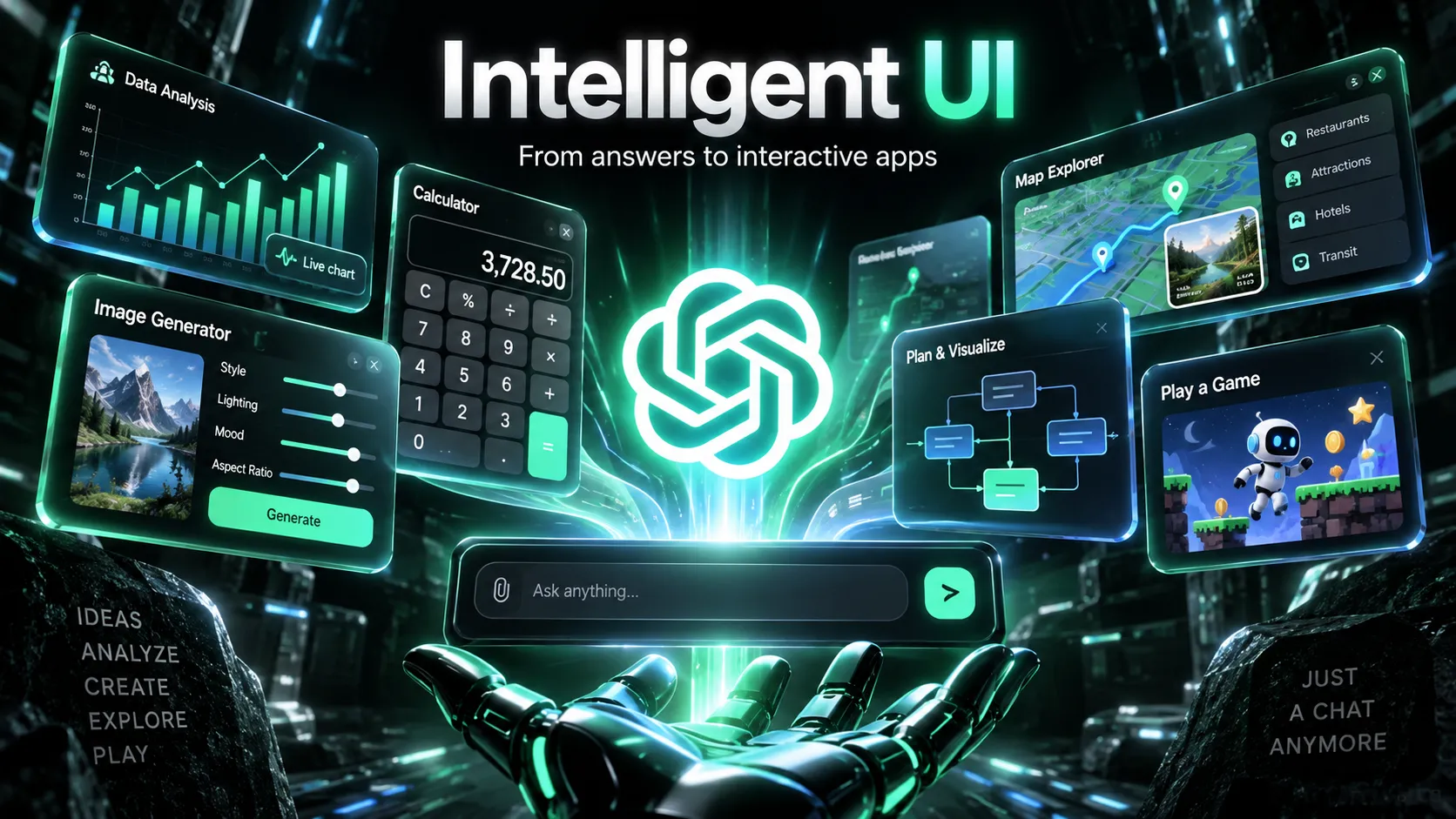
OpenAI introduced Intelligent UI on October 7, 2026, bringing interactive visual responses to ChatGPT. Powered by GPT-6, the feature can turn a request into a calculator, diagram, map, comparison interface, or playable game rather than delivering only paragraphs of text.
Its significance goes beyond appearance. Intelligent UI changes the interaction model from reading an answer to exploring an answer. A savings question can become a calculator with adjustable assumptions. A probability lesson can become a simulation. A travel itinerary can become a map with explorable stops.
The launch also raises a practical question for developers and website publishers: if an AI assistant can generate simple interfaces on demand, what makes a standalone tool worth visiting?
Key Takeaways
- Release: OpenAI announced Intelligent UI on October 7, 2026, as part of the GPT-6 ChatGPT experience.
- Capabilities: Responses can incorporate interactive charts, diagrams, maps, forms, calculators, visual comparisons, and simple games.
- Technology: OpenAI describes a native, streamable component library and a compiler that enables progressive interface rendering.
- Model behavior: GPT-6 decides when interactivity improves the answer and when ordinary text is more appropriate.
- Speed: OpenAI reports that GPT-6 Instant begins answering web-search questions 44% sooner on average than GPT-5.6 Instant. This is a response-start metric, not a full-task speed benchmark.
- Availability: The rollout began October 7 for eligible paid plans and October 8 for Free and Go; access depends on plan, model, and rollout status.
- Developer access: The complete Intelligent UI system has not been announced as a standalone public API or SDK.
- Business impact: Simple one-off utility pages may face more competition, while reliable data, persistence, file processing, and specialized services remain valuable.
What Is OpenAI Intelligent UI?
Intelligent UI is a ChatGPT capability that dynamically chooses and assembles visual or interactive interface elements to suit a particular request.
Previously, an AI assistant might answer a question about compound interest with a formula, a worked example, and a table. With Intelligent UI, the same conversation can include adjustable inputs and a projection chart. Users can change the contribution amount or assumed return and immediately explore another scenario.
Consider three questions about a bicycle:
- What is a seven-speed bicycle? A concise text explanation may be sufficient.
- How do the brakes, wheels, and drivetrain fit together? A selectable visual diagram can make the relationships clearer.
- How should the components be maintained? A structured inspection checklist may be more useful than a long paragraph.
The point is not to produce the maximum number of widgets. It is to choose the simplest interface that helps users understand information or complete a task.
OpenAI describes this direction in its GPT-6 and Intelligent UI announcement. Intelligent UI is a feature of the ChatGPT experience, not a separately named foundation model.
Intelligent UI Examples: What Can It Actually Do?
OpenAI's launch materials highlight three broad categories: visual answers, interactive explanations, and task-specific tools.
Visual Answers for Everyday Tasks
Some information is easier to navigate in a map, component diagram, or visual layout than in text.
Sunday Roast Planner: A meal-planning request can organize the cooking sequence, ingredient quantities, and preparation steps into an interface. Adjusting the number of guests is a natural use case for interactive quantities.
Road Trip Planner: A route can combine a map, recommended stops, and descriptions of why each stop matters. The spatial layout reduces the effort of translating a written itinerary into geography.
Seven-Speed Bicycle Explorer: Users can select the frame, wheels, drivetrain, brakes, and cockpit to focus on individual systems. This avoids showing every mechanical detail at once.
These examples demonstrate progressive disclosure: presenting useful overview information first and revealing detail when requested.
Interactive Learning and Simulations
Intelligent UI can be particularly useful when learning depends on seeing how variables change a result.
OpenAI has shown examples involving the central limit theorem, the Monty Hall problem, GDP, and drone photography.
In a central limit theorem lesson, a simulation can show how the distribution of sample means changes with the sample size under appropriate statistical assumptions. In a Monty Hall demonstration, a learner can repeatedly choose whether to switch doors and compare observed results against the theoretical two-thirds win probability for switching under the standard rules.
An interactive experiment does not replace a correct explanation. It should make the underlying assumptions visible and allow users to relate the simulation to the theory.
Calculators, Utilities, and Playable Games
A third category focuses on small tools generated for an immediate task.
| Example | Typical controls | User benefit |
|---|---|---|
| Bill splitter | People, subtotal, tip, sharing method | Calculate individual payments |
| Retirement calculator | Starting amount, contributions, time, return | Explore savings scenarios |
| Comparison interface | Selectable options and criteria | Compare trade-offs |
| Interactive diagram | Selectable components | Examine specific details |
| Retro-style game | Gameplay and restart controls | Play without a separate website |
These interfaces can be interactive inside the conversation rather than static images of applications.
However, an on-demand tool should not be confused with a fully deployed SaaS product. It may lack account management, permanent records, advanced integrations, or production-grade reliability.
How Does Intelligent UI Work?
OpenAI has publicly identified native, streamable components and a compiler for progressively generated interfaces as important parts of the system. It has also discussed training GPT-6 to make better decisions about information hierarchy, layout, and interaction.
The company has not released a complete internal technical specification. The following is an architectural explanation, not a claim that the runtime uses a particular publicly documented frontend framework.
1. GPT-6 Interprets the User's Goal
The model needs to determine whether the task is best answered through text, a visual comparison, or an interface with controls.
A straightforward factual question rarely needs a calculator. A request to compare long-term financial scenarios often does.
This selection is itself a design problem: more controls can increase cognitive load if they do not help users complete the task.
2. Native Components Provide Building Blocks
Instead of inventing every control as an unrelated visual element, the system uses a library of native components that can be assembled into different response formats.
A reusable component system can improve consistency in behavior, presentation, and interaction. It can also help ChatGPT create task-specific layouts while retaining familiar controls.
The public announcement does not establish that every Intelligent UI response is unrestricted React code, arbitrary HTML, or a conventional website generated from scratch.
3. A Compiler Supports Streaming Output
OpenAI says the interface can be processed as the model generates it. That allows visible elements to appear progressively rather than requiring the user to wait for a complete code-generation and deployment cycle.
A conceptual workflow looks like this:
Natural-language request
        |
        v
GPT-6 selects an appropriate response format
        |
        v
Model generates content and component structure
        |
        v
Streaming compiler processes the output
        |
        v
ChatGPT presents an interactive response
        |
        v
User adjusts controls or explores details
This is a simplified model of the publicly described process, not an official internal sequence diagram.
4. Interface Quality Depends on Design Judgment
A successful response must do more than render controls. The generated interface should use understandable labels, reasonable defaults, appropriate chart scales, and coherent relationships between inputs and outputs.
For example, a retirement calculator should state whether returns are nominal or inflation-adjusted. A travel map should distinguish destinations from optional stops. A probability simulation should preserve the conditions of the mathematical problem.
A polished interface can still communicate incorrect information if its assumptions or calculations are wrong.
How to Use Intelligent UI in ChatGPT
The feature can appear automatically in supported ChatGPT conversations. Explicitly requesting interactive elements can also help communicate the intended experience.
Step 1: Open a Supported ChatGPT Chat
Use ChatGPT with an eligible GPT-6 Chat model and reasoning configuration. Rollout status and usage limits can vary.
At launch, Intelligent UI is associated with the Chat experience rather than Work or Voice mode.
Step 2: Specify the Inputs and Outputs
A useful prompt identifies what should change and what must update in response.
Example: AI API cost calculator
Create an interactive AI API cost calculator.

Include adjustable inputs for:
- Monthly API requests
- Input tokens per request
- Output tokens per request
- Input price per million tokens
- Output price per million tokens

Show estimated monthly cost and cost per request.
Add a chart comparing low, medium, and high usage.

Do not invent current provider prices.
Label unverified prices as illustrative assumptions.
This prompt is better specified than a generic request for a dashboard. It defines the calculations, controls, visualization, and data-integrity constraints.
Step 3: Request a Learning Simulation
Example: Monty Hall probability explorer
Explain the Monty Hall problem with an interactive game.

Display three doors and one hidden prize.
Let the player choose a door.
Reveal an empty door according to the standard rules.
Let the player switch or stay.

Track wins for switching versus staying.
Include a reset button and explain why switching
has a two-thirds chance of winning.
A well-designed simulation makes the rules explicit and connects empirical outcomes to theoretical probabilities.
Step 4: Try a Small Game
Example: Geography quiz
Create a playable five-round geography guessing game.

Show one clue and four answer choices per round.
Add clickable answers, immediate feedback,
a score counter, and a restart control.

Explain the correct answer after each round.
Make the layout usable on mobile.
Results depend on the capabilities available to the selected ChatGPT client and model. The prompt does not guarantee that every requested component will appear.
Step 5: Refine the Interface
Useful follow-up instructions include asking for fewer controls, clearer units, accessible labels, a mobile-friendly layout, or a table instead of a chart.
For consequential calculations, request explicit assumptions and an explanation of the formula rather than relying exclusively on a visual result.
Intelligent UI Availability, Pricing, and Supported Models
OpenAI began rolling out Intelligent UI on October 7, 2026, with Free and Go access beginning October 8.
| ChatGPT plan | Announced Chat model | Rollout start |
|---|---|---|
| Free | GPT-6 Luna | October 8, 2026 |
| Go | GPT-6 Luna | October 8, 2026 |
| Plus | GPT-6 Sol | October 7, 2026 |
| Pro | GPT-6 Sol in regular Chat | October 7, 2026 |
| Business | GPT-6 Sol | October 7, 2026 |
| Enterprise | GPT-6 Sol, subject to workspace settings | October 7, 2026 |
These dates represent rollout starts, not a guarantee that every account received the capability simultaneously.
A Pro subscription is different from the separate Pro reasoning mode. The dedicated GPT-6 Astra Pro reasoning option does not support Intelligent UI, while supported GPT-6 Chat reasoning configurations from Instant through Extra High do.
According to the Intelligent UI Help Center article, the feature is intended for Chat, not Work or Voice, at launch.
Users who prefer fewer visual elements can select the simpler presentation setting under Settings → Personalization → Layout and Visuals → Simple on the web. This reduces interactive visuals but may not remove every one.
GPT-6 Performance: What Does 44% Faster Mean?
Alongside the Intelligent UI announcement, OpenAI emphasized GPT-6's ability to begin answering while reasoning or using tools continues.
OpenAI reported that GPT-6 Instant starts answering questions requiring web search 44% sooner on average than GPT-5.6 Instant in its internal evaluation.
That claim has a narrow interpretation:
| Measurement | Meaning |
|---|---|
| Models compared | GPT-6 Instant and GPT-5.6 Instant |
| Test category | Questions requiring web search |
| Reported improvement | Average time until an answer begins |
| What it does not prove | Every full task completes 44% faster |
| Evidence type | OpenAI's internal evaluation |
This matters for Intelligent UI because a partially rendered, usable interface can be valuable before a longer response is complete.
Nevertheless, response-start latency, interface accuracy, final answer quality, and total task completion time should be evaluated separately. The announcement does not provide a complete, independently reproducible benchmark for all four.
Intelligent UI vs. Google Generative UI vs. Claude Artifacts
Intelligent UI belongs to a broader movement toward Generative UI, in which AI adapts interface structures to a user's request.
OpenAI did not originate the entire category. Google publicly discussed its Generative UI work in November 2025, and Anthropic's Claude Artifacts already supported the creation of interactive outputs.
| Dimension | OpenAI Intelligent UI | Google Generative UI | Claude Artifacts |
|---|---|---|---|
| Primary experience | Interface within ChatGPT answers | Dynamic experiences in Google products | Reusable artifact alongside a chat |
| Main emphasis | Task-specific response presentation | Customized information exploration | Creating, editing, and revisiting outputs |
| Example use cases | Calculators, maps, diagrams, games | Simulations, visual learning, custom views | Apps, dashboards, documents |
| Persistence | Component-dependent and limited | Varies by product | Artifact-oriented workflows |
| Typical user goal | Explore an immediate answer | Explore a query or concept | Maintain or share an output |
Google Generative UI
Google Research's Generative UI work describes generating custom visual, interactive experiences for user prompts.
The concept overlaps with Intelligent UI, especially in education and information exploration. Product integration and implementation details differ.
Claude Artifacts
Claude Artifacts treats generated content as a separate, editable result that can be revisited and shared. This is particularly useful when the output is a project or tool the user wants to maintain over time.
Which Is Better?
These systems serve overlapping but not identical needs.
Intelligent UI is suited to an immediate interactive answer. Generative UI in Google products can integrate with information discovery. Artifacts is useful for keeping a generated deliverable accessible for further editing.
There is no broadly accepted independent benchmark proving that one consistently delivers better accuracy, accessibility, or interface quality in every scenario.
Is There an OpenAI Intelligent UI API or SDK?
As of October 8, 2026, OpenAI has not publicly documented a standalone developer API that exposes the complete Intelligent UI system used inside ChatGPT.
Access to GPT-6 models through an API is not equivalent to access to ChatGPT's native component selection, compiler, and interface runtime.
Developers can nevertheless use related technologies.
ChatKit Widgets
ChatKit Widgets supports structured interactive elements in chat applications. Developers define and control the widget behavior and connect interactions to approved backend handlers.
This is suitable for reliable, repeatable interfaces such as pricing summaries, option selectors, and workflow forms.
ChatGPT Plugin Interfaces
OpenAI also provides plugin UI guidance for integrating external services with rich interfaces inside ChatGPT.
Plugins are useful when the interface must interact with real business data or perform authorized actions through a service.
Building a Similar System Independently
A custom Generative UI implementation can use structured model output and a registry of trusted frontend components.
User prompt
    |
    v
Intent classification
    |
    v
Structured interface schema
    |
    v
Schema validation and component allowlist
    |
    v
React or Vue component renderer
    |
    v
Local state and validated backend actions
Security boundaries are essential. A model-generated payment button, for example, must not automatically gain permission to charge a customer.
Backend authorization, validation, rate limits, auditability, and user confirmation still apply. The AI can recommend interface structure; the application must control sensitive operations.
What Intelligent UI Means for Developers and SaaS Products
The main change is not that AI can draw attractive screens. It is that a user may no longer need to find a fixed screen before completing a one-off task.
This shifts some value from prebuilt interface navigation toward task-specific interaction.
For developers, the opportunity is to combine dynamic interfaces with capabilities AI cannot supply through appearance alone:
- Verified and regularly updated datasets.
- Domain-specific calculation or processing engines.
- Persistent accounts, records, and collaboration.
- Secure connections to external systems.
- File upload, transformation, and export.
- Specialized workflows with testable accuracy.
- Community, distribution, and trusted brands.
For instance, a generated chart can display an AI model cost comparison, but a maintained service is still needed to supply verified pricing, track model changes, and support auditable historical comparisons.
Likewise, a generated browser diagnostics dashboard does not itself measure the user's hardware unless actual browser tests are performed.
Will Intelligent UI Replace Calculator Websites and Online Tools?
Simple utility websites may face more direct competition when a conversational assistant can generate a satisfactory calculator or diagram for an immediate need.
However, the risk varies by product type.
| Website type | Potential substitution exposure | Defensible value |
|---|---|---|
| Basic percentage calculators | Higher | Precision, accessibility, quick direct access |
| Simple comparison pages | Higher | Reliable, fresh comparison data |
| Financial modeling tools | Moderate | Auditable formulas and specialist assumptions |
| Image and video processing services | Lower for processing-heavy tasks | Processing infrastructure and exports |
| Browser or device testing | Lower for real measurements | Access to the actual environment |
| Daily game platforms | Moderate | Shared challenges, history, rankings, community |
| Professional SaaS | Lower for complete replacement | Persistence, integrations, permissions, compliance |
These are qualitative product assessments, not measured post-launch traffic changes.
The SEO Implications
The feature may reduce external website visits for some low-complexity queries. Yet a precise decline in search traffic cannot be attributed to Intelligent UI without evidence.
Publishers should track Search Console clicks, click-through rates, organic landing-page engagement, repeat visits, and conversions over time.
A useful experiment is to compare basic informational tools with features that provide additional value, such as file export, reliable live data, saved history, or community participation.
The strongest defense is not a more decorative interface. It is a more useful service.
Early Hands-On Impressions
In an October 7, 2026, WIRED report, journalist Reece Rogers described experimenting with Intelligent UI across different tasks.
Reported examples included an interactive anatomical illustration, a San Francisco apartment affordability calculator with adjustable financial assumptions, and an airplane seat explorer comparing layouts across selected aircraft.
These examples indicate that the system can produce different interface formats for different subject areas.
They do not, however, constitute a controlled reliability benchmark. Short demonstrations cannot establish long-term consistency, accessibility, or accuracy across all generated applications.
Limitations and Common Pitfalls
Incorrect Calculations Can Look Convincing
An attractive chart may conceal a formula error, a wrong unit conversion, or an unrealistic assumption. For important decisions, request the underlying method and verify the results.
Some Interface State Is Temporary
OpenAI says certain components may retain state when a conversation is refreshed, but component state does not persist across separate chat threads. Do not treat a generated interface as a durable database.
More Interactivity Is Not Always Better
For simple factual requests, a direct answer may be clearer. Extra controls can slow down understanding when they do not correspond to meaningful decisions.
Live Information Must Be Verified
A generated model-pricing dashboard or flight comparison is not automatically based on up-to-date data. Interface generation and external information retrieval are separate capabilities.
Production Applications Require More Than UI
Persistent storage, permissions, analytics, server-side business logic, accessibility, and error recovery remain important. Temporary interfaces do not automatically fulfill those requirements.
Public API Access Is Not Equivalent to ChatGPT UI Access
Related developer frameworks support widgets and plugin interfaces. They should not be described as the complete Intelligent UI implementation.
Frequently Asked Questions
What is OpenAI Intelligent UI?
Intelligent UI is a ChatGPT capability that generates task-specific visual and interactive responses, such as charts, diagrams, calculators, and games, using GPT-6.
When was Intelligent UI released?
OpenAI announced it on October 7, 2026. The rollout began for eligible paid plans that day and for Free and Go on October 8.
Is Intelligent UI free?
It is included in the announced rollout to Free users with GPT-6 Luna, subject to rollout and usage limits.
Does Intelligent UI need a special prompt?
No. GPT-6 can choose to present an interactive response automatically. Prompts that identify controls, variables, and desired outputs can help define a useful experience.
Does it support GPT-6 Astra?
The separate Pro reasoning option powered by GPT-6 Astra does not support Intelligent UI. A Pro subscriber can use supported GPT-6 Chat configurations instead.
Can Intelligent UI generate a game?
Yes. OpenAI has demonstrated playable game experiences. Complexity and available interactions depend on the supported interface components.
Can the generated interface be exported as a website?
The launch documentation does not announce a general-purpose export feature for turning every Intelligent UI response into a deployable standalone website.
Can developers use Intelligent UI through the API?
The full ChatGPT Intelligent UI system has not been documented as a standalone public API. Related development options include ChatKit Widgets and plugin interfaces.
Will Intelligent UI replace frontend developers?
It may reduce the effort of producing temporary interfaces. It does not remove the need to build secure, accessible, reliable applications with real data and persistent functionality.
Is Intelligent UI the same as Generative UI?
Generative UI is the broader concept of AI-created interfaces. Intelligent UI is OpenAI's ChatGPT implementation of that direction.
Conclusion
OpenAI Intelligent UI moves ChatGPT closer to an environment where users interact with dynamically generated tools rather than reading static AI responses.
Its main innovation is not a particular calculator or diagram. It is the ability to select and assemble an interface around the question being asked, with components that can appear progressively during generation.
That makes many one-off tasks easier to explore and creates new possibilities for education, analysis, and software interaction.
At the same time, an interactive answer is not automatically a verified service or a production application. Accurate data, persistent state, secure integrations, and specialized processing remain critical.
Developers and website publishers should watch how Intelligent UI evolves while focusing on capabilities that continue to provide value beyond a generated screen.
To try it, open ChatGPT with a supported GPT-6 Chat configuration and request an adjustable calculator, interactive scientific diagram, or playable game. For launch details and supported configurations, consult OpenAI's announcement and the official Intelligent UI guide.
Continue Reading
More articles connected to the same themes, protocols, and tools.

Referenced Tools
Browse entries that are adjacent to the topics covered in this article.





