On This Page8 sections
Key Takeaways
- Google SynthID Detector became publicly available worldwide in English on October 7, 2026. The official tool at synthid.com checks supported images, videos, and audio for invisible AI watermarks.
- Detection extends beyond Google AI. Google identifies OpenAI, NVIDIA, and Kakao as participating partners, with Apple announced as an upcoming partner. Actual coverage depends on the specific model, product, generation date, and export workflow.
- SynthID is not a universal AI detector. A detected watermark provides evidence of supported AI generation or editing. An absent watermark does not prove that a file was created by a human.
- SynthID and C2PA serve different purposes. SynthID embeds a signal into generated media, while C2PA Content Credentials provide cryptographically signed provenance information.
- Original files produce more informative results. Screenshots, compression, cropping, and extensive editing can affect the availability or detectability of provenance signals.
- Developers cannot simply reproduce Google's proprietary SynthID detector. However, third-party applications can combine C2PA verification, metadata inspection, supported provenance APIs, and official verification services.
What Is Google SynthID Detector?
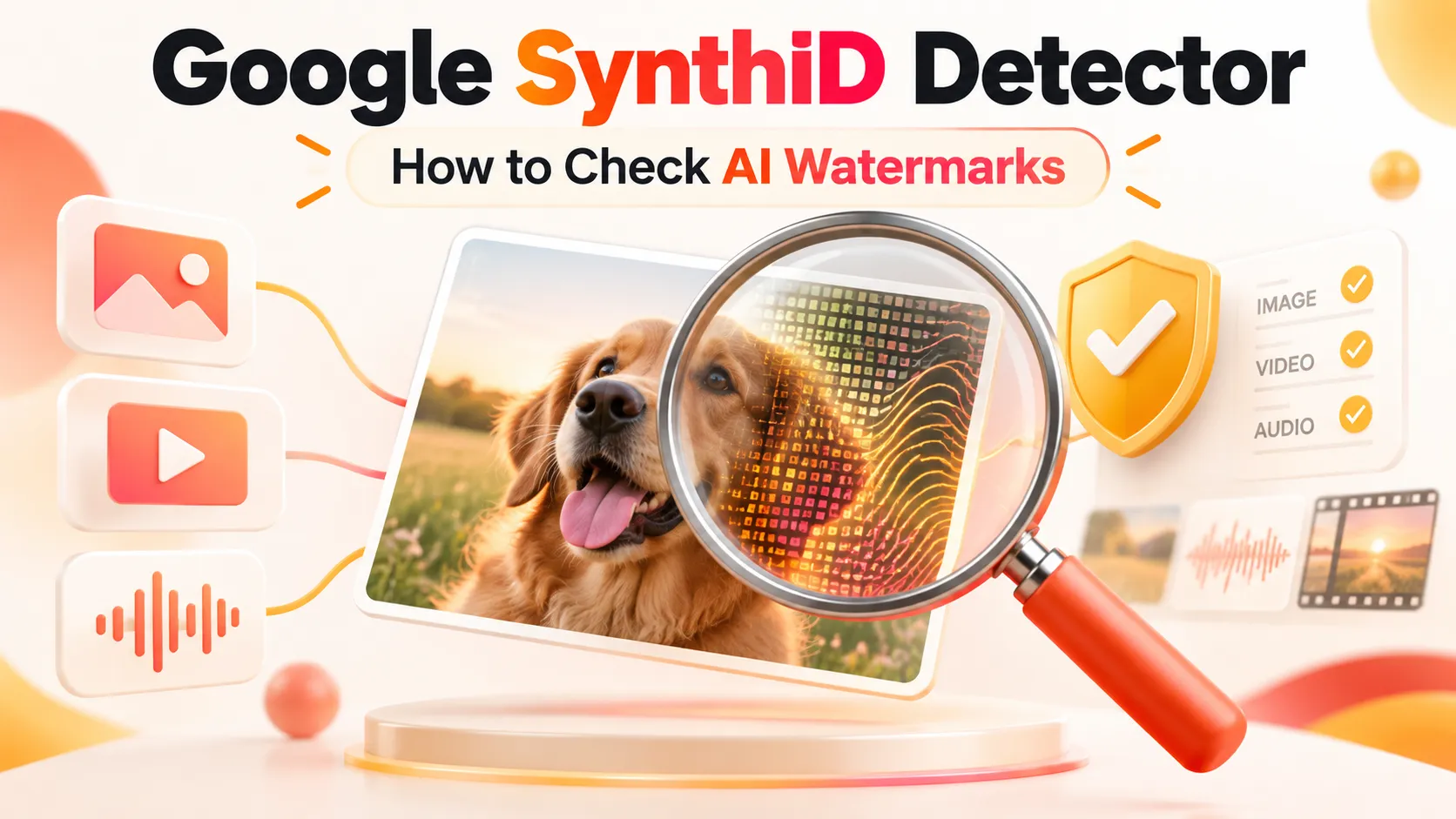
Google SynthID Detector is an AI content verification tool developed by Google DeepMind that identifies supported invisible watermarks embedded in AI-generated or AI-edited media.
Unlike conventional AI image detectors, which estimate whether a picture looks synthetic based on statistical patterns, SynthID searches for a deliberately embedded provenance signal.
The technology was introduced in August 2023 for AI-generated images. Google subsequently expanded SynthID to video, audio, and text watermarking.
On May 20, 2025, Google announced an early SynthID Detector verification portal for journalists, researchers, and selected media professionals.
The significant development occurred on October 7, 2026, when Google announced worldwide public access to SynthID Detector, with the interface available in English.
The public service allows users to check supported media created with Google's AI systems and those of participating partners.
According to Google's October 2026 announcement, SynthID had already been used to watermark:
- More than 180 billion images and videos.
- Approximately 240,000 years of audio content.
- Media distributed through multiple Google AI products and participating third-party ecosystems.
Google also reported that verification features across Search, Gemini, and Chrome collectively handled more than one million requests daily.
These figures demonstrate the scale of Google's watermarking and verification ecosystem. They are not measurements of SynthID Detector's standalone website traffic or independent evidence of its detection accuracy.
The most important distinction is that SynthID Detector verifies recognized watermark signals. It does not establish the authenticity, factual accuracy, or complete creation history of every uploaded file.
How to Use Google SynthID Detector Online
The official website is https://synthid.com/.
The verification process is designed for ordinary users rather than exclusively for developers or forensic researchers.
Step 1: Open the Official SynthID Detector Website
Visit synthid.com in a supported browser.
Follow any authentication requirements displayed by the service. The interface and available verification quotas may vary over time.
Because similarly named third-party websites and browser extensions exist, verify that the destination is Google's official domain before uploading sensitive files.
Step 2: Upload an Image, Video, or Audio File
Choose the media file that needs verification.
Examples include:
- An image suspected of being generated using Google's Nano Banana models.
- A video potentially generated using Google Veo.
- An AI-generated music or audio clip.
- A supported image or audio file potentially created using OpenAI tools.
Use the original exported file whenever possible.
Screenshots and files downloaded from social media may have been resized, recompressed, or stripped of metadata.
Step 3: Run the Watermark Verification
The detector analyzes the uploaded file for recognized SynthID watermark signals.
Depending on the media type and interface, verification may identify:
- Whether a supported watermark was detected.
- Whether the result is uncertain or inconclusive.
- Which portions of an image or audio recording are most likely to contain a watermark.
- Which segments of a video contain evidence of supported AI generation or editing.
Google's original 2025 SynthID Detector announcement described localization capabilities for watermarked image regions and audio segments.
Step 4: Interpret the Result Correctly
A positive detection indicates that the system identified a supported provenance signal.
It does not necessarily establish that every part of the media is synthetic.
For example, a genuine photograph could contain a small region modified using a supported AI image editor.
Similarly, a video could combine authentic footage with generated segments.
A negative result only establishes that the verifier did not identify a supported watermark in the uploaded file.
No watermark detected must never be treated as equivalent to verified human-created content.
Step 5: Check Additional Provenance Information
For more comprehensive verification, inspect the same original file using Content Credentials Verify.
This can reveal supported C2PA information, including:
- The organization that signed the provenance record.
- Information about content creation and editing.
- Whether AI involvement was recorded.
- Whether the available credentials pass applicable validation checks.
The two verification methods provide complementary evidence rather than interchangeable results.
How to Check SynthID Watermarks Using Gemini
Google also provides AI content verification through the Gemini application.
The process differs slightly from the standalone detector.
- Open Gemini and sign in with an eligible account.
- Upload a supported image, video, or audio file.
- Ask whether the file was generated or edited using Google AI.
- Review the watermark verification results and any available Content Credentials information.
For example, users can ask Gemini:
- Was this image generated or edited by Google AI?
- Does this video contain a SynthID watermark?
- Is this audio generated by Google AI?
According to Google's Gemini verification documentation, its built-in SynthID checking currently focuses on content created with Google's AI tools.
This distinction matters because the standalone SynthID Detector has been expanded to participating third-party ecosystems.
Gemini Verification Limits
Google's published Gemini documentation specifies the following limits for its verification feature:
| Restriction | Documented Gemini limit |
|---|---|
| Files per verification | One |
| Maximum file size | 100 MB |
| Video duration | Less than 90 seconds |
| Audio duration | Less than one hour |
| Image checks | Approximately 10 per rolling 24 hours |
| Video checks | Approximately 10 per rolling 24 hours, subject to total-duration limits |
| Audio checks | Approximately 10 per rolling 24 hours, subject to total-duration limits |
These limits apply to the documented Gemini verification workflow. They should not automatically be assumed to be the quotas for synthid.com.
Which AI Models and Platforms Does SynthID Detector Support?
Google's October 2026 expansion significantly broadened the potential ecosystem for SynthID verification.
However, support should be evaluated at the product and file level rather than treating every output from a participating company as watermarked.
| AI platform or model family | SynthID relevance | Important qualification |
|---|---|---|
| Google Gemini | Google AI verification ecosystem | Supported generation and editing workflows |
| Google Nano Banana | AI-generated and AI-edited images | Detectability depends on the actual file and export path |
| Google Veo | AI-generated video | Verification may concern specific video segments |
| Google Lyria | AI-generated music and audio | Supported audio workflows use inaudible watermarking |
| OpenAI / ChatGPT | Participating SynthID ecosystem | Not every historical image or audio output is covered |
| NVIDIA | Announced participating partner | Coverage varies by implementation |
| Kakao | Announced participating partner | Coverage varies by implementation |
| Apple | Announced as an upcoming partner | Future participation should not be confused with complete current coverage |
| Other AI generators | May use different provenance systems | Lack of SynthID does not exclude AI generation |
For the latest product information, consult Google DeepMind's official SynthID documentation.
Does SynthID Detect Midjourney and Other AI-Generated Images?
SynthID should not be regarded as a universal verification system for every image generator.
A generator that does not embed a supported SynthID watermark may produce images that return a negative result, regardless of how clearly AI-generated those images appear.
The same principle applies to locally generated images, older model outputs, and third-party services using other watermarking or provenance methods.
Does SynthID Detector Support AI-Generated Text?
SynthID technology includes a separate text watermarking capability.
Google's text watermarking research describes a technique that modifies token-generation probabilities to introduce statistical patterns into generated text.
However, the October 2026 public expansion specifically emphasizes verification of images, videos, and audio.
The existence of SynthID text watermarking does not establish that the public website can identify arbitrary ChatGPT essays, copied documents, or text generated by every language model.
Text watermarking also has different technical limitations, including reduced reliability after substantial rewriting or translation.
How Does SynthID Watermarking Actually Work?
SynthID uses a different technical foundation from ordinary image classification.
Rather than attempting to infer AI generation exclusively from visible artifacts, supported generation systems embed a watermark into the resulting media.
Invisible Watermarking for Images
For supported images, SynthID incorporates an imperceptible signal into image data during generation or editing.
Google's original image watermarking research described learned watermarking and identification models optimized for both imperceptibility and detectability.
The objective is to maintain visual quality while making the embedded signal sufficiently durable to survive common transformations.
These may include:
- Adjustments to brightness and contrast.
- Color modifications.
- Ordinary image filters.
- Certain resizing and cropping operations.
- Common lossy compression operations.
Unlike a visible logo placed in an image corner, the watermark is not intended to be identifiable by human vision.
Watermarking for Videos
Videos consist of sequences of image frames.
Google's SynthID video approach embeds signals into generated frame content, allowing verification technology to identify supported AI-generated footage.
This is particularly useful when a video combines generated and non-generated material.
However, detection in one portion of a video does not automatically establish that the entire recording was generated by AI.
Watermarking for Audio
SynthID also supports inaudible signals in generated audio.
Google has described watermarking applications for products including Lyria and supported generated audio workflows.
The signal is designed to remain imperceptible while tolerating some ordinary audio transformations.
Nevertheless, extensive editing, mixing, compression, or very short segments can affect detectability.
Why Metadata Readers Cannot Decode SynthID
A conventional metadata reader examines information stored alongside the file's media content.
SynthID is different because its signal is embedded into the media itself.
Consequently, reading EXIF, XMP, or C2PA fields is not equivalent to running a SynthID watermark check.
A website cannot legitimately claim universal SynthID detection simply because it extracts metadata or runs an AI image classifier.
Understanding SynthID Detector Results
The interpretation of verification results is at least as important as the detection technology itself.
| Result category | What it means | What it does not prove |
|---|---|---|
| Watermark detected | A supported watermark signal was identified | Every part of the file was AI-generated |
| Watermark not detected | No supported signal was identified | The file was created without AI |
| Uncertain or inconclusive | Available evidence was insufficient for a definitive detection | The watermark is definitely present or absent |
| Verification error | The check could not be completed properly | Any conclusion about authenticity |
Exact labels may differ between versions of the standalone detector, Gemini, and partner verification systems.
Example 1: A Genuine Photo With a Small AI Edit
A photographer captures a street scene using a conventional camera.
A supported AI editing tool is subsequently used to replace a background object.
The resulting image may contain evidence of AI modification, even though much of the image originated from a real photograph.
A positive watermark result would not justify describing every element of the scene as synthetic.
Example 2: An Entirely AI-Generated Image Without SynthID
An image is generated using a system that does not implement a compatible watermark.
The image could be completely synthetic while producing a negative SynthID result.
This is why watermark detection should never be treated as comprehensive AI classification.
Example 3: An Authentic Image Used With False Context
A real photograph may be shared with an incorrect location, misleading date, or fabricated caption.
Even if its provenance credentials validate successfully, the accompanying claims may still be false.
Content provenance helps establish origin and processing history. It does not independently establish factual truth.
SynthID vs. C2PA vs. EXIF vs. AI Image Detectors
Several technologies are commonly marketed as AI detection solutions, although they answer fundamentally different questions.
| Technology | Detection approach | Primary advantage | Main limitation |
|---|---|---|---|
| SynthID | Invisible embedded watermark | Can survive some transformations that remove metadata | Requires a supported watermarking implementation |
| C2PA Content Credentials | Cryptographically signed provenance records | Provides issuer and editing-history information | Credentials may be missing, unavailable, or invalid |
| EXIF / XMP | Traditional file metadata | Can expose camera and software information | Fields are easily removed or modified |
| AI image classifier | Statistical analysis of visual features | May analyze images without embedded provenance signals | Vulnerable to false positives and false negatives |
| Reverse-image search | Finds previous appearances of matching or similar media | Useful for establishing context and publication history | Does not directly establish AI generation |
Why SynthID and C2PA Work Better Together
Consider an image exported from a supported AI service.
Its C2PA manifest may record the issuing organization, creation software, and relevant processing actions.
Its SynthID watermark may provide an additional signal embedded in the image content.
If a social platform removes the metadata, the C2PA record may no longer be available in the downloaded copy.
A sufficiently intact SynthID watermark may still be detectable.
Conversely, C2PA can convey more detailed information about the content's documented history than a watermark alone.
This complementary relationship explains why organizations increasingly combine multiple provenance technologies.
A valid C2PA signature also requires careful interpretation. Cryptographic validation establishes properties of the signed record; it does not independently prove that every assertion made by the issuer is true.
How to Check a Nano Banana Watermark
Searches for a Nano Banana watermark checker typically reflect a practical question: Was this image generated or edited using Google's AI image tools?
For supported Nano Banana workflows, SynthID can provide relevant evidence.
The recommended verification process is straightforward.
- Obtain the original image whenever possible.
- Open Google SynthID Detector.
- Upload the image and complete the verification process.
- Review whether a supported watermark was detected.
- Check available Content Credentials using Content Credentials Verify.
- Consider the original publication source and editing history before making an authenticity claim.
Is the Visible Gemini Watermark the Same as SynthID?
No.
A visible badge or logo is a visual disclosure element.
SynthID is an invisible watermark embedded into the media content.
The two signals are conceptually different.
A file without a visible logo may still contain a detectable SynthID watermark.
Likewise, the presence of a visible logo does not substitute for verification of an embedded watermark.
Can Screenshots, Cropping, or Compression Remove SynthID?
SynthID was designed to resist several common modifications, but it is not immune to every transformation.
The effects depend on the watermarking implementation, original content, transformation type, and severity.
| Transformation | Possible effect on verification |
|---|---|
| Screenshot | Often removes original metadata; an embedded image watermark may survive |
| JPEG compression | May remove metadata while leaving some watermark signals detectable |
| Resizing | Can reduce available signal information |
| Cropping | May reduce detectable coverage, particularly when only a small region remains |
| Color adjustment | Some watermarks are designed to resist routine changes |
| Extensive repainting | May make the original watermark harder to identify |
| Video re-encoding | Can affect the strength and availability of watermark evidence |
| Audio compression | Some watermarking methods tolerate ordinary compression, but detection is not guaranteed |
Google's original SynthID image research announcement describes robustness against several image transformations while acknowledging that the technology is not foolproof.
For verification purposes, the original media file should generally be preferred over a transformed copy.
Why Does SynthID Detector Show No Watermark?
A negative result can have several explanations.
1. The AI Model Does Not Support SynthID
Not every AI generation system uses Google's watermarking technology.
A completely AI-generated file may therefore contain no recognized SynthID signal.
2. The File Was Created Before Watermarking Was Introduced
Watermarking capabilities have expanded over time.
Older content may have been generated before a specific product implemented the relevant provenance signal.
3. The Export Path Does Not Preserve a Supported Signal
Participation in a watermarking ecosystem does not guarantee that every output from every product version uses the same marking process.
4. The Media Has Been Substantially Modified
Repeated editing, cropping, re-encoding, or compositing may reduce the amount of recognizable watermark information.
5. There Is Insufficient Detectable Content
Very simple media or small AI-modified regions may not provide enough information for a conclusive result.
6. Verification Could Not Be Completed
Unsupported formats, upload restrictions, service errors, and quota limits can prevent a successful scan.
Recommended troubleshooting process: Confirm that the file format is accepted, retrieve the original export, complete a fresh verification on the unmodified file, and compare the result with independent provenance evidence.
Google SynthID Detector vs. OpenAI Verify vs. Content Credentials Verify
Different verification tools are optimized for different types of provenance evidence.
| Tool | Best use case | Main limitation |
|---|---|---|
| Google SynthID Detector | Checking supported Google and partner SynthID watermarks | Not universal across every AI generator |
| Gemini | Checking supported Google AI content and compatible credentials | Built-in SynthID detection is documented as Google-origin focused |
| OpenAI Verify | Checking supported OpenAI image and audio provenance | Does not identify arbitrary third-party AI outputs |
| Content Credentials Verify | Inspecting compatible signed C2PA provenance | Does not replace proprietary watermark detection |
| Reverse-image search | Investigating source history and context | Cannot directly verify an invisible SynthID signal |
Can OpenAI Verify Detect ChatGPT Image Watermarks?
Yes, for supported OpenAI-generated content.
In May 2026, OpenAI announced expanded content provenance support, including SynthID watermarking alongside C2PA credentials for supported generated images.
A July 2026 update extended supported SynthID watermarking and verification to audio.
OpenAI's verification tool at openai.com/verify checks supported provenance signals associated with OpenAI products.
It can report C2PA and SynthID findings separately.
However, it does not verify arbitrary content generated by unrelated providers, and it may not identify older or unsupported OpenAI outputs.
Is There a Google SynthID Detector API?
Developers should distinguish between Google's proprietary SynthID verification technology and other publicly documented AI-detection services.
As of October 2026, the public launch announcement does not establish the availability of a general-purpose, unrestricted SynthID decoding API for third-party developers.
A website claiming to verify Google's invisible watermark should be able to identify an authorized implementation rather than substituting ordinary metadata inspection.
Google Cloud AI Content Detection API Is Not the Same Thing
Google Cloud also documents an AI Content Detection API in Private Preview.
That service analyzes image characteristics such as pixel-level artifacts, noise patterns, and spectral anomalies to estimate whether an image was generated or modified by AI.
Google describes the output as probabilistic and warns about potential false positives and false negatives.
It is not equivalent to a publicly available SynthID watermark decoder, and its documentation states that C2PA metadata detection is not included.
How Developers Can Build an AI Content Provenance Checker
Although Google's full proprietary SynthID verification cannot simply be replicated, developers can create useful multi-signal verification applications.
A practical architecture combines local metadata inspection, C2PA verification, supported provenance APIs, and links to official services.
Option 1: Read C2PA Metadata With JavaScript
The open-source @contentauth/c2pa-web package provides browser-based access to C2PA provenance data using WebAssembly.
Install the package:
npm install @contentauth/c2pa-webA minimal implementation using a Vite-compatible setup:
import { createC2pa, Reader } from '@contentauth/c2pa-web';
import wasmSrc from '@contentauth/c2pa-web/resources/c2pa.wasm?url';

const c2pa = await createC2pa({ wasmSrc });
const reader = await Reader.fromBlob(c2pa, file.type, file);

try {
  const manifestStore = await reader.manifestStore();
  console.log(manifestStore);
} finally {
  await reader.free();
}
Here, file represents a browser File object obtained from an upload control.
A production implementation should additionally handle unsupported formats, parsing failures, trust validation, memory management, and missing credentials.
This code reads C2PA information. It does not detect SynthID watermarks.
Option 2: Use the OpenAI Content Provenance API
OpenAI provides a Content Provenance API for supported OpenAI-generated images and audio.
Its endpoint is:
POST /v1/content_provenance_checks
A basic request:
curl https://api.openai.com/v1/content_provenance_checks -H "Authorization: Bearer $OPENAI_API_KEY" -F "file=@example.png;type=image/png"For supported images, results can contain separate C2PA and SynthID entries.
For supported audio, the documented response includes SynthID results.
Developers should inspect each result rather than assuming that the response contains a single universal authenticity score.
The API documentation specifies:
- A default maximum upload size of 50 MiB.
- Audio duration of no more than 60 seconds after decoding.
- Access restrictions and rate limits.
- Separate detected and not-detected outcomes for applicable provenance signals.
The API is designed for OpenAI provenance verification, not universal Google Nano Banana watermark detection.
API keys must be kept on a trusted server rather than exposed in client-side JavaScript.
Option 3: Combine Multiple Verification Signals
A more comprehensive application can report four independent evidence categories:
| Evidence category | Suggested output |
|---|---|
| Watermark verification | Detected, not detected, inconclusive, or not checked |
| C2PA provenance | Trusted or valid, invalid, unavailable, or not present |
| EXIF / XMP metadata | Camera and software information when available |
| Statistical AI classification | A clearly labeled probabilistic assessment, if implemented |
The interface should not combine these into an unjustified single percentage described as definitive proof that an image is real.
For Google-specific watermarks, the application can provide a clearly labeled link to the official SynthID Detector until an authorized verification integration is available.
Privacy and File Handling
Applications processing potentially sensitive media should follow data-minimization principles.
Recommended safeguards include:
- Perform metadata inspection locally in the browser when practical.
- Disclose when files must be uploaded to an external service.
- Avoid retaining uploaded media unless necessary and clearly disclosed.
- Apply file-size limits and format validation.
- Protect API keys and enforce request quotas.
- Avoid publishing uploaded files or verification results without authorization.
These protections are particularly relevant to journalists, researchers, enterprises, and organizations handling unpublished media.
Best Practices for Verifying AI-Generated Content
Watermark verification should be one component of a broader evidence-based process.
Preserve the Original File
An original export generally provides more useful provenance evidence than a screenshot or heavily compressed copy.
Use the Appropriate Provider's Verification Tool
When the likely generation platform is known, begin with its supported provenance checker.
Inspect Signed Metadata Separately
C2PA records can provide information that watermark detection alone cannot establish.
Verify the Context
Check the source website, publication history, relevant events, and earlier appearances of the media.
A technically authentic image can still be presented with misleading context.
Avoid Treating a Negative Result as Proof
An unsupported watermark or missing provenance record does not automatically establish that content is human-created.
Use Human Review for High-Stakes Decisions
Automated provenance signals should support, rather than replace, careful review when the consequences involve reputation, safety, legal claims, or content moderation.
Frequently Asked Questions
Is Google SynthID Detector Free?
Google's October 2026 announcement describes worldwide public access to the standalone verification tool. Public availability does not necessarily guarantee unlimited use. Authentication requirements, file restrictions, and quotas may apply, so the current website interface should be consulted for applicable conditions.
What Is the Official Google SynthID Detector Website?
The official website is https://synthid.com/. Google DeepMind also provides product information at deepmind.google/models/synthid.
Can Google SynthID Detector Identify All AI Images?
No. It detects recognized SynthID watermark signals in supported media. Files produced without compatible watermarking can return negative results even when entirely AI-generated.
Can SynthID Detect Nano Banana Images?
Supported Google AI image generation and editing workflows can include SynthID watermarks. Detection depends on the particular file, model, export process, and any subsequent modifications.
Can SynthID Detect ChatGPT-Generated Images?
OpenAI participates in the expanded SynthID ecosystem. Supported newer OpenAI-generated images may contain compatible watermarks, but older or unsupported outputs may not. OpenAI Verify provides a separate official verification option.
Does SynthID Detector Work on Videos?
Yes. Google's public detector supports video verification for supported watermarking workflows. Detection may concern particular segments rather than an entire mixed-source video.
Can SynthID Detect AI-Generated Music?
SynthID supports watermarking of generated audio, including certain Google music-generation workflows. A successful detection depends on whether the recording contains a recognized signal.
Can SynthID Detect AI-Written Text?
Google has developed text watermarking technology, but the October 2026 public detector announcement focuses on images, video, and audio. It should not be treated as a universal detector for arbitrary AI-written text.
Is a SynthID Watermark Visible?
No. SynthID uses imperceptible signals designed to be recognized by compatible detection systems rather than by human sight or hearing.
Can SynthID Survive a Screenshot?
Sometimes. An embedded image watermark may remain detectable after a screenshot, even when the original file metadata is removed. Results depend on the media and transformation.
Does No Watermark Detected Mean an Image Is Real?
No. It means the verifier did not identify a supported watermark in that file. The image could still have been generated or edited using AI.
Is SynthID the Same as Content Credentials?
No. SynthID uses embedded watermarking signals. C2PA Content Credentials use cryptographically signed provenance records. Both can provide useful but different evidence about media origin.
Can a Third-Party Website Detect Google's SynthID Watermark?
A third-party service needs access to an appropriate authorized detector to perform genuine SynthID verification. Ordinary EXIF readers, C2PA parsers, and generic AI classifiers do not automatically provide this capability.
Conclusion
Google SynthID Detector represents an important development in accessible AI content verification, but it is not a universal real-versus-fake detector.
The October 7, 2026 worldwide expansion allows ordinary users to investigate supported images, videos, and audio for invisible watermarks associated with Google and participating partners.
Its greatest value comes from providing direct evidence of a supported provenance signal rather than relying entirely on whether content looks artificially generated.
However, watermark detection has practical limitations. Unsupported models, historical files, editing transformations, and incomplete provenance records can all prevent a conclusive result.
For a more reliable assessment, combine SynthID verification, C2PA Content Credentials, original-file examination, and independent contextual research.
Start by visiting the official Google SynthID Detector, upload the original media file, and evaluate the result alongside additional evidence from Content Credentials Verify or the relevant provider's verification service.
The objective is not merely to label media as real or fake. It is to establish what the available technical evidence can—and cannot—reliably demonstrate.
Continue Reading
More articles connected to the same themes, protocols, and tools.

Stitch MCP Server Guide 2026: Setup for Claude Code, Cursor, Codex and Antigravity

Gemini 4 Argon vs Claude Opus 5.5: Which AI Actually Wins at Coding, Agents, and Price in 2026?

Who Founded TierMaker? How a Simple Tier List Website Became a 17 Million-Visit Internet Phenomenon
Referenced Tools
Browse entries that are adjacent to the topics covered in this article.