

Warp
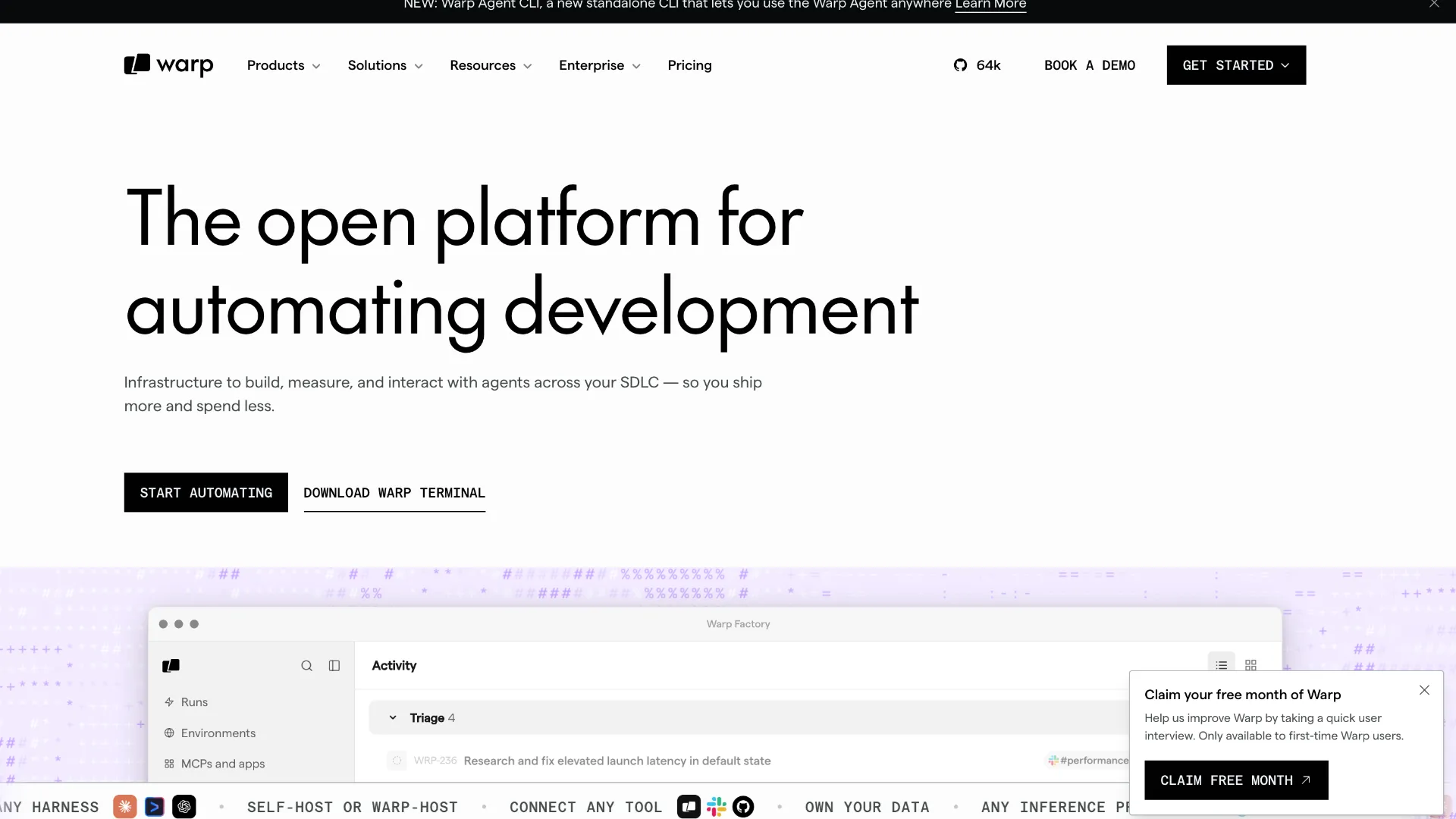
Warp is a terminal-first agentic development environment that combines an AI-native coding workspace with local and cloud agent orchestration.
Information checked: Aug 14, 2026 ·View sources
Tool details
- Type
- AI editors
- Platforms
- macOS, Linux, Windows
- Free plan
- Yes
- Open source
- Yes
- Bring your own key
- Yes
- Local models
- No
Overview
Best for
- Developers who spend significant time in terminals and shells
- Agentic coding across code, terminal and infrastructure workflows
- Running multiple coding agents in parallel
- Teams standardizing agent permissions and usage controls
- Developers using Claude Code, Codex or Gemini CLI alongside a richer terminal UI
- Workflows involving SSH, databases, debuggers and interactive CLI applications
Strengths
- Terminal-native approach works well for shell-heavy development workflows.
- Can combine Warp's own agent with third-party CLI coding agents.
- Strong support for parallel local and cloud agent workflows.
- Wide model selection with automatic model routing.
- Warp Terminal client is open source.
- Available on macOS, Linux and Windows.
Limitations & trade-offs
- Developers who primarily want a traditional VS Code-compatible editor experience
- Users seeking a simple autocomplete-only AI coding extension
- Teams requiring completely offline local-model inference
- Users who do not regularly work from a terminal
- Less conventional than a VS Code-style IDE for developers centered on visual editor workflows.
- Heavy AI usage can make credit-based costs less predictable than fixed subscriptions.
- Some advanced orchestration, governance and inference controls require higher-tier plans.
- Native local-model inference is not positioned as a standard consumer feature.
- Warp's expanding terminal, agent and cloud platform can be more complex than a single-purpose coding assistant.
Get started
Pricing & usage limits
Official pricingFree tier · From $20
Core terminal, Warp Agent CLI access, limited cloud agents and pay-as-you-go agent usage.
Includes 1,500 credits, full Warp Agent access, higher indexing limits and expanded cloud-agent usage.
Includes 18,000 credits for developers with substantially heavier agent usage.
For teams up to 25 seats, with team metrics, admin controls, custom inference endpoints and SAML SSO.
Adds enterprise governance, advanced spend controls, BYOLLM, self-hosted cloud agents and enterprise support.
Pricing checked: Aug 14, 2026 · Subscription, usage limits, and model costs may be billed separately.
Features & details
Agentic Development
- Built-in Warp Agent
- Multi-agent orchestration
- Automatic and manual model selection
- Parallel local and cloud agent workflows
- Editable planning and code review workflows
Terminal & Code
- Modern block-based terminal
- Integrated code editing
- Codebase indexing and context
- Interactive terminal application support
- Agent-aware shell sessions
Agent Ecosystem
- Warp Agent CLI
- Claude Code integration
- Codex integration
- Gemini CLI integration
- MCP server support
Cloud & Collaboration
- Cloud agents through Oz
- Warp Drive shared context
- Agent session sharing
- Slack, Linear and GitHub integrations
- Local-to-cloud agent handoff
Team Controls
- Agent permission controls
- Team-wide AI policies
- Usage and spend controls
- Secret redaction
- Enterprise inference routing
Why Choose Warp?
Warp makes the most sense when the terminal is not merely a utility window attached to an editor but one of the primary places where development happens. Its product direction differs from AI editors that begin with a text editor and progressively add terminals, agents, and deployment controls. Warp started with the shell and expanded outward into code editing, agent orchestration, shared context, and cloud execution.
That distinction matters in practice. A software task often extends beyond editing source files: reproducing a bug may require starting services, querying a database, inspecting logs, running a debugger, changing directories across repositories, connecting to another machine, and validating the result. Warp is designed around keeping the agent involved throughout that sequence rather than handing control back and forth between an editor assistant and a separate terminal.
The product has consequently become broader than the original Warp Terminal. The desktop application functions as an agentic development environment, while Warp Agent can operate inside it, Warp Agent CLI can run in other terminals, and Oz extends the same general approach into cloud-agent orchestration.
Core Workflow
A useful way to understand Warp is as a workspace in which commands and agent conversations coexist around the real state of a development session.
For small tasks, a developer can continue working conventionally and invoke an agent only when needed. For larger tasks, the workflow can shift toward delegation: describe the desired outcome, let the agent inspect the repository and environment, review its proposed approach, and then supervise execution and code changes.
This becomes more interesting when several pieces of work are independent. Instead of forcing one conversation to sequentially investigate a test failure, refactor another module, and examine an unrelated bug, Warp's direction is toward parallel agents whose work can be inspected separately. Oz extends this model beyond the local machine so longer-running jobs do not have to occupy a developer's laptop.
Warp also does not require every agent workflow to use Warp Agent. Developers already invested in Claude Code, Codex, Gemini CLI, or other terminal agents can treat Warp as the environment around those agents. This makes migration less binary than switching from one proprietary coding assistant to another.
Where Warp Is Most Differentiated
The strongest differentiation appears in workflows where an agent needs to understand and manipulate a live terminal rather than merely execute isolated shell commands generated from an editor chat panel.
Consider debugging an application backed by PostgreSQL. An editor-first agent may be excellent at reading the repository and modifying application code, but debugging can still involve database shells, development servers, test runners, logs, SSH sessions, and multiple long-running processes. Warp's terminal heritage makes these activities part of the primary agent workspace.
A similar advantage applies to infrastructure work. Repository edits may represent only a small portion of debugging CI failures, investigating deployments, operating containers, or diagnosing services. Developers working across application code and operational tooling are more likely to notice Warp's architectural differences than someone whose work happens almost entirely inside source files.
Use Cases
Repository-scale feature work
Warp can be used for feature implementation where the agent first explores the project, develops an implementation plan, modifies multiple files, runs validation commands, and iterates on failures. The value is less about generating an individual function and more about keeping implementation and verification inside one continuous workflow.
Bug investigation
Bug fixing is particularly suitable because the work frequently alternates between observation and modification. An agent can inspect logs or tests, search the repository, reproduce a failure, make a change, and rerun the relevant commands. Keeping those stages connected can preserve more useful operational context than treating every command as an isolated tool call.
Multi-repository and remote development
Terminal-heavy teams frequently move between repositories, containers, servers, and development environments. Warp's approach fits these workflows better than products built around the assumption that one local repository opened in an editor represents the complete working environment.
Parallel agent development
For developers experimenting with multiple coding agents, Warp can act as an orchestration layer rather than forcing a choice of a single harness. One agent can investigate a problem while another works on an unrelated task, with cloud execution providing another option for jobs that should not remain tied to the local workstation.
Warp vs AI-Native Editors
The most important comparison with Cursor or Windsurf is not simply which product has the stronger model. Model availability changes rapidly and increasingly overlaps across products. The more durable difference is the primary interface each product optimizes.
Cursor and Windsurf remain easier conceptual transitions for developers who want the familiar VS Code editing model with increasingly autonomous agents layered on top. Source navigation, editor panes, extensions, and visual editing remain central to the experience.
Warp reverses that emphasis. The shell, processes, command output, agent activity, and operational state are first-class parts of the environment. Code editing exists in the same workflow, but Warp does not attempt to disguise its terminal-first foundation.
This means neither approach is universally preferable. A frontend developer spending most of the day navigating TypeScript and JSX may naturally prefer an editor-centric environment. A backend, platform, infrastructure, data, or full-stack engineer frequently moving between code and shell operations may find Warp's model more coherent.
Warp and Standalone CLI Agents
Warp's relationship with tools such as Claude Code and Codex is unusual because they can be both competitors to Warp Agent and components inside a Warp workflow.
A developer can use Warp's own agent when its model routing, terminal integration, or orchestration is desirable, but can also run another CLI agent without abandoning Warp as the surrounding development environment. This reduces the risk of choosing an IDE solely because of one current model or agent harness.
The standalone Warp Agent CLI pushes the inverse strategy: developers who like Warp Agent but prefer another terminal can use the agent without adopting the complete Warp desktop interface. For teams evaluating Warp, it is therefore useful to evaluate the agent and the environment as related but separable pieces.
Best Configuration
For an individual developer, the most effective setup is usually to retain the existing shell configuration and development tooling rather than attempting to redesign the workflow around AI immediately. Start with normal terminal work, introduce Agent Mode for repository-level tasks, and identify which repetitive investigation or implementation steps are safe to delegate.
Model selection should also be task-dependent. Faster or lower-cost models are appropriate for straightforward modifications and exploration, while difficult debugging or architecture work can justify higher-reasoning models. Warp's automatic routing is useful when manually optimizing this tradeoff would create more overhead than value.
MCP servers and persistent project rules become more valuable once the agent is used repeatedly on the same codebase. They can provide project-specific tools and conventions without requiring every prompt to restate the same instructions.
Teams should additionally define agent permissions and spending boundaries before encouraging widespread autonomous execution. Increased agent concurrency changes both cost patterns and the amount of code developers need to review, so governance is most effective when introduced alongside adoption rather than after usage expands.
Migration Notes
Moving from a traditional terminal such as iTerm2, Ghostty, Windows Terminal, or a standard Linux terminal does not require immediately adopting every agent capability. Warp can first replace the terminal layer while existing editors, shells, CLI tools, and coding agents remain in place.
Developers moving from Cursor or Windsurf should expect a larger conceptual shift. Warp is not primarily a VS Code replacement with a different sidebar; its workflow places substantially more emphasis on commands, execution state, and agents. Running both tools during an evaluation period is therefore more informative than attempting a one-day editor replacement.
For Claude Code, Codex, or Gemini CLI users, migration can be even more incremental because those tools can continue running inside Warp. This allows the environment to be evaluated independently from the question of whether Warp Agent should replace an existing coding agent.
Teams considering cloud agents should make a separate decision about execution infrastructure. Local interactive agents and remote autonomous tasks have different security, networking, secrets, cost, and observability requirements. Warp's platform connects those workflows, but organizations still need explicit policies around which tasks are suitable for each environment.
The Main Tradeoff
Warp's breadth is simultaneously its advantage and its largest adoption consideration. What began as a terminal now spans a terminal, code environment, built-in coding agent, standalone agent CLI, shared developer context, integrations, and cloud orchestration.
Developers who want one environment connecting these layers can benefit from that convergence. Developers seeking only a lightweight AI autocomplete tool or a conventional editor with minimal workflow changes may find the product broader than necessary.
The most useful decision question is therefore not whether Warp has enough AI features. It is whether a terminal-centric, agent-oriented development model matches how the developer actually builds and operates software.
Model support & data privacy
Supported models
- GPT-5.6
- GPT-5.5
- GPT-5.4
- GPT-5.3 Codex
- Claude Opus 5
- Claude Fable 5
- Gemini 3.1 Pro
- GLM 5.2
- Kimi K3
Privacy & data handling
Warp documents configurable telemetry, secret redaction and Zero Data Retention arrangements with contracted LLM providers. Free-plan AI usage requires telemetry to remain enabled, while paid users can disable telemetry and continue using AI. Business and Enterprise add stronger organization-level data controls, and Enterprise can route inference through customer-controlled cloud infrastructure.
Guides, reviews & fixes
View allNo published guides yet. Start with the official documentation above.
Product updates
No verified product updates listed yet. Follow this tool to see new relevant content in Saved.
See the content timelineAlternatives
Sources & verification
Verification dates record when this directory checked the information. Product release dates appear separately above.
Directory revision history
Warp launched Warp Agent CLI as a standalone coding agent that can run in Warp or other terminals.
Warp announced that its client had become open source.
Warp introduced broader support for external CLI coding agents including Claude Code, Codex, Gemini CLI and OpenCode.
Warp introduced its usage-based Build pricing model starting at $20 per month.
Warp 2.0 expanded the product from a modern terminal into an Agentic Development Environment combining Code, Agents, Terminal and Drive.