


Zed AI
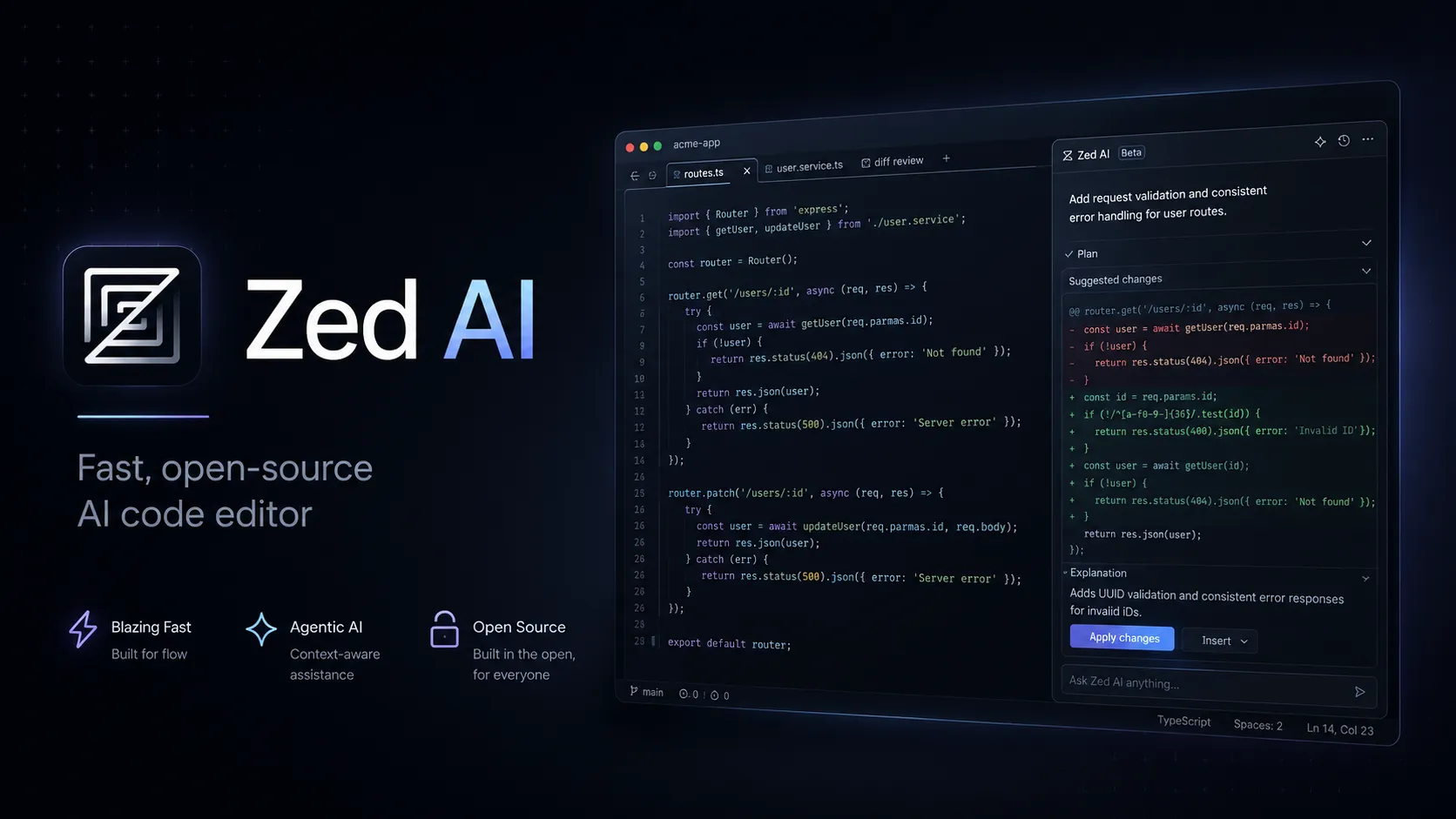
Zed AI is an open-source standalone AI code editor positioned around speed, agent review, flexible model access, and collaboration rather than VS Code compatibility.
Information checked: Jun 13, 2026 ·View sources
Tool details
- Type
- AI editors
- Platforms
- macOS, Linux, Windows
- Free plan
- Yes
- Open source
- Yes
- Bring your own key
- Yes
- Local models
- Yes
Overview
Best for
- Developers who want a fast native editor with integrated AI agents.
- Teams that want to review AI-generated code changes inside the editor before committing.
- Users who prefer BYOK, gateway, or local model routing instead of a single bundled AI vendor.
- Developers experimenting with Claude, Codex, OpenCode, Gemini CLI, or other ACP-style external agents.
- Open-source-minded teams that want visibility into the editor, protocol, and edit prediction model.
Strengths
- Open-source standalone editor rather than a VS Code fork.
- Strong fit for developers who want fast local editing plus agentic workflows.
- Flexible model routing through hosted models, BYOK, local models, gateways, and external agents.
- Business controls cover model policy, spend, and data sharing.
- Good option for teams that want human collaboration and AI review in the same editor.
Limitations & trade-offs
- Teams that require the full VS Code extension marketplace.
- Organizations that need SSO, SAML, or SCIM available today.
- Developers who want predictable all-inclusive AI usage with no token-based overage.
- JetBrains-heavy workflows that depend on advanced IDE inspections and mature language-specific tooling.
- Users who want a browser-only coding environment.
- Extension ecosystem is smaller than VS Code and JetBrains.
- Hosted model usage can exceed the base Pro subscription due to token billing.
- Some external agent features depend on each agent integration.
- Business SSO, SAML, and SCIM are documented as planned but not currently available.
- Developers deeply tied to VS Code settings, extensions, or JetBrains inspections may face migration friction.
Get started
Pricing & usage limits
Official pricingFree tier · From $10
Personal$0 / forever
Free editor with limited Zeta edit predictions and unlimited use with your own API keys or external agents.
Pro$10 / month
Hosted AI models, unlimited edit predictions, $5 monthly token credit, and usage-based billing beyond included credits.
Business$30 / seat/month
Organization controls, data governance, unified spend visibility, role-based access controls, and hosted AI access.
Student$0 / 1 year
Free verified student plan with Pro features, hosted models except Claude Opus, and $10 monthly token credit.
Pricing checked: Jun 13, 2026 · Subscription, usage limits, and model costs may be billed separately.
Features & details
Agent Workflows
- Agent Panel for code generation, refactoring, debugging, and documentation
- Parallel agent threads across projects and worktrees
- Editable unified diff review before committing AI changes
- Terminal-backed threads for agent CLIs and TUIs
Model Access
- Zed-hosted models through Pro or Business
- Bring-your-own API keys without a Zed subscription
- Local model support through Ollama, LM Studio, and compatible servers
- External agents through Agent Client Protocol
Editing Experience
- Rust-native editor focused on low-latency interaction
- Zeta edit predictions for inline code completion
- Inline Assistant for selection-based transformations
- Git commit message generation from repository changes
Team Controls
- Org-wide AI model policies
- Data sharing and feedback controls
- Unified billing and spend visibility
- Role-based access controls
Why Choose Zed AI?
Zed AI is most compelling when the editor itself is part of the AI workflow, not just a shell around a chat sidebar. Its differentiator is the combination of low-latency editing, agent-visible project context, and an explicit review loop where AI changes can be inspected before they become committed code.
That makes it feel different from tools that primarily optimize for autocomplete volume or chat convenience. Zed is closer to a collaborative coding surface: the agent can navigate and edit, while the developer stays in control of context, diffs, permissions, and final acceptance.
The other major reason to consider Zed is model independence. Developers can use Zed-hosted models for convenience, bring their own provider keys for cost control, route through gateways, use local models, or run external agents through ACP. For teams that do not want their coding workflow tied to a single AI vendor, this is a practical architectural advantage.
Core Workflow
A typical Zed AI session starts by choosing the right execution path for the task. For small edits, the inline assistant or edit prediction flow keeps the developer in the file. For broader changes, the Agent Panel is better: describe the task, attach or mention relevant files, let the agent propose edits, then review the resulting diff.
The important workflow detail is that Zed encourages task-scoped threads. Instead of keeping one endless assistant conversation alive, it is often cleaner to open separate threads for a refactor, a failing test, a documentation update, or a migration step. This keeps context windows focused and makes the review history easier to reason about.
For external tools, Zed can act as a client surface for agents such as Claude, Codex, OpenCode, or Gemini CLI. This is useful when a team already has preferred agent subscriptions or command-line workflows but wants a more visual editor-based review experience.
Use Cases
Zed AI fits fast-moving engineering work where developers want to delegate contained coding tasks without losing review discipline. Good examples include multi-file refactors, test generation, bug investigation, documentation updates, API migration cleanup, and repetitive codebase-wide edits.
It is also useful for developers who alternate between local-first coding and cloud model usage. A privacy-sensitive project can route some work through local models, while higher-reasoning tasks can use hosted or BYOK frontier models when appropriate.
For teams, Zed becomes more interesting when AI adoption needs governance. Business controls around model availability, feedback sharing, data policies, and spend limits make it easier to introduce AI coding workflows without relying purely on individual developer configuration.
Comparison to Alternatives
Compared with Cursor, Zed is less about being a VS Code-compatible AI layer and more about being a new editor architecture designed around speed, collaboration, and open protocols. Cursor will feel more familiar to VS Code users, while Zed appeals to developers willing to switch editors for native performance and a cleaner agent review surface.
Compared with Windsurf, Zed's advantage is openness and model-routing flexibility. Windsurf has a polished AI-first product experience, but Zed is stronger for users who care about open-source infrastructure, local models, BYOK setups, and external agent protocols.
Compared with GitHub Copilot, Zed is a broader editor decision. Copilot can be added to existing environments, while Zed asks the developer to adopt a new editor in exchange for integrated agent workflows and native collaboration primitives.
Compared with Claude Code or Codex CLI, Zed provides a visual workspace for reviewing changes. Terminal-first agents remain powerful for automation-heavy users, but Zed is easier to evaluate when the developer wants to see files, diffs, threads, and editor state together.
Best Configuration
For individual developers, the best starting setup is usually to use the free editor with an existing API key or external agent, then upgrade only if Zed-hosted models and unlimited edit predictions become part of the daily workflow. This avoids paying before understanding actual model usage patterns.
For heavier AI usage, set a spend limit early. Zed's Pro subscription includes token credit, but hosted model usage is still usage-based after the included credit. A monthly cap keeps experimentation from turning into unpredictable billing.
For local-first workflows, configure Ollama or LM Studio for low-risk codebase exploration, then reserve hosted or BYOK frontier models for tasks that require stronger reasoning. This hybrid setup is one of Zed's strongest practical configurations.
For teams, define model policy and data-sharing rules before rollout. The product is flexible enough that inconsistent per-developer setup can become messy unless the organization decides which providers, external agents, and feedback settings are acceptable.
Migration Notes
Moving from VS Code is the biggest practical adjustment. Zed has its own extension ecosystem, settings model, and editor conventions, so the migration should be treated as an editor switch rather than a drop-in replacement. Start with one language stack and verify formatter, LSP, debugger, test, terminal, and Git flows before moving an entire team.
Moving from JetBrains requires even more care. Zed is fast and flexible, but JetBrains IDEs still have deep language-specific inspections and mature project tooling. Teams using complex Java, Kotlin, PHP, or enterprise monorepo workflows should pilot Zed on real repositories before standardizing.
For AI migration, the key is to separate editor adoption from model adoption. Zed can connect to many providers, so teams do not need to change model vendors at the same time they change editors. That makes a phased rollout easier: keep existing API contracts or agent subscriptions, then evaluate Zed's hosted models later.
Model support & data privacy
Supported models
- Zeta
- Claude
- GPT
- Gemini
- Anthropic
- OpenAI
- Google AI
- Amazon Bedrock
- DeepSeek
- Mistral
- OpenRouter
- Vercel AI Gateway
- xAI
- Ollama
- LM Studio
- GitHub Copilot Chat
- ChatGPT Subscription
- OpenAI API Compatible
- OpenCode
Privacy & data handling
Zed states that normal AI requests are not retained by Zed, while feedback ratings and edit prediction training data are opt-in. Hosted model requests still depend on provider-side handling, and some provider-designated models may have safety-retention behavior.
Guides, reviews & fixes
Product updates
No verified product updates listed yet. Follow this tool to see new relevant content in Saved.
See the content timelineAlternatives
 CursorCursor is an AI coding and cloud development platform that combines a VS Code-based editor, local and cloud agents, CLI workflows, Origin code hosting, repository collaboration, and prompt-to-app creation.Zed AI vs Cursor
 WindsurfWindsurf, now transitioning under the Devin Desktop brand, is an AI-native IDE for developers who want coding agents, codebase context, and editor workflows in one desktop environment.
 VoidVoid is an open-source AI IDE and Cursor-style VS Code fork for developers who want model choice, local/BYOK workflows, and more control over AI coding data paths.
 TRAE / TraeCodeTRAE combines TraeCode, an AI coding environment for working with source files, and TraeWork, a task-oriented AI work assistant. This page focuses on choosing and setting up the coding workflow, reviewing changes and understanding subscription usage.
 GitHub CopilotGitHub Copilot is a mainstream AI code assistant and developer workflow layer for teams that want AI support inside existing editors, GitHub repositories, pull requests, and terminal workflows.
 ContinueContinue is an open-source AI coding agent and IDE extension ecosystem focused on configurable model access, repository-defined AI checks, and team-controlled coding workflows.
 Claude CodeClaude Code is Anthropic's terminal coding agent for repository work, subagents, hooks, MCP, and automation, with growing operational tooling for API cost analysis and feedback.
 Codex CLIOpenAI Codex CLI is a terminal coding agent that combines repository editing and command execution with task-to-task coordination, parallel workflows, hooks, and the broader Codex platform.
Sources & verification
Verification dates record when this directory checked the information. Product release dates appear separately above.
Official websiteZed pricingZed AI overview docsZed LLM providers docsZed plans and pricing docsZed-hosted models docsZed AI privacy docsZed GitHub repository
Directory revision history
Verified official positioning, pricing tiers, BYOK/local model support, hosted model billing, privacy notes, and open-source repository information.