Strapi
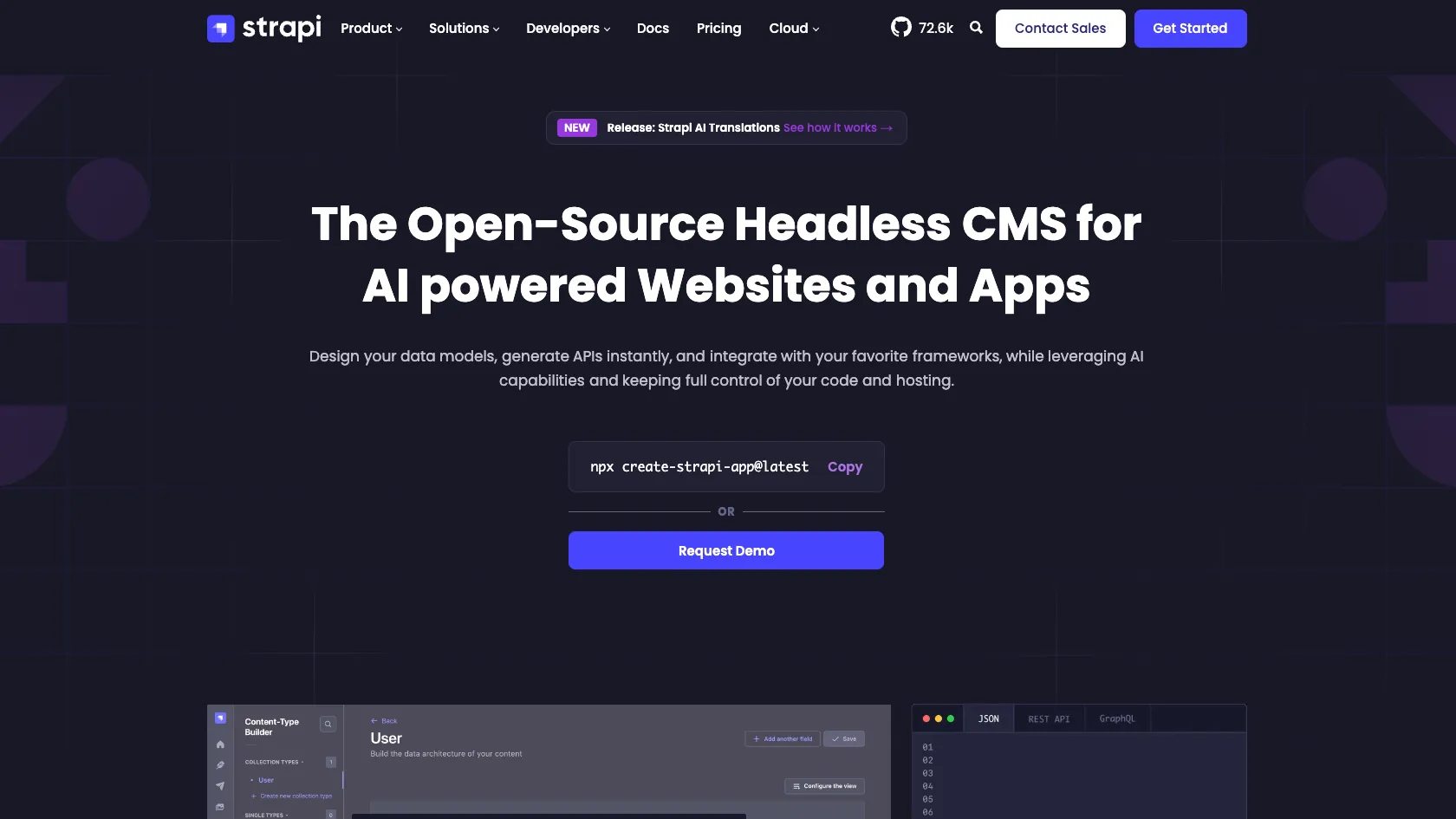
Strapi is an open-source TypeScript/JavaScript headless CMS for building custom content APIs, admin panels, and structured content backends. It now also includes AI-assisted content modeling and MCP integrations for AI-aware developer and content workflows.
Choose Strapi when you want an open-source, customizable content backend with generated APIs and optional managed hosting; choose a more visual or fully managed CMS if editorial simplicity matters more than backend control.
Pricing Plans
Community CMS
Open-source MIT-licensed Strapi CMS for self-hosted projects.
CMS Growth
Paid CMS feature license with premium content features and Strapi AI credits.
CMS Enterprise
Self-hosted enterprise CMS features such as advanced governance, security, and support.
Strapi Cloud Free
Managed hosting for personal, non-commercial projects with usage limits and cold starts.
Strapi Cloud Essential
Entry managed hosting plan; CMS paid features require a separate license.
Strapi Cloud Pro
Managed hosting for teams that need higher limits and environment options.
Strapi Cloud Scale
Managed hosting for high-traffic apps, agencies, and larger teams.
Strapi Cloud Scale+
Custom cloud hosting arrangement for enterprise customers.
Core Features
1Content Backend
- Visual content-type builder
- Auto-generated REST APIs
- GraphQL support
- Single types, collection types, components, and dynamic zones
2Editor Experience
- Browser-based admin panel
- Draft and publish workflow
- Media library
- Internationalization
- Role-based access control
3Developer Extensibility
- Node.js and TypeScript foundation
- Custom controllers, services, routes, and middleware
- Plugin system
- Database support for SQLite, PostgreSQL, MySQL, and MariaDB
4AI & MCP
- AI-assisted content-type creation
- Figma, image, and JavaScript app import for schema generation
- AI-generated image metadata and translations
- Built-in Strapi MCP server for content management
- Docs MCP server for IDE-based Strapi documentation answers
5Deployment Options
- Self-hosting on any compatible Node.js host
- Managed Strapi Cloud hosting
- Git-based cloud deployments
- Cloud backups, custom domains, usage tracking, and overages
Pros
- Open-source CMS core with strong developer customization.
- Good fit for teams that need structured content APIs rather than a page-only website builder.
- Works with modern frontend stacks such as Next.js, Nuxt, Astro, Vue, React, and Svelte.
- Can be self-hosted for infrastructure control or deployed on Strapi Cloud for reduced operations.
- AI and MCP features make Strapi more relevant to agent-assisted content and development workflows.
Cons
- Not an AI code editor, IDE, or autonomous coding agent.
- Cloud hosting and paid CMS features are priced separately, which can confuse buyers.
- Self-hosting requires DevOps responsibility for database, storage, backups, scaling, and security updates.
- Complex schemas need careful planning to avoid migration and API design problems later.
- Strapi AI is tied to paid CMS licensing and credit usage rather than bring-your-own-model workflows.
Why Choose Strapi?
Strapi is strongest when the content model is part of the product architecture, not just a publishing layer. It gives developers a structured backend that can serve many frontends while still giving editors a usable admin panel. That makes it a practical choice for teams building marketing sites, apps, portals, marketplaces, documentation hubs, or internal tools where content needs to move through APIs.
The core tradeoff is control versus convenience. Strapi gives more backend flexibility than many hosted CMS products, but that flexibility comes with architectural responsibility. Teams still need to design schemas, permissions, hosting, media storage, caching, migrations, and deployment workflows thoughtfully.
Core Workflow
A typical Strapi project starts with defining content types, relationships, media fields, components, and editorial rules. Once the schema is saved, Strapi exposes content through APIs and the team connects it to a frontend such as Next.js, Nuxt, Astro, React, Vue, Svelte, or a mobile app.
For developer-heavy teams, the workflow does not stop at the visual builder. Strapi projects can be customized with routes, controllers, services, middleware, plugins, database configuration, and admin-panel extensions. This is where Strapi differs from simpler headless CMS tools: it can behave like a CMS and a customizable backend framework at the same time.
AI and MCP features add a new layer to that workflow. Strapi AI can help generate content structures from prompts, designs, or existing frontend code, while MCP support lets compatible AI tools query documentation or interact with content through permission-scoped tokens. These features are useful, but they should be treated as accelerators rather than replacements for data modeling and permission design.
Use Cases
Strapi works well for content-rich websites where the frontend should remain independent from the CMS. It is also useful for mobile apps, SaaS dashboards, ecommerce content layers, product information systems, learning platforms, intranets, and multi-language content operations.
Agencies may also benefit from Strapi when they want reusable backend patterns across client projects without locking every client into a proprietary page builder. Product teams may prefer it when content needs to be consumed by multiple surfaces, such as a website, app, API, and internal admin tool.
Comparison to Alternatives
Compared with Contentful, Strapi gives more open-source control and self-hosting flexibility, while Contentful offers a more mature hosted enterprise content platform with less infrastructure responsibility. The decision often comes down to whether the team values backend ownership or managed platform depth.
Compared with Sanity, Strapi feels more like a traditional backend CMS with generated APIs and an admin panel. Sanity is more centered on structured content as a hosted real-time content platform with a highly customizable editing studio. Teams should compare editorial workflow, developer model, hosting expectations, and how much custom backend code they want to own.
Compared with Directus, the mental model is different. Directus is often database-first, making it attractive when an existing SQL database is the starting point. Strapi is usually schema-first from the CMS side, which can be easier for teams starting a new content backend from product requirements.
Compared with WordPress, Strapi is better suited to API-first and multi-frontend builds. WordPress remains stronger for traditional publishing teams that depend on themes, plugins, and familiar editorial workflows. A headless WordPress setup can compete with Strapi, but it often brings a different maintenance and plugin ecosystem tradeoff.
Best Configuration
For most production projects, the important decision is not only self-hosted versus Cloud. Teams should first decide who owns infrastructure, who owns schema changes, how content changes are reviewed, and how deployments are coordinated with frontend releases.
Small developer teams can start self-hosted or on Strapi Cloud, but should avoid treating the schema as disposable once real content is entered. Naming conventions, relationships, localization, media handling, and draft workflows become harder to change after editors and frontends depend on them.
For AI-assisted workflows, start with low-risk content and documentation tasks before allowing AI clients to publish or mutate production content. MCP tokens should use narrow permissions, and teams should separate read-only exploration from write-capable content operations.
Migration Notes
Migrating into Strapi is usually a content modeling project before it is a data import project. The team should map existing pages, fields, media, slugs, relationships, locales, authors, and publishing states into Strapi content types before writing import scripts.
For a WordPress migration, the hardest part is often not moving posts. It is deciding which shortcodes, custom fields, plugin data, media references, SEO metadata, redirects, and page-builder structures should become clean structured content. For a hosted headless CMS migration, the key questions are schema compatibility, API contract changes, asset migration, and whether editors need retraining.
When migrating from self-hosted Strapi to Strapi Cloud, portability is usually simpler because the project is still Strapi. The team still needs to validate environment variables, database backups, media storage, custom plugins, deployment pipeline, and cloud usage limits before switching production traffic.
Best For
- Developers building custom content APIs for modern frontends
- Teams that want an open-source alternative to hosted headless CMS platforms
- Projects that need structured content, roles, permissions, media, and localization
- Agencies and product teams building content-heavy websites or apps
- Teams that want a CMS backend they can customize with Node.js and TypeScript
- AI-aware workflows that need MCP access to content or Strapi documentation
Not Ideal For
- Users looking for a full AI-native code editor like Cursor or Windsurf
- Non-technical teams that want a fully visual website builder with minimal backend setup
- Projects that do not need a CMS or structured content API
- Teams that cannot maintain self-hosted infrastructure and do not want Strapi Cloud
- Organizations that need a fully managed enterprise CMS with no code customization
Privacy Notes
Strapi can be self-hosted, which gives teams direct control over infrastructure, database, storage, and data residency. Strapi Cloud is a managed SaaS hosting option, so teams should review Strapi Cloud security, privacy, region, backup, and billing documentation. Strapi AI and MCP workflows should be configured carefully because they may expose content-management actions through admin tokens and AI clients.
Alternatives
Sources
Update History
- Jun 30, 2026: Created directory entry and checked official Strapi website, GitHub repository, CMS docs, Cloud billing docs, AI docs, MCP docs, and pricing pages.
Related Tools
More listings in a similar part of the directory.






Strapi Articles
Guides, comparisons, and launch notes connected to this listing.