On This Page8 sections
Key Takeaways
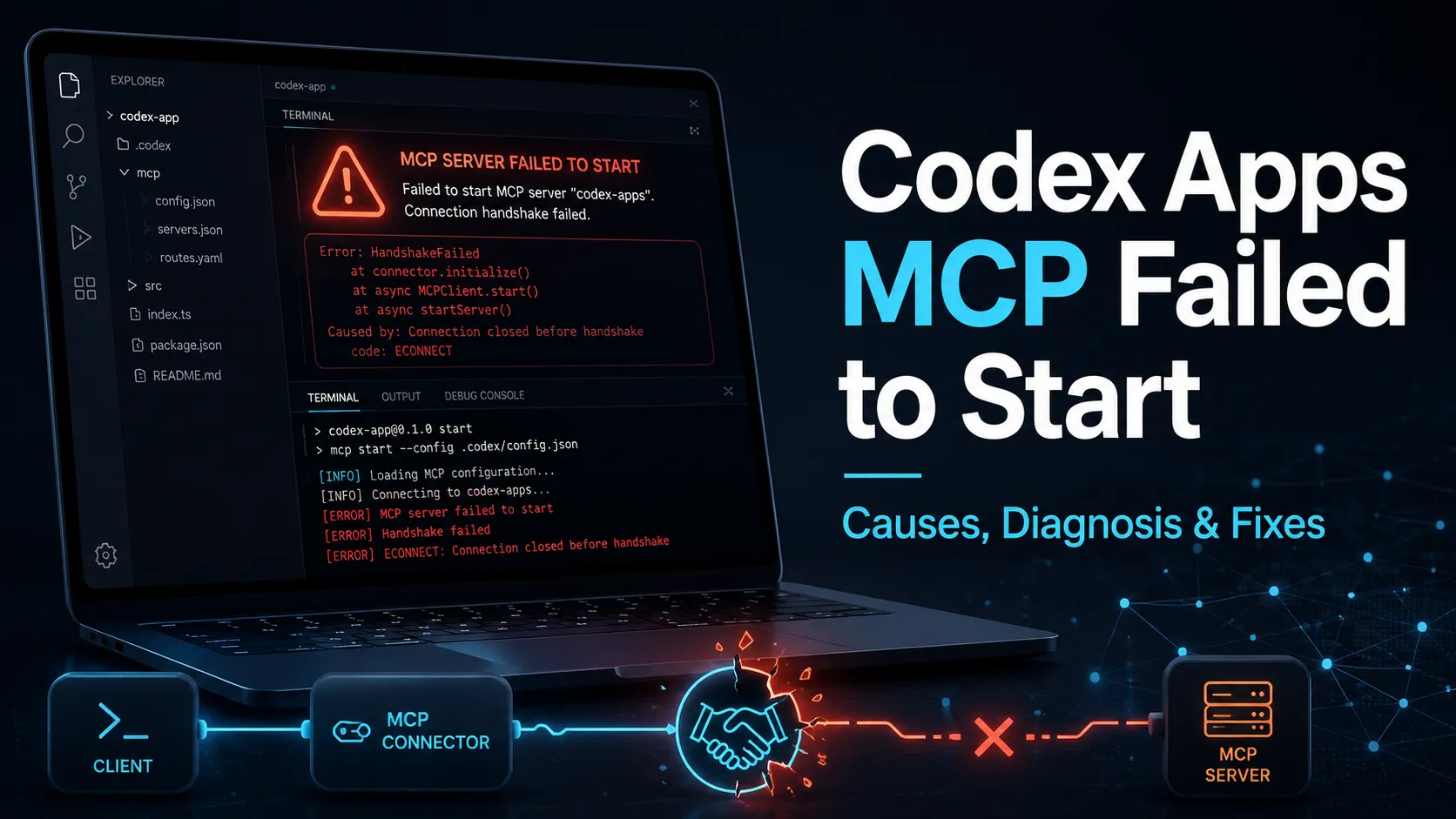
The codex_apps MCP startup error means Codex failed to connect to a remote ChatGPT app-connector MCP endpoint during initialization. The root cause is usually terminal network access, proxy configuration, ChatGPT authentication, TLS inspection, or app-connector configuration—not a bug in the user’s project code. The fastest safe path is to test terminal connectivity, re-authenticate Codex, update the CLI or app, and disable Codex app connectors when they are not required.
What does the codex_apps MCP error mean?
The codex_apps MCP error means Codex could not complete the Model Context Protocol handshake for its app-connector layer. The key phrase is handshaking with MCP server failed, which shows the failure occurred while Codex was initializing an MCP client, not while running user project code.
The log names https://chatgpt.com/backend-api/ps/mcp, so the failing endpoint is a remote ChatGPT-side MCP service. OpenAI’s Codex documentation states that MCP connects models to tools and context, and Codex supports MCP servers in the CLI and IDE extension.
The error is best interpreted as a startup integration problem. Codex tried to initialize the built-in app connector named codex_apps, sent an HTTP request, and failed before the connector became available. That explains why the message says MCP startup incomplete rather than reporting a failed shell command.
Is this caused by my local MCP server?
This error is usually not caused by a local custom MCP server. A local MCP server failure normally references a configured server command, local port, STDIO process, or a user-defined entry in ~/.codex/config.toml, while this log references the built-in codex_apps client and a ChatGPT backend URL.
OpenAI documents two main MCP transport patterns for Codex: STDIO servers that run as local processes and Streamable HTTP servers that are accessed at an address. The reported URL and streamable_http_client wording point to the HTTP transport path rather than a local STDIO process.
| Signal in the log | What it indicates | Likely layer |
|---|---|---|
codex_apps | Built-in app connector client | Codex app/connector layer |
backend-api/ps/mcp | Remote ChatGPT MCP endpoint | Network or auth path |
error sending request | HTTP request failed before handshake completed | Proxy, DNS, TLS, or connectivity |
MCP startup incomplete | Codex continued, but one MCP client failed | Startup integration warning |
Why does the HTTP request fail?
The HTTP request fails when the terminal environment cannot reach ChatGPT’s backend endpoint with valid authentication and TLS settings. Browsers and terminals often use different proxy paths, so ChatGPT may work in Chrome while Codex fails from iTerm, zsh, tmux, SSH, or a headless environment.
The most common cause is proxy mismatch. A desktop VPN, Clash, Surge, or browser proxy can route browser traffic correctly while leaving HTTP_PROXY and HTTPS_PROXY unset in the shell. Codex then sends the Streamable HTTP initialization request directly, and the request fails before MCP can initialize.
Authentication can also break the connector path. OpenAI’s authentication documentation says Codex supports ChatGPT sign-in and API-key sign-in, and the sign-in method affects which workspace permissions and data-handling policies apply.
TLS interception is another practical cause in company or proxy-heavy networks. OpenAI documents CODEX_CA_CERTIFICATE for corporate TLS proxies or private root CAs, which means custom certificate chains can affect Codex login, HTTPS requests, and secure WebSocket connections.
How should developers diagnose this error?
Developers should diagnose this error by separating connectivity, authentication, and connector configuration. The goal is to prove whether the terminal can reach the ChatGPT MCP endpoint, whether Codex has a valid session, and whether the failing app connector is actually needed.
Run this terminal connectivity check first:
curl -v https://chatgpt.com/backend-api/ps/mcpA 401, 403, or 405 response means the network path is reachable and the failure is likely authentication, method, or connector handling. A timeout, DNS failure, connection reset, or certificate error means the terminal network path is broken.
Check proxy variables next:
env | grep -i proxyIf the result is empty while the browser depends on a proxy, Codex is probably not using the same route as the browser. For local HTTP proxies, exporting HTTP_PROXY and HTTPS_PROXY in the same shell session is the correct first test.
How do you fix the Codex Apps MCP startup failure?
The most reliable fix sequence is to repair terminal network access, refresh Codex authentication, update Codex, and disable app connectors only when they are unnecessary. This order avoids hiding a real network problem behind a configuration workaround.
First, configure terminal proxy access when the browser uses a local proxy:
export HTTP_PROXY=http://127.0.0.1:7890
export HTTPS_PROXY=http://127.0.0.1:7890
codex
Use the actual HTTP proxy port from the local proxy client. SOCKS-only routes can be less predictable for CLI tools, so an HTTP proxy endpoint is the safer diagnostic path.
Second, refresh Codex authentication:
codex logout
codex login
OpenAI’s documentation states that Codex opens a browser window for ChatGPT login and returns an access token to the CLI or IDE extension. OpenAI also documents device-code authentication for remote or headless environments where the browser callback cannot work.
Third, update Codex. The app, CLI, connector, and MCP integration layers move quickly, so an outdated local client can fail against newer backend behavior. OpenAI’s Codex app documentation says the app is available on macOS and Windows and supports signing in with either a ChatGPT account or an OpenAI API key.
How can you disable Codex app connectors safely?
Codex app connectors can be disabled when the developer only wants local coding assistance and does not need connected apps, plugins, or ChatGPT app tools. Disabling app connectors is a workaround for connector startup noise, not a fix for general internet access.
OpenAI’s configuration reference documents apps._default.enabled as the default app enabled state for all apps unless overridden per app. It also documents apps.<id>.enabled for enabling or disabling a specific app or connector by ID.
To disable all app connectors by default, add this to ~/.codex/config.toml:
[apps._default]
enabled = false
To target only the connector named in the error, use a specific app override if that ID is recognized by the installed Codex version:
[apps.codex_apps]
enabled = false
This change should not be confused with disabling user-defined MCP servers. OpenAI’s MCP documentation says Codex stores MCP configuration in ~/.codex/config.toml and supports project-scoped .codex/config.toml files for trusted projects.
When should you run codex app instead?
Running codex app is useful when the user wants the desktop Codex experience, project switching, app integrations, and visual workflows. The CLI warning recommends the Codex App because the failing layer is related to app-style integrations rather than a simple local code-editing turn.
OpenAI’s Codex app documentation describes a desktop workflow where users install the app, sign in, select a project folder, and send a first message with Local selected. The app also lists plugins, MCP servers, in-app browser, terminal actions, and project artifacts as part of the broader app experience.
For pure terminal coding, the CLI is still appropriate. OpenAI’s CLI reference states that CLI options inherit defaults from ~/.codex/config.toml, and command-line -c key=value overrides take precedence for a single invocation.
What is the fastest decision tree for this error?
The fastest decision tree is to test connectivity first, then authentication, then connector necessity. This keeps the debugging path short and prevents developers from rewriting MCP configuration when the real issue is the shell’s proxy environment.
| Step | Command or check | Interpretation | Action |
|---|---|---|---|
| 1 | curl -v https://chatgpt.com/backend-api/ps/mcp | No response or TLS error | Fix proxy, DNS, VPN, or CA bundle |
| 2 | `env | grep -i proxy` | Empty proxy variables |
| 3 | codex logout && codex login | Token or workspace mismatch | Re-authenticate with correct ChatGPT account |
| 4 | Update Codex | Old client behavior | Upgrade CLI or desktop app |
| 5 | Disable app connectors | Connector not needed | Set [apps._default] enabled = false |
Conclusion
The MCP client for codex_apps failed to start message is a Codex app-connector startup failure. The strongest explanation is a failed HTTP initialization request to a ChatGPT MCP endpoint, usually caused by terminal networking, proxy routing, authentication state, TLS configuration, or connector settings.
The practical fix is straightforward: confirm terminal access to the endpoint, align proxy variables with the browser route, re-login to Codex, update the client, and disable app connectors if the workflow only needs local CLI coding. Developers should treat this as a Codex integration-layer warning, not as evidence that their project code or custom MCP server is broken.
Continue Reading
More articles connected to the same themes, protocols, and tools.
Codex “A Glitch in the Matrix, or Just a Missing Semicolon?” Error Explained
AI Coding Agents Can Fix the Bug — So Why Are Their Explanations So Hard to Understand?
OpenAI Plugin Extensions Could Be ChatGPT’s App Store Moment: Real Examples, User Reactions, and the New Plugin SEO
Referenced Tools
Browse entries that are adjacent to the topics covered in this article.