

Payload CMS
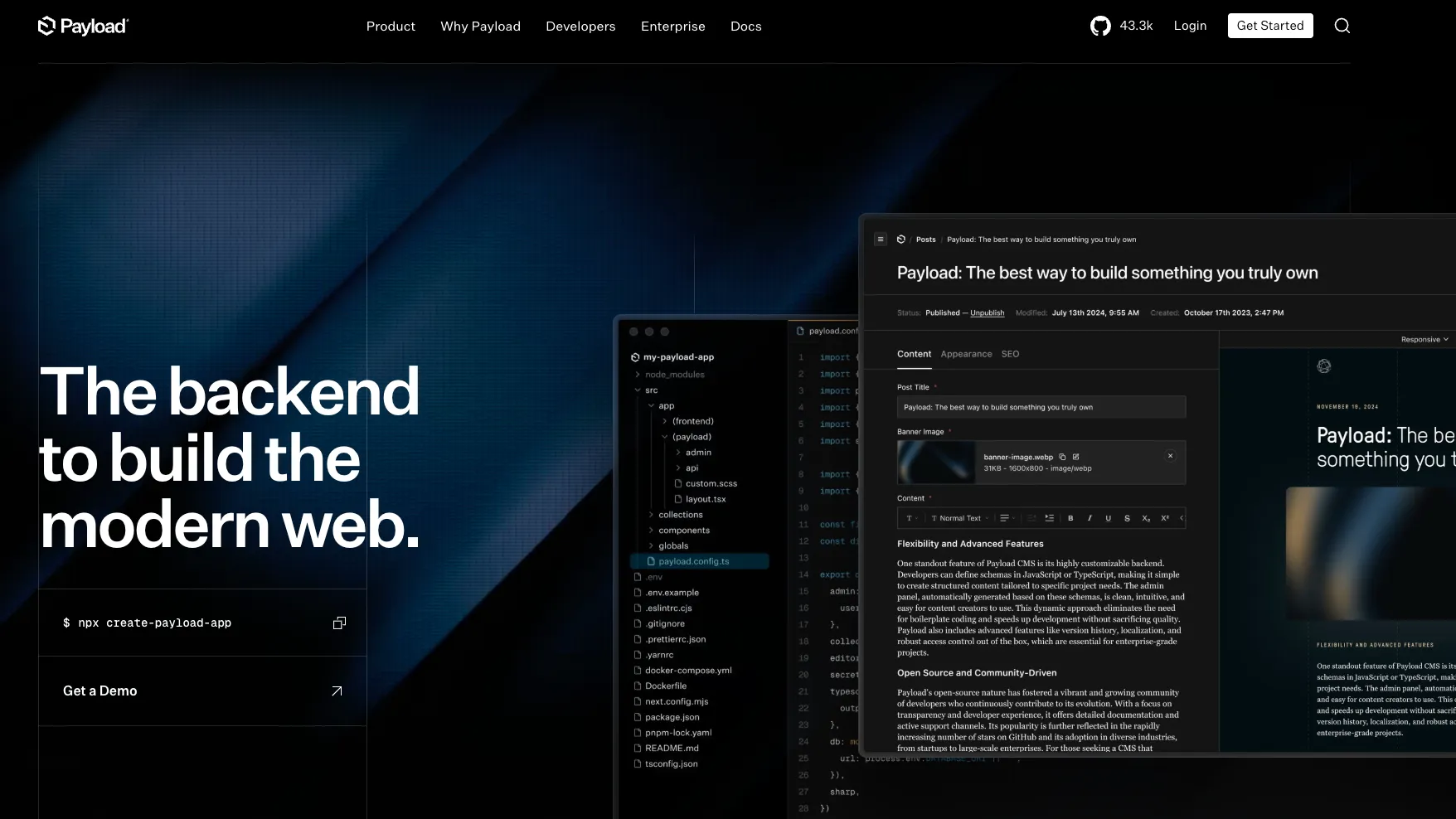
Payload CMS is an open-source Next.js backend and headless CMS framework for developers who want code-first content infrastructure, generated APIs, and full deployment ownership.
Information checked: Jun 30, 2026 ·View sources
Tool details
- Type
- Developer workflows
- Platforms
- Web, Self-hosted, Next.js, Node.js, TypeScript, React, REST API, GraphQL, Postgres, MongoDB, SQLite, Vercel, Cloudflare, MCP clients
- Free plan
- Yes
- Open source
- Yes
- Bring your own key
- No
- Local models
- No
Overview
Best for
- Next.js teams building content-heavy websites and apps
- Developers who want a self-hosted headless CMS without losing code ownership
- Projects that need an admin panel, auth, APIs, and database schema in one TypeScript codebase
- Agencies building custom CMS-backed websites for clients
- Teams replacing WordPress, Contentful, Sanity, or Strapi with a more code-first workflow
- Internal tools, digital asset management, headless commerce, and enterprise app backends
- AI-aware CMS workflows that need MCP access or RAG-ready content infrastructure
Strengths
- Excellent fit for TypeScript and Next.js teams that want CMS capabilities inside their own codebase.
- MIT-licensed open-source core avoids per-seat, per-entry, or per-API-call vendor pricing for self-hosted projects.
- Strong ownership model: schema, admin, APIs, auth, hooks, and deployment live in the developer’s repository.
- Local API is powerful for server-side Next.js workflows because it avoids extra HTTP calls.
- MCP and RAG-oriented enterprise features make Payload relevant to AI-era content and agent workflows.
Limitations & trade-offs
- Users looking for an AI IDE like Cursor, Windsurf, or Replit IDE
- Non-technical teams that want a fully hosted CMS with minimal developer involvement
- Projects that need a mature self-serve managed CMS plan right now
- Teams that do not want to own hosting, database, storage, upgrades, and deployment workflows
- Organizations that prefer click-configured schemas over code-defined content models
- Small blogs where a simpler hosted website builder or traditional CMS is enough
- Not an AI code editor, IDE, or autonomous coding agent.
- Requires real engineering ownership; non-technical teams may prefer a hosted visual CMS.
- New Payload Cloud project creation is currently paused, so managed hosting is no longer a simple self-serve option.
- Enterprise features such as SSO, visual editing, publishing workflows, and advanced AI features require sales discussion.
- Complex projects still need careful database, deployment, migration, access-control, and media-storage planning.
Get started
Pricing & usage limits
Free tier available
MIT-licensed open-source Payload core; deploy anywhere you can run a Node.js or Next.js app.
Official starter deployment paths; infrastructure, database, storage, and hosting costs come from the selected provider.
New Payload Cloud project deployment is currently paused after Payload joined Figma; existing Cloud projects continue running.
Dedicated support, enterprise hosting discussions, SSO, visual editing, publishing workflows, AI features, and advanced requirements.
Pricing checked: Jun 30, 2026 · Subscription, usage limits, and model costs may be billed separately.
Features & details
Code-Owned CMS Framework
- TypeScript config-based schema
- Next.js-native backend
- Generated admin panel
- Collections, globals, blocks, fields, and relationships
- Own and deploy the full codebase
APIs & Data Access
- Generated REST API
- Generated GraphQL API
- Local API for server-side database access
- Automatic CRUD operations
- Query depth, filtering, sorting, pagination, and relationships
Database & Storage
- Postgres with Drizzle
- MongoDB with Mongoose
- SQLite with Drizzle
- Direct database ownership
- File uploads, image resizing, focal-point cropping, and media access control
Auth & Permissions
- Built-in authentication
- HTTP-only cookies, JWT, and API key strategies
- Collection, global, field, and operation-level access control
- Custom authentication strategies
- Admin UI that responds to access rules
Editorial Workflow
- Drafts and versions
- Preview and live preview
- Localization
- Lexical rich text editor
- Official plugins for common CMS workflows
AI & Agent Workflow
- Official MCP plugin
- Configurable find, create, update, and delete operations over MCP
- Custom MCP prompts, tools, and resources
- Enterprise AI auto-embedding for RAG workflows
- Vector embedding strategy inside the existing database
Why Choose Payload CMS?
Payload CMS is most compelling when the CMS is not just a vendor dashboard but part of the application architecture. Instead of configuring a separate hosted content platform and then wiring it into a frontend, Payload lets developers define the schema in TypeScript and ship the CMS, admin panel, APIs, auth logic, and app backend together.
That model is especially attractive for Next.js teams. Payload can live inside the same app and repository as the frontend, which reduces the distance between content structure, UI components, permissions, preview behavior, and deployment. The result feels less like buying a CMS and more like adding backend superpowers to a codebase.
The Figma acquisition makes Payload strategically interesting, but the practical buying decision should still focus on today’s product: an open-source, self-hostable framework with strong developer control and a growing AI/MCP story. The Cloud transition means teams should treat self-hosting or enterprise discussion as the current default, not assume a normal self-serve managed cloud workflow.
Core Workflow
A typical Payload project starts with a TypeScript config. Developers define collections, globals, fields, relationships, access rules, auth behavior, hooks, and plugins. From that config, Payload generates an admin panel and APIs that match the shape of the data model.
The workflow then moves into normal application development. Frontend pages can read content through REST, GraphQL, or the Local API. Server-side code can work directly with the database through Payload’s abstractions. Editors can manage content through the admin panel, while developers still own the underlying code and deployment.
For AI workflows, the MCP plugin changes the interaction pattern. Instead of only clicking through the admin interface, teams can expose selected content operations to compatible AI clients. That is useful for content cleanup, draft creation, QA, structured edits, and internal tooling, but it requires careful permission design because the model can be allowed to create, update, or delete content.
Use Cases
Payload is a strong fit for marketing sites, documentation systems, editorial products, ecommerce backends, digital asset management, internal tools, customer portals, enterprise app backends, and multi-tenant content applications.
It is particularly useful when the CMS needs to be customized beyond normal hosted-CMS assumptions. If a team needs custom fields, custom admin UI, deep access control, custom APIs, server-side hooks, shared app authentication, or direct database ownership, Payload’s code-first model can be a major advantage.
It is less useful when the buyer wants a pure business-user tool. A team that does not have Next.js, TypeScript, infrastructure, or backend ownership capability may be happier with a hosted CMS like Contentful, Sanity, Storyblok, or Hygraph.
Comparison to Alternatives
Compared with Strapi, Payload is more tightly aligned with Next.js and TypeScript application development. Strapi is a broader Node.js headless CMS with a visual content-type builder, while Payload leans into code-defined configuration, direct repository ownership, and full-stack Next.js integration.
Compared with Sanity, Payload gives more infrastructure and database ownership. Sanity is excellent when the team wants a hosted content lake and a customizable editorial studio. Payload is stronger when the team wants the CMS to be part of its own application code and deployment architecture.
Compared with Contentful, Payload avoids hosted-platform lock-in and per-platform limits for self-hosted projects. Contentful may be better for enterprises that want mature SaaS operations, governance, and vendor-managed infrastructure. Payload is better for teams that prefer open-source control and custom engineering flexibility.
Compared with WordPress, Payload is a modern application backend rather than a traditional theme-and-plugin CMS. WordPress remains stronger for non-technical publishing and plugin-driven sites. Payload is stronger when the frontend is custom, the stack is TypeScript, and content is part of a modern app architecture.
Best Configuration
For most serious projects, start by choosing the database and deployment target early. Postgres is attractive for relational app data and SQL workflows, MongoDB can fit document-heavy content structures, and SQLite can be useful for local or smaller deployments. The decision affects migrations, hosting, backup strategy, indexing, and operational tooling.
Use the Local API for server-side Next.js reads and mutations where possible, especially when the frontend and Payload live in the same app. REST and GraphQL remain useful for external clients, integrations, mobile apps, and third-party systems.
Access control should be designed before content grows. Payload makes access rules highly flexible, but flexibility can become complexity if permissions are added reactively. Define roles, ownership rules, draft visibility, API permissions, and AI/MCP permissions as part of the initial architecture.
For MCP, start read-only or narrow. Expose only the collections and operations needed for the workflow, and avoid delete capabilities until the team has auditability, backups, and human review in place.
Migration Notes
Migrating from WordPress usually requires rethinking content structure. Posts, pages, ACF fields, media, taxonomies, menus, SEO metadata, redirects, and plugin-managed data need to become Payload collections, globals, fields, relationships, and blocks. This is a rebuild opportunity, not a one-click replacement.
Migrating from Contentful or Sanity is more about mapping schemas, references, locales, assets, drafts, and API behavior. The benefit is that the final system can live in your repository and database, but the migration should include scripts, validation, redirects, and frontend query rewrites.
Migrating from Strapi or Directus requires extra care around permissions and database assumptions. Even when both tools expose REST or GraphQL APIs, their data modeling, lifecycle hooks, auth, and admin UI behaviors differ.
For existing Payload Cloud users, the current Cloud transition means teams should monitor official guidance and prepare for an eventual migration path. For new Payload projects, plan around self-hosting, Vercel, Cloudflare, or enterprise conversations rather than assuming self-serve Payload Cloud availability.
Model support & data privacy
Privacy & data handling
Payload can be self-hosted, so data privacy, residency, logging, backups, database security, media storage, and compliance depend heavily on the operator’s infrastructure. Payload Cloud new project deployment is currently paused after Payload joined Figma, while existing Cloud customers continue running. MCP access can expose real content operations, so teams should scope permissions narrowly, avoid broad write/delete capabilities for AI clients, and review access-control rules before production use.
Guides, reviews & fixes
View allNo published guides yet. Start with the official documentation above.
Product updates
No verified product updates listed yet. Follow this tool to see new relevant content in Saved.
See the content timelineAlternatives
Sources & verification
Verification dates record when this directory checked the information. Product release dates appear separately above.
Directory revision history
Created directory entry and checked Payload website, documentation, GitHub repository, license, Figma acquisition/update pages, MCP plugin, AI auto-embedding, security, privacy, and current pricing/hosting status.