

Sanity
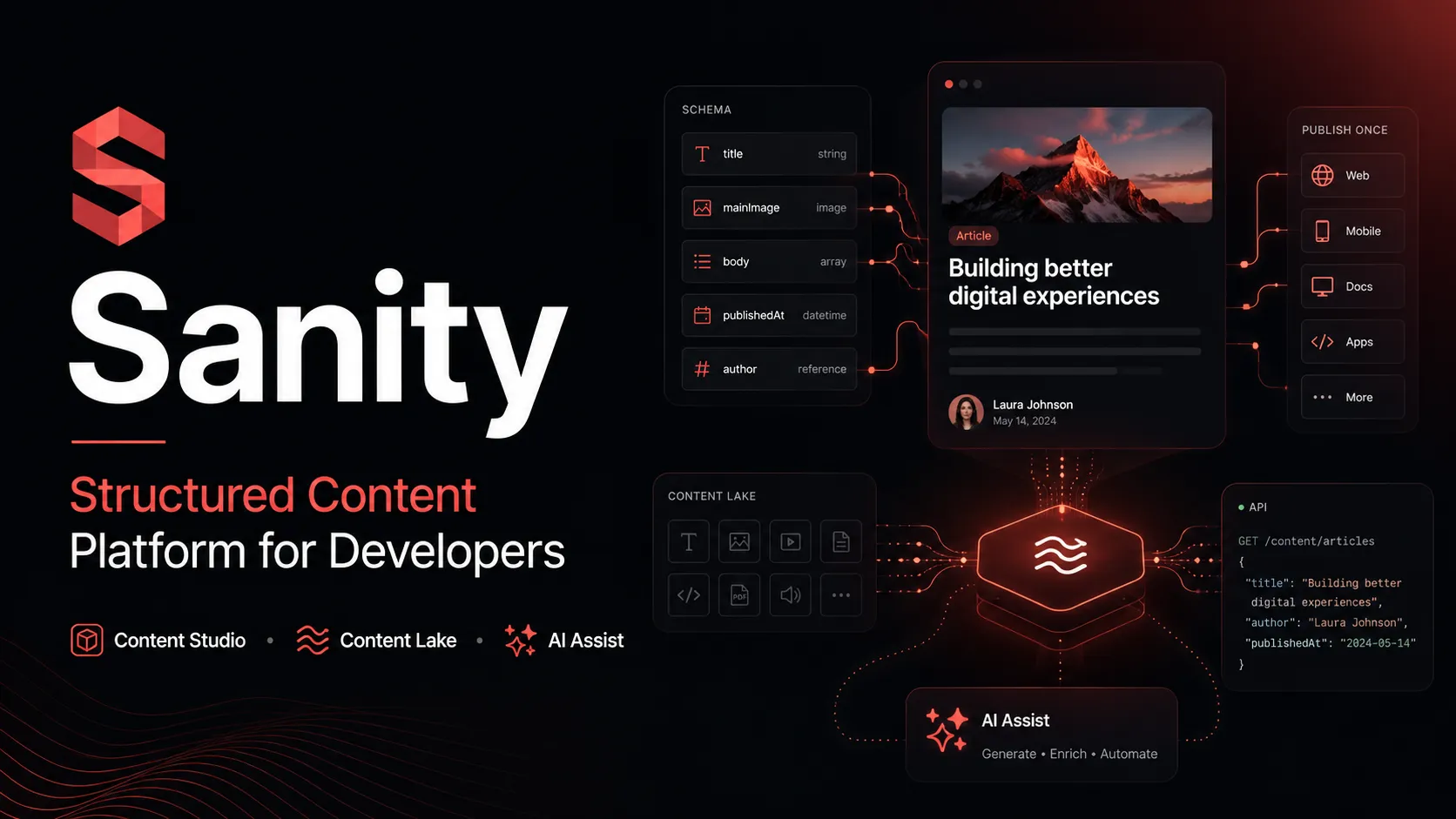
Sanity is a developer-first structured content platform with AI-assisted content operations, best suited for teams that want a programmable CMS rather than a conventional page-builder.
Information checked: Jun 30, 2026 ·View sources
Tool details
- Type
- Developer workflows
- Platforms
- Web, Node.js, React, CLI, MCP-compatible clients
- Free plan
- Yes
- Open source
- Yes
- Bring your own key
- No
- Local models
- No
Overview
Best for
- Developer-led teams building custom editorial experiences.
- Next.js and composable web teams that need structured content APIs.
- Marketing, localization, and editorial teams managing content at scale.
- Organizations that want AI to audit, transform, translate, or bulk-edit CMS content.
- Teams building agentic content workflows on top of structured data.
Strengths
- Highly flexible content modeling for complex products and editorial workflows.
- Studio can be deeply customized with React and plugins.
- Strong fit for Next.js, composable commerce, and multi-channel content delivery.
- AI features operate with awareness of the content schema rather than generic text boxes.
- Free plan is usable for small projects and experiments.
Limitations & trade-offs
- Developers looking for an AI-native code editor.
- Teams that want a no-code CMS with minimal schema design.
- Small sites that only need simple page publishing and do not need structured content.
- Organizations that require fully self-hosted content infrastructure.
- Teams unwilling to manage usage quotas, API limits, or AI credit costs.
- Not an AI IDE or code-generation tool; it focuses on content systems.
- Teams must learn Sanity schemas, GROQ, and the Content Lake mental model.
- Hosted backend creates platform dependency unless your architecture abstracts content access.
- AI Assist is tied to paid plans and AI credit usage should be monitored.
- Enterprise-grade controls such as SAML SSO and custom access control are gated behind Enterprise.
Get started
Pricing & usage limits
Official pricingFree tier · From $15
For individuals and smaller projects; includes public datasets, hosted content database, Studio hosting, Content Agent, and limited monthly quotas.
For teams; adds private datasets, more roles, comments, tasks, scheduled drafts, AI Assist, and pay-as-you-go usage.
For organizations needing custom seats, datasets, access control, SAML SSO, dedicated support, uptime SLA, onboarding, and custom quotas.
Pricing checked: Jun 30, 2026 · Subscription, usage limits, and model costs may be billed separately.
Features & details
Structured Content Platform
- Schema-as-code content modeling
- Hosted real-time Content Lake
- GROQ and API access
- Visual editing and live previews
AI Content Operations
- AI Assist for field and document workflows
- Content Agent for audits and bulk edits
- Agent Actions and Compute
- MCP server for AI coding assistants
Developer Experience
- Open-source React Studio
- Plugin architecture
- Sanity CLI
- CI and deployment integrations
Team and Governance
- Role-based access control
- Comments and tasks
- Scheduled drafts
- Enterprise SAML SSO
Why Choose Sanity?
Sanity is most compelling when content is treated as structured product data rather than as pages in a traditional CMS. Instead of forcing teams into a fixed admin interface, it lets developers define content models in code and shape the editorial workspace around the business domain. That makes it a strong fit for teams where content powers multiple surfaces: websites, apps, commerce experiences, internal tools, documentation hubs, localization pipelines, or AI agents.
The practical differentiator is the combination of a programmable Studio and a hosted content backend. Editors work in a browser-based interface, while developers keep the schema, validations, previews, and custom workflows close to the application code. This creates a useful middle ground: more flexible than most hosted CMS products, but less operationally heavy than running a fully self-managed content backend.
Sanity's AI direction also fits its structured-content philosophy. AI Assist and Content Agent are not general code copilots. They are designed to operate on known document types, fields, references, and editorial rules. That matters in production because many content problems are not just about generating text; they are about transforming existing structured content safely, maintaining consistency, filling missing metadata, translating fields, staging edits, and keeping humans in the review loop.
Core Workflow
A typical Sanity implementation starts with schema design. Developers define document types, fields, validations, references, and editorial structures, then run Sanity Studio locally during development. Once the model is stable, the Studio can be hosted for editors while frontend applications consume content through Sanity's APIs.
The workflow works best when teams treat the schema as a contract. Frontend components, previews, content permissions, AI instructions, and migration scripts should all line up with that contract. For example, a marketing page might have reusable sections, SEO metadata, localized fields, campaign references, and preview routes. Sanity can represent those as structured documents instead of a single untyped HTML blob, which makes downstream rendering, search, personalization, and AI workflows easier to reason about.
AI features fit into this workflow after the content model is clear. Field-level instructions can help editors rewrite descriptions, generate image alt text, or translate content while preserving structure. Content Agent is better suited to library-wide operations, such as finding stale pages, identifying missing metadata, or preparing bulk changes for review. The key is to use AI where the schema gives it boundaries.
Use Cases
Sanity is a strong option for content-heavy product and marketing sites where the frontend is custom-built. Teams using frameworks such as Next.js often choose it because they can keep full control of routing, rendering, design systems, and deployment while giving non-developers a tailored editing environment.
It also fits multi-channel publishing. A single content model can feed websites, apps, help centers, campaign pages, digital signage, product experiences, or AI assistants. This is especially useful when content needs relationships, reuse, localization, or approval workflows rather than one-off page editing.
For AI-oriented teams, Sanity is useful as a structured content source for agents. The MCP server and AI content tools make the platform relevant beyond CMS editing: AI assistants can query content, understand schemas, and interact with content operations more directly. This is different from asking a code assistant to infer content structure from scattered JSON files or ad hoc API responses.
Comparison to Alternatives
Compared with Contentful, Sanity generally appeals more to teams that want deeper control over the editorial interface and schema-as-code workflows. Contentful can be more familiar to organizations that prefer a conventional SaaS CMS administration model, while Sanity gives developers more room to build a custom content workspace.
Compared with Strapi or Payload, Sanity reduces backend hosting and infrastructure work because the Content Lake is managed. The tradeoff is that teams accept a hosted platform dependency. Self-hosting-oriented teams may prefer Strapi or Payload when deployment control, database ownership, or backend extensibility outweighs the benefits of Sanity's managed content infrastructure.
Compared with Storyblok or Builder.io, Sanity is usually less page-builder-centric. It can support visual editing and page-building workflows, but its deeper strength is structured content architecture. Teams that primarily want drag-and-drop page composition may prefer a visual builder; teams that want content to act as reusable data across many products may prefer Sanity.
Compared with AI app builders or AI IDEs, Sanity sits in a different layer. It does not replace Cursor, Claude Code, GitHub Copilot, or Replit. Instead, it can supply structured content context to those tools and provide the operational system where human editors review and publish AI-assisted content changes.
Best Configuration
The best Sanity projects usually start with a small, durable schema rather than an over-modeled content universe. Model the objects that matter to the business, define references intentionally, and avoid turning every visual component into a content type unless editors genuinely need that level of control.
For teams building with React or Next.js, a common setup is to keep schemas, Studio configuration, preview logic, and frontend content queries in the same repository or closely coordinated repositories. This makes schema changes easier to review alongside application changes. It also helps prevent broken previews, missing fields, and accidental coupling between editorial assumptions and frontend rendering.
For AI workflows, start with narrow instructions before expanding to bulk operations. Good early candidates include alt text generation, metadata cleanup, tone normalization, translation drafts, and content QA. Higher-risk operations such as rewriting large content libraries should be staged as drafts or releases and reviewed by humans before publishing.
For larger teams, define roles, naming conventions, dataset strategy, preview environments, and migration procedures early. Sanity gives teams a lot of flexibility, but that flexibility works best with governance. Without agreed patterns, schemas and custom Studio components can drift in the same way application code can drift.
Migration Notes
Migrating to Sanity is less about copying pages and more about converting content into reusable structures. Teams moving from WordPress, Contentful, or a page-builder CMS should spend time mapping old content types to new document models, identifying which fields are canonical, and deciding what should become references rather than duplicated text.
The most common migration mistake is preserving the old CMS shape too literally. If the previous system stored content as large page bodies, copying that structure into Sanity can limit the benefits of structured content. A better approach is to separate durable entities such as authors, products, locations, categories, campaigns, and reusable page sections.
Content migrations should be scripted, repeatable, and tested against preview environments before editors begin production work. Because Sanity content is API-accessible, teams can build migration scripts, validation reports, and cleanup routines. This is also a good point to introduce AI-assisted cleanup, but generated changes should be treated as drafts until reviewed.
Tradeoffs in Practice
Sanity rewards teams that have developer capacity. The same flexibility that makes it powerful can slow down teams that expect every workflow to be available without configuration. A simple brochure site may not need schema-as-code, custom previews, or AI-assisted content operations.
Cost planning should include more than seats. API usage, bandwidth, assets, datasets, AI credits, support needs, and enterprise controls can all affect total cost. For many teams the entry point is accessible, but production implementations should still monitor usage patterns as traffic, assets, localization, and AI workflows scale.
The biggest strategic question is whether content is central enough to justify a programmable content platform. When content is a core part of the product experience, Sanity can provide a strong foundation. When content is secondary and simple, a lighter CMS or visual website builder may be easier to maintain.
Model support & data privacy
Supported models
- OpenAI GPT
- OpenAI DALL·E
- Google Vertex AI
- Anthropic Claude
Privacy & data handling
Sanity hosts content in its managed Content Lake. Generative AI features may process selected content, instructions, and context through Sanity's AI-enabled services and third-party AI providers; review Sanity's AI terms, privacy policy, and provider-processing details before enabling AI workflows for sensitive content.
Guides, reviews & fixes
View allNo published guides yet. Start with the official documentation above.
Product updates
No verified product updates listed yet. Follow this tool to see new relevant content in Saved.
See the content timelineAlternatives
Sources & verification
Verification dates record when this directory checked the information. Product release dates appear separately above.
Directory revision history
Created directory entry and checked current public pricing, AI Assist availability, Content Agent positioning, MCP support, and official source links.