

OpenHands
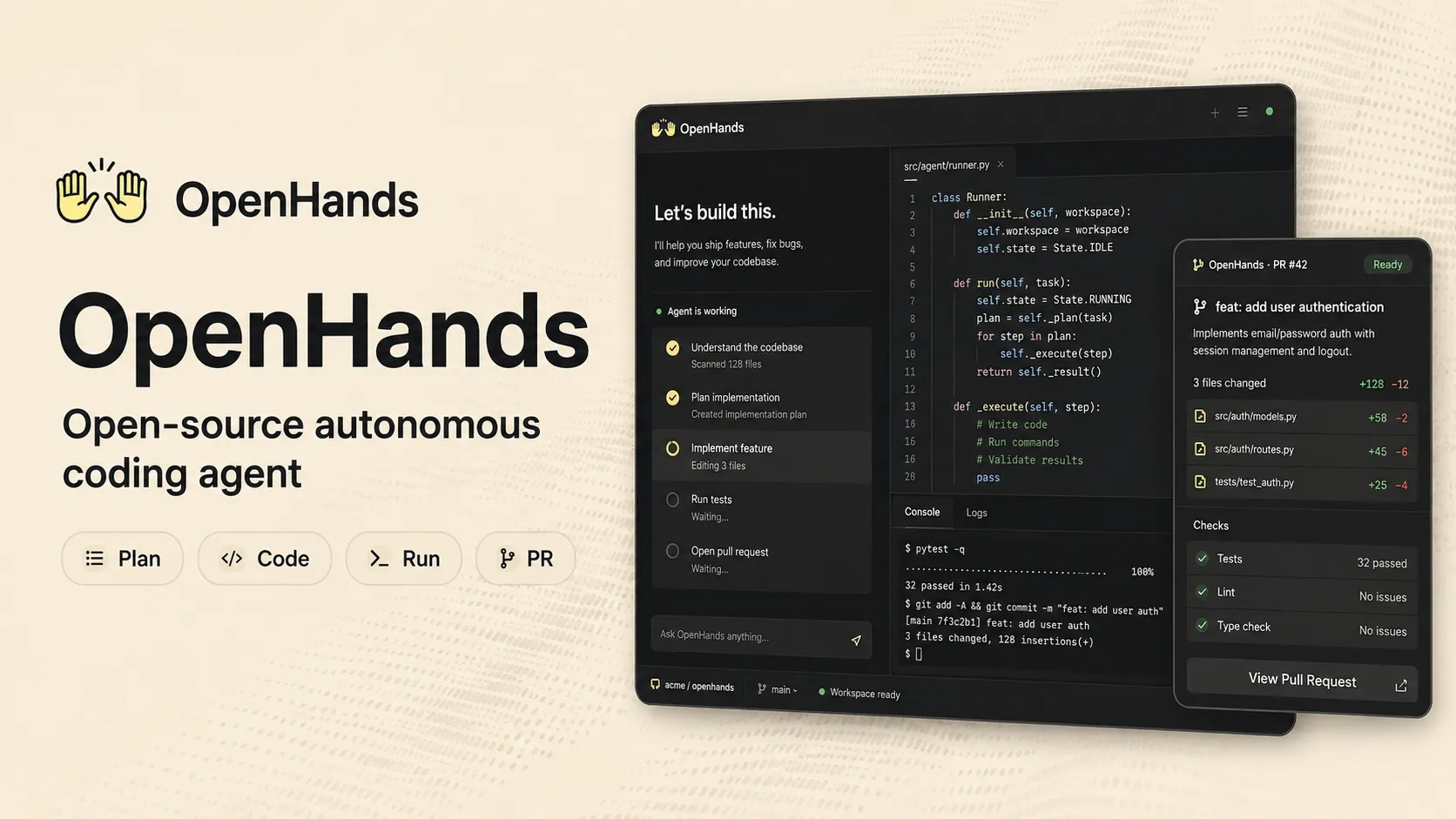
OpenHands is an open-source, model-agnostic platform for autonomous software development agents. It can run locally, in OpenHands Cloud, or self-hosted for teams that want agents to plan, edit code, run commands, browse, test, and open pull requests.
OpenHands is a strong choice for developers and teams that want a transparent, configurable autonomous coding agent with local, cloud, and self-hosted deployment paths. It is less suitable for users who only need lightweight autocomplete or do not want agents executing code and commands in a sandbox.
Pricing Plans
Open Source
MIT-licensed local OpenHands with web GUI, terminal UI, CLI, Git integrations, and model-agnostic LLM configuration.
Individual
Hosted OpenHands Cloud for one user with BYOK or OpenHands LLM provider access at cost; includes hosted access, API support, Jira, and Slack integrations.
OpenHands LLM Provider
Optional pay-as-you-go LLM access at cost when not using your own model key.
Enterprise
SaaS or self-hosted deployment with unlimited users, SAML/SSO, RBAC, large codebase SDK, priority support, and private VPC options.
Core Features
1Autonomous Coding
- Plans and executes software tasks
- Writes and edits code across repositories
- Runs shell commands and tests
- Creates reviewable pull requests
2Interfaces
- Local web GUI
- Terminal UI and CLI
- OpenHands Cloud UI
- Software Agent SDK and APIs
3Repository Workflow
- GitHub, GitLab, and Bitbucket integrations
- GitHub issue and PR workflows
- OpenHands GitHub Action
- Jira, Linear, and Slack integrations on cloud or enterprise workflows
4Model Flexibility
- Bring your own LLM key
- OpenHands-hosted LLM provider option
- LiteLLM-compatible provider routing
- Local LLM configuration support
5Agent Extensibility
- Software Agent SDK
- Skills and plugin registry
- MCP support
- Custom repository settings and agent configuration
6Security and Deployment
- Sandboxed execution environments
- Docker-based local runtime
- Self-hosted enterprise deployment
- Private cloud or VPC deployment options
Pros
- Open-source local version gives developers a transparent way to experiment with autonomous coding agents.
- Model-agnostic architecture supports BYOK, hosted models, LiteLLM routing, and local model setups.
- Can work beyond code suggestions by editing files, running tests, using the terminal, and creating pull requests.
- Cloud and enterprise options make it usable for GitHub, GitLab, Slack, Jira, and large-codebase workflows.
- SDK, skills, plugins, and MCP support make it extensible for custom engineering automation.
Cons
- Autonomous changes still require careful human review, tests, and security checks.
- Local setup requires Docker, model keys, and some configuration effort.
- Cloud Individual plan limits daily conversations unless using enterprise options.
- LLM usage can become expensive for large tasks or long agent sessions.
- Enterprise self-hosting requires infrastructure, Kubernetes or private-cloud planning, and operational ownership.
Why Choose OpenHands?
OpenHands is best understood as an autonomous software engineering platform rather than a traditional AI code completion tool. It is designed for tasks where the agent needs to inspect a repository, plan work, edit files, run commands, test changes, and produce a pull request or artifact that a human can review.
The main reason to choose OpenHands is control. The open-source local version lets developers inspect how the agent works, configure their own LLM provider, and run tasks in a sandboxed environment. The cloud and enterprise versions extend that idea into Git provider integrations, ticketing workflows, APIs, team controls, and private deployment options.
Core Workflow
A practical OpenHands workflow starts with a bounded engineering task: fix a bug, add a test, update documentation, refactor a module, investigate a failing CI job, or implement a small feature. The agent works best when the issue includes reproduction steps, expected behavior, affected files, and acceptance criteria.
For local use, the developer usually starts OpenHands with Docker, connects a repository, configures an LLM provider, and lets the agent work inside its runtime. For repository-driven workflows, OpenHands can be triggered from GitHub issues or comments, generate changes, and open a pull request for review. For larger teams, the SDK and cloud APIs make it possible to build custom automation around internal development workflows.
The important operating pattern is review-first automation. OpenHands can do real work, but the output should still be treated like a junior engineer’s pull request: inspect the diff, run tests, check security-sensitive changes, and give iterative feedback when needed.
Use Cases
OpenHands is useful for bug fixing, dependency updates, security fixes, test generation, documentation updates, pull request follow-up, codebase exploration, refactoring, CI failure investigation, and multi-repository engineering chores.
It is especially interesting for platform teams and developer productivity teams. Instead of using the agent only as a personal assistant, they can integrate it into issue queues, review flows, internal tools, CI/CD systems, and custom coding-agent products through the SDK and APIs.
Comparison to Alternatives
Compared with Devin, OpenHands is more transparent and configurable because of its open-source foundation and local deployment path. Devin may be more packaged as a commercial autonomous engineer experience, while OpenHands is attractive to teams that want to inspect, customize, self-host, or integrate the agent platform themselves.
Compared with Claude Code or Codex CLI, OpenHands is broader than a terminal-first coding agent. Claude Code and Codex CLI fit developers who want an agent inside the command line. OpenHands adds a web GUI, cloud option, software-agent SDK, Git integrations, and enterprise deployment paths.
Compared with Cline or Roo Code, OpenHands is not primarily an IDE extension. VS Code agents feel closer to pair programming in an editor, while OpenHands is better suited for delegated tasks, sandboxed execution, and repository-level automation.
Compared with GitHub Copilot, the distinction is autonomy. Copilot is strongest as an in-editor assistant and GitHub-native coding companion. OpenHands is aimed at running an agent that can complete engineering tasks end-to-end and then hand back a reviewable result.
Best Configuration
For individual developers, start with the open-source local version and a trusted LLM provider. Set spending limits before running long sessions because autonomous agents can make many model calls while exploring, editing, and testing. Keep tasks small at first so you can learn how the agent behaves in your codebase.
For teams, create repository-level instructions and acceptance criteria. The better the repo explains build commands, test commands, coding conventions, and review expectations, the more consistent the agent becomes. Use GitHub issue workflows for bounded tasks and keep large feature work behind human planning and staged reviews.
For enterprise usage, decide where code and conversations are allowed to run. Teams with strict data requirements should evaluate self-hosted or private cloud deployment, BYOK, auditability, sandbox policy, model routing, and secrets handling before broad rollout.
Migration Notes
Teams moving from lightweight AI assistants should not expect OpenHands to behave like autocomplete. The value comes from delegation, not inline speed. Start by moving repetitive backlog tasks into OpenHands workflows: small bugs, failing tests, dependency bumps, docs updates, and review comments.
Teams already using terminal agents can evaluate OpenHands as a more platform-oriented layer. It may not replace a developer’s favorite CLI agent for quick local edits, but it can provide a better foundation for cloud execution, team workflows, and custom software-agent products.
For organizations comparing open-source and cloud usage, the decision should be based on governance and operational needs. Local open source is best for experimentation and individual control. OpenHands Cloud is better for convenience and integrations. Enterprise is the right path when teams need self-hosting, multi-user controls, SSO, RBAC, support, and private infrastructure.
Best For
- Developers who want an open-source autonomous coding agent they can run locally
- Teams assigning GitHub issues, bugs, refactors, tests, and documentation tasks to agents
- Organizations that need model flexibility through BYOK, LiteLLM, or local models
- Platform teams building internal coding-agent workflows with SDKs and APIs
- Enterprises that need self-hosted or private-cloud coding agents with governance and auditability
Not Ideal For
- Developers who only want inline autocomplete inside an existing IDE
- Teams that are not ready to review agent-generated code and pull requests carefully
- Users who want a zero-configuration cloud IDE or visual app builder
- Organizations that cannot allow agents to execute commands in sandboxed environments
- Very small tasks where a lightweight chat assistant or IDE extension is faster
Privacy Notes
OpenHands can run locally with a user-provided LLM key, through OpenHands Cloud, or as an enterprise self-hosted deployment. Local and enterprise deployments give teams more control over code, conversations, runtime, and model routing, while cloud usage depends on OpenHands Cloud configuration and connected providers. Teams should review model-provider policies, repository permissions, secrets, sandbox settings, logs, and audit requirements before using it with sensitive code.
Alternatives
Sources
- Official website
- Official pricing
- Official documentation
- Official GitHub repository
- OpenHands Enterprise documentation
- LLM configuration documentation
- LLM settings documentation
- Local LLMs documentation
- LiteLLM proxy documentation
- GitHub Action documentation
- OpenHands Extensions registry
- OpenHands paper
- OpenHands Software Agent SDK paper
Update History
- Jun 16, 2026: Created initial directory entry using OpenHands official website, pricing page, GitHub repository, documentation, enterprise docs, LLM configuration docs, GitHub Action docs, extensions registry, and research papers.
Related Tools
More listings in a similar part of the directory.


OpenHands Articles
Guides, comparisons, and launch notes connected to this listing.

