

Factory
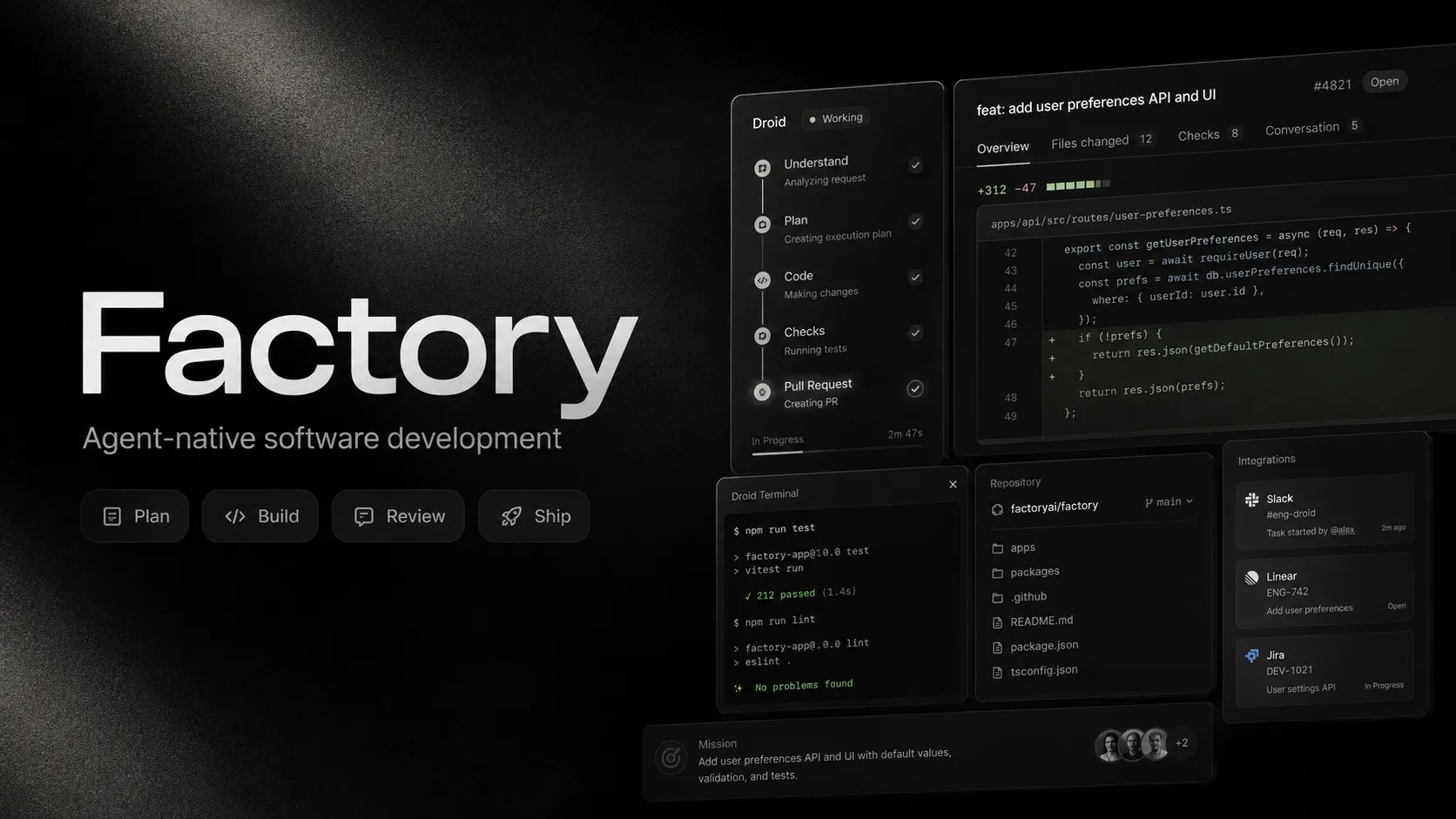
Factory is an agent-native software development platform for delegating coding, review, automation, and engineering workflow tasks to AI Droids across local, cloud, IDE, terminal, and team surfaces.
Information checked: Jun 16, 2026 ·View sources
Tool details
- Type
- Autonomous agents
- Platforms
- macOS, Linux, Windows, CLI, Factory App, VS Code, JetBrains IDEs, Zed, Vim, GitHub, GitHub Actions, Slack, Microsoft Teams, Jira, Linear, Notion, MCP, CI/CD
- Free plan
- No
- Open source
- No
- Bring your own key
- Yes
- Local models
- No
Overview
Best for
- Engineering teams that want to delegate implementation, review, testing, and automation tasks to agents
- Developers who prefer terminal-first agent workflows without switching IDEs
- Teams using Jira, Linear, Slack, GitHub, and CI/CD as the center of engineering work
- Organizations that need model controls, autonomy controls, usage analytics, and governance
- Large codebases where agentic search, repository memory, and coordinated multi-file changes matter
Strengths
- Designed for full engineering task delegation, not just autocomplete.
- Works across terminal, IDE, web, Slack, Jira, Linear, and CI/CD workflows.
- Strong model flexibility with model switching, BYOK, custom models, and Droid Core open-model options.
- Adjustable autonomy levels help teams balance speed and review control.
- Enterprise-oriented telemetry, governance, and admin controls make it easier to manage at scale.
Limitations & trade-offs
- Developers who only want lightweight inline autocomplete
- Users looking for a free or open-source local coding agent
- Teams without tests, repository conventions, or review processes for agent-generated changes
- Builders who want a visual app builder or prompt-to-app tool
- Organizations that cannot allow AI agents to execute tools, inspect repositories, or propose code changes
- No permanent free individual plan is clearly positioned in the main pricing structure.
- Agentic workflows can consume usage limits quickly on large repositories or open-ended tasks.
- Not open source despite having a public CLI repository.
- Requires human review for code, security-sensitive changes, and production-impacting automation.
- Best results depend on well-documented repositories, tests, conventions, and connected team context.
Get started
Pricing & usage limits
Official pricingFrom $20
Individual plan with Factory App, Droid CLI, Droid SDK, cloud and local background agents, usage tracking, and agent-readiness dashboard.
Adds expanded rolling rate limits, about 5x Pro usage, and Droid Computers for Factory-managed remote cloud environments.
Adds about 10x Pro usage and early access to new features.
For growing teams with up to 150 seats, custom usage limits, SSO, SAML/SCIM, ZDR, onboarding, support, and admin controls.
For larger organizations needing advanced governance, deployment, compliance, observability, and security requirements.
Prepaid credits for additional usage after included plan limits are exhausted.
Pricing checked: Jun 16, 2026 · Subscription, usage limits, and model costs may be billed separately.
Features & details
Agent-Native Development
- Droid coding agent for software tasks
- Interactive terminal workflow
- Local and cloud background agents
- Persistent sessions and missions
Developer Surfaces
- Factory App
- Droid CLI and terminal UI
- VS Code and compatible editor workflows
- JetBrains, Zed, Vim, and other IDE integrations
Engineering Automation
- Codebase exploration
- Code edits with reviewable diffs
- Automated code review
- Droid Exec for CI/CD and headless automation
Team Integrations
- Jira and Linear workflows
- Slack and Microsoft Teams surfaces
- GitHub Action support
- MCP integrations and plugins
Model Control
- Model switching per task
- Anthropic, OpenAI, Google, and Droid Core models
- Bring Your Own Key support
- Custom model configuration
Governance
- Adjustable autonomy levels
- Model access controls
- Zero Data Retention options on team plans
- OTEL-native analytics for usage and cost tracking
Why Choose Factory?
Factory is best understood as an agent-native engineering platform rather than a conventional coding assistant. Its main idea is that Droids should meet developers where work already happens: terminal sessions, IDEs, pull requests, Jira tickets, Linear issues, Slack threads, CI/CD jobs, and cloud or local development environments.
That positioning matters because many AI coding tools still assume the developer is sitting inside one editor and asking for help line by line. Factory is aimed at a more delegated workflow: describe the task, let the Droid inspect context, propose a plan, make changes, run checks, and hand back a reviewable result.
Core Workflow
A practical Factory workflow starts in the terminal or app. The developer opens a repository, starts Droid, asks it to analyze the codebase or complete a scoped task, reviews the plan, and approves or rejects modifications through the terminal UI or connected development surface.
For larger work, Missions provide a more structured approach. Instead of asking for one change, the user can split the task into stages: understand the codebase, design the implementation, make edits, run tests, review the diff, and summarize follow-up work. This is better suited to migrations, refactors, incident investigation, or cross-file changes.
The more important operational pattern is control. Factory’s adjustable autonomy levels and reviewable diffs are designed to prevent surprise changes. Teams should use that deliberately: allow routine edits to move quickly, but require approval for risky commands, broad file changes, secrets-related work, database migrations, or security-sensitive code.
Use Cases
Factory fits engineering workflows where the task has enough structure for an agent to make progress: bug fixes, refactors, migrations, dependency updates, local code review, security review, test generation, incident response, QA validation, documentation updates, and repetitive issue-to-PR work.
It is especially relevant for organizations that already have strong internal context in Jira, Linear, Slack, Notion, GitHub, CI/CD, and runbooks. A Droid becomes more useful when it can reference the same ticket context, engineering conventions, and repository knowledge that a human engineer would use.
Comparison to Alternatives
Compared with Devin, Factory feels more oriented around meeting developers inside existing tools rather than presenting one autonomous software engineer experience. Devin is a direct comparison for delegated engineering work, while Factory’s differentiation is its Droid workflow across CLI, IDE, team tools, cloud computers, automation, and enterprise governance.
Compared with OpenHands, Factory is less open-source and more commercial-platform oriented. OpenHands is attractive when transparency, local control, and self-hosting are the priority. Factory is more appealing when a team wants a packaged multi-surface experience, enterprise controls, managed remote computers, and integrated usage analytics.
Compared with Claude Code or Codex CLI, Factory is broader than a model-specific or terminal-only agent. Claude Code and Codex CLI are strong for individual terminal workflows, while Factory targets team-wide adoption with model selection, cloud/local agents, missions, Jira/Slack/Linear workflows, and admin policy.
Compared with Cline or Roo Code, Factory is not tied to a single VS Code extension experience. It can still work in IDE workflows, but its core value is the ability to follow engineering work across surfaces.
Best Configuration
For individual developers, start with the CLI in an actively maintained Git repository. Use small, reviewable tasks first: explain the architecture, review uncommitted changes, add tests around a function, or implement one ticket. This helps calibrate how Droid reasons about the codebase before trusting it with broader work.
For teams, AGENTS.md-style repository guidance, explicit test commands, naming conventions, architecture notes, and review rules are important. Agent quality improves when the codebase tells the agent how the team actually works. Connect Jira, Linear, Slack, or MCP only after the core repository workflow is reliable.
For enterprise rollout, define model policies and autonomy defaults before wide adoption. Expensive or experimental models should not be the default for every prompt. Use OTEL-based telemetry and usage dashboards to understand which teams, repositories, models, and workflows drive spend and productivity.
Migration Notes
Teams moving from autocomplete tools should not evaluate Factory only by suggestion quality. The better test is whether it can complete bounded work: investigate an issue, produce a safe diff, run checks, and explain tradeoffs. That measures the agent workflow rather than just code generation speed.
Teams moving from terminal agents should test persistence and cross-surface continuity. Factory’s value increases when sessions, missions, IDE usage, team context, and automation workflows connect instead of staying isolated in one terminal window.
Organizations comparing Factory with open-source agents should decide where they want control. If source availability and local-only operation are the top priorities, an open-source agent may be better. If governance, model selection, cloud computers, team workflows, and enterprise observability matter more, Factory is worth evaluating as a managed agent-native development platform.
Model support & data privacy
Supported models
- Claude Opus
- Claude Sonnet
- Claude Haiku
- GPT-5.5
- GPT-5.4
- GPT-5.3 Codex
- GPT-5.2
- Gemini 3.1 Pro
- Gemini 3.5 Flash
- Gemini 3 Flash
- GLM
- Nemotron
- Kimi
- DeepSeek
- MiniMax
- Droid Core
- Custom models
Privacy & data handling
Factory can operate across local, cloud, IDE, terminal, and enterprise workflows, and its model routing may involve third-party LLM providers unless configured otherwise. Team and enterprise plans advertise governance options such as SSO, SAML/SCIM, Zero Data Retention, model controls, org-level deny lists, and OTEL-based usage analytics. Teams should review Factory’s current security, deployment, telemetry, provider-retention, and BYOK settings before using it with sensitive code or regulated data.
Guides, reviews & fixes
View allNo published guides yet. Start with the official documentation above.
Product updates
No verified product updates listed yet. Follow this tool to see new relevant content in Saved.
See the content timelineAlternatives
Sources & verification
Verification dates record when this directory checked the information. Product release dates appear separately above.
Directory revision history
Created initial directory entry using Factory official website, pricing page, documentation, CLI quickstart, IDE product page, model docs, enterprise analytics docs, and GitHub repository.