

JetBrains AI
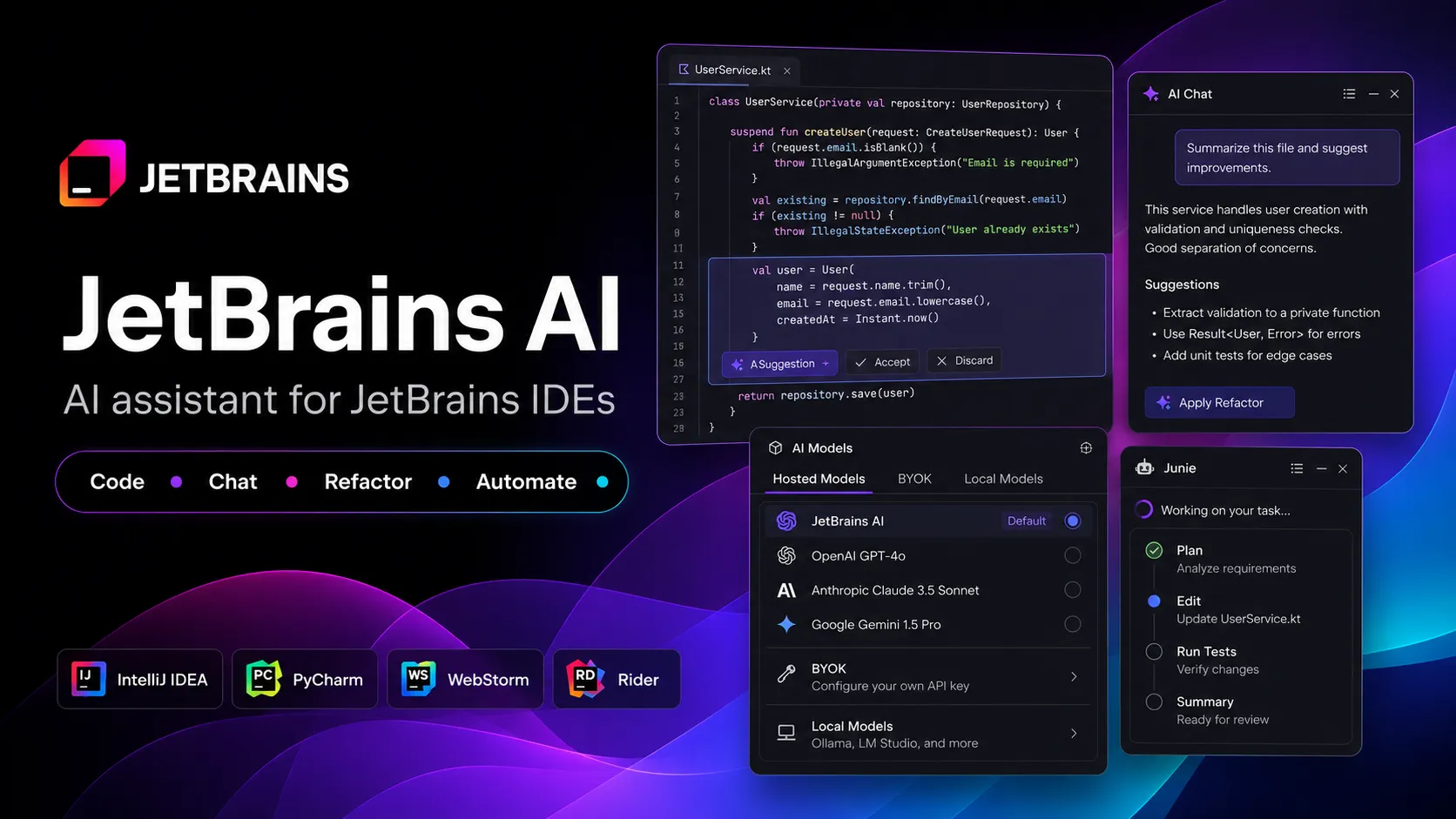
JetBrains AI brings AI chat, code generation, completion, refactoring help, and coding agents directly into JetBrains IDEs. It is best for developers who already rely on IntelliJ IDEA, PyCharm, WebStorm, Rider, GoLand, PhpStorm, CLion, RubyMine, RustRover, DataGrip, or DataSpell and want AI assistance inside that environment.
JetBrains AI is a strong choice for developers and teams already committed to JetBrains IDEs who want AI assistance without leaving their existing language-specific workflow. It is less suitable for teams that want a standalone AI editor, a visual app builder, or unconstrained cloud-agent usage.
Pricing Plans
AI Free
Free tier with limited AI Credits and access to selected JetBrains AI features.
AI Pro
Regular AI-assisted coding, AI chat, and limited agent usage with 10 AI Credits per 30 days.
AI Ultimate
Higher quota for frequent coding-agent usage with 35 AI Credits per 30 days.
AI Enterprise
Enterprise tier for organizations using JetBrains IDE Services with additional administration and custom features.
Top-up AI Credits
Optional AI Credit top-ups for eligible paid plans when monthly quota is exhausted.
Core Features
1IDE-Native AI Assistance
- Context-aware AI Chat
- In-editor code generation
- Cloud code completion
- Next edit suggestions
2Code Understanding
- Explain selected code
- Find problems in code
- Suggest refactorings
- Explain runtime errors
3Automation Workflows
- Generate unit tests
- Generate documentation
- Generate commit messages
- Create pull request summaries
4Coding Agents
- Junie coding agent
- Agent mode in AI Chat
- Claude Agent and Codex integration
- Permission-based command and file changes
5Model and Context Options
- JetBrains AI service models
- Bring Your Own Key support
- Local model support through Ollama and LM Studio
- MCP Server integration for external clients
Pros
- Deep integration with JetBrains IDE inspections, navigation, refactoring, and project context.
- Strong fit for Java, Kotlin, Python, JavaScript, TypeScript, .NET, Go, PHP, Ruby, Rust, C/C++, SQL, and data workflows.
- Supports both assistant-style features and agentic workflows through Junie and AI Chat agent mode.
- BYOK and local model options reduce dependence on a single hosted AI subscription.
- MCP Server support lets external tools such as Claude Code, Cursor, Codex, VS Code, and Windsurf interact with JetBrains IDE context.
Cons
- Best experience requires using JetBrains IDEs rather than VS Code or browser-first environments.
- Cloud AI features consume AI Credits, and agentic workflows can use quota quickly.
- Feature availability varies across IDEs, license tiers, versions, and serviceable territories.
- AI Free and AI Ultimate have regional and IDE-version limitations.
- Generated or agent-made changes still require review, tests, and security checks before production use.
Why Choose JetBrains AI?
JetBrains AI is most valuable when the IDE is already central to the developer’s workflow. Instead of adding a generic chat sidebar to a lightweight editor, it works inside JetBrains products that already understand project structure, language semantics, refactoring rules, run configurations, inspections, tests, databases, version control, and debugging.
That matters because AI coding quality depends heavily on context. A JetBrains IDE often knows more about a mature project than a standalone coding assistant can infer from text alone. The practical advantage is not just faster code generation; it is the ability to connect AI suggestions with the same inspections, navigation, and project tooling developers already trust.
Core Workflow
The most productive workflow is layered. Use inline completion and next edit suggestions for local coding momentum. Use AI Chat for explanations, alternatives, generated tests, refactoring suggestions, and code review before committing. Use Junie or agent mode for multi-file tasks that require planning, editing, running commands, and checking progress.
For agentic work, treat JetBrains AI like a teammate with IDE access rather than a background automation system. Ask it to make a plan, constrain the files or modules it can touch, review diffs before accepting changes, and run tests after each meaningful step. Brave mode and MCP-connected tools can be useful, but they should be enabled deliberately because they increase the blast radius of mistakes.
Use Cases
JetBrains AI is strong for established codebases where language intelligence matters: Java and Kotlin services in IntelliJ IDEA, Python projects in PyCharm, TypeScript apps in WebStorm, .NET and Unity work in Rider, Go services in GoLand, PHP apps in PhpStorm, C/C++ projects in CLion, Ruby apps in RubyMine, Rust projects in RustRover, and SQL/data workflows in DataGrip or DataSpell.
It is also useful for routine engineering work that is easy to describe but repetitive to perform: generating tests, explaining unfamiliar code, improving names, writing documentation, summarizing commits, resolving merge conflicts, drafting pull request descriptions, and applying small refactors across related files.
Comparison to Alternatives
Compared with GitHub Copilot, JetBrains AI is more closely tied to JetBrains’ own IDE features and now includes Junie as JetBrains’ native coding agent. Copilot may be a better universal choice across many editors and GitHub-centric teams, while JetBrains AI is more compelling for developers who want AI deeply embedded in JetBrains workflows.
Compared with Cursor and Windsurf, JetBrains AI is not asking developers to switch editors. Cursor and Windsurf offer AI-native editing experiences built around VS Code-style workflows. JetBrains AI is a better fit when the team depends on JetBrains-specific project modeling, inspections, debugging, database tools, and language support.
Compared with Claude Code or Codex CLI, JetBrains AI is more visual and IDE-native. Terminal agents can be powerful for repository-wide automation, but JetBrains AI has the advantage of living inside the tool where developers already inspect, navigate, run, debug, and review code.
Best Configuration
For individual developers, start with the free tier or AI Pro and watch quota usage before upgrading. Agentic workflows, long chat threads, large context, and expensive models can use credits faster than simple inline actions. Heavy Junie users should evaluate AI Ultimate earlier because its larger quota is designed for frequent agent use.
For teams, standardize the model and permission strategy. Decide when developers should use the JetBrains AI subscription, when BYOK should be used, and when local models are required. Define rules for sensitive repositories, database access, MCP exposed tools, terminal-command approval, and whether detailed data sharing stays disabled.
For external-agent users, the MCP Server can turn JetBrains into a context provider for Claude Code, Cursor, Codex, VS Code, Windsurf, and other clients. This is powerful, but it should be configured with careful tool exposure and confirmation settings.
Migration Notes
Teams moving from GitHub Copilot or another assistant should not simply compare autocomplete quality. The better evaluation is workflow-based: measure how JetBrains AI handles test generation, refactoring, project navigation, inspection feedback, commit summaries, merge conflicts, and multi-file agent tasks inside real repositories.
Teams moving from standalone AI editors should test whether JetBrains AI reduces context switching. If developers still need Cursor or a terminal agent for large changes, JetBrains AI can still be useful as the IDE-native layer for code understanding, inspections, local edits, and MCP-connected context.
For enterprise rollout, begin with a pilot group across different IDEs and languages. Feature availability and behavior can vary by IDE, version, plugin state, license tier, and territory, so a controlled pilot helps avoid broad policy decisions based on one developer’s workflow.
Best For
- JetBrains IDE users who want AI inside their existing editor workflow
- Java, Kotlin, Python, JavaScript, TypeScript, .NET, Go, PHP, Ruby, Rust, C/C++, SQL, and data developers
- Teams that rely on JetBrains inspections, refactoring, run configurations, and debugging tools
- Developers who want both code assistant features and agentic coding through Junie
- Organizations that want BYOK, local model, and MCP-based AI workflow options
Not Ideal For
- Developers who primarily use VS Code and do not want to move into JetBrains IDEs
- Teams looking for a browser-based AI app builder or prompt-to-app platform
- Workflows that require unlimited cloud agent usage without credit-based quotas
- Organizations in unsupported territories or environments where cloud LLM processing is not allowed
- Users who want a fully open-source AI coding assistant
Privacy Notes
JetBrains AI features may send prompts, selected code, file types, framework information, and other necessary context to LLM providers. JetBrains documentation says detailed AI feature usage data collection is opt-in, disabled by default, kept confidential, and not shared externally. Teams handling sensitive code should review JetBrains data handling, BYOK, local model, and enterprise controls before rollout.
Alternatives
Sources
- JetBrains AI in IDEs
- JetBrains AI pricing
- AI Assistant documentation
- JetBrains AI plans and usage
- Feature availability
- Supported models
- Junie by JetBrains
- Junie documentation
- Bring Your Own Key documentation
- Data handling documentation
- IntelliJ IDEA MCP Server documentation
- JetBrains AI Assistant plugin
- Junie plugin
Update History
- Jun 16, 2026: Created initial directory entry using official JetBrains AI, pricing, AI Assistant, Junie, supported models, BYOK, data handling, and MCP documentation.
Related Tools
More listings in a similar part of the directory.






JetBrains AI Articles
Guides, comparisons, and launch notes connected to this listing.

