

Baserow
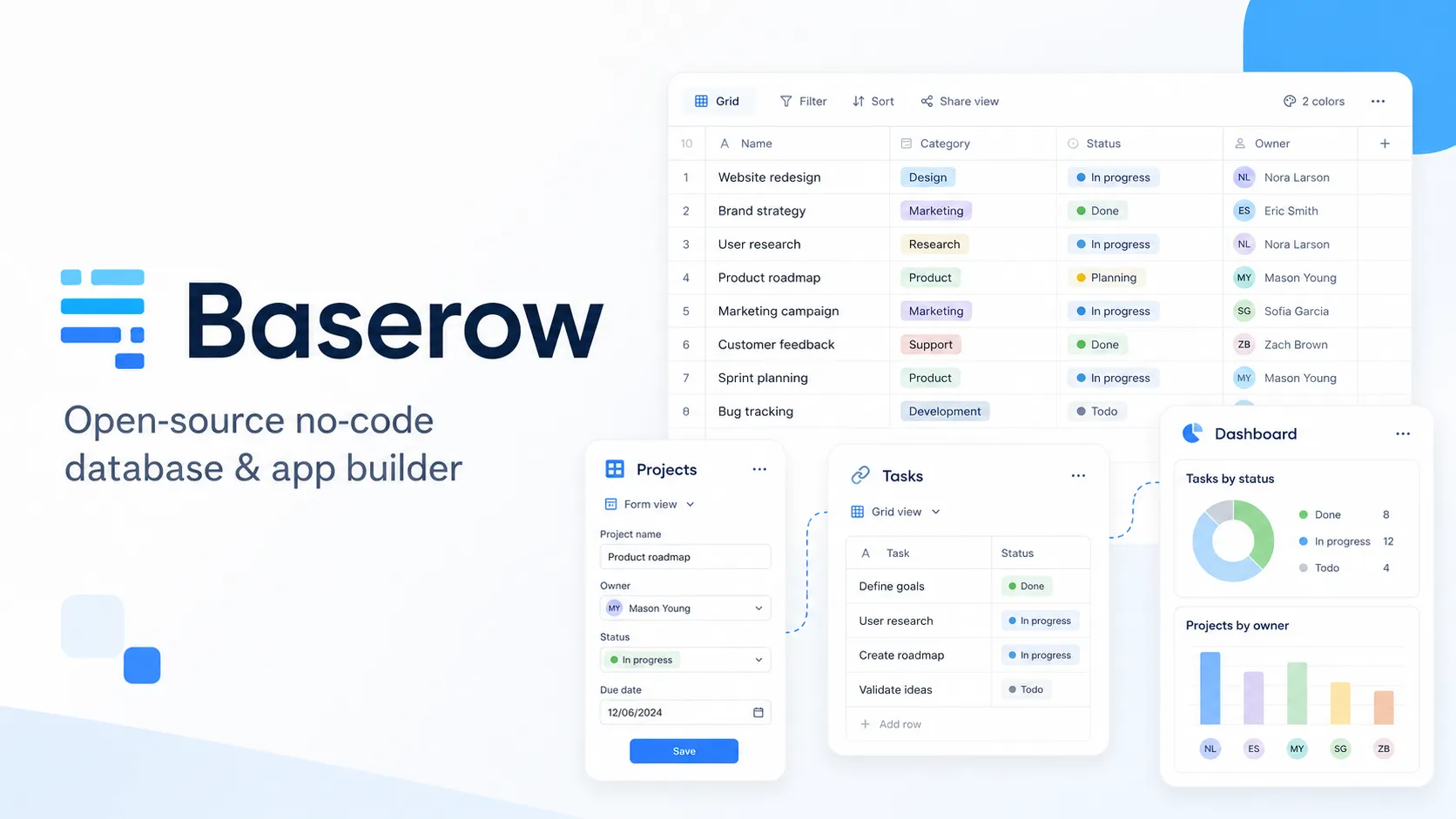
Baserow is an open-source no-code database and application platform for teams that want an Airtable-like workflow with self-hosting, APIs, automation, and AI assistance.
Information checked: Jun 26, 2026 ·View sources
Tool details
- Type
- App builders
- Platforms
- Web, Baserow Cloud, Self-hosted, Docker, Docker Compose, Helm, Kubernetes
- Free plan
- Yes
- Open source
- Yes
- Bring your own key
- Yes
- Local models
- Yes
Overview
Best for
- Airtable replacement projects
- Open-source no-code databases
- Self-hosted operational databases
- Team trackers, project databases, and content operations
- Internal apps and portals backed by structured tables
- AI-assisted data enrichment, summarization, classification, and formula generation
- Teams that want API access to every feature for automation
- Organizations that need cloud or self-hosted deployment flexibility
Strengths
- Open-source Airtable alternative with cloud and self-hosted options.
- Self-hosted deployments are attractive for data control, privacy, and scalability.
- Spreadsheet-like interface lowers adoption friction for non-technical teams.
- API-first design makes it useful as both an app surface and automation backend.
- AI features support both cloud and self-hosted model configuration, including Ollama for local/offline use.
Limitations & trade-offs
- Developers looking for a local AI code editor like Cursor or Windsurf
- Full-stack SaaS products requiring custom application architecture
- Highly transactional systems that need strict database engineering patterns
- Teams that want a pure workflow automation tool rather than a database-first platform
- Organizations that do not want to manage self-hosted infrastructure but need unlimited scale
- Use cases requiring mature enterprise app-generation workflows over arbitrary production systems
- Less developer-oriented than internal tool builders such as Retool, Appsmith, or ToolJet.
- Complex transactional apps may outgrow a spreadsheet-style database model.
- Advanced permissions, audit logs, SSO, and many governance features require higher tiers.
- Cloud plans have row and storage limits, while self-hosting requires infrastructure ownership.
- AI capabilities are newer and should be validated carefully before use in sensitive workflows.
Get started
Pricing & usage limits
Official pricingFree tier · From $10
Free cloud or self-hosted plan with unlimited databases, grid/form/gallery views, templates, and cloud limits of 3,000 rows and 2GB storage per workspace.
For growing teams, with higher cloud limits, row comments, row coloring, Kanban, Survey, Calendar views, and AI features.
Monthly billing option for Premium.
For scaling businesses, with larger cloud limits, role-based permissions, free read/comment users, and audit logs.
Monthly billing option for Advanced.
Sales-led plan for large organizations needing enterprise scale, invoice payment, implementation support, larger hosted limits, and advanced controls.
Pricing checked: Jun 26, 2026 · Subscription, usage limits, and model costs may be billed separately.
Features & details
No-Code Database
- Spreadsheet-style tables with relational database structure
- Grid, Form, Gallery, Kanban, Survey, Calendar, and Timeline views depending on plan
- 20+ field types including formulas, links, files, ratings, selections, and AI fields
- CSV, Excel, XML, and JSON import/export options on supported plans
AI and Automation
- Kuma AI assistant for creating tables, writing formulas, filtering views, and managing workspaces
- AI prompt field for text generation, summarization, classification, and document or image analysis
- AI formula generator for turning natural language into formulas
- Automations, AI agent node, and AI agent builder capabilities
Applications and Portals
- Application Builder for internal apps and portals
- Pages, parameters, form elements, collection elements, and actions
- Custom domains, file upload elements, SSO user authentication, and custom CSS/JS on supported plans
- Free application users up to plan limits
Deployment and Extensibility
- Baserow Cloud and self-hosted deployment options
- Self-hosting with unlimited rows, storage, and row history on paid self-hosted plans
- API-first architecture with REST API, OpenAPI, webhooks, and integration endpoints
- Frontend and backend plugin extensibility for custom platform behavior
Governance and Security
- Role-based, field-level, and view-level permissions on supported plans
- Audit logs, two-factor authentication, SSO, snapshots, secure file serving, and data scanner features
- GDPR, HIPAA, and SOC 2 positioning for enterprise teams
- Instance-wide admin controls and self-hosted infrastructure control
Why Choose Baserow?
Baserow is strongest when a team wants the familiarity of a spreadsheet, the structure of a database, and the control of open-source deployment. It is not primarily an AI code editor or a developer IDE. Its core value is giving teams a flexible operating layer for structured data: tables, views, applications, dashboards, automations, APIs, and AI-assisted fields.
The most important differentiator is ownership. Teams can use Baserow Cloud for speed or self-host Baserow when data residency, infrastructure control, or scaling economics matter more. That makes it a practical option for organizations that like Airtable-style workflows but do not want their operational data locked entirely into a closed SaaS platform.
The AI layer adds useful productivity features rather than replacing the database model. Kuma can help users create structures and formulas, while AI fields can run repeatable generation, summarization, classification, and analysis directly inside tables. This works best when AI output becomes part of a structured workflow that humans can review.
Core Workflow
A typical Baserow workflow starts with a workspace and one or more databases. Teams define tables, fields, relationships, views, permissions, and forms around a specific process. From there, they can add dashboards, application interfaces, automations, integrations, and AI fields.
The workflow feels closer to Airtable than to Retool or Appsmith. Instead of starting with a blank UI canvas over external systems, Baserow usually starts by making the operational data model visible and editable. Once the data model is stable, applications and automations become the user-facing and process layers around that data.
For AI workflows, the safest pattern is to start with low-risk fields: summary, category, extraction, draft text, or formula generation. Once users trust the structure and review process, teams can experiment with agent nodes, AI-assisted automation, or Kuma-driven workspace changes.
Practical Use Cases
Baserow fits operational databases that would otherwise live in spreadsheets: project trackers, asset registers, content calendars, customer lists, applicant pipelines, inventory records, campaign plans, vendor directories, bug triage tables, research databases, and approval trackers.
It is also useful when teams need public forms, lightweight portals, or internal apps backed by the same structured tables. A marketing team can manage campaigns, a support team can track issues, an operations team can manage requests, and a product team can maintain roadmaps without building a full custom app.
AI is most useful when the table already contains messy or repetitive information. Examples include classifying support tickets, summarizing long notes, extracting details from documents, generating descriptions, translating fields, or using prompts that reference other row values.
Comparison to Alternatives
Compared with Airtable, Baserow gives teams stronger open-source and self-hosting options. Airtable has a more mature SaaS ecosystem and polished collaboration experience, while Baserow is more attractive when data control, API access, self-hosting, and open-source continuity matter.
Compared with NocoDB, Baserow is also an open-source Airtable alternative, but the choice often depends on how the team wants to structure data and whether it prefers Baserow’s workspace, application, AI, and self-hosting model. NocoDB is especially relevant when the team wants to put a spreadsheet-like UI over existing databases.
Compared with Budibase, Appsmith, ToolJet, and Retool, Baserow is more database-first. Those tools are usually stronger when the goal is to build internal app interfaces over many production systems. Baserow is stronger when the database itself is the central operational workspace.
Compared with Microsoft Power Apps, Baserow is less tied to Microsoft 365, Dataverse, Teams, and Azure governance. Power Apps may be the default for Microsoft-first organizations, while Baserow is better for teams that want a stack-neutral, open-source, API-first platform.
Best Configuration
For small teams, Baserow Cloud is the fastest path to validation. Start with one workflow that is already being managed in spreadsheets, then recreate it as a structured database with clear field types, relationships, views, and forms.
For privacy-sensitive or high-scale use cases, self-hosting should be evaluated early. Self-hosted Baserow can remove cloud row and storage constraints, but the team must operate the platform: database, files, backups, upgrades, monitoring, SMTP, authentication, SSL, and infrastructure security.
For AI usage, self-hosted teams should decide whether to use cloud model providers or a local provider such as Ollama. This decision affects data residency, latency, model quality, and operational complexity. Sensitive workflows should define which fields can be sent to AI providers and how generated values are reviewed before being used downstream.
Migration Notes
Baserow is a natural migration target for Airtable bases, Google Sheets, Excel trackers, Smartsheet-style work management, and small internal databases that need better structure and API access. The most successful migrations clean the schema first instead of copying spreadsheet mess directly into a new platform.
Migration is harder when the existing process depends on complex custom scripts, deep SaaS-specific integrations, advanced BI pipelines, or high-volume transactional writes. In those cases, Baserow can still be useful as an operational interface, but it should be tested against performance, permission, API, and reporting requirements before full replacement.
A practical migration sequence is to import the data, normalize tables, define relationships, create role-specific views, add forms or applications, then introduce automations and AI fields. This keeps the data model stable before adding behavior that other teams may depend on.
Model support & data privacy
Supported models
- OpenAI
- Anthropic
- Ollama
- OpenRouter
- Mistral
Privacy & data handling
Baserow can run in Baserow Cloud or in self-hosted infrastructure. Cloud AI uses Baserow’s managed connection path, while self-hosted AI can connect directly to configured providers at the workspace or instance level, including local Ollama for offline or air-gapped-style setups. Teams handling sensitive data should review model provider configuration, API key storage, data residency, log retention, SSO, RBAC, audit logs, backups, file serving, and plugin or automation access before production use.
Guides, reviews & fixes
View allNo published guides yet. Start with the official documentation above.
Product updates
No verified product updates listed yet. Follow this tool to see new relevant content in Saved.
See the content timelineAlternatives
Sources & verification
Verification dates record when this directory checked the information. Product release dates appear separately above.
Directory revision history
Checked Baserow official website, pricing page, pricing documentation, GitHub repository, AI field docs, Kuma assistant docs, generative AI configuration docs, and self-hosting documentation.