
 OpenClawA self-hosted personal-agent gateway with multi-channel access, tools, and bring-your-own-model control.
AnyGen
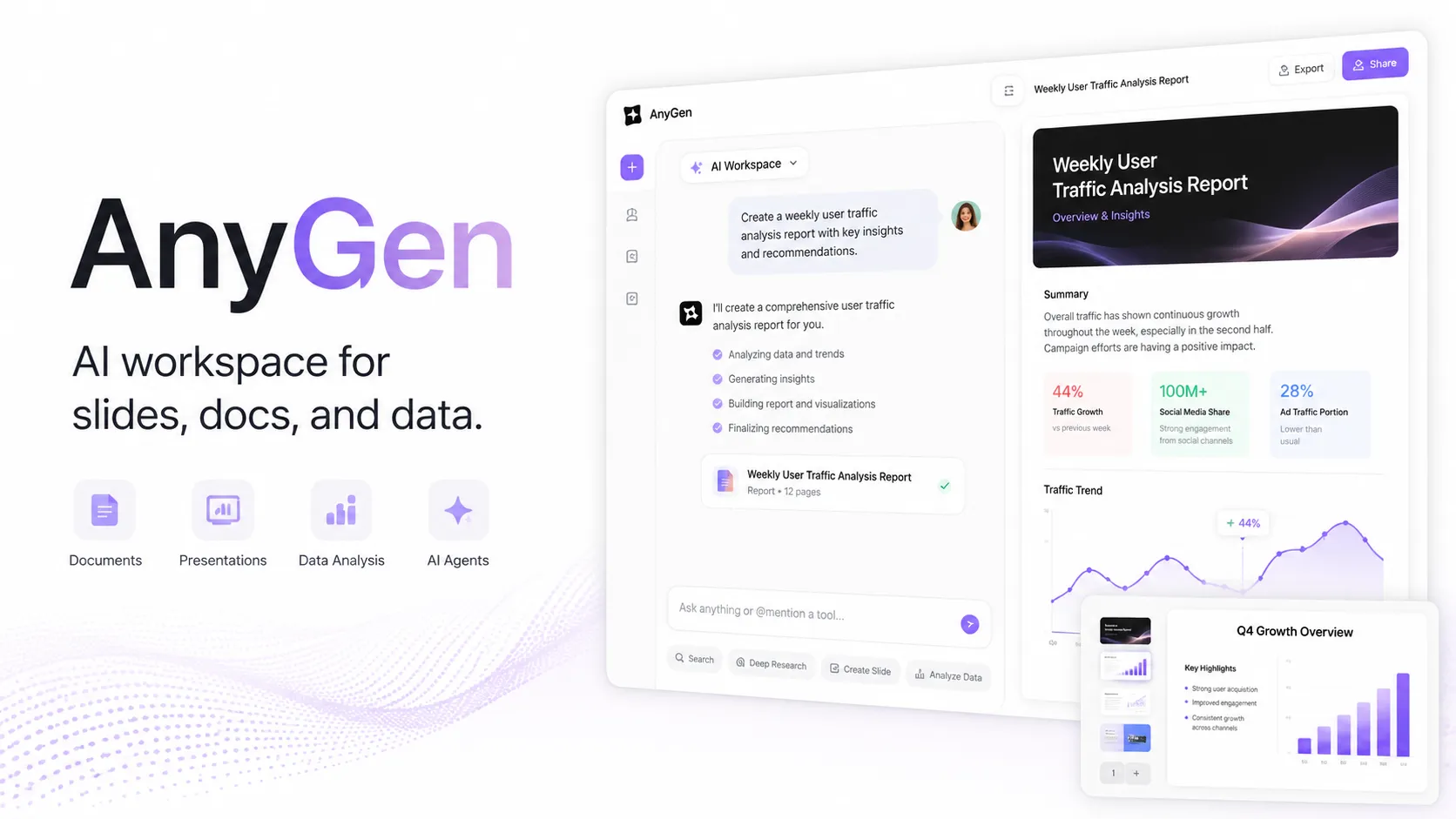
AnyGen is a hosted AI workspace with CLI and agent-skill integrations for generating polished work artifacts rather than a full AI-native coding editor.
Information checked: Jun 24, 2026 ·View sources
Tool details
- Type
- Developer workflows
- Platforms
- Web, macOS, Windows, iOS, iPadOS, Chrome Extension, CLI, OpenClaw, Claude Code, Cursor
- Free plan
- Yes
- Open source
- No
- Bring your own key
- No
- Local models
- No
Overview
Best for
- Developers who want coding agents to generate non-code artifacts such as slides, diagrams, reports, or data summaries
- Teams that need editable PowerPoint or document outputs from AI workflows
- AI agent users who prefer CLI-driven task creation, polling, and downloads
- Consultants, product managers, analysts, and founders who move between research, data, docs, and decks
Strengths
- Useful artifact-production layer for coding agents and AI workspaces
- Strong fit for business deliverables such as PPTX, DOCX, diagrams, and reports
- CLI and skill repositories make it easier to connect with agentic coding environments
- Native file download workflow is more practical than chat-only outputs
- Modular skills let teams install only the AnyGen capabilities they need
Limitations & trade-offs
- Users looking for a full code editor like Cursor or Windsurf
- Teams that require fully local model execution
- Highly regulated workflows that cannot upload files, prompts, or data to a hosted service
- Developers who only need inline code completion or PR review
- Not an AI IDE or code editor by itself
- Hosted generation means prompts, files, and task context may leave the local machine
- Model/provider details are not clearly documented publicly
- Public pricing and credit limits are not fully transparent from the main website
- Best value depends on whether generated artifacts export cleanly into the user’s existing workflow
Get started
Pricing & usage limits
Free tier available
FreeFree
Free access is promoted on the official site and mobile app listings; usage limits may vary by account or region.
Paid upgradesVaries / month/year
Paid in-app upgrades are available, but exact public USD web pricing was not clearly confirmed at last check.
API / team usageNot publicly listed
API-key based workflows are supported; check the AnyGen dashboard or official site for current limits and commercial terms.
Pricing checked: Jun 24, 2026 · Subscription, usage limits, and model costs may be billed separately.
Features & details
Artifact generation
- Generate editable slide decks and PowerPoint exports
- Create documents, reports, and structured write-ups
- Produce diagrams, flowcharts, and architecture visuals
- Run data analysis and generate charts or insights
Agent and CLI workflow
- AnyGen CLI for task creation, polling, and artifact download
- Structured JSON output for AI agent integration
- API-key authentication via flag, config file, or ANYGEN_API_KEY
- Skills for OpenClaw, Claude Code, and Cursor workflows
Workspace access
- Web-based AI workspace
- Desktop app support for macOS and Windows
- Mobile app for voice notes and task notifications
- Chrome extension for browser-connected automation tasks
Why Choose anygen io?
AnyGen makes the most sense when the output of an AI workflow needs to become a real deliverable rather than another chat transcript. In a developer-tool directory, that means it should not be framed as a replacement for Cursor, Windsurf, Claude Code, or Copilot. Its stronger position is downstream of those tools: after an agent has reasoned through requirements, architecture, research, or data, AnyGen can help package the result into a deck, document, diagram, report, or other shareable artifact.
That distinction matters because many AI coding environments are good at editing repositories but weak at producing polished business files. AnyGen is closer to an artifact-generation service with agent hooks. For teams that frequently move between code, product planning, technical documentation, customer-facing presentations, and analysis, that can be a useful missing layer.
Core Workflow
The practical workflow is task-based. A user or agent describes the desired output, optionally adds files or context, creates a generation task, waits for completion, and downloads or edits the result. The CLI and skill repositories are important because they make this flow accessible from agentic environments instead of forcing every interaction through the web UI.
For coding-agent setups, the most useful pattern is to let the coding tool handle repository inspection and implementation details, then call AnyGen only when the output needs to become an external artifact. For example, a Claude Code or OpenClaw session could summarize a new architecture, then invoke an AnyGen skill to turn that architecture into a diagram or stakeholder deck.
Use Cases
AnyGen is strongest for workflows where the final format matters. Product teams can turn messy requirements into a structured PRD or launch deck. Engineers can convert an architecture explanation into a diagram for review. Analysts can transform CSV-style inputs into a report or presentation. Founders and consultants can use it to move faster from research notes to client-ready material.
It is less compelling when the task is purely code-centric. For inline refactoring, test generation, repository search, or multi-file implementation, a dedicated AI IDE or CLI coding agent remains the better primary tool. AnyGen becomes more valuable once the work crosses into communication, documentation, and presentation.
Comparison to Alternatives
Compared with AI code editors, AnyGen is not focused on the inner loop of software development. Cursor, Windsurf, and similar tools live inside the codebase. AnyGen is better treated as a companion service that produces external files.
Compared with presentation tools such as Gamma or Genspark-style AI output platforms, AnyGen’s differentiation is its emphasis on editable business artifacts and agent integration. The important buyer question is not simply whether it can generate a nice-looking result, but whether the exported file survives real editing in PowerPoint, Word, or the team’s normal review process.
Compared with general autonomous agents, AnyGen is narrower but more concrete. Instead of promising to complete every kind of task, it focuses on turning structured input into specific output formats. That narrower scope can be an advantage when teams want predictable artifacts rather than open-ended automation.
Best Configuration
For developer workflows, the safest setup is to keep AnyGen behind explicit agent instructions. Install only the skills a workflow actually needs, store the API key in an environment variable or secure configuration, and ask the agent to show a brief task plan before sending files or prompts to AnyGen.
A good default is to separate repository reasoning from artifact generation. Let the coding agent inspect and summarize local code first, then pass only the necessary summary, diagrams, or sanitized files into AnyGen. This reduces accidental exposure of sensitive source code while still getting the benefit of formatted outputs.
For repeatable workflows, use the CLI’s task lifecycle rather than one-off manual prompts: create the task, poll status, download the artifact, and save outputs into a predictable directory. That makes the process easier to review, automate, and document.
Migration Notes
Teams already using AI slide or document tools should test AnyGen with real internal templates, not toy prompts. The deciding factor is whether generated files remain editable, brand-aligned, and easy to revise after export.
Teams coming from AI IDEs should avoid positioning AnyGen as another coding assistant. A cleaner migration path is to add it as an artifact stage: architecture review deck, release notes document, competitive research report, roadmap presentation, or data-analysis summary.
For sensitive environments, start with non-confidential examples and confirm what data is sent to the hosted service. If the workflow requires local-only inference, private model routing, or strict codebase isolation, AnyGen should be evaluated carefully before being introduced into production engineering workflows.
Model support & data privacy
Privacy & data handling
AnyGen workflows may involve uploading prompts, documents, data files, screenshots, voice notes, or other user content to a hosted service. Review the official privacy policy and app-store privacy details before using sensitive source code, customer data, or confidential business documents.
Guides, reviews & fixes
No published guides yet. Start with the official documentation above.
Product updates
No verified product updates listed yet. Follow this tool to see new relevant content in Saved.
See the content timelineAlternatives
OpenClawA self-hosted personal-agent gateway with multi-channel access, tools, and bring-your-own-model control. ManusManus sits between an autonomous AI agent, prompt-to-app builder, research assistant, and workflow automation platform for users who want finished outputs rather than editor-only code suggestions.
 GammaAn AI-first visual communication platform that turns prompts and source material into presentations, documents, websites, graphics, and reusable content workflows.
 GensparkA browser-based AI workspace with an autonomous coding agent aimed at turning product requirements into working applications rather than acting primarily as an inline IDE assistant.
 Beautiful AIAn AI-first presentation platform focused on guided story development, automatic slide design, and organization-wide brand consistency.
 Tome App AITome App AI is an AI-powered PowerPoint generation and conversion tool for users who want editable PPT decks from prompts, documents, PDFs, web pages, or videos.
 Replit AIReplit AI is an all-in-one browser-based AI software creation platform that combines prompt-to-app generation, a cloud IDE, built-in infrastructure, publishing, and collaboration.
Sources & verification
Verification dates record when this directory checked the information. Product release dates appear separately above.
Official websiteAnyGen Slides product pageAnyGen Documents product pageAnyGen download pageOpenClaw integration pageAnyGen CLI GitHub repositoryAnyGen Skills GitHub repositoryAnyGen Suite Skill GitHub repositoryApple App Store listing
Directory revision history
Initial directory profile created from official AnyGen pages, download page, OpenClaw integration page, App Store listing, and AnyGenIO GitHub repositories.