
 GammaAn AI-first visual communication platform that turns prompts and source material into presentations, documents, websites, graphics, and reusable content workflows.
Tome App AI
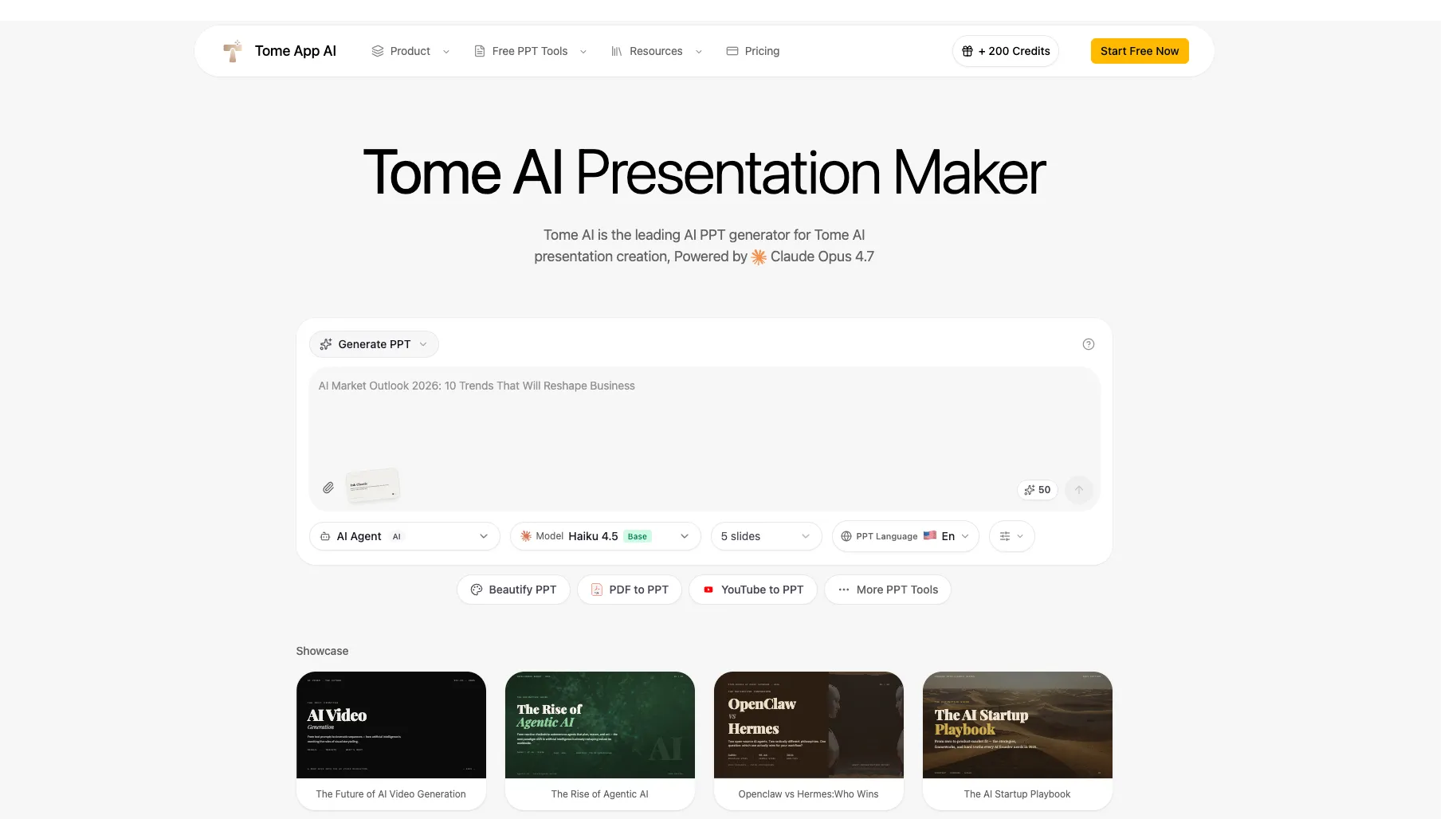
Tome App AI is an AI-powered PowerPoint generation and conversion tool for users who want editable PPT decks from prompts, documents, PDFs, web pages, or videos.
Information checked: Jul 8, 2026 ·View sources
Tool details
- Type
- Developer workflows
- Platforms
- Web, Browser, PowerPoint export, PDF export, PPTX upload, PDF upload, Word document input, Markdown input, HTML input, YouTube input
- Free plan
- Yes
- Open source
- No
- Bring your own key
- No
- Local models
- No
Overview
Best for
- AI-generated PowerPoint drafts
- Product explainers and demo decks
- Startup pitch decks
- Educational lesson slides
- Marketing and sales presentations
- Converting PDFs, Word documents, Markdown, HTML, or YouTube content into slides
- Beautifying existing PowerPoint decks
Strengths
- Focused on editable PPTX output rather than only web-native presentations.
- Useful for turning rough prompts, documents, PDFs, and videos into slide decks.
- Includes both generation and beautification workflows.
- Credit-based pricing may fit users who do not want a traditional monthly unlimited presentation tool.
- Supports multiple adjacent PPT utilities in one workspace.
Limitations & trade-offs
- Developers looking for an AI-native code editor
- Teams that need autonomous code changes or pull requests
- Organizations requiring self-hosted presentation generation
- Design teams needing pixel-perfect brand systems
- Enterprise buyers requiring mature admin, SSO, audit, and procurement documentation
- Projects involving sensitive legal, medical, financial, or confidential material without manual review
- Not an AI code editor, IDE extension, coding agent, or code review tool.
- Newer and less established than major presentation platforms such as Canva, Gamma, or Beautiful.ai.
- Advanced brand control and slide-level customization may be lighter than mature design tools.
- Pricing and model claims should be rechecked before purchase because the site shows promotion-style pricing and credits.
- Cloud-based workflow may not fit teams handling confidential documents without additional review.
Get started
Pricing & usage limits
Official pricingFree tier · From $9.5
Free Credits$0
The site shows free starter credits for trying AI PPT generation and related tools; exact limits may vary by account and promotion.
Starter$9.5 / month, billed annually
Includes Claude Sonnet 4.6 access, 12,000 yearly credits, 1,000 credits per month, and about 10 PPT generations per month.
Standard$23.9 / month, billed annually
Includes Claude Sonnet 4.6 access, 36,000 yearly credits, 3,000 credits per month, and about 60 PPT generations per month.
Premium$47.9 / month, billed annually
Includes Claude Opus 4.7 access, 90,000 yearly credits, 7,500 credits per month, 100+ templates, and about 150 PPT generations per month.
Team Bulk PurchaseCustom
Bulk purchase option for teams, with the pricing page mentioning up to 60% bonus credits.
Pricing checked: Jul 8, 2026 · Subscription, usage limits, and model costs may be billed separately.
Features & details
AI PPT Creation
- Generate PPT from a topic, outline, or brief
- Choose audience, goal, tone, language, and slide count
- Create 5 to 30+ slide presentations depending on plan and workflow
- Download editable PowerPoint files
Conversion Tools
- PDF to PPT
- Word to PPT
- Text to PPT
- Markdown to PPT
- HTML to PPT
- YouTube to PPT
Slide Enhancement
- AI Beautify PPT for redesigning existing slides
- Smart layout optimization
- Theme and typography improvements
- PPT reverse prompt for extracting design prompts from decks
Presentation Support
- Speaker notes generation
- Web search integration for current references
- Professional templates
- PPT to PDF, PPT to Keynote, compression, merge, and image export tools
Why Choose Tome App AI?
Tome App AI is best understood as an AI PowerPoint production tool, not as the older web-native Tome storytelling product. Its strongest practical angle is editable PPT output: users can generate, beautify, convert, and download PowerPoint-style decks rather than being locked into a proprietary presentation page.
That makes it relevant for product teams, marketers, educators, consultants, and founders who still need traditional slide files. A prompt-to-presentation workflow is useful, but many business users ultimately need a deck they can edit, send, present, or polish in PowerPoint, Google Slides, or Keynote. Tome App AI is positioned around that handoff.
For a developer tools directory, the fit is indirect but real. Developer and product teams often need to turn technical notes, launch plans, GitHub project summaries, PDFs, docs, or YouTube demos into stakeholder-friendly presentations. Tome App AI belongs in the developer workflow category as a communication and documentation-to-slide utility, not as an IDE or coding assistant.
Core Workflow
A typical Tome App AI workflow starts with a prompt, outline, brief, or source file. The user specifies the topic, audience, goal, tone, language, and slide count, then the tool generates a structured deck with layouts and content.
The second workflow is conversion. Instead of starting from scratch, a user can upload or provide source material such as a PDF, Word document, text, Markdown, HTML, or YouTube video. This is useful when the raw material already exists but needs to become a presentation for a meeting, lecture, demo, or report.
The third workflow is beautification. A user can take an existing PowerPoint deck and ask the AI to improve layout, typography, spacing, colors, and visual hierarchy while preserving the original content. That is often more practical than generating a brand-new deck, especially when the source material has already been approved.
Use Cases That Fit Tome App AI
Tome App AI fits fast presentation production where the cost of starting from a blank slide deck is high. Strong use cases include product explainers, founder pitches, class lectures, internal reports, meeting briefs, sales decks, webinar outlines, demo summaries, and content repurposing.
It is especially useful when the source material is already available in another format. A PDF report can become a presentation. A YouTube video can become a slide summary. A Markdown outline can become a polished deck. A rough PowerPoint can be redesigned without manually rebuilding every slide.
It is less suitable when the presentation must follow a strict corporate design system, require advanced animations, or include high-stakes claims that need expert verification. In those cases, Tome App AI can create a draft, but human review should remain part of the workflow.
Comparison to Alternatives
Compared with Gamma, Tome App AI is more PowerPoint-output oriented. Gamma is strong for polished, web-native AI documents and presentations, while Tome App AI is more relevant when the buyer wants downloadable PPTX files and conversion utilities.
Compared with Beautiful.ai, Tome App AI is more focused on generation and conversion from many source types. Beautiful.ai has a more mature smart-slide design system, which may be better for teams that prioritize consistent presentation design over fast conversion.
Compared with Canva, Tome App AI is narrower and more PPT-focused. Canva is stronger for brand kits, design assets, templates, and broader marketing content. Tome App AI is better suited to users who want to create or transform slide decks quickly without navigating a large design platform.
Compared with Plus AI, the difference is workflow location. Plus AI works inside Google Slides and PowerPoint-style ecosystems, which is convenient for teams already living there. Tome App AI works as a separate browser tool that generates and converts decks before export.
Best Configuration
The best setup is to treat Tome App AI as a draft and transformation engine rather than the final editorial authority. Start with a clear brief that includes audience, goal, tone, slide count, key points, and required structure. Vague prompts will usually produce generic slides.
For product and developer teams, the strongest input is often structured source material: a release note, product spec, markdown outline, changelog, technical blog draft, customer pain-point list, or roadmap brief. These inputs help the AI create slides with a real narrative instead of filler text.
For sensitive projects, avoid uploading confidential source files until privacy, retention, and third-party processing terms have been reviewed. A safer workflow is to sanitize the source material first, generate the deck, then manually add confidential details inside the final editing environment.
Migration Notes
Users moving from the older Tome.app-style storytelling workflow should treat Tome App AI as a different product category. The old Tome experience was more like a web-native narrative canvas. Tome App AI is more like a PPT generator and converter.
Users moving from manual PowerPoint creation should start by using Tome App AI for first drafts and redesign tasks rather than replacing all slide work immediately. The fastest win is usually converting notes or old decks into a better starting point, then editing the final version manually.
Users moving from Gamma, Canva, Beautiful.ai, or Plus AI should compare output requirements first. If PPTX handoff matters most, Tome App AI deserves a test. If collaboration, brand systems, asset libraries, or native slide editing matter more, another platform may fit better.
Tradeoffs in Practice
Tome App AI's main advantage is speed, but speed creates review risk. AI-generated decks can look finished before the claims, data, flow, and visuals have been checked. Teams should review wording, slide order, evidence, formatting, and export quality before sharing.
The credit model also changes the buying decision. Instead of evaluating only per-seat pricing, users should estimate monthly presentation volume, expected deck length, conversion needs, and whether they need premium model access. Heavy users should compare credit consumption against subscription-style alternatives.
The practical verdict is simple: Tome App AI is useful when the job is to create, convert, or beautify PowerPoint-style decks quickly. It should not be positioned as an AI IDE, and it should not be confused with the older Tome presentation product at Tome.app.
Model support & data privacy
Supported models
- Claude Sonnet 4.6
- Claude Opus 4.7
- Claude Haiku 4.5
Privacy & data handling
Tome App AI is a cloud-based AI presentation generator. Its privacy policy states that it may collect account information, usage details, device information, cookies, payment and billing information, and presentation content provided by users. Teams should review the privacy policy, terms, model usage, file retention, and third-party processing before uploading confidential documents or customer data.
Guides, reviews & fixes
No published guides yet. Start with the official documentation above.
Product updates
No verified product updates listed yet. Follow this tool to see new relevant content in Saved.
See the content timelineAlternatives
GammaAn AI-first visual communication platform that turns prompts and source material into presentations, documents, websites, graphics, and reusable content workflows. Beautiful AIAn AI-first presentation platform focused on guided story development, automatic slide design, and organization-wide brand consistency.
 Canva AIAn AI-powered visual communication platform that combines conversational content generation, editable design, brand management, collaboration, and publishing in one workspace.
 Plus AIAn AI presentation assistant for professionals who want to generate and edit native PowerPoint and Google Slides files inside their existing presentation workflow.
Sources & verification
Verification dates record when this directory checked the information. Product release dates appear separately above.
Directory revision history
Corrected the listing from the legacy Tome/Tome.app product to the active Tome App AI site at tomeapp.ai and updated pricing, positioning, features, aliases, and sources.