
 Docx-CLIDocx-CLI is a local-first command-line document automation tool for AI agents that need to safely inspect, edit, redline, and comment on Microsoft Word .docx files.
Docx-CLI
Docx-CLI is a local-first command-line document automation tool for AI agents that need to safely inspect, edit, redline, and comment on Microsoft Word .docx files.
Information checked: Jul 9, 2026 ·View sources
Tool details
- Type
- Developer workflows
- Platforms
- macOS, Linux, Windows, Claude Code, Codex, Pi, Agent Skills-compatible harnesses
- Free plan
- Yes
- Open source
- Yes
- Bring your own key
- No
- Local models
- No
Overview
Best for
- AI agents that need to edit Word documents without breaking formatting
- Contract redlining and legal document review workflows
- Academic, rubric, and review workflows that require comments in .docx files
- Developer teams building document automation pipelines around Word files
- Local-first users who prefer CLI-based document manipulation
Strengths
- Purpose-built for AI agents editing Word documents
- Preserves formatting better than raw OOXML rewriting workflows
- Supports comments and tracked changes for human review
- Open source and free to use
- Works across multiple agent skill environments
Limitations & trade-offs
- Teams that need a hosted collaborative document editor
- Users looking for a general AI coding assistant
- Workflows centered on PDFs, spreadsheets, or slide decks rather than Word documents
- Non-technical users who prefer GUI-only Word automation
- Focused on .docx rather than broad Office automation
- Mutating commands overwrite files unless an output path or copy workflow is used
- Requires agents or users to understand locator-based editing
- Some workflows may still need Word or LibreOffice for final visual validation
- Young project with a fast-moving release history
Get started
Pricing & usage limits
Free tier available
Open Source$0 / one-time
MIT-licensed GitHub project with install options via Bun, standalone binaries, or agent skills.
Pricing checked: Jul 9, 2026 · Subscription, usage limits, and model costs may be billed separately.
Features & details
Word Document Editing
- Read .docx files as annotated Markdown or JSON AST
- Find, replace, insert, delete, and edit document content
- Preserve existing Word formatting by mutating OOXML in place
Review Workflows
- Add Word comments to specific text spans
- Enable and manage tracked changes
- Accept or reject tracked changes from the CLI
Agent Integration
- Ships as an Agent Skill for Claude Code, Codex, Pi, and compatible harnesses
- Uses stable locators such as paragraph and character ranges
- Provides command help and schema information for non-interactive agents
Document Fidelity
- Supports styles, tables, headers, footers, images, hyperlinks, notes, and outlines
- Can render documents through Word, LibreOffice, or auto-detected engines
- Standalone binaries available for Linux, macOS, and Windows
Why Choose Docx-CLI?
Docx-CLI solves a narrow but painful problem: AI agents are good at text reasoning, but Word documents are not plain text. A .docx file is a ZIP archive full of OOXML parts, relationships, styles, comments, tracked changes, media, and section metadata. Asking an agent to directly rewrite that structure is fragile.
Docx-CLI gives the agent a safer abstraction. Instead of editing raw XML, the agent reads an annotated representation, targets stable document locators, and calls explicit commands for replacements, comments, tracked changes, style changes, and structural edits. That makes it especially useful when the output must still open cleanly in Microsoft Word and remain reviewable by a human.
Core Workflow
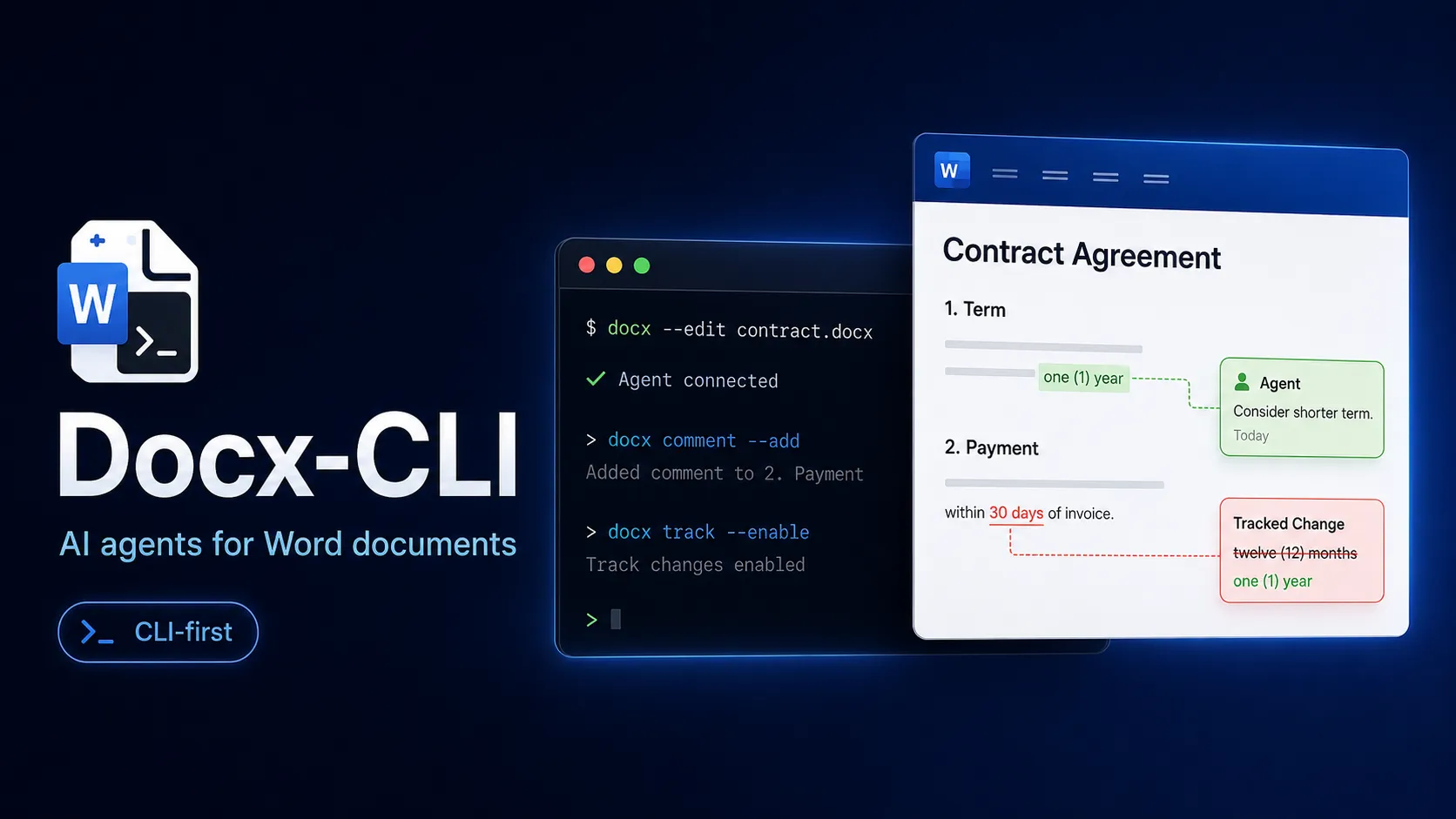
A typical workflow starts by copying the source Word file, reading a focused region, then applying targeted edits. The agent can search for text, formatting, highlights, styles, comments, images, hyperlinks, headers, footers, or tracked changes. For a contract or review document, it can enable tracked changes, replace a phrase, add a comment to a specific span, then leave the final decision to a human reviewer in Word.
The most important mental model is locator-based editing. Rather than saying “change the second sentence in the third paragraph” in vague natural language, Docx-CLI exposes references such as paragraph and character ranges. That makes agent actions more repeatable and easier to validate, but it also means users should expect a slightly more technical workflow than a GUI document editor.
Use Cases
Docx-CLI is strongest in workflows where the document already exists and formatting matters. Contract review is a natural fit because comments and redlines need to survive exactly as Word users expect. It can also help with student paper review, rubric-based grading, résumé restyling, internal policy edits, template completion, and document QA checks.
It is less compelling when the task is simply generating a new document from scratch. For pure templating, a library such as docxtemplater or docx.js may be simpler. For broad document ingestion across PDF, HTML, images, and Office formats, a conversion toolkit such as Docling may be a better first layer.
Comparison to Alternatives
Compared with general document libraries, Docx-CLI is more agent-oriented. python-docx and docx.js are good when a developer wants to write application code against a document API. Docx-CLI is better when a terminal agent needs a command contract, predictable stdout, exit codes, stable locators, and review-friendly mutation commands.
Compared with OfficeCLI, the tradeoff is breadth versus depth. OfficeCLI is positioned around Word, Excel, and PowerPoint automation, while Docx-CLI focuses specifically on Word .docx workflows. That narrower scope may be an advantage for document review tasks because comments, tracked changes, locators, and Word formatting fidelity are central to the product design.
Best Configuration
For agent workflows, install it as an Agent Skill when using Claude Code, Codex, Pi, or another compatible harness. That gives the agent the tool instructions and keeps the command surface discoverable at runtime. For scripting and CI-style usage, the standalone binary route is cleaner because it avoids depending on a global Bun installation.
For safer editing, treat Word files like source artifacts: work on a copy, use an output path when possible, render or open the result for validation, and keep the original under version control or object storage. Docx-CLI can reduce formatting breakage, but it does not remove the need for final review when documents are legally, academically, or commercially important.
Migration Notes
Teams currently asking agents to unzip .docx files and patch OOXML directly should consider Docx-CLI as a safer replacement layer. The migration is mostly about changing the agent prompt and tool contract: read with Docx-CLI, target locators, apply explicit commands, then verify the result.
Teams with existing Python or JavaScript document pipelines do not necessarily need to replace them. Docx-CLI can sit beside those systems as an agent-facing tool for review, redlining, and targeted editing, while existing code continues handling bulk generation or template workflows.
Model support & data privacy
Privacy & data handling
Docx-CLI runs locally as a command-line tool and edits files on disk; privacy depends on the AI agent or model provider used around it and whether documents are sent to an external model.
Guides, reviews & fixes
No published guides yet. Start with the official documentation above.
Product updates
No verified product updates listed yet. Follow this tool to see new relevant content in Saved.
See the content timelineAlternatives
Docx-CLIDocx-CLI is a local-first command-line document automation tool for AI agents that need to safely inspect, edit, redline, and comment on Microsoft Word .docx files.Sources & verification
Verification dates record when this directory checked the information. Product release dates appear separately above.
Directory revision history
Initial directory profile created from the official GitHub repository and public plugin/discussion references.