


Plus AI
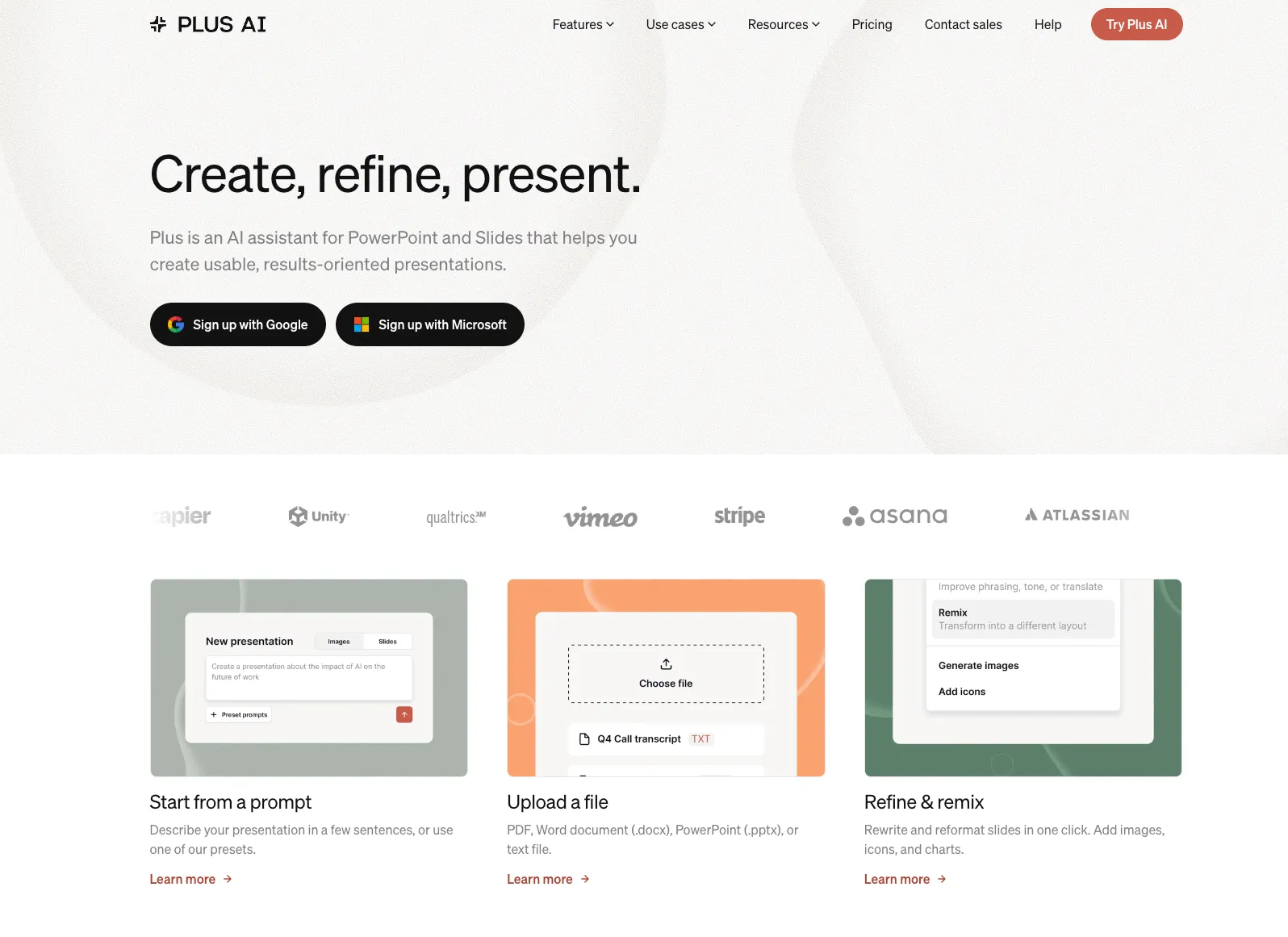
An AI presentation assistant for professionals who want to generate and edit native PowerPoint and Google Slides files inside their existing presentation workflow.
Information checked: Jul 13, 2026 ·View sources
Tool details
- Type
- Developer workflows
- Platforms
- Microsoft PowerPoint for Windows, Microsoft PowerPoint for macOS, Google Slides, Web, REST API, MCP
- Free plan
- No
- Open source
- No
- Bring your own key
- No
- Local models
- No
Overview
Best for
- Professionals who must deliver editable PowerPoint files
- Teams already standardized on Microsoft PowerPoint or Google Slides
- Consulting, sales, marketing, and executive presentations
- Transforming reports and documents into presentation drafts
- Refreshing existing decks without rebuilding them
- Automating recurring or personalized presentation generation
- Organizations with established slide templates and brand standards
Strengths
- Works inside PowerPoint and Google Slides rather than replacing them
- Produces native, editable presentation files
- Can improve individual slides without regenerating an entire deck
- Supports document-grounded presentation generation
- Offers REST API, MCP, and automation-platform integrations
- Supports existing brand systems and presentation templates
Limitations & trade-offs
- Users seeking a permanently free AI presentation tool
- Teams that want a completely new web-native presentation format
- Users working mainly from tablets or unsupported PowerPoint versions
- Designers requiring unrestricted canvas-level control from the AI assistant
- Offline-only presentation workflows
- Developers building general-purpose applications rather than presentation automation
- No permanent free plan is currently offered
- The free trial requires a credit card and renews automatically
- Most plans impose monthly AI credit limits
- The browser experience generates presentations but lacks the full editing toolset
- PowerPoint desktop is recommended because the browser version can cause formatting issues
- Some advanced template and organization features require Enterprise support
Get started
Pricing & usage limits
Official pricingFrom $10
7-Day Trial$0 / for 7 days
Includes 1,000 AI credits and access to the selected plan. A credit card is required and billing starts automatically after the trial.
Basic$10 / per user/month, billed annually
Includes 1,500 monthly AI credits, presentation generation, single-slide insertion, rewriting, and remixing.
Pro$20 / per user/month, billed annually
Includes 3,000 monthly credits, document uploads, longer prompts, AI images, API access, and unlimited team members.
Team$30 / per user/month, billed annually
Includes 6,000 monthly credits, custom branding, advanced image models, shared presets, and team-wide resources.
Max$200 / per user/month, billed annually
Includes unlimited AI credits, Team features, and priority email support for frequent presentation-agent usage.
EnterpriseCustom
Adds custom templates, asset libraries, SSO, user management, volume capacity, and white-glove onboarding.
Pricing checked: Jul 13, 2026 · Subscription, usage limits, and model costs may be billed separately.
Codex Brings Back the 5-Hour Limit for Plus Users, While Pro Plans Stay ExemptFeatures & details
Presentation Generation
- Prompt-to-presentation creation
- PDF, DOCX, PPTX, and text-file input
- Single-slide insertion
- AI rewriting and slide remixing
- Multilingual generation and translation
Native Slide Workflow
- PowerPoint desktop add-in
- Google Slides add-on
- Editable native PPTX output
- Charts, tables, icons, and generated images
- Custom branding and presentation templates
Developer Automation
- REST Presentations API
- Presentation Agent API
- Remote MCP server
- Asynchronous jobs and webhooks
- Zapier, Make, and n8n workflows
Why Choose Plus AI?
Plus AI is designed for organizations that cannot replace PowerPoint or Google Slides with a new presentation platform. It adds generation and editing capabilities to the software where teams already maintain templates, collaborate with colleagues, and deliver final files.
This positioning solves a practical compatibility problem. Many standalone AI presentation tools create attractive web presentations but require exports before the deck can enter an established corporate workflow. Plus AI creates native PowerPoint and Google Slides content, so individual elements remain editable and the resulting presentation can continue through normal review, collaboration, and delivery processes.
The platform is therefore most differentiated when compatibility matters more than introducing a new presentation format. Consultants, sales teams, executives, agencies, and internal communications teams can use AI while preserving existing file standards, slide libraries, and approval procedures.
Plus AI is not an AI IDE or general-purpose coding agent. Its developer-facing value comes from its presentation APIs, remote MCP server, and workflow integrations for generating presentation files programmatically.
Core Workflow
A reliable workflow begins with deciding whether the task requires a complete presentation, one additional slide, a copy revision, or a layout transformation. Generating an entire deck is appropriate when the narrative is still being formed, while insertion and remixing are better for presentations that already have an approved structure.
For a new deck, the user supplies a prompt or uploads reference material. The most effective input identifies the audience, decision objective, desired length, required sections, available evidence, tone, and intended output language. Source documents should contain validated facts rather than expecting the model to research current events or proprietary information independently.
The generated outline and slide sequence should be reviewed before extensive visual editing. Presentation quality depends more on narrative order and evidence than on decorative design. Teams should confirm that each slide advances the argument and that the titles communicate a coherent story when read without the supporting body text.
Once the structure is approved, Plus AI can be used selectively to insert missing slides, shorten copy, change the audience or tone, and transform dense text into a more appropriate visual layout. Manual editing inside PowerPoint or Google Slides remains available throughout the process.
The final review should cover numerical accuracy, source attribution, customer claims, chart labels, dates, generated imagery, accessibility, and alignment with the organization's brand and legal requirements.
Where the Presentation APIs Fit
Plus AI offers two related automation approaches. The standard Presentations API is intended for programmatic presentation generation, while the Presentation Agent API can plan, create, revise, extend, translate, or restyle native PowerPoint decks from a prompt and supporting files.
The agent workflow is asynchronous. An application uploads any required templates or source files, creates a session, and then either polls for completion or receives a webhook. Completed jobs can return an editable PPTX file, a PDF, and a thumbnail for storage, delivery, or previewing.
This model is suitable for CRM-generated proposals, recurring business reports, localized presentations, customer-specific account reviews, automated research summaries, and presentation features embedded inside another software product.
Templates and source data should be managed separately from generated outputs. A production workflow should preserve the original prompt, template version, data inputs, language, generation status, and resulting file references so that the presentation can be reproduced or audited later.
API consumers should also handle exhausted-credit responses, failed jobs, duplicate webhook delivery, file expiration, invalid templates, and long-running sessions. Generated presentations should enter a human review queue when they contain financial, legal, medical, regulated, or customer-facing claims.
The remote MCP server provides a conversational interface to the same presentation-generation workflow. Compatible AI assistants can invoke Plus AI as a tool to create presentation files without requiring the user to manually construct REST requests.
Use Cases
Consulting teams can transform research notes, interview transcripts, data exports, and written recommendations into a first presentation draft. The result remains editable in PowerPoint, allowing consultants to refine the storyline with existing firm templates and slide libraries.
Sales organizations can generate account plans, proposals, renewal presentations, and quarterly business reviews using customer-specific data. API workflows can create one deck per account while maintaining a shared narrative and brand structure.
Marketing teams can prepare campaign plans, launch presentations, market analyses, event decks, and executive updates. Existing presentations can be refreshed with new copy or transformed into alternative layouts without rebuilding every slide manually.
Product and engineering teams can create roadmap presentations, architecture explanations, launch summaries, incident reviews, and technical onboarding materials. The repository, issue tracker, or documentation platform should remain the technical source of truth, while the presentation acts as an audience-specific communication layer.
Education and training teams can convert lesson material, documents, and course notes into presentations in multiple languages. Generated educational content should still be reviewed for accuracy, reading level, cultural context, and accessibility.
Comparison to Alternatives
Gamma is better suited to users who want a web-native presentation, document, or lightweight site built around responsive cards. Plus AI is more appropriate when the final deliverable must remain an editable PowerPoint or Google Slides file inside an established office workflow.
Beautiful.ai uses a standalone editor with self-adjusting layouts and strong visual guardrails. Plus AI provides less separation from traditional presentation software and is generally more attractive to teams that want to retain direct access to native PowerPoint and Google Slides tools.
Canva AI provides a much broader creative environment for presentations, graphics, video, documents, websites, and marketing assets. Plus AI is narrower but more focused on professional slide workflows, native presentation files, and compatibility with existing corporate templates.
Microsoft Copilot for PowerPoint is closely integrated with Microsoft 365 and may be easier to govern for organizations already standardized on Microsoft's ecosystem. Plus AI supports both PowerPoint and Google Slides and places additional emphasis on slide remixing, custom templates, presentation APIs, and cross-platform compatibility.
SlidesAI follows a similar add-on model and may suit users who need straightforward text-to-slide generation. Plus AI targets more complex professional workflows involving existing decks, slide-level transformations, brand systems, and developer automation.
Best Configuration
Organizations should establish an approved presentation system before enabling large-scale AI generation. This includes a validated master template, slide library, approved fonts, color rules, logo placement, standard disclaimers, and reusable content blocks.
Shared custom instructions should explain the organization's audience, writing style, terminology, product names, prohibited claims, and preferred slide density. Presets can then encode recurring tasks such as investor updates, customer proposals, quarterly reviews, and project-status presentations.
Teams should distinguish between custom branding and full template conversion. Basic branding can control colors, fonts, and logos, while complex corporate slide masters may require a more involved template setup or Enterprise implementation.
For PowerPoint users, the desktop application should be treated as the primary editing environment. Plus AI warns that browser-based PowerPoint limitations can cause formatting issues. Supported PowerPoint versions should be confirmed before organization-wide deployment, especially on managed or long-term-support Office installations.
For repeatable automation:
- Version every template used by the API.
- Store source data separately from generated files.
- Use structured inputs rather than unformatted prompt text.
- Validate numbers and chart relationships before delivery.
- Configure webhook retry and idempotency handling.
- Track credit consumption by workflow or customer.
- Route sensitive decks through human approval.
- Retain exported files outside temporary download URLs.
Migration Notes
Plus AI requires less migration than standalone presentation platforms because the primary files remain in PowerPoint or Google Slides. Teams can begin by installing the add-in and applying AI tools to existing presentations rather than moving an entire presentation library into a new workspace.
PowerPoint templates should still be tested carefully. Complex slide masters, proprietary fonts, embedded media, macros, custom add-ins, unusual diagrams, and tightly controlled layouts may not behave consistently during AI generation or remixing.
Google Slides teams should confirm that imported PowerPoint templates render correctly after conversion. Font metrics, theme colors, charts, grouped objects, and positioning can change when a file moves between Microsoft and Google presentation formats independently of Plus AI.
The browser generator can create a presentation without installing an add-in, but its editing capabilities are more limited. Users who intend to refine the generated deck should download the PPTX or open it in a supported presentation editor.
Organizations leaving Plus AI retain their generated native presentation files. However, prompt history, shared presets, custom instructions, Plus-managed templates, API credentials, generation records, and organization configuration should be documented or exported separately before ending the subscription.
Model support & data privacy
Privacy & data handling
Plus AI is a cloud-hosted service that processes prompts, files, and selected presentation content to provide generation and editing features. Plus states that Google Workspace API data is not used to develop, improve, or train generalized AI or machine-learning models. Data is encrypted in transit and at rest, but organizations should still review retention, sharing, third-party processing, and data-location requirements before uploading confidential material.
Guides, reviews & fixes
Product updates
No verified product updates listed yet. Follow this tool to see new relevant content in Saved.
See the content timelineAlternatives
 GammaAn AI-first visual communication platform that turns prompts and source material into presentations, documents, websites, graphics, and reusable content workflows.
 Beautiful AIAn AI-first presentation platform focused on guided story development, automatic slide design, and organization-wide brand consistency.
 Canva AIAn AI-powered visual communication platform that combines conversational content generation, editable design, brand management, collaboration, and publishing in one workspace.
Sources & verification
Verification dates record when this directory checked the information. Product release dates appear separately above.
Official websitePricingPlus AI GuidePowerPoint InstallationGoogle Slides IntegrationPresentation Agent APIPresentations APIMCP ServerCustom BrandingCustom TemplatesSecurityPrivacy Policy
Directory revision history
Verified current Basic, Pro, Team, Max, and Enterprise plans, AI credit allowances, supported editors, automation options, and security information.
Updated presentation-generation guidance added support for attaching multiple reference files and controlling generation through templates and presets.
Presentations API documentation was updated for programmatic presentation generation through HTTP requests.
Presentation Agent API documentation described asynchronous deck creation and editing with PPTX, PDF, and thumbnail outputs.
Custom template importing was documented as a beta workflow for using existing slide designs during generation, insertion, and remixing.